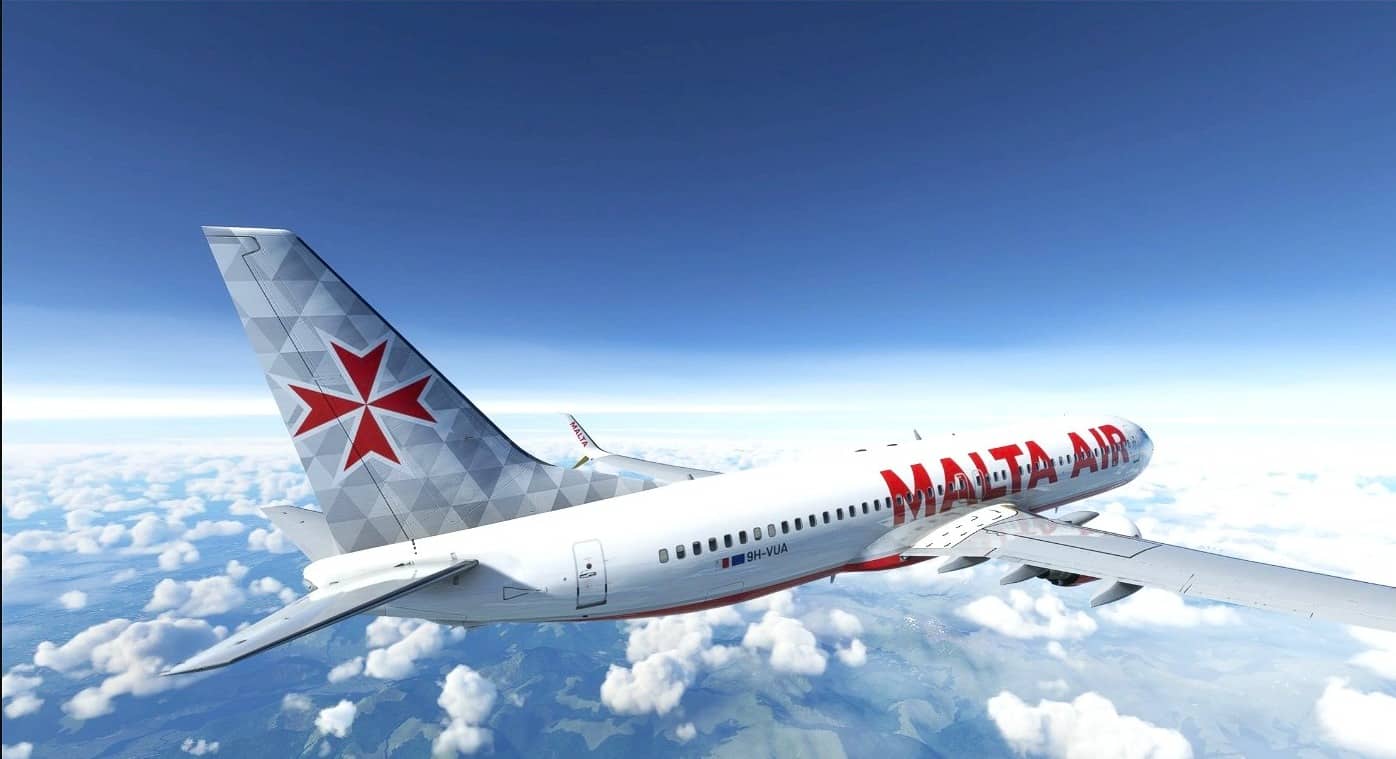
Malta Air (9H-VUA) w/Interiors v1.0
Aircraft included: 9H-VUA
How to install?
Simply unzip the zip folder and extract the .ptp file on Desktop, then open the PMDG Operation Center application; Click on Aircraft and Liveries > Livery Utilities; Click on “Install from PTP file” in the bottom left corner for each file; Wait a few seconds for the installation of each file and then open MFS! You’re cleared for takeoff!
MSFS 2020 Liveries
14 May, 2021
MSFS 2020 Liveries
9 Sep, 2022
MSFS 2020 Liveries
7 Feb, 2022
How to install?
Simply unzip the zip folder and extract the .ptp file on Desktop, then open the PMDG Operation Center application; Click on Aircraft and Liveries > Livery Utilities; Click on “Install from PTP file” in the bottom left corner for each file; Wait a few seconds for the installation of each file and then open MFS! You’re cleared for takeoff!
MSFS 2020 Liveries
14 May, 2021
MSFS 2020 Liveries
9 Sep, 2022
MSFS 2020 Liveries
7 Feb, 2022
Download Links
Report a problem
Malta Air (9H-VUA) w/Interiors v1.0
Advertisement
Remove ads