1 / 4
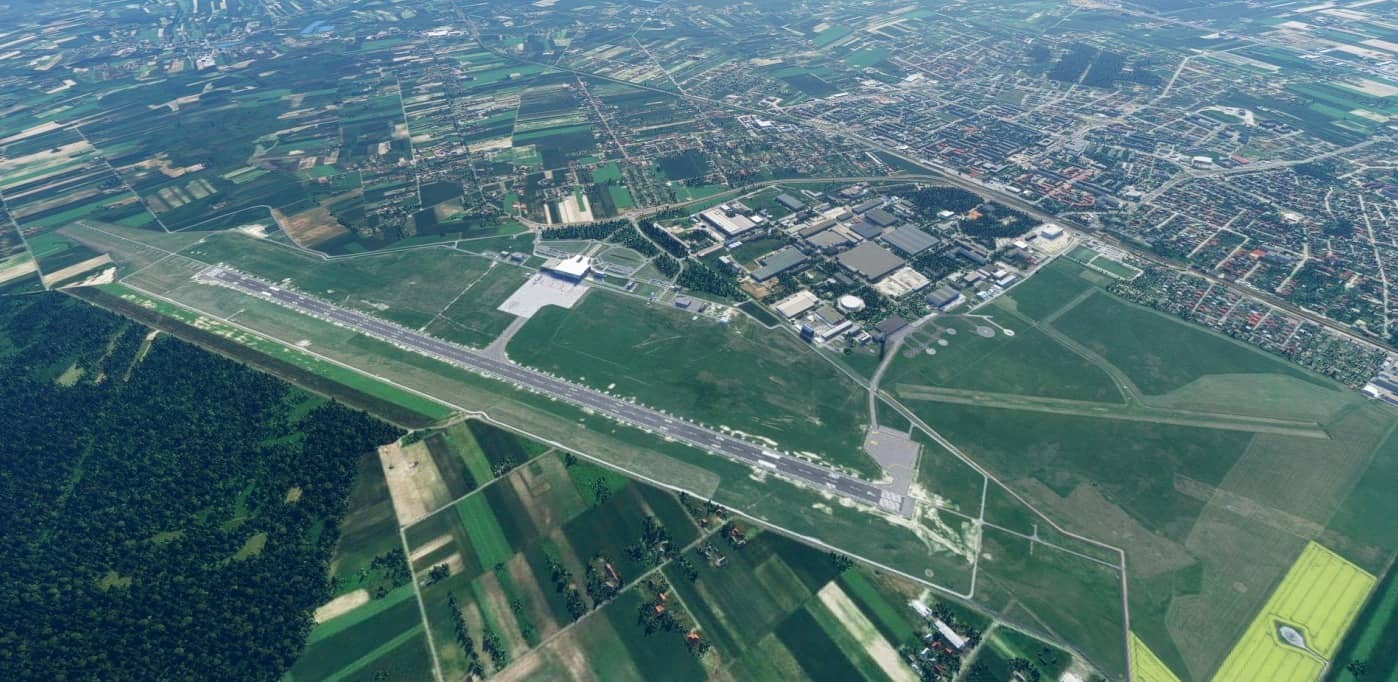
Lublin airport for FS2020 v1.0.0
Lublin airport for FS2020,
INSTALLATION: a. unpack the zip package b. copy the folder “cmdesign-eplb” and optionally “cmdesign-eplbortho” to the \ Community \ folder in the main game folder
Have fun flying.
v1.0 – default buildings – improved taxiways, lines, runways and parking spaces. – added models of airport vehicles – lighting has been added – PAPI lights added and approach lights improved. – added airport photo texture in ZL19 resolution
MSFS 2020 Airports
28 Jan, 2021
MSFS 2020 Airports
11 Oct, 2021
MSFS 2020 Airports
10 Sep, 2021
INSTALLATION: a. unpack the zip package b. copy the folder “cmdesign-eplb” and optionally “cmdesign-eplbortho” to the \ Community \ folder in the main game folder
Have fun flying.
v1.0 – default buildings – improved taxiways, lines, runways and parking spaces. – added models of airport vehicles – lighting has been added – PAPI lights added and approach lights improved. – added airport photo texture in ZL19 resolution
MSFS 2020 Airports
28 Jan, 2021
MSFS 2020 Airports
11 Oct, 2021
MSFS 2020 Airports
10 Sep, 2021
Download Links
Report a problem
Lublin airport for FS2020 v1.0.0
Advertisement
Remove ads