1 / 4
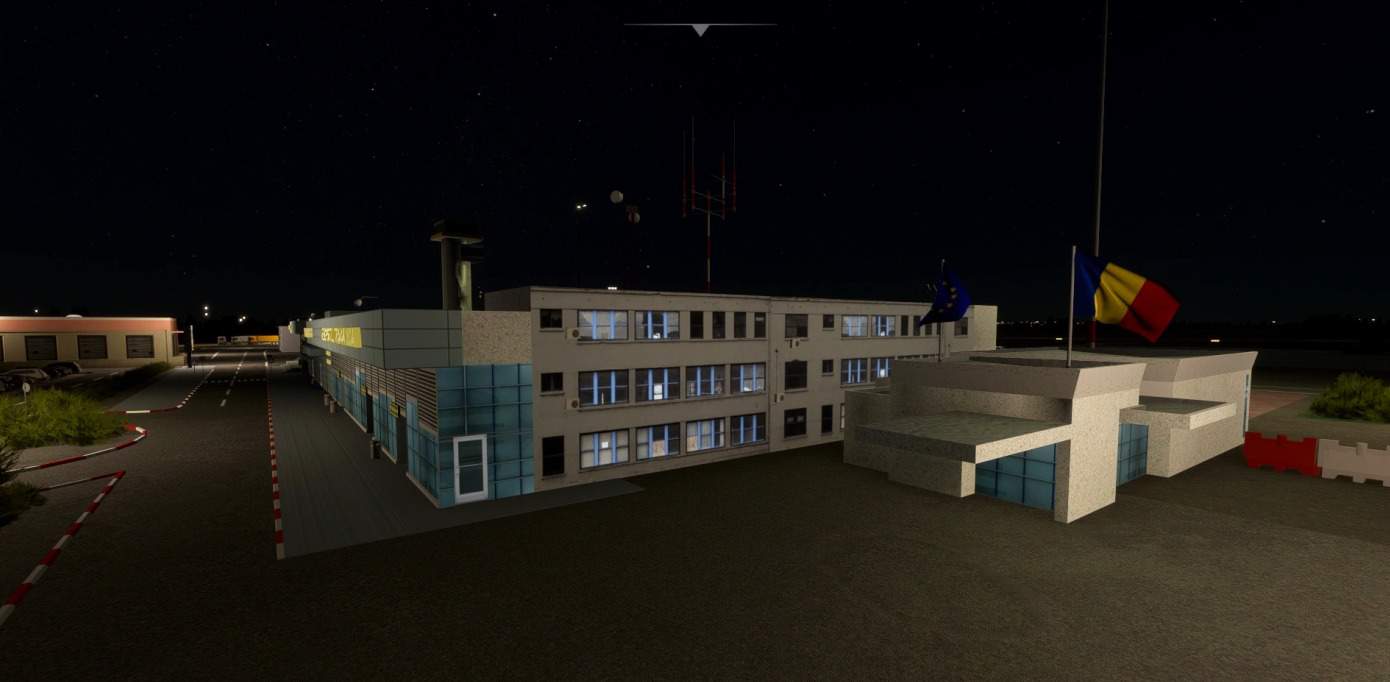
LRTR – Timisoara “Traian Vuia” International Airport v1.0
Timisoara – “Traian Vuia” International Airport, ICAO code LRTR. Hand crafted terminal, some buildings and the aprons (markings, taxiways…)
Installation Warning: Do not overlap it with other LRTR scenery. Save the previous scenery first. Extract the “luciancristea-lrtr” folder from the “luciancristea-lrtr.zip” file to your Microsoft Flight Simulator “Community” folder. Depending of your MSFS installation, you may find the “Community” folder:
Microsoft Store edition AND/OR Gamepass edition: C:\Users\[YOUR USERNAME]\AppData\Local\Packages\Microsoft.FlightSimulator_\LocalCache\Packages\Community
Steam edition: C:\Users\[YOUR USERNAME]\AppData\Roaming\Microsoft Flight Simulator\Packages\Community
GPS Coordinates: 45.805340, 21.336271
MSFS 2020 Airports
16 Nov, 2020
MSFS 2020 Airports
29 Oct, 2020
MSFS 2020 Airports
13 Oct, 2020
Installation Warning: Do not overlap it with other LRTR scenery. Save the previous scenery first. Extract the “luciancristea-lrtr” folder from the “luciancristea-lrtr.zip” file to your Microsoft Flight Simulator “Community” folder. Depending of your MSFS installation, you may find the “Community” folder:
Microsoft Store edition AND/OR Gamepass edition: C:\Users\[YOUR USERNAME]\AppData\Local\Packages\Microsoft.FlightSimulator_\LocalCache\Packages\Community
Steam edition: C:\Users\[YOUR USERNAME]\AppData\Roaming\Microsoft Flight Simulator\Packages\Community
GPS Coordinates: 45.805340, 21.336271
MSFS 2020 Airports
16 Nov, 2020
MSFS 2020 Airports
29 Oct, 2020
MSFS 2020 Airports
13 Oct, 2020
Download Links
Report a problem
LRTR – Timisoara “Traian Vuia” International Airport v1.0
Advertisement
Remove ads