1 / 4
LFBZ – Biarritz – Anglet Airport Upgrade v0.1
Hello everyone,
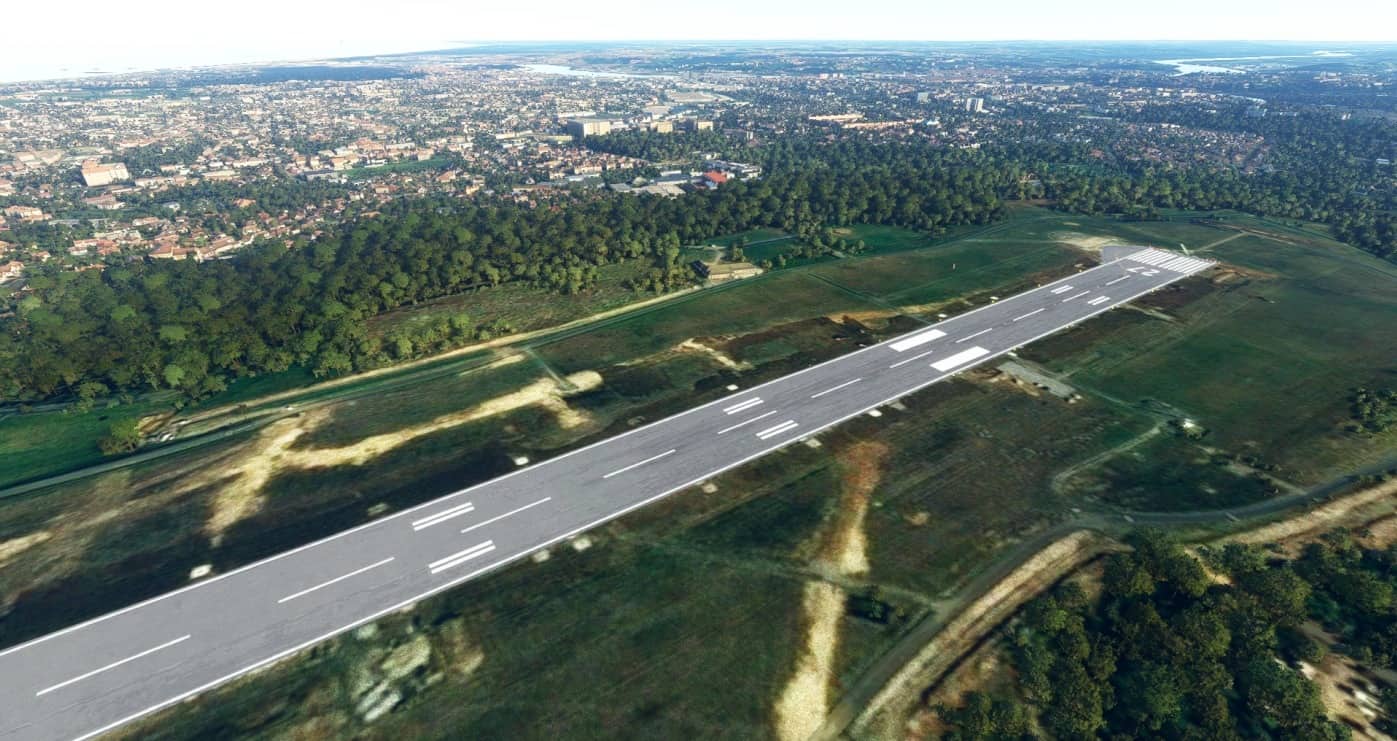
This is my first scene on Flight Simualtor 2020, I decided to redesign the Biarritz Anglet Bayone airport in order to correct many problems encountered with the default version.
Please note that I didn’t add any realistic buildings because I don’t have the skills to create 3D buildings yet. If someone wants to help me to realize them, don’t hesitate to contact me.
Here is the list of the modifications made : V0.1 – Rework of the airport runway (The default one had no ground markings because of a Bing Map image taken during runway rehabilitation) – Redesign of the Taxiway, I recovered all the taxiways of the airport in order to correct their position. – Removed the taxiway lights in order to reposition them correctly. – Correction of parking pattern of all the parking areas and gates. – Added south parking area. – Added VASI lights on runway 27. – Fixed jetway position. – Added lights on the apron near the gates. – Moved the fuel pump to its actual location. – Added the control tower – Added ground markings. – Added approach lights. – Added heliports.
The AI works, but I haven’t yet been able to see an A320 AI take off, so I don’t know if it works.As I said earlier, this is my very first scene in its first version so feel free to give me your opinion and comments.
I hope you’ll enjoy it !
To install, simply move the lfbz-biarritz-anglet-bayonne folder into the FS community folder.
GPS Coordinates: 43.470801, -1.531464
MSFS 2020 Airports
22 Nov, 2020
MSFS 2020 Airports
13 Oct, 2020
MSFS 2020 Airports
14 Nov, 2021
This is my first scene on Flight Simualtor 2020, I decided to redesign the Biarritz Anglet Bayone airport in order to correct many problems encountered with the default version.
Please note that I didn’t add any realistic buildings because I don’t have the skills to create 3D buildings yet. If someone wants to help me to realize them, don’t hesitate to contact me.
Here is the list of the modifications made : V0.1 – Rework of the airport runway (The default one had no ground markings because of a Bing Map image taken during runway rehabilitation) – Redesign of the Taxiway, I recovered all the taxiways of the airport in order to correct their position. – Removed the taxiway lights in order to reposition them correctly. – Correction of parking pattern of all the parking areas and gates. – Added south parking area. – Added VASI lights on runway 27. – Fixed jetway position. – Added lights on the apron near the gates. – Moved the fuel pump to its actual location. – Added the control tower – Added ground markings. – Added approach lights. – Added heliports.
The AI works, but I haven’t yet been able to see an A320 AI take off, so I don’t know if it works.As I said earlier, this is my very first scene in its first version so feel free to give me your opinion and comments.
I hope you’ll enjoy it !
To install, simply move the lfbz-biarritz-anglet-bayonne folder into the FS community folder.
GPS Coordinates: 43.470801, -1.531464
MSFS 2020 Airports
22 Nov, 2020
MSFS 2020 Airports
13 Oct, 2020
MSFS 2020 Airports
14 Nov, 2021
Download Links
Report a problem
LFBZ – Biarritz – Anglet Airport Upgrade v0.1
Advertisement
Remove ads