1 / 6
L’Alpe D’Huez Airport – LFHU
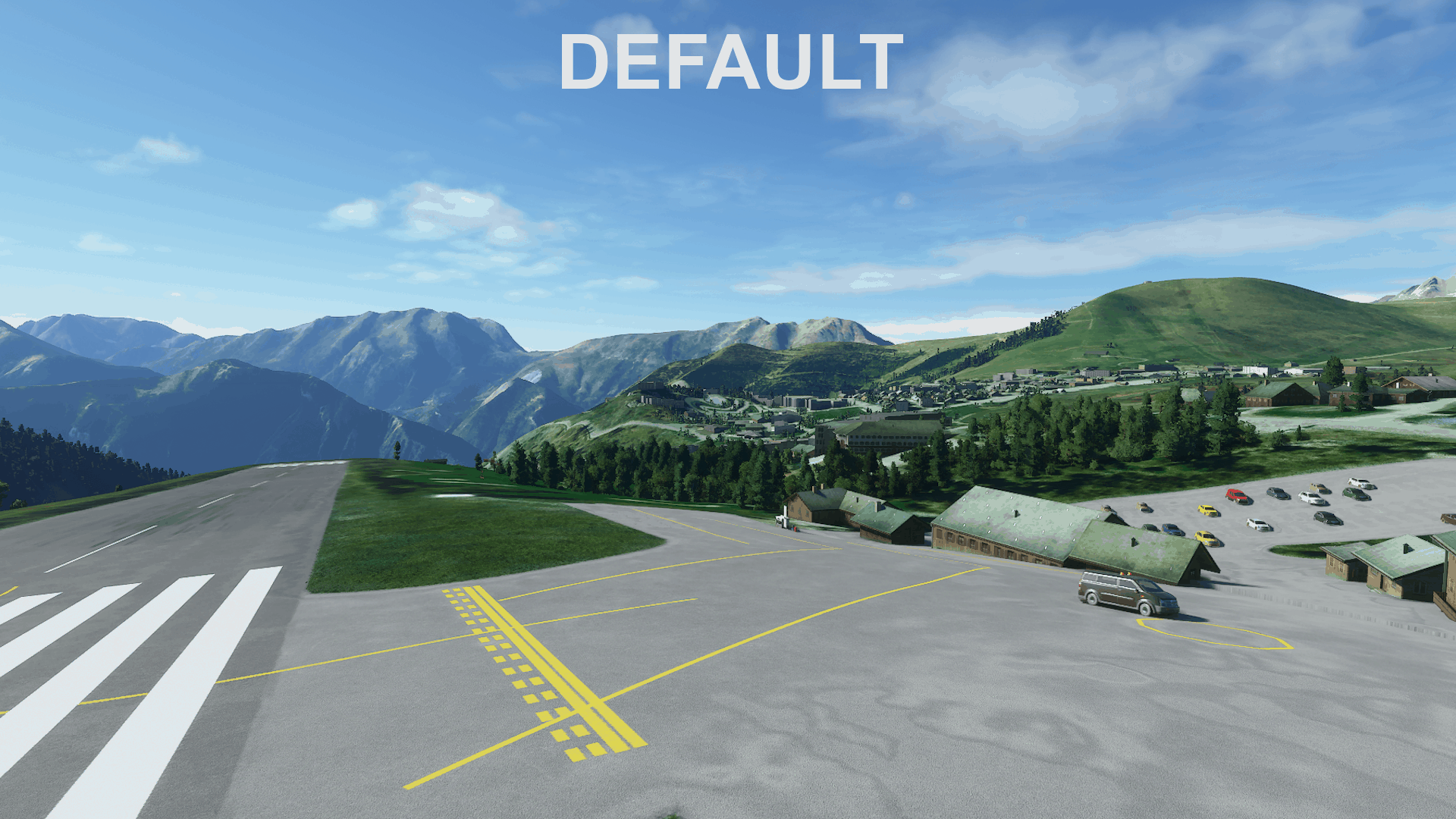
The airport at Alpe D’Huez has a 1500ft paved runway with a slope reminiscent of Courchevel. The airport sits high up the famous mountainside and overlooks the valley below with a steep drop off at the end of runway 24. This mod overhauls the small airport to make it much more usable and realistic.
Installation: Installation is the same as for most mods, simply extract the folder and place it in the Community folder.
Description: Alpe D’Huez (LFHU) is a tiny paved altiport hidden inside the French Alps. It features a 1500ft sloped runway similar to that found in Courchevel.
Procedures: Landings only occur upslope on runway 06 with takeoffs taking place from runway 24.
Features (0.1.0): – Re-terraformed the runway and parking lot to better replicate real life – Made the control tower in Blender – Replaced default AI buildings with hangars – Added windsock to proper location – Added fuel box – Fixed roads surrounding the airport – Fixed up the sports complex near the bottom of the runway – Added more accurate taxiway lines and runway markings. – Covered any satellite image artefacts like parked planes and shadows. – Added and removed trees where appropriate
Future Updates: – I do plan on making the hangars and restaurant in Blender eventually but that is a long term project and not high on my to-do list. It will take me a lot of time to build all of the models and texture them properly whereas for now the standard buildings Asobo offers do the job well enough.
Known Issues: – I don’t seem to be able to edit the cars in the airport and sports complex parking lots. I think it has to do with them being AI generated. They also seem to be a bit buggy, appearing sometimes and other times they don’t render at all. – The game has a permanent windsock placed on the golf course next to the runway. I cannot remove it. – Can’t seem to remove some airport lighting despite having it set to delete all existing lights. So there will be some floating, ghost lights when it gets dark.
MSFS 2020 Airports
8 Feb, 2021
MSFS 2020 Airports
30 Oct, 2020
MSFS 2020 Airports
25 Dec, 2021
Installation: Installation is the same as for most mods, simply extract the folder and place it in the Community folder.
Description: Alpe D’Huez (LFHU) is a tiny paved altiport hidden inside the French Alps. It features a 1500ft sloped runway similar to that found in Courchevel.
Procedures: Landings only occur upslope on runway 06 with takeoffs taking place from runway 24.
Features (0.1.0): – Re-terraformed the runway and parking lot to better replicate real life – Made the control tower in Blender – Replaced default AI buildings with hangars – Added windsock to proper location – Added fuel box – Fixed roads surrounding the airport – Fixed up the sports complex near the bottom of the runway – Added more accurate taxiway lines and runway markings. – Covered any satellite image artefacts like parked planes and shadows. – Added and removed trees where appropriate
Future Updates: – I do plan on making the hangars and restaurant in Blender eventually but that is a long term project and not high on my to-do list. It will take me a lot of time to build all of the models and texture them properly whereas for now the standard buildings Asobo offers do the job well enough.
Known Issues: – I don’t seem to be able to edit the cars in the airport and sports complex parking lots. I think it has to do with them being AI generated. They also seem to be a bit buggy, appearing sometimes and other times they don’t render at all. – The game has a permanent windsock placed on the golf course next to the runway. I cannot remove it. – Can’t seem to remove some airport lighting despite having it set to delete all existing lights. So there will be some floating, ghost lights when it gets dark.
MSFS 2020 Airports
8 Feb, 2021
MSFS 2020 Airports
30 Oct, 2020
MSFS 2020 Airports
25 Dec, 2021
Download Links
Report a problem
L’Alpe D’Huez Airport – LFHU
Advertisement
Remove ads