1 / 15
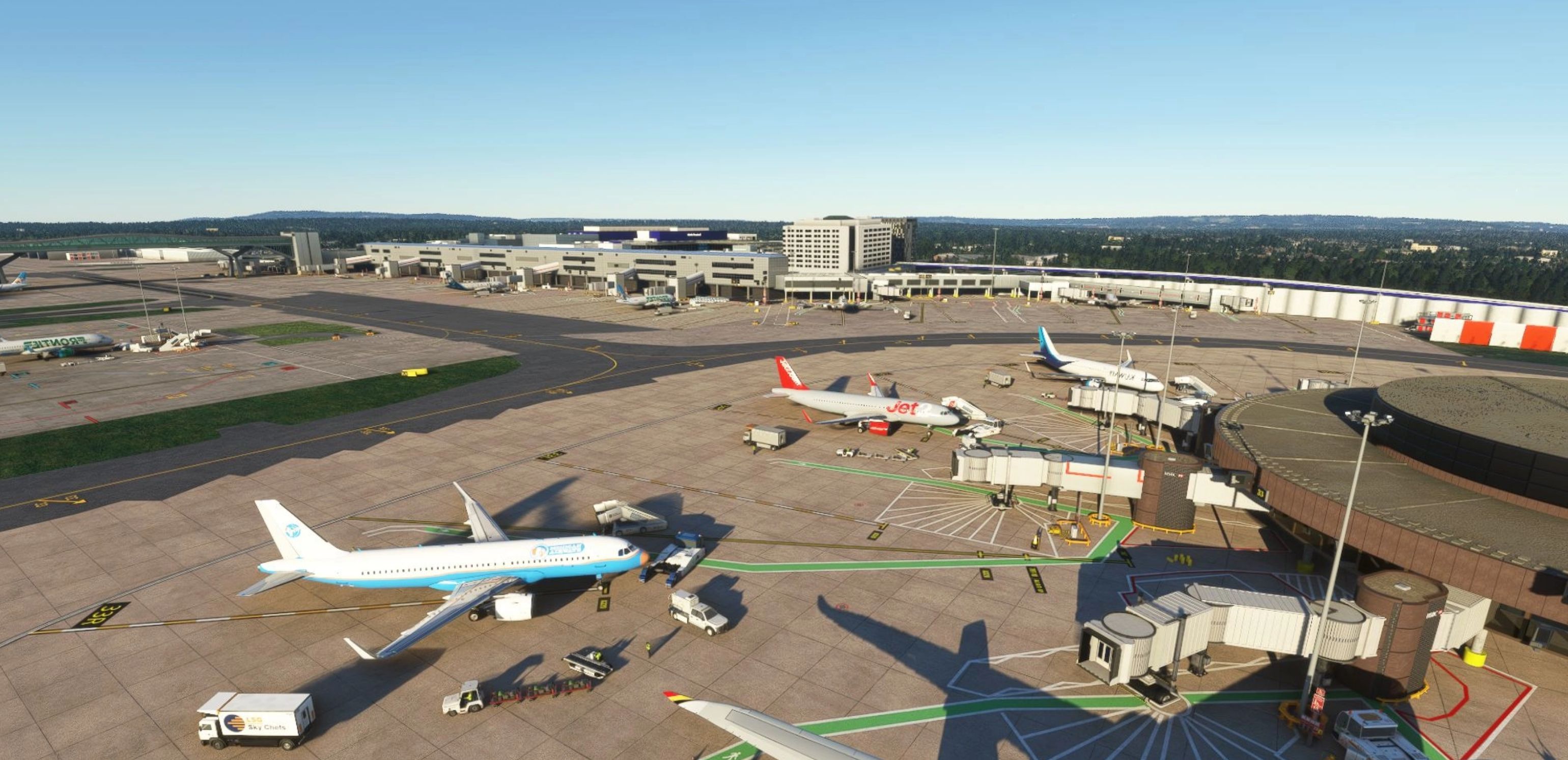
Gatwick Airport EGKK 2023
The airport is now operational with continuing updates
Installing updated versions for EGKK and Best way to clear your cache and get rid of old data indexes.Manual Cache not recommended, best to let fs2020 automatically manage.
1) Delete the older version ‘gatwick’ from community folder 2) Start fs2020 and spawn to default Gatwick 3) Close Fs2020 and install New version into community folder as ‘gatwick’ 4) Open fs2020
This method will solve the problem of scenery not appearing, or overlapping models
ONLY GATES are serviced by Jetways. Even if you are on a Left side stand, and it looks closer if its a RAMP position the jetway will not move, instead call for steps.
Drag or extract from zip into community folder as the folder name ‘gatwick’ Do not drag a new update into an older gatwick version. It must be deleted and the updated version extracted/dragged into the community folder I have also included my own GSX profiles and have included in the Zip file.
Only one can be used at any one time, including the fine examples from other GSX profile creators.
I am making aircraft type specific GSX configs. These will be updated with every Gatwick update
The location for profiles on my pc is (windows store version of msfs) Local Disk C\Users\mkvy(my PC name)\AppData\Roaming\Virtuali\GSX\MSFS
only one .ini must be in there at any one time.. remove any that are there and paste the .ini file, not the folder
GSX Profile A320 GSX Profile B737-600 GSX Profile B747-800 GSX Profile B787-10
More coming soon, possibly PMDG 737-800
When spawning at a position always REPOSITION with GSX so you are in the right config. Only one GSX profile can be used at one time. Take your pick from other profile creators as i’m sure they will be updated and go deeper into setups as there should be no major changes just tweaks. V23.5.18 Stand 10 stand number plate added VDGS pole attachments repositioned correctly on crossbars and added to 42 Galvanized Steel PBR texture on posts and crossbars and papa extension arms lengthened Ground Power units updated Pier 2 Southside Fixed over shiny building texture stand 552 Stand sign mix up between 102 and 101 now fixed UPDATED GSX PROFILES Apron texturing WIP
GPS Coordinates 51.149520, -0.186978
Recent Changelog for V23.8.28 Parking bay marks and stains for every parking area HSBC advert banners WIP Taxiway lines tidy up WIP
MSFS 2020 Airports
5 Jul, 2021
MSFS 2020 Airports
10 Jan, 2021
MSFS 2020 Airports
17 Jan, 2021
Installing updated versions for EGKK and Best way to clear your cache and get rid of old data indexes.Manual Cache not recommended, best to let fs2020 automatically manage.
1) Delete the older version ‘gatwick’ from community folder 2) Start fs2020 and spawn to default Gatwick 3) Close Fs2020 and install New version into community folder as ‘gatwick’ 4) Open fs2020
This method will solve the problem of scenery not appearing, or overlapping models
ONLY GATES are serviced by Jetways. Even if you are on a Left side stand, and it looks closer if its a RAMP position the jetway will not move, instead call for steps.
Drag or extract from zip into community folder as the folder name ‘gatwick’ Do not drag a new update into an older gatwick version. It must be deleted and the updated version extracted/dragged into the community folder I have also included my own GSX profiles and have included in the Zip file.
Only one can be used at any one time, including the fine examples from other GSX profile creators.
I am making aircraft type specific GSX configs. These will be updated with every Gatwick update
The location for profiles on my pc is (windows store version of msfs) Local Disk C\Users\mkvy(my PC name)\AppData\Roaming\Virtuali\GSX\MSFS
only one .ini must be in there at any one time.. remove any that are there and paste the .ini file, not the folder
GSX Profile A320 GSX Profile B737-600 GSX Profile B747-800 GSX Profile B787-10
More coming soon, possibly PMDG 737-800
When spawning at a position always REPOSITION with GSX so you are in the right config. Only one GSX profile can be used at one time. Take your pick from other profile creators as i’m sure they will be updated and go deeper into setups as there should be no major changes just tweaks. V23.5.18 Stand 10 stand number plate added VDGS pole attachments repositioned correctly on crossbars and added to 42 Galvanized Steel PBR texture on posts and crossbars and papa extension arms lengthened Ground Power units updated Pier 2 Southside Fixed over shiny building texture stand 552 Stand sign mix up between 102 and 101 now fixed UPDATED GSX PROFILES Apron texturing WIP
GPS Coordinates 51.149520, -0.186978
Recent Changelog for V23.8.28 Parking bay marks and stains for every parking area HSBC advert banners WIP Taxiway lines tidy up WIP
MSFS 2020 Airports
5 Jul, 2021
MSFS 2020 Airports
10 Jan, 2021
MSFS 2020 Airports
17 Jan, 2021
Download Links
Report a problem
Gatwick Airport EGKK 2023
Advertisement
Remove ads