1 / 2
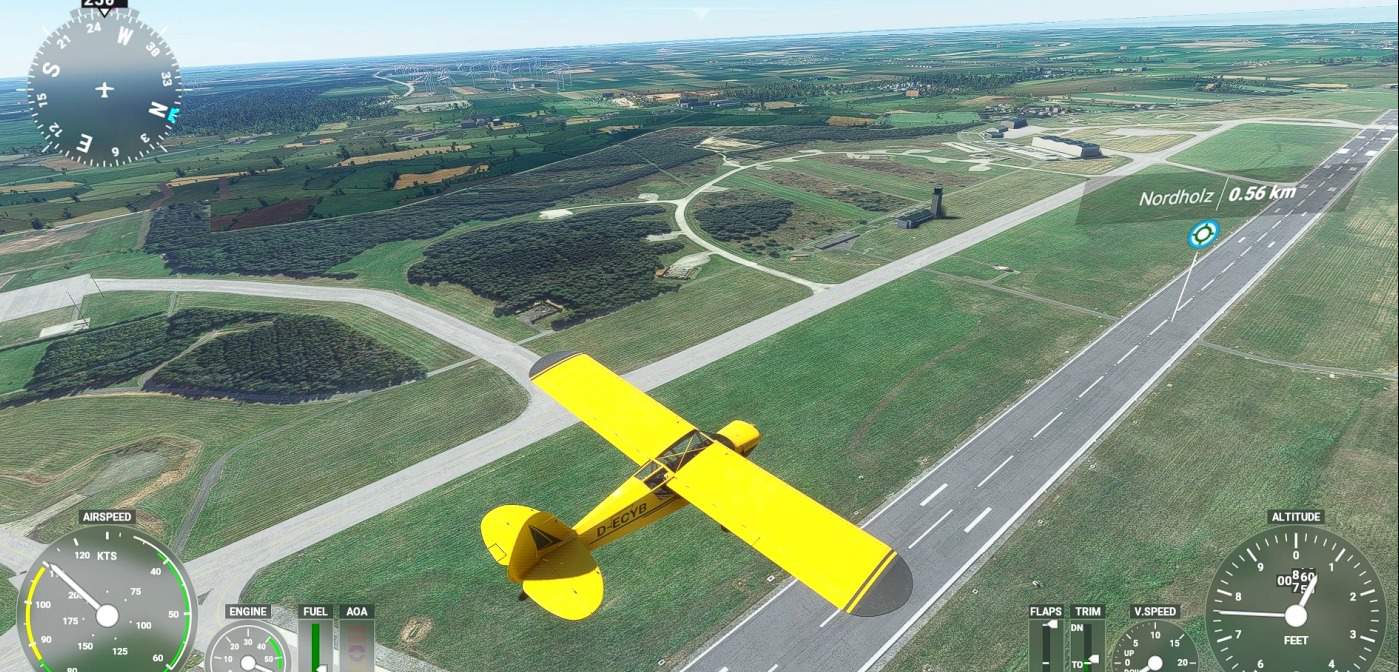
ETMN Nordholz and EDXN Nordholz-Spika Aerial image v1.0
Aerial Image for Nordholz ETMN, works best together with ETMN – Nordholz – Germany Scenery by APE42.
Installation: Copy the folder “etmn-ortho” to “MSFS-Directory/Community/”. After restart of MSFS, the scenery will show up in your sim.
License: This package is free to use and for private and non-profitable purposes only.
Credits: The imagery is based on the images provided by Google Earth
GPS Coordinates: 53.762358, 8.672453
MSFS 2020 Airports
16 Feb, 2021
MSFS 2020 Airports
9 Sep, 2021
MSFS 2020 Airports
25 May, 2022
Installation: Copy the folder “etmn-ortho” to “MSFS-Directory/Community/”. After restart of MSFS, the scenery will show up in your sim.
License: This package is free to use and for private and non-profitable purposes only.
Credits: The imagery is based on the images provided by Google Earth
GPS Coordinates: 53.762358, 8.672453
MSFS 2020 Airports
16 Feb, 2021
MSFS 2020 Airports
9 Sep, 2021
MSFS 2020 Airports
25 May, 2022
Download Links
Report a problem
ETMN Nordholz and EDXN Nordholz-Spika Aerial image v1.0
Advertisement
Remove ads