1 / 9
ENBR Bergen Airport – Flesland v1.9.11
Norway’s second busiest airport with one of the most beautiful runway elevation profiles in the world. Runway profile and terraforming carefully recreated in this total makeover of the airport for MSFS. Custom models, fully working jetways, accurate taxi signs, parking and complete rework of ground textures with custom markings.
GSX jetways MUST be disabled for this airport, as well as any other airport featuring terraforming.
The default airport in flight simulator is unfortunately situated on top of the border between an old and a terrible satellite photo. The ground under the airport also has challenging elevation data, being captured during construction. In addition to this, parking, apron and taxiways are based on old data from before the construction of the new terminal, but the visuals include the new terminal.This started as an attempt to cover up and correct these issues, and has evolved into recreating the airport using default + custom 3D assets and custom ground markings.
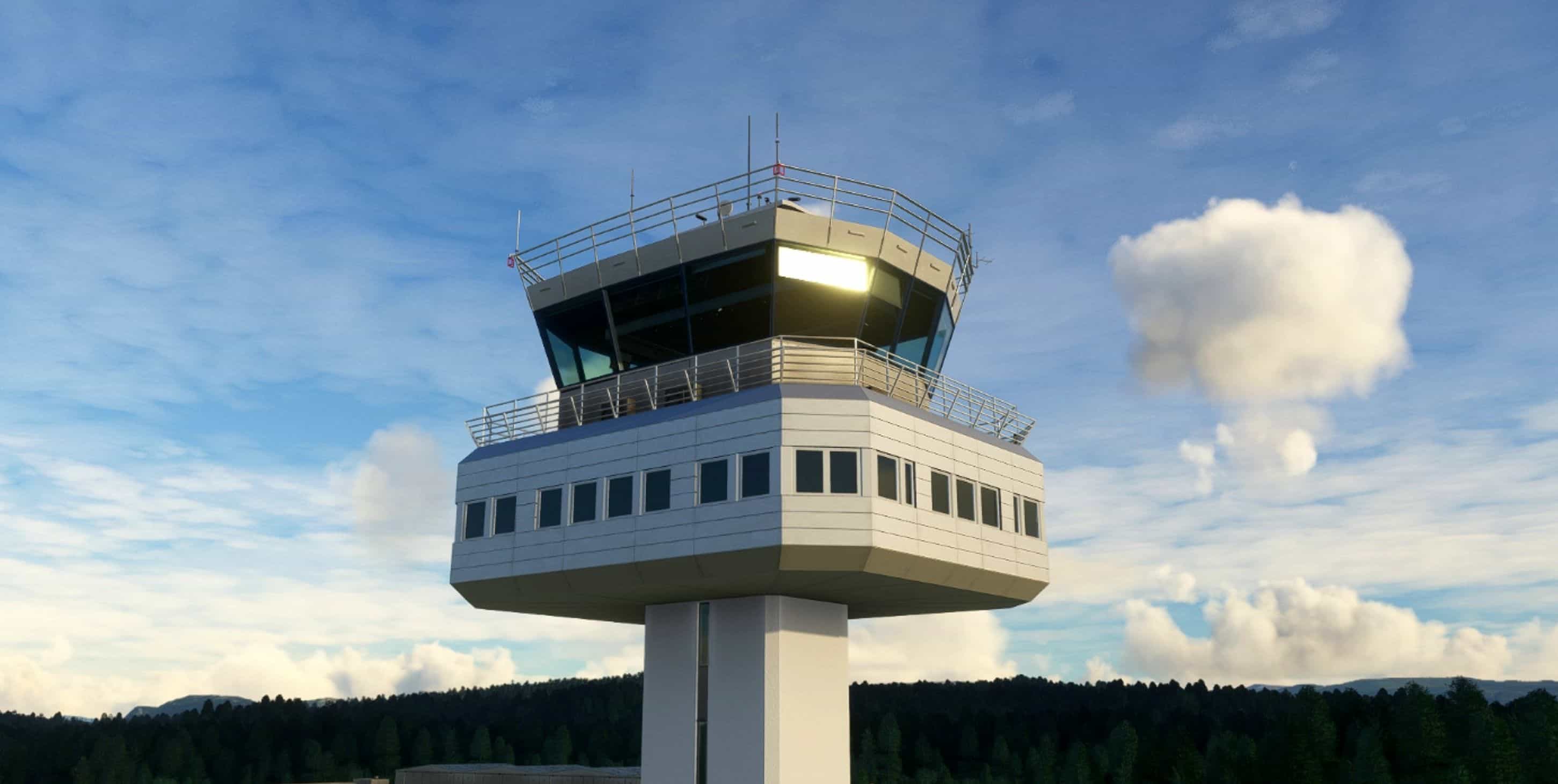
A very large thank you to Nicolas Henne for good tower reference photos.
Compatibility: Like some other addon airports, the following will cause issues:
Justflight / Black Square’s Real Taxiways – Terraforming and parking spots. Disable ENBR in that package.
GSX pro – Terraforming, jetways and parking spots. Disable jetways for ENBR in the GSX config utility or you will experience broken terraforming and other issues that will make the airport unusable.
Andres3d airport lights – extra lightmasts in wrong positions.
VDGS installation: I have implemented support for Nool Aerosystems’ VDGS utility on gates 8-24. This is the same VDGS module being used in certain payware airports. Using these is completely optional and requires the installation of their module. The utility uses an exe file to collect information from installed aircraft cfg files to determine accurate nosewheel position and a wasm module that will let the display guide you to an accurate stop every time.
The display will automatically wake up as you taxi towards your gate showing you the detected aircraft type and flight number and start giving you distance guidance as you move closer. It will also show you current ingame time while parked.
Note: The default 747-800 has a door bug and will probably be guided to a stop 20-30 meters too early.
Features: VDGS Custom lights Correctly placed and named taxiways Correctly placed and named parking spaces on terminal area Taxisigns Terraforming + sloped runway Custom ground paint Grass aprons to cover broken aerial images 3D models including: Passenger terminals Helicopter terminal Avinor admin/fire station Tower Tech hangars Light masts Flying club hangar Parking garage
Note: Parking spots in GA area are unmarked and I’ve given them numbers in the 100+ range (North parking).The de-ice/cargo parking spots at taxiway U are marked 1-4 and I’ve given them parking numbers 91-94.
Parking H50-H56 are the helicopter parking spots outside the helicopter terminal and are not connected to the AI taxi network.
Known issues: – Runway and taxiway lights may spawn at wrong elevation when arriving at terraformed airports. This is an MSFS issue. Setting higher Terrain off-screen pre-caching and higher Terrain LOD settings help.
v1.9.11 Starting work on new markings, runway/taxi/approach lights. This update contains: – New accurate runway markings – New green/yellow centerline lights for rwy intersections.
MSFS 2020 Airports
26 Sep, 2020
MSFS 2020 Airports
17 Apr, 2021
MSFS 2020 Airports
15 Oct, 2020
GSX jetways MUST be disabled for this airport, as well as any other airport featuring terraforming.
The default airport in flight simulator is unfortunately situated on top of the border between an old and a terrible satellite photo. The ground under the airport also has challenging elevation data, being captured during construction. In addition to this, parking, apron and taxiways are based on old data from before the construction of the new terminal, but the visuals include the new terminal.This started as an attempt to cover up and correct these issues, and has evolved into recreating the airport using default + custom 3D assets and custom ground markings.
A very large thank you to Nicolas Henne for good tower reference photos.
Compatibility: Like some other addon airports, the following will cause issues:
Justflight / Black Square’s Real Taxiways – Terraforming and parking spots. Disable ENBR in that package.
GSX pro – Terraforming, jetways and parking spots. Disable jetways for ENBR in the GSX config utility or you will experience broken terraforming and other issues that will make the airport unusable.
Andres3d airport lights – extra lightmasts in wrong positions.
VDGS installation: I have implemented support for Nool Aerosystems’ VDGS utility on gates 8-24. This is the same VDGS module being used in certain payware airports. Using these is completely optional and requires the installation of their module. The utility uses an exe file to collect information from installed aircraft cfg files to determine accurate nosewheel position and a wasm module that will let the display guide you to an accurate stop every time.
The display will automatically wake up as you taxi towards your gate showing you the detected aircraft type and flight number and start giving you distance guidance as you move closer. It will also show you current ingame time while parked.
Note: The default 747-800 has a door bug and will probably be guided to a stop 20-30 meters too early.
Features: VDGS Custom lights Correctly placed and named taxiways Correctly placed and named parking spaces on terminal area Taxisigns Terraforming + sloped runway Custom ground paint Grass aprons to cover broken aerial images 3D models including: Passenger terminals Helicopter terminal Avinor admin/fire station Tower Tech hangars Light masts Flying club hangar Parking garage
Note: Parking spots in GA area are unmarked and I’ve given them numbers in the 100+ range (North parking).The de-ice/cargo parking spots at taxiway U are marked 1-4 and I’ve given them parking numbers 91-94.
Parking H50-H56 are the helicopter parking spots outside the helicopter terminal and are not connected to the AI taxi network.
Known issues: – Runway and taxiway lights may spawn at wrong elevation when arriving at terraformed airports. This is an MSFS issue. Setting higher Terrain off-screen pre-caching and higher Terrain LOD settings help.
v1.9.11 Starting work on new markings, runway/taxi/approach lights. This update contains: – New accurate runway markings – New green/yellow centerline lights for rwy intersections.
MSFS 2020 Airports
26 Sep, 2020
MSFS 2020 Airports
17 Apr, 2021
MSFS 2020 Airports
15 Oct, 2020
Download Links
Report a problem
ENBR Bergen Airport – Flesland v1.9.11
Advertisement
Remove ads