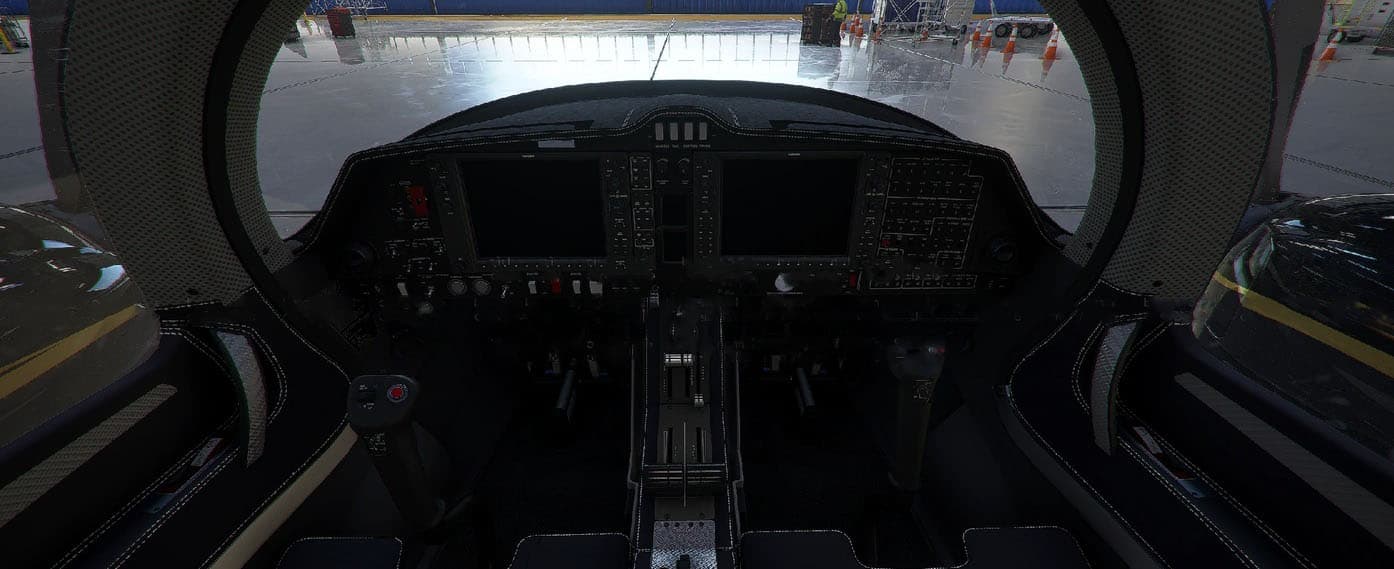
1 / 2
Diamond Aircraft DA62 Black Interior v1.0
Installation instructions:
1. Copy DDS and JSON files to your DA62 custom livery TEXTURE folder. 2. Copy build.py to your custom DA62 livery MAIN folder. 3. Back up layout.json before running build.py 4. Run build.py to update layout.json (requires python installed)
MSFS 2020 Liveries
7 Dec, 2020
MSFS 2020 Liveries
23 Mar, 2021
MSFS 2020 Liveries
8 Mar, 2022
1. Copy DDS and JSON files to your DA62 custom livery TEXTURE folder. 2. Copy build.py to your custom DA62 livery MAIN folder. 3. Back up layout.json before running build.py 4. Run build.py to update layout.json (requires python installed)
MSFS 2020 Liveries
7 Dec, 2020
MSFS 2020 Liveries
23 Mar, 2021
MSFS 2020 Liveries
8 Mar, 2022
Download Links
Report a problem
Diamond Aircraft DA62 Black Interior v1.0
Advertisement
Remove ads