1 / 2
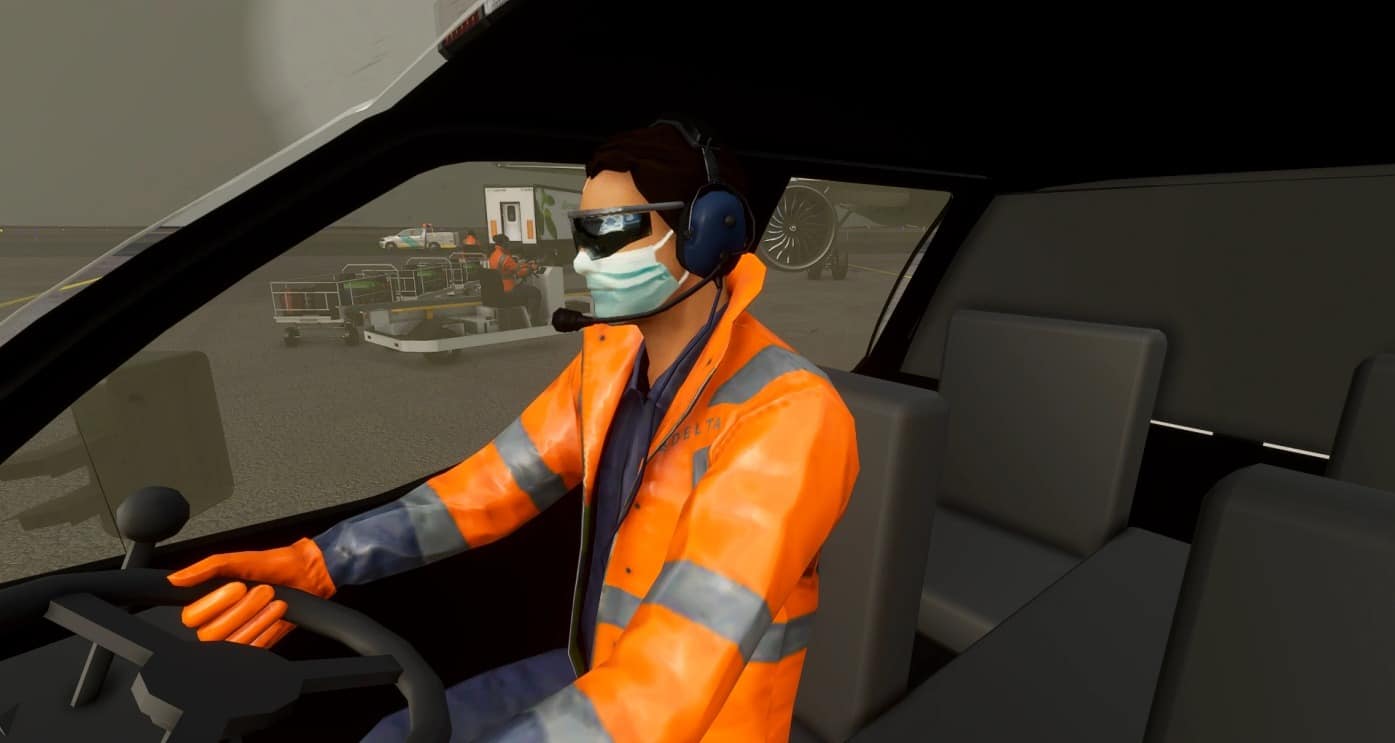
Delta Ground Crew v1.0
Delta Ground Crew Uniforms
Finding the community folder: If you have installed the MSFS contents in a custom folder, go in to that folder, and simply drag and drop the unarchived addon folder into your Microsoft Flight Simulator “Community” folder
If you have bought it from the Microsoft Store Go to %localappdata% (search using windows search), then go to Packages\Microsoft.FlightSimulator_RANDOMLETTERS\LocalCache\Packages\ and place the addon folder(s) into the Community folder
If you have the game through Gamepass Go to %localappdata% (search using windows search), then go to Packages\Microsoft.FlightSimulator_RANDOMLETTERS\LocalCache\Packages\ and place the addon folder(s) into the Community folder
If you bought the game on Steam… Go to %appdata% (search using windows search), then Microsoft Flight Simulator\Packages\ and place the addon folder(s) into the Community folder
Alternate Steam Method (If Above Does Not Work)… Go to %localappdata% (search using windows search), then got to Packages\Microsoft.FlightSimulator_RANDOMLETTERS\LocalCache\Packages\ and place the addon folder(s) into the Community folder
Alternate Steam Method (If Above Does Not Work)… Go to YOUR_STEAM_LOCATION\steamapps\common\ and place the addon folder(s) into the Community folder
MSFS 2020 Liveries
2 May, 2021
MSFS 2020 Liveries
11 Aug, 2021
MSFS 2020 Liveries
22 Aug, 2021
Finding the community folder: If you have installed the MSFS contents in a custom folder, go in to that folder, and simply drag and drop the unarchived addon folder into your Microsoft Flight Simulator “Community” folder
If you have bought it from the Microsoft Store Go to %localappdata% (search using windows search), then go to Packages\Microsoft.FlightSimulator_RANDOMLETTERS\LocalCache\Packages\ and place the addon folder(s) into the Community folder
If you have the game through Gamepass Go to %localappdata% (search using windows search), then go to Packages\Microsoft.FlightSimulator_RANDOMLETTERS\LocalCache\Packages\ and place the addon folder(s) into the Community folder
If you bought the game on Steam… Go to %appdata% (search using windows search), then Microsoft Flight Simulator\Packages\ and place the addon folder(s) into the Community folder
Alternate Steam Method (If Above Does Not Work)… Go to %localappdata% (search using windows search), then got to Packages\Microsoft.FlightSimulator_RANDOMLETTERS\LocalCache\Packages\ and place the addon folder(s) into the Community folder
Alternate Steam Method (If Above Does Not Work)… Go to YOUR_STEAM_LOCATION\steamapps\common\ and place the addon folder(s) into the Community folder
MSFS 2020 Liveries
2 May, 2021
MSFS 2020 Liveries
11 Aug, 2021
MSFS 2020 Liveries
22 Aug, 2021
Download Links
Report a problem
Delta Ground Crew v1.0
Advertisement
Remove ads