1 / 4
CYXH_Medicine Hat Regional Airport v1.0
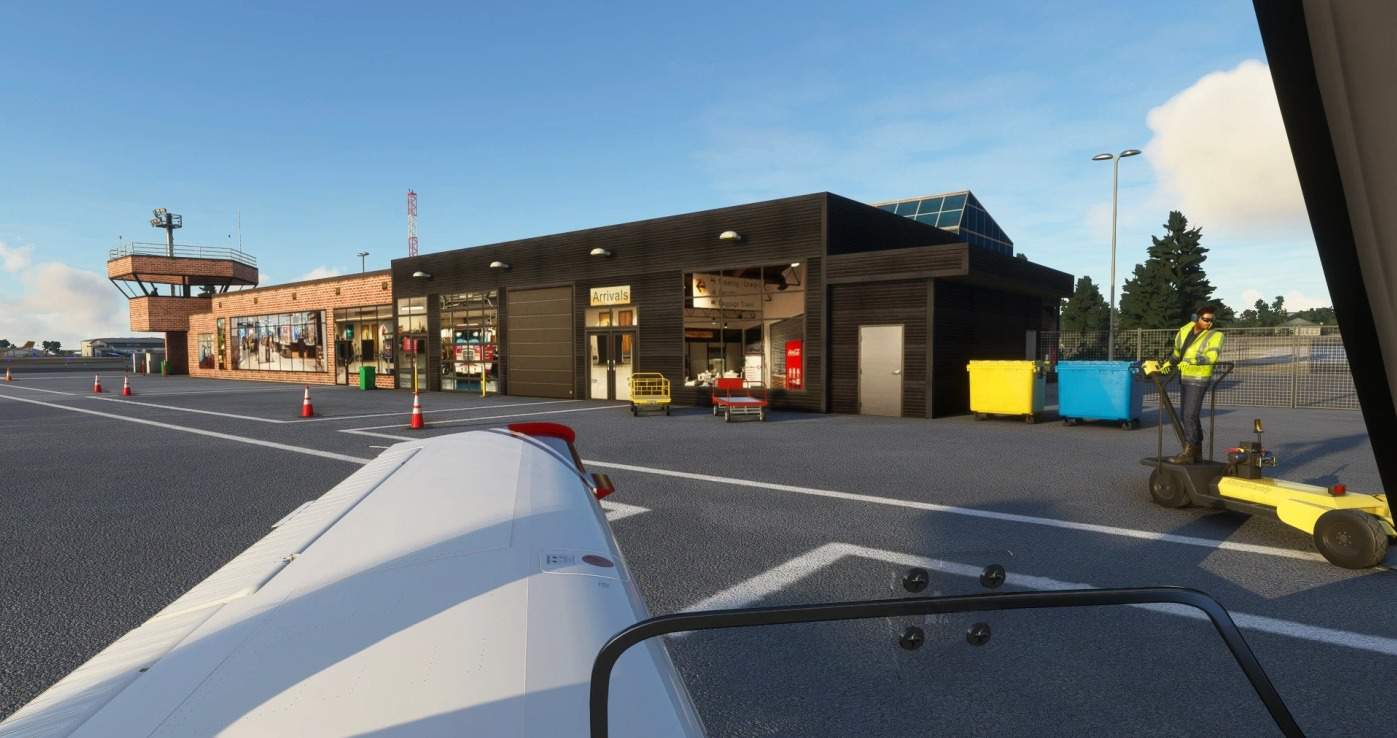
This is my first MSFS 2020 airport modification . – Add custom models to the airport . Terminal building , Super T Aviation buildings and hangars . – Add custom bridges to the rivers at the city downtown area and a model of Medicine Hat City Hall building to make it looks a bit like Medicine Hat City . – Add a custom model of the world tallest Tepee to the City of Medicine Hat at : 50.01522 , -110.69175 . – Add missing windmills and chemical tanks at Canadian fertilizer plant and methanex plant to the northeast of the airport . – And if you want some fuel for your airplane , just taxi to the fuel tanks infront of the white Super T hangar and stop right on the white stripes then you will have it . – For installation , just unrar and copy the whole folder to community folder where MSFS 2020 is installed . That’s all .
Hope you enjoy the airport as I do and Merry Christmas to all . Minh Bui .
GPS Coordinates: 50.0211152,-110.7217338
MSFS 2020 Airports
19 Apr, 2021
MSFS 2020 Airports
22 Nov, 2020
MSFS 2020 Airports
21 Oct, 2020
Hope you enjoy the airport as I do and Merry Christmas to all . Minh Bui .
GPS Coordinates: 50.0211152,-110.7217338
MSFS 2020 Airports
19 Apr, 2021
MSFS 2020 Airports
22 Nov, 2020
MSFS 2020 Airports
21 Oct, 2020
Download Links
Report a problem
CYXH_Medicine Hat Regional Airport v1.0
Advertisement
Remove ads