1 / 3
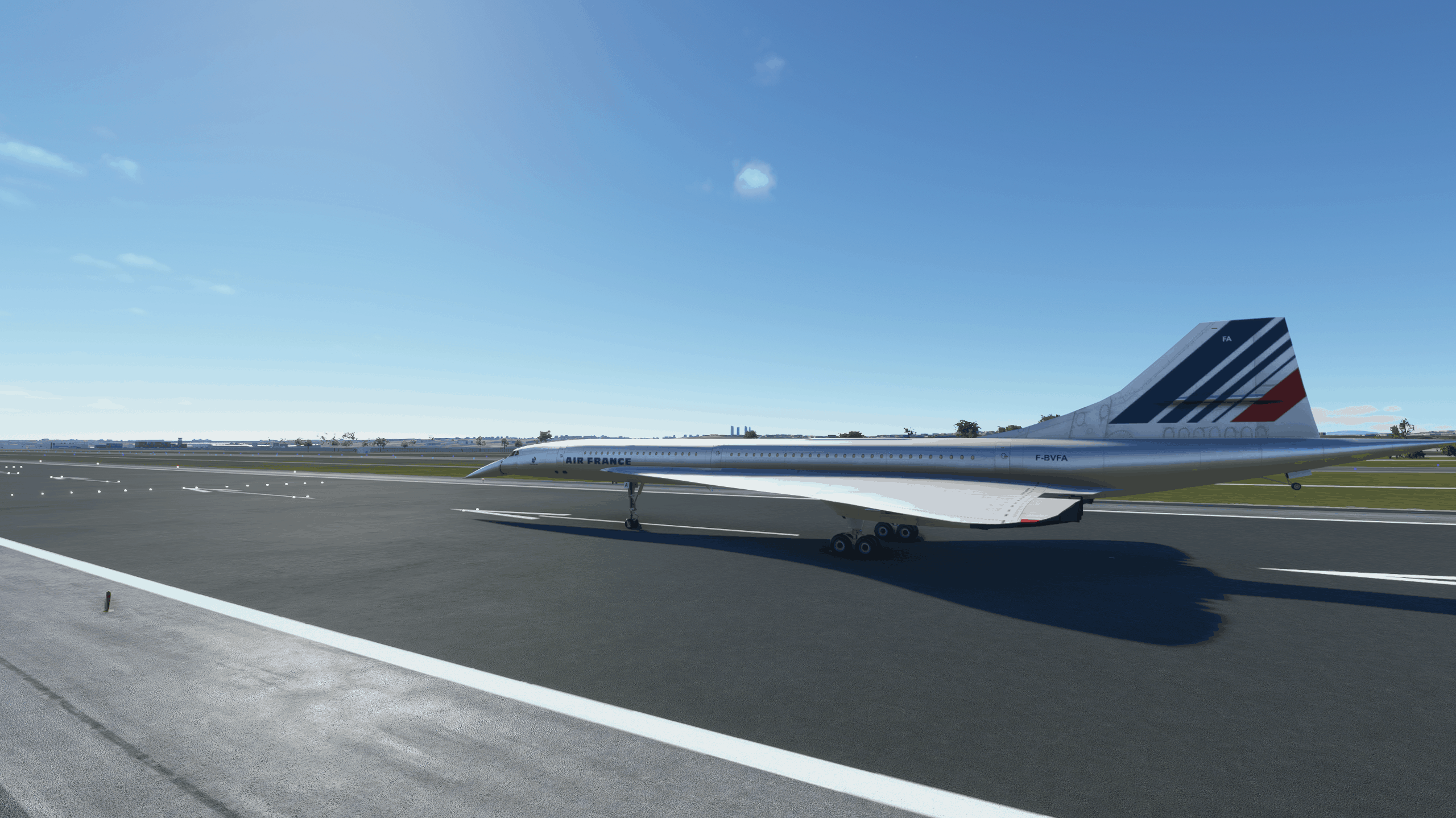
Concorde FS2020 Conversion
Concorde For FS2020 converted by me using MSFS legacy Importer.
IMPORTANT: You must use the legacy flight model or else the plane will not take off.
Installation: Simple drag and drop in your community folder.
Features: – Most cockpit instruments do work with the exception of radios. – Windows do work. – Droop nose is in sync with flaps. – Gears do function as intended.
Known Issues: – No clickable buttons as this is a current limitation with Legacy Importer. – Outside lights do work but I still need to work on them to look more like the real thing. (They are only red) – Aircraft pitches up. (Trim down a bit to help alleviate this issue) – Weird text artifacts. (Still in the process of finding the source) – TCAS lights up at times. (Still looking for this source)
MSFS 2020 Aircrafts
16 Oct, 2020
MSFS 2020 Aircrafts
18 May, 2021
MSFS 2020 Aircrafts
19 Oct, 2021
IMPORTANT: You must use the legacy flight model or else the plane will not take off.
Installation: Simple drag and drop in your community folder.
Features: – Most cockpit instruments do work with the exception of radios. – Windows do work. – Droop nose is in sync with flaps. – Gears do function as intended.
Known Issues: – No clickable buttons as this is a current limitation with Legacy Importer. – Outside lights do work but I still need to work on them to look more like the real thing. (They are only red) – Aircraft pitches up. (Trim down a bit to help alleviate this issue) – Weird text artifacts. (Still in the process of finding the source) – TCAS lights up at times. (Still looking for this source)
MSFS 2020 Aircrafts
16 Oct, 2020
MSFS 2020 Aircrafts
18 May, 2021
MSFS 2020 Aircrafts
19 Oct, 2021
Download Links
Report a problem
Concorde FS2020 Conversion
Advertisement
Remove ads