1 / 2
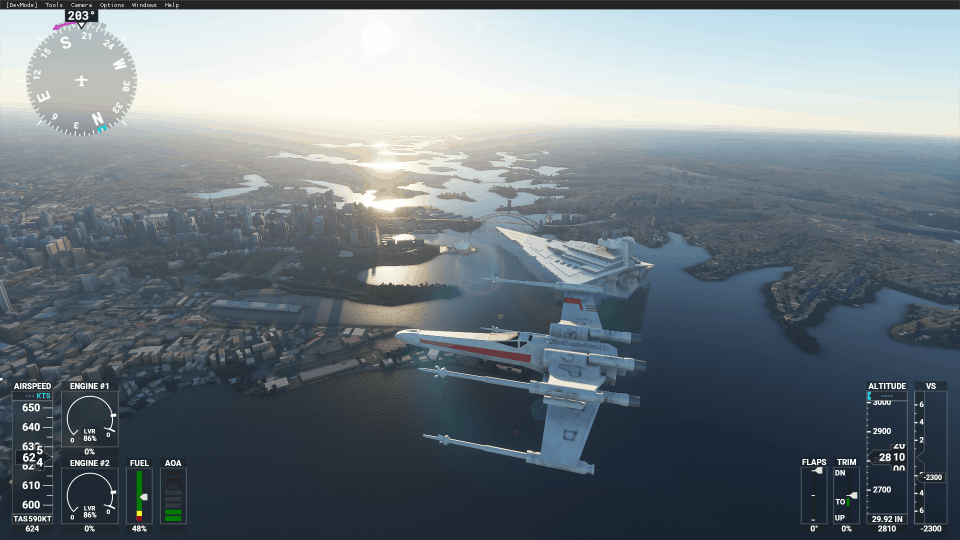
Added X-Wing using Jet config
I updated the X-Wing with the config values from the CJ4 jet and it is faster than previous version. I’ve also included the jet engine sound. I can’t work out how to take off with it properly so either spawn mid air or use slew mode (press ‘Y’, F4 to increase height, then ‘Y’ again)
You should remove the previous X-Wing if you have it installed as they can’t co-exist. I’ve left the other X-Wing in there and renamed to “X-Wing-piston-nosound.zip” for those that prefer a slower flying option.
Extract to your “Community” folder but ensure it’s as per folder structure shown.
How to install: Extract to the game’s “Community” folder and look for the aircraft in Aircraft Selection screen. For scenery, navigate to the location shared.
MSFS 2020 Aircrafts
6 May, 2021
MSFS 2020 Aircrafts
5 Nov, 2021
MSFS 2020 Aircrafts
23 Nov, 2020
You should remove the previous X-Wing if you have it installed as they can’t co-exist. I’ve left the other X-Wing in there and renamed to “X-Wing-piston-nosound.zip” for those that prefer a slower flying option.
Extract to your “Community” folder but ensure it’s as per folder structure shown.
How to install: Extract to the game’s “Community” folder and look for the aircraft in Aircraft Selection screen. For scenery, navigate to the location shared.
MSFS 2020 Aircrafts
6 May, 2021
MSFS 2020 Aircrafts
5 Nov, 2021
MSFS 2020 Aircrafts
23 Nov, 2020
Download Links
Report a problem
Added X-Wing using Jet config
Advertisement
Remove ads