1 / 2
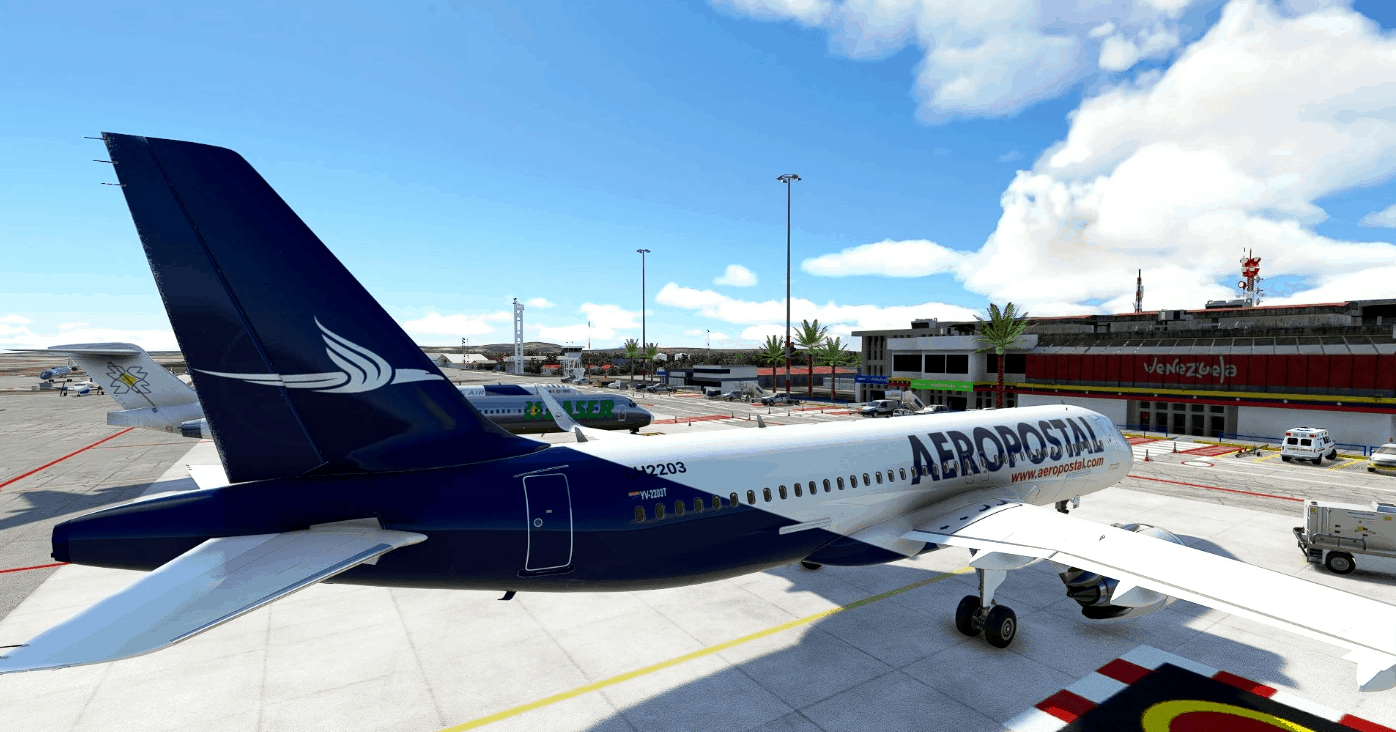
4k Aeropostal A320 Neo – Fictional paint (No mirroring texture) v1.0
Texture for A320 Neo. Fictitious painting
Installation: Copy and replace files (drag and drop). – A320NEO_AIRFRAME_FUSELAGE_ALBD.PNG.dds – A320NEO_AIRFRAME_WINGS_ALBD.PNG.dds
in the folder of C:\Users’\User\AppData\Local\Packages\Microsoft.FlightSimulator_8wekyb3d8bbwe\LocalCache\Packages\Official\OneStore\asobo-aircraft-a320-neo\SimObjects\AirPlanes\Asobo_A320_NEO\TEXTURE
Note: Make a backup before replacing textures.
MSFS 2020 Liveries
5 Oct, 2021
MSFS 2020 Liveries
9 Feb, 2022
MSFS 2020 Liveries
5 Nov, 2021
Installation: Copy and replace files (drag and drop). – A320NEO_AIRFRAME_FUSELAGE_ALBD.PNG.dds – A320NEO_AIRFRAME_WINGS_ALBD.PNG.dds
in the folder of C:\Users’\User\AppData\Local\Packages\Microsoft.FlightSimulator_8wekyb3d8bbwe\LocalCache\Packages\Official\OneStore\asobo-aircraft-a320-neo\SimObjects\AirPlanes\Asobo_A320_NEO\TEXTURE
Note: Make a backup before replacing textures.
MSFS 2020 Liveries
5 Oct, 2021
MSFS 2020 Liveries
9 Feb, 2022
MSFS 2020 Liveries
5 Nov, 2021
Download Links
Report a problem
4k Aeropostal A320 Neo – Fictional paint (No mirroring texture) v1.0
Advertisement
Remove ads