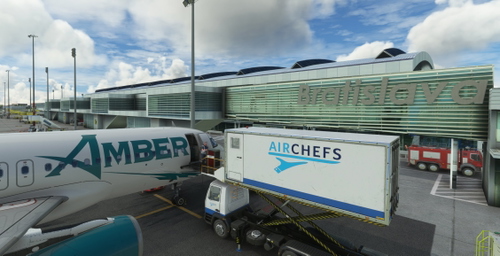
GSX Profile - Bratislava LZIB
Hi all, I've just created the GSX Profile for LZIB - Bratislava HOW TO INSTALL: Check the AFCAD Path in the .ini file if its matches with your Installation of the Scenery. If it does not match, change the path where your lowi-placement.bgl is. afcad_path = \\?\X:\MFS\Community\fp-lzib-airport\scenery\LZIB_airport.bgl Move the file into %AppData%\Roaming\virtuali\GSX\MSFS AFCAD Path not working: If the path in the file did not work for you and you dont know the correct path, try the following: Delete the file again from %AppData%\Roaming\virtuali\GSX\MSFS Restart Couatl (if running) Go to any Gate/Stand and change something and save it. Open the file which has been created now in %AppData%\Roaming\virtuali\GSX\MSFS and copy the afcad path to my files.
Download Links
Report a problem
GSX Profile - Bratislava LZIB
Advertisement
Remove ads