Farming Simulator 19 mods
55,710 results- 15 per page
- 30 per page
- 45 per page
- 60 per page
-
See more per page
Bigger pages, fewer clicks - and no ads anywhere.
Go Pro
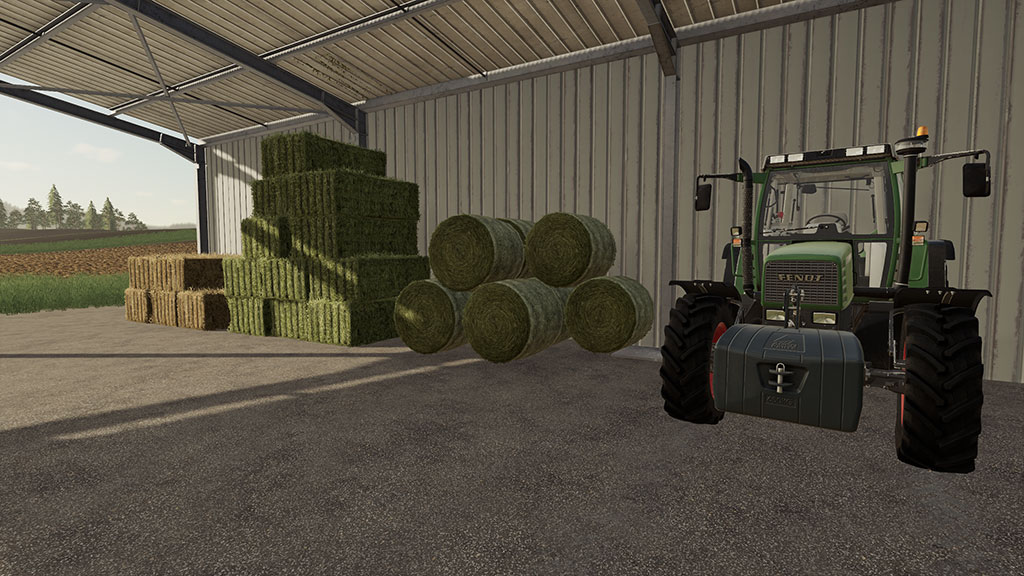
Seasons 19 mod: Map and placeable mods
Seasons 19 mod: Map and placeable mods The manual of Seasons 19 has been updated to contain information on preparing mod maps and placeables. Seasons mask The Seasons mask is redesigned to be easier to create by map makers and to be lighter on the game engine. New changes in the Farming Simulator 19 engine allowed us to switch the way the mask is stored, allowing automatic fallback to the tip collision. This means that even without a prepared map, placeables will act correctly with the snow. Preparing a map for Seasons is required to activate bale and swath rotting. Only with a custom mask can we be sure that all sheds are properly configured, so players know that their bales are safe inside. If a map is not prepared, bales will not rot but snow will still fall to great heights. See the manual article on the Seasons mask on how to add the mask, configure it, and paint it. Placeable masks With the increased focus on placeables in Farming Simulator 19, we had to add some new tools to make them work better with snow. In Seasons 17 we looked at the ‘clear area’, the area that browned the ground when placed on grass. This worked great for the basegame placeables and most custom placeables. In Farming Simulator 19 this is no longer the case. Placeables got more complex and bigger, with both open and roofed areas, sometimes even with platforms or spawnpoints. To accomodate this, we have added the possibility to add Seasons masks to placeables. It works the same way as clearAreas and foliageAreas. For details, carefully read the manual on placeables. This is also important for modders that made custom placeables on ModHub. Trees The new tree visuals in Seasons 19 are limited to a small number of trees. To have full visual support on the trees in your map, only use the trees supported. Of course evergreens do not change color so any evergreen is supported (pine, for example). The supported trees are: From Farming Simulator 19: Maple Birch VolumeTree From Farming Simulator 17: Oak Any evergreen Older versions of the Farming Simulator 19 trees are not supported. Find more information on the new visuals in the visuals manual. Custom objects For Seasons 19 it is still possible to show and hide objects depending on the season. The system has been renamed and changed a bit, but it is all detailed in the manual. You can show and hide objects depending on the snow or season. And the ice plane can be used to show or hide objects when the soil is frozen. Make sure to read the manual carefully. Animal pens and grazing Any animal husbandry that visually contains grass should have this properly configured in the placeable. Even if the pen can’t be bought or sold by the player. This ensures that the grazing system works for the animals in the pen. To prepare for grazing, add foliageAreas with grass. This has already been done in the basegame pens and might already be the case for your own. See the manual for more information. Mod updates to GIANTS You might be eager to get your map or mod updated and sent to GIANTS before Seasons 19 releases. However, you really need to test the changes you make first, with Seasons, before you send it in. So make sure to wait for the release on July 24th, quickly (but thorougly) test your changes together with Seasons, and then send in your update. Do you want to know more about Season 19? Read Season 19 mod – All We Know So Far Farming Simulator 19 – Seasons 19 mod Credits:Seasons 19 mod Tags: Farming simulator 19 Seasons ModFarming Simulator 2019 Seasons ModFarming Simulator Season 19Farming Simulator Season 19 modFS 19 Season modFS 19 Seasons ModFS19 Season 19FS19 Season modFS19 Seasons ModLS 19 Season modSeason 19 for Farming Simulator 19Season 19 modSeasons 19 modSeasons 19 modsSeasons mod for Farming Simulator 19
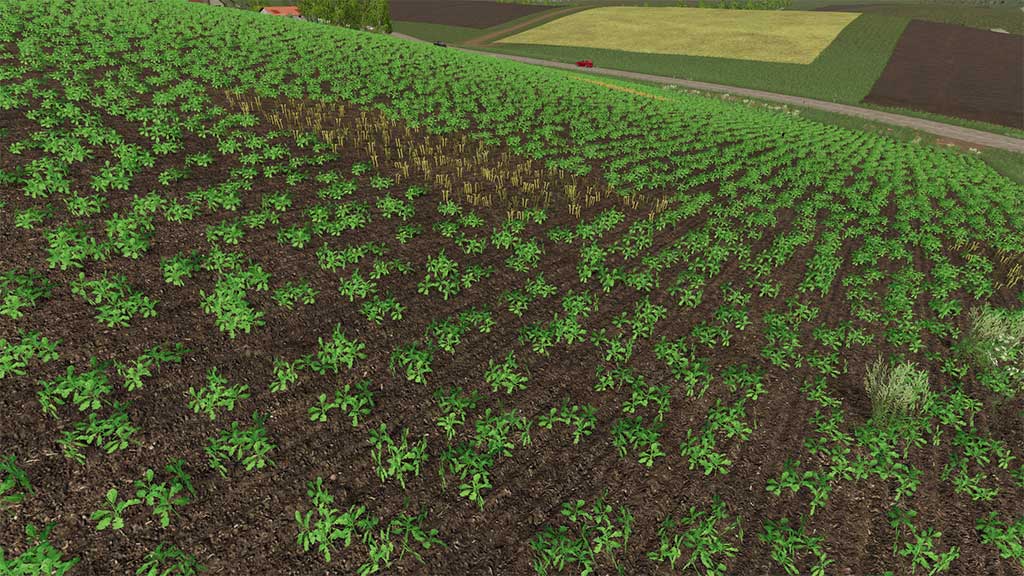
Seasons 19 mod: Growth
Seasons 19 mod: Growth One of the major design goals for Seasons was to remove the feeling that you were stuck in ground hog day – every day was exactly the same perfect summer’s day. In the morning you could plant crops and you would be harvesting them that same afternoon. Seasons 17 took steps to remove that feeling and gave the player the opportunity to follow a typical farming year with penalties for planting crops at the wrong time. This was better than a ground hog day, but playing through multiple years could also become monotonous and the feeling of ground hog year could creep in. Once a player understood the growth calendar and planted at the right time they were always guaranteed a 100% success rate. We’ve made some changes in this regard in Seasons 19. Instead of killing entire fields of crops when they were planted at the wrong time, we’ve implemented a feature that I lovingly called patchy crop failure, or PCF for short. PCF, unsurprisingly, does exactly what it says on the tin: it causes patches of failed crops based on temperature and moisture. This helps to introduce an element of randomness into the crops’ growth patterns, since these conditions have annual variances. Every crop has been split into 3 states: seeded, young and mature and each of those states has different frost and drought resistances. Throughout each day the current temperature and moisture levels are checked and if they exceeded the parameters, patches of your crop will be damaged randomly. PCF causes planted crops to become germination failed. Young plants become harvested and mature plants become withered. These transition states were chosen because they make the most sense visually. Default weather is mostly quite gentle and can be thought of as “easy mode” when it comes to the potential of crop damage. For example, you are not likely to see much frost in your first spring. This creates the opportunity for longer planting windows, especially for those more sensitive plants that used to die if planted in early spring. Similarly, planting in the middle of the summer would cause some crops to die. This does not happen anymore. Instead the crops may try to grow, but if you plant outside the planting window, they are unlikely to mature before winter. Killing in the winter has been moved forward as well. The default growth algorithm now kills all mature crops in the transition between early and mid-winter. This will make all the players who love to harvest potatoes and sugarbeet in the winter very happy, but if the late autumn or early winter are harsh, some parts of the crop may get damaged. There are some compromises to be made in terms of game play as we move towards a more natural and weather influenced growth. Previously the player feedback loop was quick – you planted at the wrong time within a few days max in the next period you could see the impact of a wrong decision. Now a bad decision may not become apparent as quickly, so using the information provided in the Seasons menu about planting and harvesting times and crop resistances are the keys to success. For GEO makers, the choice is still there. If you wish to stick to the old way of doing things and want to kill crops planted at the wrong time immediately, you can still do it. You can also manipulate the resistance values of all the crops too. It is also possible to create a map with interesting additional crops with special resistances, for example drought resistant barley and then add this new crop and its growth pattern into the GEO mod. We will be creating a manual to help you migrate your old growth files to the Seasons 19 format. The topic of crop damage brings the question of crop insurance. It is something that we discussed, but in the end could not find a way to bring this into the game without it feeling like a huge cheat and hence there is currently no crop insurance in Seasons 19. Download Season 19 mod Seasons 19 mod: Map and placeable mods Seasons 19 mod: Weeds Credits:Seasons 19 mod Tags: Farming simulator 19 Seasons ModFarming Simulator 2019 Seasons ModFarming Simulator Season 19Farming Simulator Season 19 modFS 19 Season modFS19 Season 19FS19 Seasons ModLS 19 Season modLS19 Season modSeason 19 for Farming Simulator 19Season 19 for FS19Seasons 19 modSeasons 19 mods

Seasons 19 – Weather
Seasons 19 – Weather The weather system in the game has been adjusted to suit each season. In general the winters are cold, the autumn is wet, while the summers are warm and with less chance of rain. The weather when using the Seasons mod is generally based on weather data from southern UK, except that winters have been made colder. The weather can be customised by map makers, or other GEO mods. Seasons 19 contains a new detailed forecast, with 3-hourly information for the next 24 hours. It also contains wind and percipitation information. Lastly it gives an indication on how well grass can dry. The new weather also carefully controls downfall, clouds, cloud wind, and wind in trees. Randomized weather For every day in the game the air temperature and weather is determined according to weather statistics. The forecast can be used to determine what the weather will be. However, there is an uncertainty in the forecast. This increases when forecasting further into the future. Daylight Equations for the suns elevation above the horizon has been used to determine the completely new daylight effects. As default we have used a latitude of 48.9 degrees, but this can be changed for a map that is prepared for our mod, or by using one of our GEO mods. Soil temperature A thermodynamic model has been implemented to model the propagation of heat into the soil. The model uses air temperature and solar radiation, which changes with season and time of day. In winter the soil be frozen and cannot be worked on. An icon will show on the screen when the soil is frozen (shown below). Crops need a certain soil temperature in order for the seeds to germinate. You should consult the planting and harvesting calendar before planting. Crop moisture Crop moisture is simulated in the Seasons mod. Rain and hail increases crop moisture, while sunny weather helps to decrease it. An icon will show on the screen when the crop is too moist to harvest crops (shown below). When crop is moist it is also not possible to turn grass into hay by using a tedder. Crops will dry faster in summer than in autumn, both due to lower temperatures in autumn, but at this time of year there is also much less solar radiation. At night crop dry very slowly (as of yet there is no modelling of wind). This will mean that if you are unlucky and experiences a late afternoon shower in autumn, you might not be able to harvest before next morning after sunrise some time. Note that you can turn off this feature if it is too bothersome to you. There is a toggle in the Seasons menu settings. Snow Snow with Seasons is just like heaps of wheat, seeds, fertilizer, grass or chaff: you can pick it up, move it around, load it into a tipper, and so on. On top of that, when driving through snow you will be compressing it with the wheels. Snow does not fall everywhere: if a map is optimized it will not fall inside buildings that have a roof or on other parts where snow can’t get. Snow also does not fall inside placeable sheds. If a map is not fully optimized for Seasons, snow will fall everywhere and will not accumulate higher than 1 level (6cm). When snow falls, tippers and shovels fill up. Put them in a shed (when the map has a seasons mask) or activate the cover. Snow will melt from tippers and shovels when it is not freezing outside. If you want more fun with more snow, ask you mod-map maker to update his or her map for Seasons. Note: The extra weather effects, such as snow, will work on any map, but for the full gameplay experience, we highly recommend you to play on maps that have been optimised for seasons. Credits:Seasons 19 mod Tags: Seasons 19 modWeatherWeather in Seasons 19 mod

Seasons 19 – Crops
Seasons 19 – Crops At the beginning of a new game, the mod will reset all fields that have crops to the harvested stage. This is to simulate the fact that you just bought the farm and the fields haven’t been worked since the last harvest. If you have activated the Seasons mod on an existing save game, you will be prompted if you wish to reset all fields. We highly recommend to start a new game though to ensure that all of the systems such as weather and growth are working correctly in sync. Vanilla growth is completely disabled. The mod controls all growth of crops, including pine trees, which take 5 years to become fully grown and harvestable after 2 years since you planted them. A year is broken up into 12 periods. Each season has 3 periods. They are called early, mid and late and the new growth system follows real life as much as possible, so crops can only be planted and harvested at certain times of the year. Germination happens every night at midnight and growth into further crops states happens at in the transitions between periods. The growth is distributed between planting and harvesting and since most crops have only 4 visible growing growth stages there can be several periods between each time you see crops growing. There is a planting and harvesting calendar included in the Seasons menu as a reference. Winter will wither certain mature crops and grass will be knocked back to stage 2 in the winter. Another factor which determines whether your crops will germinate is the germination temperature of crops and the current soil temperature. The germination temperature for all crops can be seen in the Seasons menu and the current soil temperature is shown in the HUD. Soil moisture can be obtained by using the measurement tool. If the soil temperature is below the germination temperature, then the sown crops will not germinate. Be wary of droughts and freezing temperatures, as these conditions can cause patches of some of your crops to fail to germinate. Patchy crop failure is a great new feature in Seasons 19. Every crop has been split into 3 states: seeded, young and mature and each of those states has different frost and drought resistances. Throughout each day the current temperature and moisture levels are checked and if they exceeded the parameters, patches of your crop will be damaged randomly. PCF causes planted crops to become germination failed. Young plants become harvested and mature plants become withered. Default weather is mostly quite gentle and can be thought of as “easy mode” when it comes to the potential for crop damage. For example, you are not likely to see much frost in your first spring. This creates the opportunity for longer planting windows, especially for those more sensitive plants that used to die if planted in early spring. Similarly, planting in the middle of the summer would cause some crops to die. This does not happen anymore. Instead the crops may try to grow, but if you plant outside the planting window, they are unlikely to mature before winter. Killing in the winter has been moved forward as well. The default growth algorithm now kills all mature crops in the transition between early and mid-winter. This will make all the players who love to harvest potatoes and sugarbeet in the winter very happy, but if the late autumn or early winter are harsh, some parts of the crop may get damaged. Crops, except for grass and oilseed radish, are only harvestable in the final stage. The final stage of growth is represented by the first harvestable stage in the growth overview screen in the Esc menu. As soon as you see a crop reach the first harvestable stage, it means the crop is ready to harvest – it is the final stage. Harvesting can only be done when moisture content of the crop is sufficiently low. After rain the crop needs time and sunny weather to dry. Moist summer nights can also occur when it will be impossible to harvest. This feature can be switched off by going to the Seasons menu (Alt + S or L1 + Options) and then going to the settings tab (Crop Moisture). Crops can be foraged / whole cropped at the same growth states as vanilla. Spraying, or spreading, fertiliser can now only be done in the initial growing stages. Custom fruits are handled gracefully by using barley’s growth patterns. Map makers can choose to modify the growth patterns of vanilla fruits and also make the mod aware of custom fruits by supplying custom growth patterns for them. Also, Seasons GEO Mods can supply their own growth patterns. Weeds will sprout on untreated fields as soon as the soil temperature is high enough. Default soil temperature for weed germination is 4 degrees Celsius, but this can be changed by a GEO mod, or a custom map. This means that weeds can appear on your fields during cultivation and seeding operations, before your crop has started to grow. Weeds grow in clumps randomly and the yield is only impacted on patches where the weeds are visible. The rest of the field is not impacted. You can confirm this by using the field info window. Initially weeds are small and can be removed by a mechanical weeder, or by spraying, but they will mature when the soil temperature reaches around 12 degrees. Mature weeds can only be killed by spraying. Spraying not only kills all weeds but also has a preemptive effect. Once a field is sprayed it will not grow more weeds, until it is harvested, because default in-game mechanics plant weeds every time the player harvests a field. Weeds will wither and die when the soil temperature is below 0 degrees Celsius. The preemptive effect means that players can spray their field even before seeding and before any weeds are visible to safeguard against weed related yield losses. Q: Why is cotton and sugarcane blank in the Seasons growth calendar? A: Because they will not grow in the default growth. These crops can be grown when using an appropriate GEO mod. Q: Which crops can be planted in the autumn? A: Currently poplar, grass, oilseed radish, wheat, barley, oat and canola. Anything else is likely to die during the winter. To increase the likelihood of your winter crops surviving until the spring, plant them early enough in the autumn so that they germinate and sprout before the winter. Young wheat, barley, canola and oat have better frost resistance than seeds. Q: Does the mod support non-standard fruits? A: Yes. Any non-default fruits will follow the same growth pattern as barley. For more complex and interesting growth, a map maker should create their own crops.xml file and include it in the map for the additional fruits Q: What are the growth patterns for all crops? If I plant crop x in season y when will it be ready to harvest? A: Please refer to the Seasons growth calendar in the game (Alt + S by default on PC, L1 + Options on console). Q: How does season length work with the periods? A: Season length can be set to 3, 6, 9, up to 24 days. So, if season length is set to 3 days, that means early season will be day 1, mid will be day 2 and late will 3. Season length 6 days – early: [days 1-2] mid: [days 3-4] late: [days 5-6] Season length 9 days – early: [days 1-3] mid: [days 4-6] late: [days 7-9] Season length 12 days – early: [days 1-4] mid: [days 5-8] late: [days 9-12] etc. You can also see the number of days in the calendar. Credits:Seasons 19 mod Tags: crops in Seasons 19crops in Seasons 19 modSeasons 19 cropsSeasons 19 mod
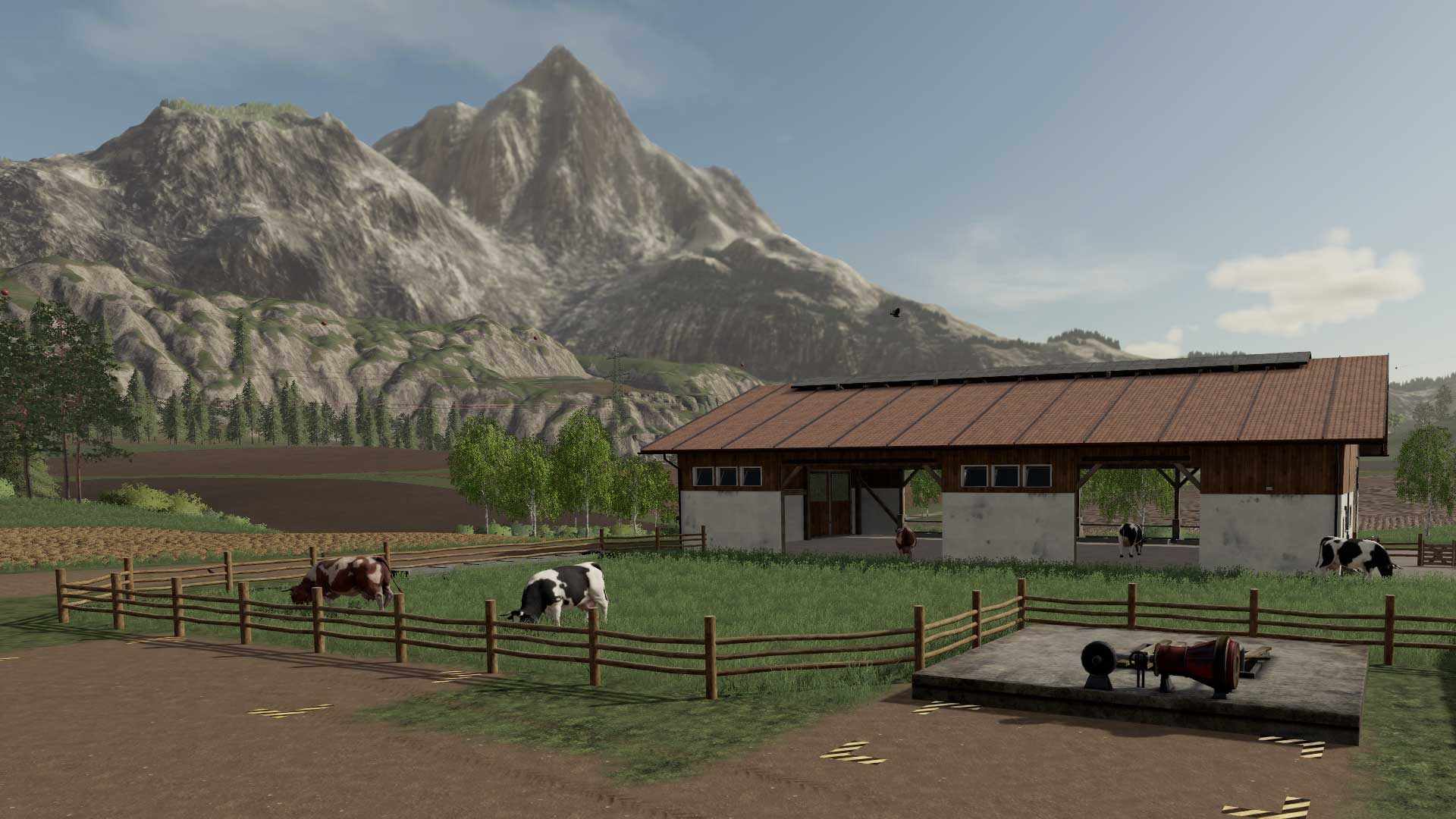
Seasons 19 – Gameplay
Seasons 19 – Gameplay A new game starts on the first day of spring with all fields reset to being harvested, thus simulating a farm that you have bought, which hasn’t been looked after for some time. It is not possible to start at another time of the year. You will have to start by ploughing, cultivating and seeding your fields before the planting season is over. Nearly all aspects of the game have been changed to suit the seasons. General activities for each season (note that this is with no GEO mod. With GEO mods, this can differ): Spring – ploughing, cultivating, fertilising, sowing, spraying Summer – spraying, harvesting, mowing grass and baling hay Autumn – harvesting, ploughing, cultivating, fertilising, sowing, spraying Winter – animal care, vehicle and equipment maintenance, forestry Winters are especially hard because you will not be able to mow any grass for your animals. All their food must come from hay bales and silage you already made. YOu will need to take care of your animals all year. Daylight The lengths of days and nights have been adjusted to suit the seasons, so nights will be longer in the winter than in the summer. In winter it might be light for only 8 hours while in summer it is nearly 17 hours. The seasonal effects of sunlight is dependent on latitude, which can be changed in a GEO mod. For default Seasons the sunlight fits southern UK. Season Length Each season consists of 3 periods, referred to as early, mid or late in the game. Since there are 4 seasons in a year, there are 12 of these periods. Because each season consists of 3 periods, the season length can only be set to a multiple of 3 days. 3 days is the minimum season length, which would mean a period lasting one day and a full year lasting 12 days. We have chosen 24 days as the maximum. A 24 day season length will result in each period lasting 8 days and a full year lasting 96 days. To change the season length open the Seasons menu (Alt + S by default, or L1 + Options on console) and navigate to the settings page where you can change the value. The settings are automatically saved. Warnings for Gameplay We do not officially support activating the seasons mod on an existing save game. Instead we recommend that you start a new game. However, using an existing save game is possible and probably will work. We just will not be able to help if things go wrong. Always make a backup of your save game before activating Seasons. We are not responsible for corrupt save games. If you are using a fast forward mod, keep within the below thresholds, otherwise the game will get out of sync with the extra load of seasons: Do not fast forward faster than 6000x on singleplayer (preferable even slower) Do not fast forward faster than 1200x on multiplayer (120x is even better) Pause the fast forwarding every 1 or 2 days for everything to catch up. Mod Conflicts Note: on console, there are no scripts other than those approved directly by Giants, and players do not need to worry about conflicts. If there are issues, please report. The Seasons mod touches almost all parts of the game. It will therefore conflict with a lot of script mods. Here is a list of types of mods that will conflict if they have not been updated specifically for Seasons: Any mod that manipulates the weather Any mod that manipulates growth Any mod that changes animals Any ‘season manager’ type mods Any mod that changes fruit prices, but this conflict will mostly be unnoticeable to the player Credits:Seasons 19 Tags: Seasons 19 FS19Seasons 19 modSeasons 19 Mod Conflicts

Steyr CVT 6175-6230 S-Matic v1.5.0.0 FS19
Steyr CVT 6175-6230 S-Matic v1.5.0.0 FS19 Hey, I did the Steyr S-Matic from Steyr Modding and made a few improvements. – First and foremost, he got an Origianl crisp Steyr sound that’s really fun. – Then he got wider tires from me than he had before. – The engine is configurable between 6175,6175 Profi Plus over 6195 up to 6230 6195Profi plus is rausgeflogn for it. – You can also add the standart Stoll to the Hauer front loader console. – The collision would be adapted to fit the front loader Easy. – He has also got the new Combine Hoses from me so that the hose is connected to the driller via the tractor with the seed hopper. – He got a new Specular from me looks more beautiful. – the driving behavior has been adjusted. He gives me a lot of fun driving I hope you too. Credits:FK-Modding

Landini 8550 v 1.1
This tractor is a tractor widely used in Italy but not only in Italy. The version you are about to download is v1.1. Unlike the 1.0 this version has the addition of a configurable front weight and a configurable front loader. You can also upgrade your engine to 95 hp. Data in game: Price: 25000 standard engine: 85 hp Configurations: – configurable engine: 95 hp – configurable front loader – configurable front weight – configurable wheels Developer: Vinet – Thanks Mattxjs for FS17 MF Model!

Feuerwehr Mega Pack v1.0 Mod
Feuerwehr Mega Pack v1.0 Mod Inpack: FMFS iveco daily ccfl Fs19 MTL Modding Team Feuerwehrsirene MTL Modding Team Feuerwehrstation Tested on newest FS19 version

Imants 47SX v1.0.0.0 Mod
Imants 47SX v1.0.0.0 Mod Hello, here the Imants 47SX spade machine for the FS19. Have the mod months ago from the modder to get tested, and since the mod was handed around everywhere anyway by any other user, as well as open, I put it to you with permission from the modder you now Official available. Power from 150 hp Working width 3.00 m Mod is not yet final as the new texture system is still missing. But will still come ……

John Deere 612C/712C Official v2.1.0.0 FS19
John Deere 612C/712C Official v2.1.0.0 FS19 V2.1: – Fixed issue with LANKOTA StalkStompers Configuration: LANSS612R2 (two Stompers config) Features: – Big amount of details, – Realistic parts and frame (remodeled) – Foldable rows by “X” for easier transport, – 124 movable Elements, – Realistic details and stickers, – StalkMaster option: stalk Cutters, – Movable side fins on mouseControl, – Attacher Support frame (disappears after attach the header), – back Work lights. Configurations: – StalkMaster knives, – Row’s tips Color option, – Foldable option by “X” for transport, – 612C 2012 or 712C 2018 stickers (depend which version we will choose in store), – Attacher Support frame (disappears after attach the header), – back Work lights. Configurations: – Row’s Tips color Configurations, – LANKOTA Stalk Stompers Configurations, – LANKOTA Stalk Stompers color Configurations, – Stalk knives Configurations, – Transport support Configurations, – Work lights Configurations, – 612C 2012 or 712C 2018 stickers (depend which version we will choose in store). Animations: – Foldable Rows, – Movable StalkStompers on mouseControl, – Movable side fins on mouseControl, – 124 movable Elements, – Separated 13 cutting Chains. Credits:Model (base): GIANTS SoftwareEdit: JHHG ModdingBlender work: JHHG ModdingPrograming & Scripting: JHHG ModdingLANKOTA StalkStompers: BlendArt Tags: John Deere

FS19 Money Cheater v 1.3
Version 1.3 Fixed issues: – Default all farmland was set to own, regardless of your choice Known issues: – Windows tells you the application is from a non-trusted source. Of course, you can trust the application This small PC application gives you quick access to the Savegames in Farming Simulator 19, where you can set your bank amount without going through the XML files yourself. It is also possible to set all the fields at once to your farm. You will need .NET Framework 4.5 or higher in order to use this application. Unzip the EXE file first before you run it.
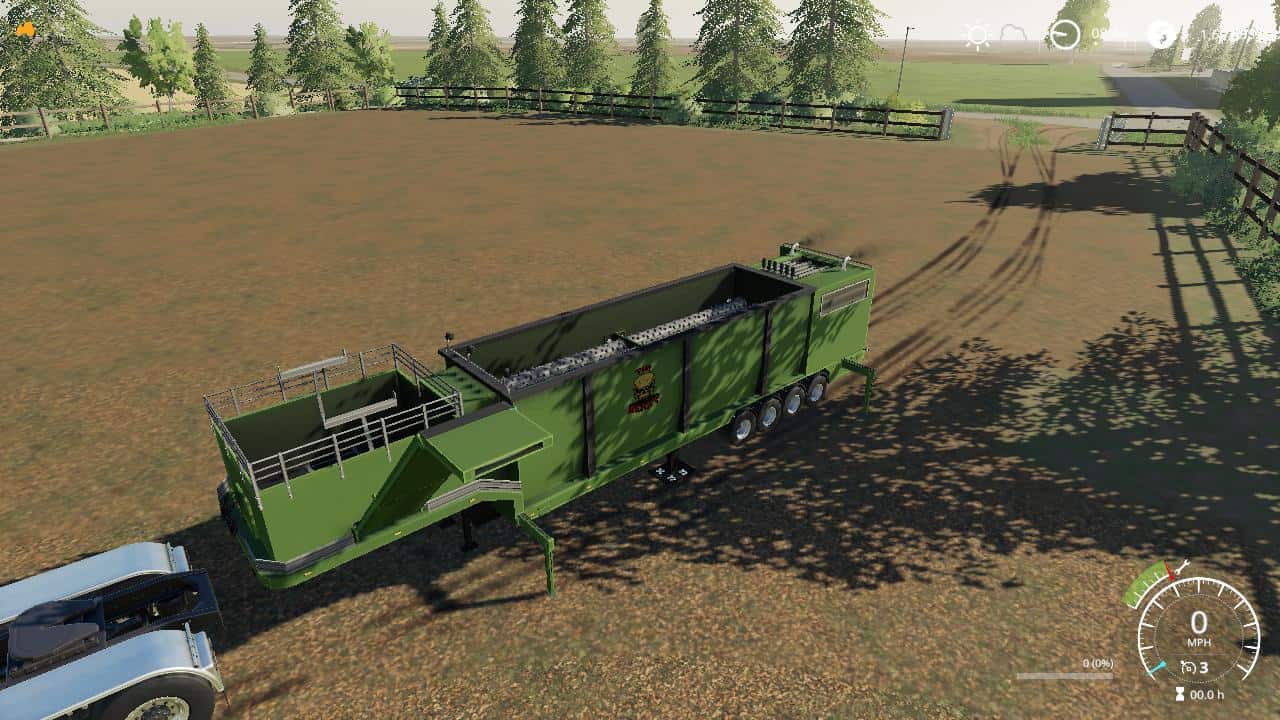
The beast chipper beta Mod
The beast chipper beta Mod This is the beast chipper from fs17 converted over to fs19. This is still a beta so it is still being worked on. Holds 30000 liters of woodchips. Hope you enjoy the mod and have great fun with it.
XLFarms X1 v1.0.0.3 Map
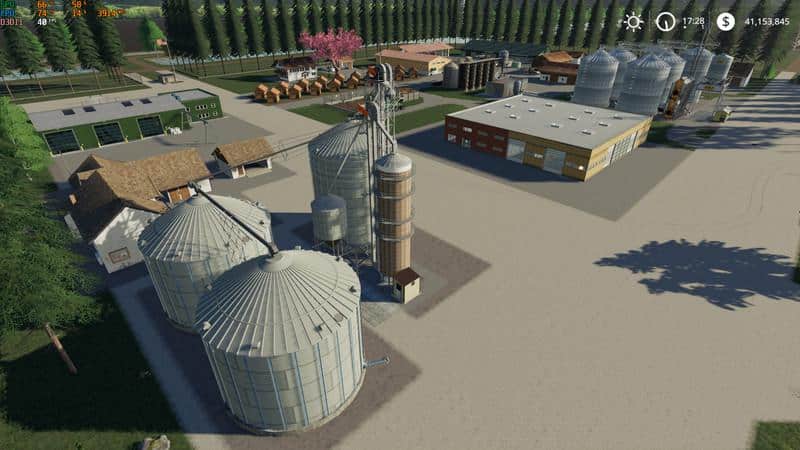
XLFarms X1 v1.0.0.3 Map This is the update for the XLFarms X1. We have many improvements and bug fixes. XLFarms X1 was a map created for the FS13 version. Adapted to FS17 and converted to FS19. It is one of my favorite maps, by normal size, vast fields and pleasant topography. Field sizes Field 1 : 36.85 ha Field 2 : 50.85 ha Field 3 : 36.85 ha Field 4 : 22.04 ha Field 5 : 23.14 ha Field 6 : 36.85 ha
Hud files for ModMaps and IndividualHudFruit v1.1 Mod
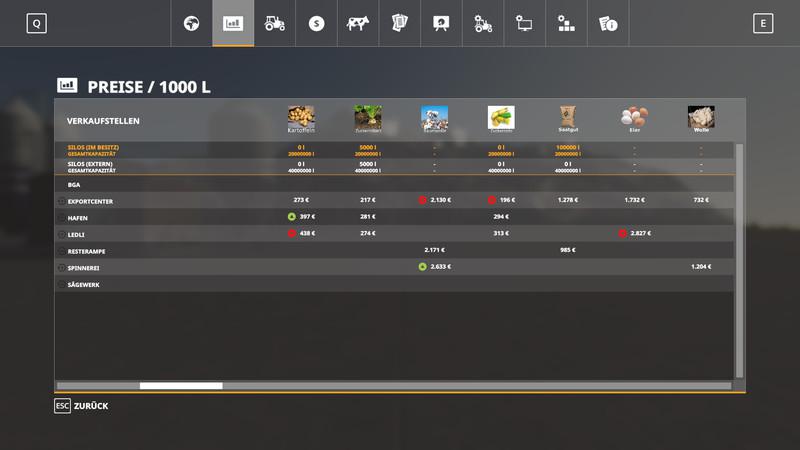
Hud files for ModMaps and IndividualHudFruit v1.1 Mod Hereby I put my hud files at your disposal Version 1.1 iron ore gold ore gold limestone added I’ve even edited all and provided with names and colorful pictures so you have in the price overview and the attachment / trailer small pictures If you need any other pictures feel free to contact me should I have provided a picture of another modder verbose have reported. it was not intentional. I have searched all images on Google Must be unzipped There are 2 folders in it – Hud Files ModMap (the content has to be copied into the huds folder of the Modmap and overwritten) – IndividualHudFruits (content must be copied to the IndividualHudFruits folder and replaced)
Homemade bale trailer SUN 2005 v1.0 Mod
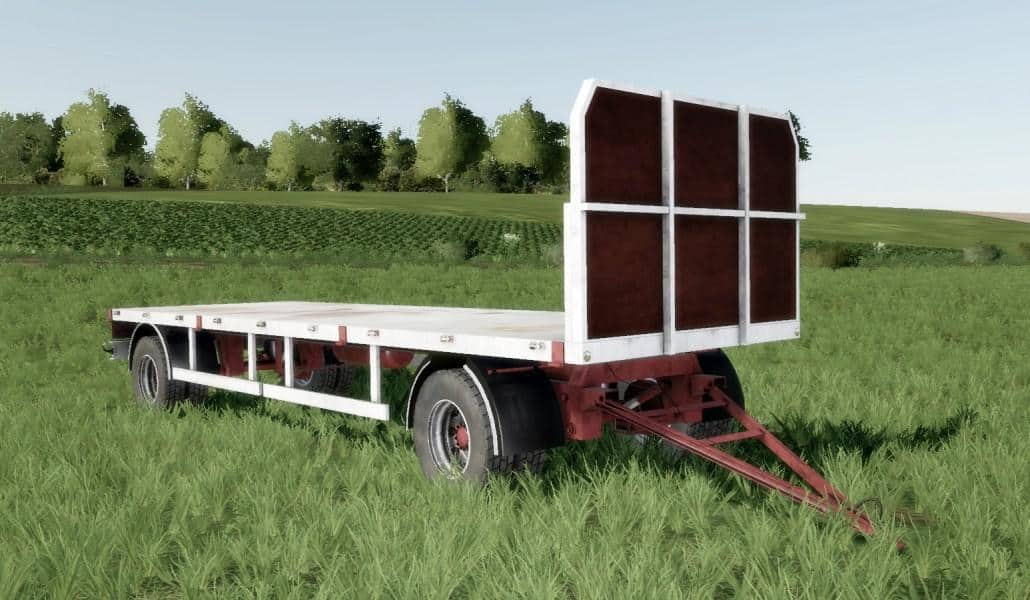
Homemade bale trailer SUN 2005 v1.0 Mod Homemade bale trailer SUN 2005 for Farming simulator 19 Price: 9000 Brand: HOMEMADE Rotation: 0 Category: Baling
- 15 per page
- 30 per page
- 45 per page
- 60 per page
-
See more per page
Bigger pages, fewer clicks - and no ads anywhere.
Go Pro