Farming Simulator 19 mods
55,717 results- 15 per page
- 30 per page
- 45 per page
- 60 per page
-
See more per page
Bigger pages, fewer clicks - and no ads anywhere.
Go Pro

Muhlenkreis Mittelland Enhanced v1.0 FS19
Muhlenkreis Mittelland Enhanced v1.0 FS19 Conversion of the Mühlenkreis Mittelland what was done: much more decoration installed new purchasable land Villages were expanded new splines new PDA Seasons Ready new agricultural machinery dealer new location for cattle dealers Sales points and dealers have opening hours little Easteregg on the map At reboot, all gates open only from 8:00 in the morning thereafter every day at 7:00 Opening hours generally 07:00 – 19:00 Also, you should sell the silos at the main yard and relocate because otherwise clipping is caused and your h’Häxelgut glides through the walls! (well-known Giants problem) Mods you need! https://www.farmingsimulator19mods.com/machine-shelter-with-lighting-v1-1-0-0-fs19/ https://www.farmingsimulator19mods.com/slurry-lagoon-v1-0-0-0-fs19/ https://www.farmingsimulator19mods.com/composite-machine-sheds-v1-0-fs19/ https://www.farmingsimulator19mods.com/root-crop-storage-v1-1-0-0-fs19/ https://www.farmingsimulator19mods.com/mw-placable-yard-1-3-01-fs19/ I recommend playing the card with Seasons is not a must. https://www.farmingsimulator19mods.com/seasons-v1-0-1-0-fs19/ The main credits go to the original modder D4rkfr34k for this wonderful card! Credits:D4rkfr34k / Sunny
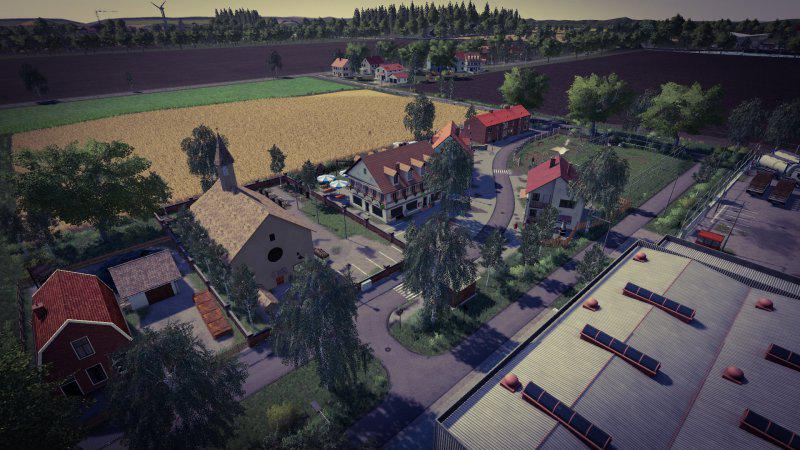
Muhlenkreis Mittelland Enhanced v1.0 Map
Muhlenkreis Mittelland Enhanced v1.0 Map what was done: much more decoration installed new purchasable land Villages were expanded new splines new PDA Seasons Ready new agricultural machinery dealer new location for cattle dealers Sales points and dealers have opening hours little Easteregg on the map At reboot, all gates open only from 8:00 in the morning thereafter every day at 7:00 Opening hours generally 07:00 – 19:00 Also, you should sell the silos at the main yard and relocate because otherwise clipping is caused and your h’Häxelgut glides through the walls! (well-known Giants problem) Mods you need! https://www.fs19mods.com/machine-shelter-with-lighting-v1-1-0-0-mod/ https://www.fs19mods.com/slurry-lagoon-v1-0-0-0-mod/ https://www.fs19mods.com/composite-machine-sheds-v1-0-0-0-mod/ https://www.fs19mods.com/root-crop-storage-v1-0-0-1-mod/ https://www.fs19mods.com/mw-platzierbarer-hof-v1-3-01-mod/ I recommend playing the card with Seasons is not a must. https://www.fs19mods.com/seasons-v1-0-1-0-mod/
Logging In The Hollers v1.0.0.0 FS19
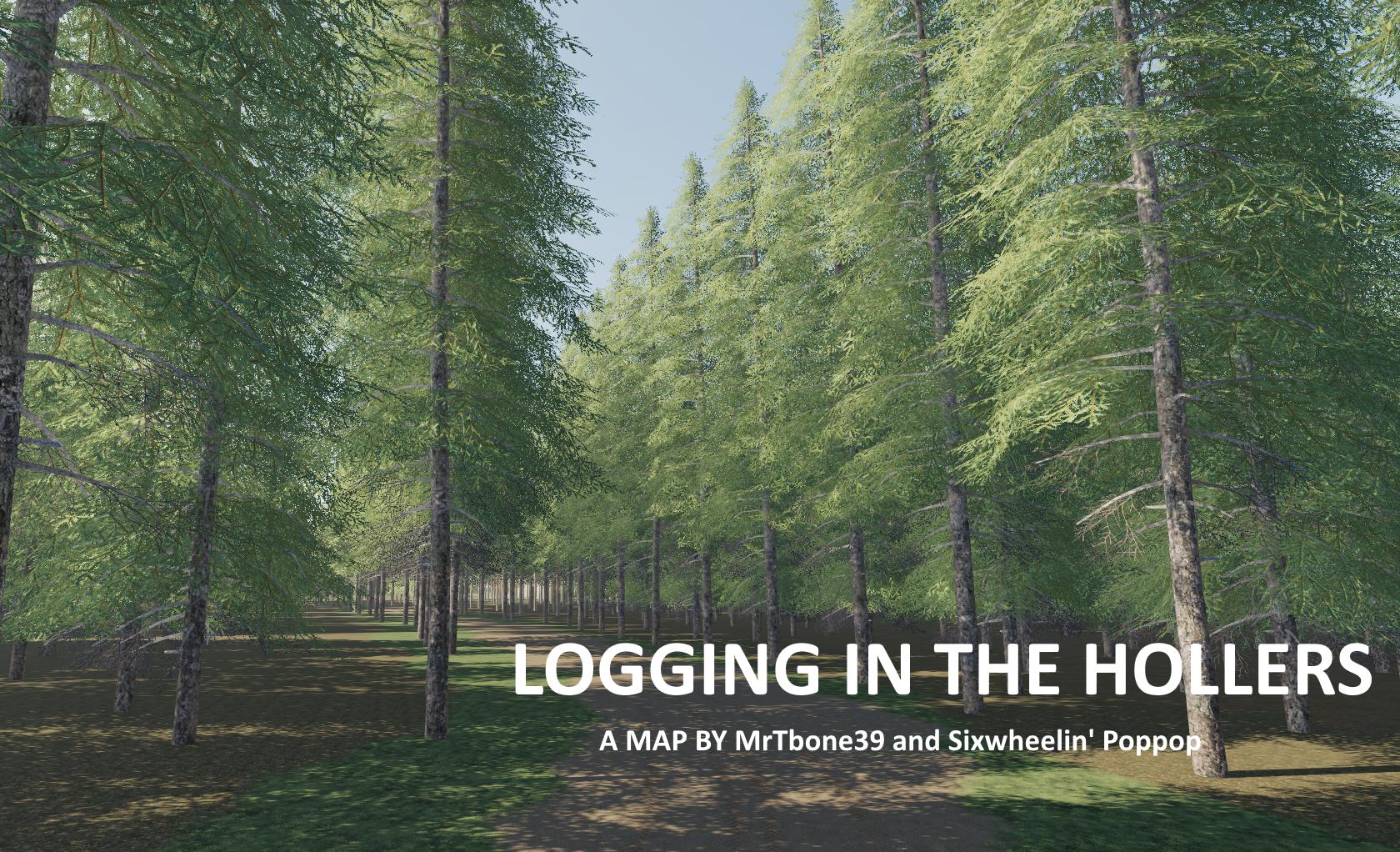
Logging In The Hollers v1.0.0.0 FS19 This is a logging map created by MrTbone39 titled Logging In The Hollers. It is his very first attempt at map modding but you will be pleasantly surprised at how awesome this creation turned out! We have been streaming this map and have found ZERO errors to date. You can log and clear out areas to create farms or you can go to the mountains in the map and try your luck with FDR logging gear i.e., Yarder, Skidder etc. These trees MUST be cut with modded processers as they are twice the normal size and weight of what you are acustomed to. THERE ARE NO SELL POINTS! You can download and use your own placeable sell points including Global Company mods. Take a look and enjoy this wonderful map and place any constructive polite comments in the comment section. Credits:FDR Logging, NLA Gaming, Tim Lanaville, MG Logging, Late Night with Bull Modding, JnJ Modding, MrTbone39 wishes to also thank Sixwheelin' Poppop for graphics assistance and Matt for helping to test this map.

Logging In The Hollers v1.0.0.0 Map
Logging In The Hollers v1.0.0.0 Map This is a logging map created by MrTbone39 titled Logging In The Hollers. It is his very first attempt at map modding but you will be pleasantly surprised at how awesome this creation turned out! We have been streaming this map and have found ZERO errors to date. You can log and clear out areas to create farms or you can go to the mountains in the map and try your luck with FDR logging gear i.e., Yarder, Skidder etc. These trees MUST be cut with modded processers as they are twice the normal size and weight of what you are acustomed to. THERE ARE NO SELL POINTS! You can download and use your own placeable sell points including Global Company mods. Take a look and enjoy this wonderful map and place any constructive polite comments in the comment section.
FarmingLauncher19 v2.0 BETA
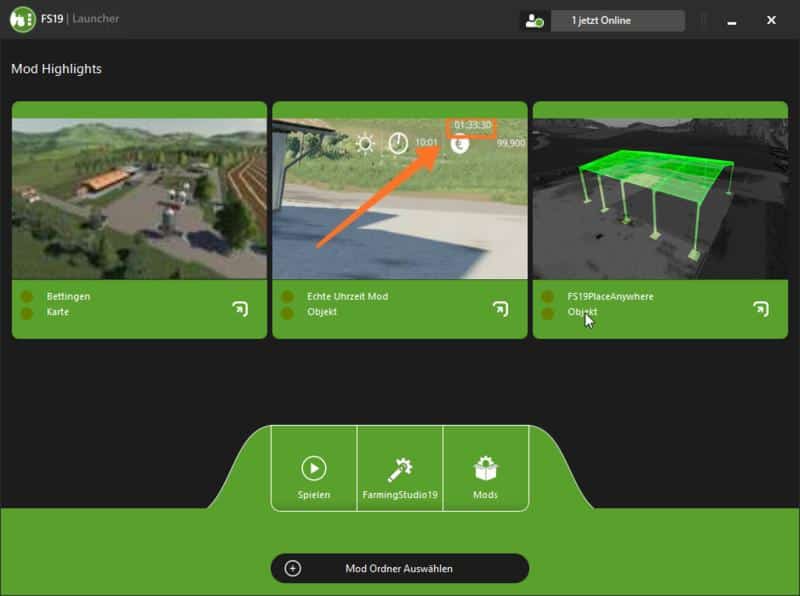
FarmingLauncher19 v2.0 BETA Version 2.0 BETA New: – New popup dialog (start game, download file, news) – Server for lack of money online again. – More bug fixes. FarmingLauncher19 is a launcher for the Farming Simulator 19, it should give you many options, such as querying new mods or managing the mods folder. Later, functions like folder administration / music management etc will follow. How does it work? Quite simply, start and the launcher is ready to use What’s new? In addition, we now have our own installer and many other new features. How do I install it? Unpack Zip, then run the .exe, follow their instructions and finish. FarmingLauncher19 Starts Direct. What is planned for the future? Folder Administration Mod management Collaboration with FarmingStudio19 music If you have more suggestions for us let us know Known bugs Currently not known Also interesting SimLiveRadio: Visit us VirusScan: 100% virus free! See yourself! We wish you a lot of fun with our program

Courseplay v6.01.00330 beta Mod
Courseplay v6.01.00330 beta Mod The well-known script Coursplay! You can say the main au pair! Now available on the 19th farm! Today’s current / last official – 6.01.00330 Courseplay mod script (current working version) This is probably the most popular mod in the game. The Kursplay script allows you to create routes and tasks for various types of equipment in the game, and then complete them. This means that by creating a route for your tractor, or, for example, a truck, it will independently perform the specified work without your further participation. As you can understand, this is much more interesting and, moreover, more functional than standard wage workers in FS 2019. After downloading and installing the Courseplay modification in the game Farmer Simulator 19, you can create routes for various agricultural equipment. As an example, if you need to send a tractor for some work: for plowing the land, sowing the future crop or harvesting it, then you only need to specify the field number. You can teach a truck to deliver some of your goods for sale or to transport goods from point B to point A. It all depends on your imagination, because the script has a lot of possibilities. How to use the Coursplay mod in FS 19? Nothing complicated really! After you have downloaded and installed this mod, you need to press the following keyboard shortcut: Ctrl plus Delete. A menu in Russian will appear before your eyes. Everything in it is quite simple and clear. But, in short, it all comes down to creating a route for the unit of equipment you need and its further reproduction, that is, you indicate where to go, what route, and what to do in the end. True, there is one BUT: the first time to create a route, you have to drive it yourself. Thus, you indicate the sequence points, turns, etc. Well, then the technique will already remember the route and your actions and will be able to move independently.
Blu-Jet AT Series Side-Dressers V0.9 Mod
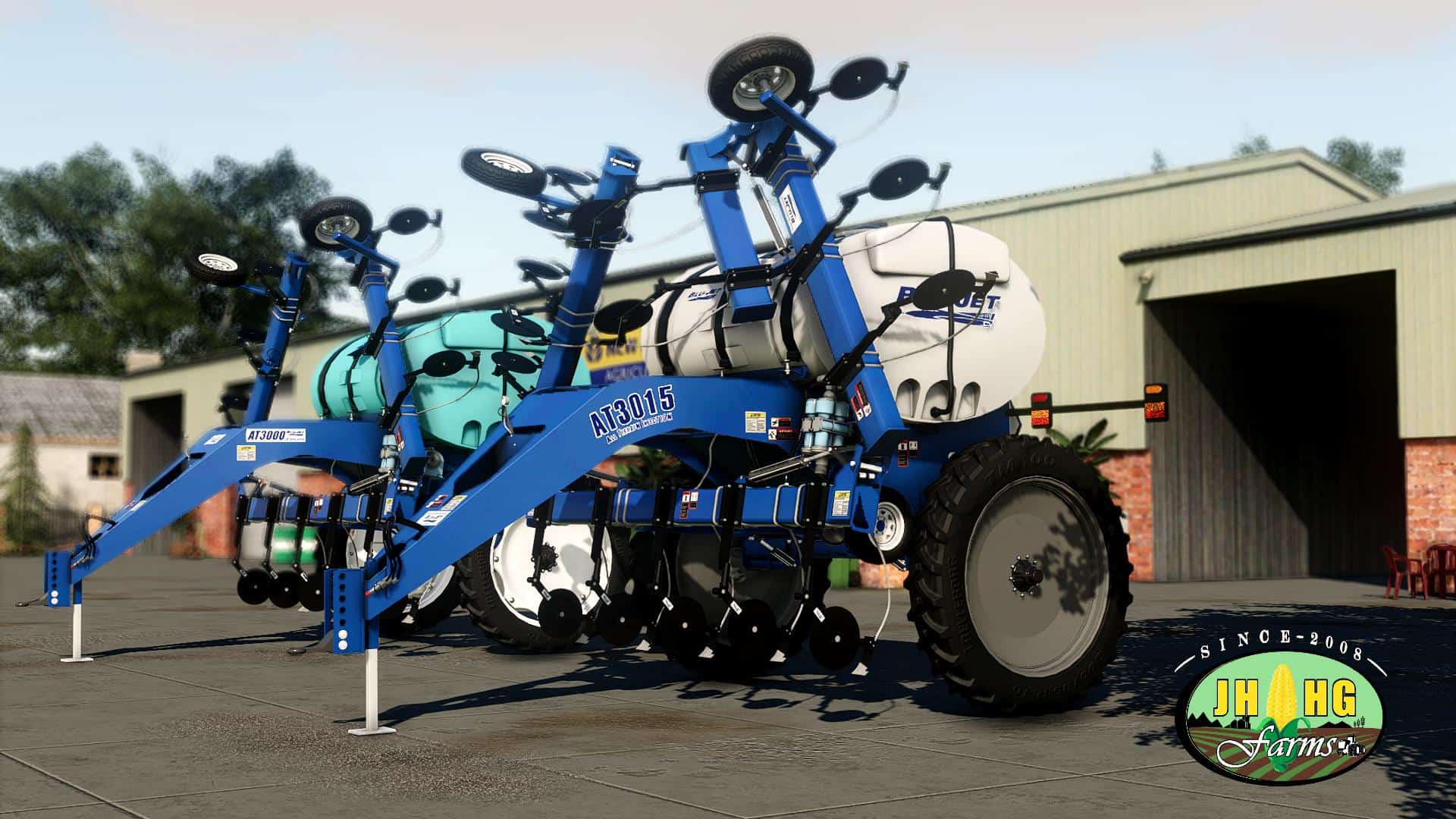
Blu-Jet AT Series Side-Dressers V0.9 Mod * 100% playable and error free, only reason why it’s early V0.9 is that, it’s no UDIM version (dirt and wearable work properly). We already finishing fully UDIM’d version, so expect update soon* ***Features*** (Errors Free – clear LOG) – All FS19 standards, – New animations, – Proper Side-Dresser programing, – RandomlyMoving Parts – Copying the ground Parts – Flexable, – New Particles, – Multiple workAreas (separate for every Row Unit), – New lights with realLights, – ConnectionHoses, – Realistic decals, – Realistic Configurations, – New store pic and icon, – Reduced file size, – Error Free (clear LOG). Configurations: – Tank Color Configurations – Rims Color Configurations – Tire / Rims Configurations – Model (AT3000/AT3015) Configurations – BluJet stickers Configurations – 11 or 15 Rows Configurations – Flashers Configurations Animations: – HitchPosition animation (mouseControl), – RandomlyMoving Parts, – Animated gauge (fillLevel and pressure), – Animated pump Parts.

AIVehicleExtension v0.0.6.3 Mod
AIVehicleExtension v0.0.6.3 Mod AIVehicleExtension is an alternative employee who can work with fields of any form. It has some additional features, such as a circular mode of operation and support for different types of U-turns. This mod is automatically installed in all vehicles if they already support a regular employee. An exception is the articulated frame technique. When this alternative assistant is launched, it briefly scans the field on which the equipment is located. But an alternative employee has only a slight idea of where he is on the field. For this, the mod ‘looks’, starting from the current position, at the borders between the untouched and the already processed area. On beautiful rectangular fields with a lot of free space around you can use an ordinary employee. If you want to follow a specific path on the field, I recommend using CoursePlay. The FollowMe mod is also great for simple tasks. I have these two mods along with AIVehicleExtension in my mods folder. New user interface In the new settings dialog. This dialog uses standard elements. Only those parameters that are necessary for visualization or intermediate action are still available on the display screen (HUD). New input binding I changed the input binding. Keys 5 and 6 are used for radio. This is a new setting: H: Start or stop the hired worker Left shift + H: open new settings dialog Left control + H: open the display upside down Left alt. + H: enable or disable auto steering Left alt. + V: Raise or lower all tools Left alt. + 6: discharge side Translation: Gonimy_Vetrom Version 0.0.6.3 for Farming Simulator 2019 (v1.5.x): – Actual working version.

Modern FARMING MENU BACKGROUND v1.0.0.0
Modern FARMING MENU BACKGROUND v1.0.0.0 How insert the background? * C: Program Files (x86) Steam steamapps common Farming Simulator 19 shared <- just copy the included "splash.dds" and "splashBlur.dds" files, done. Steam Version: C:\Program Files (x86)\ Steam \ steamapps \ common \ Farming Simulator 19 \ shared CD Version: C:\ Games \ Farming Simulator 19 \ shared !!!!Before copying, back up the existing “splash.dds” and “splashBlur.dds” files!

iAGRO KOGEL AUTOLOADER TRAILER v1.0 FS19
iAGRO KOGEL AUTOLOADER TRAILER v1.0 FS19 iAGRO KOGEL AUTOLOADER TRAILER for Farming simulator 19 When you’re tired of stacking bales manually, you can let the Autoload function do its magic. This trailer accepts square bales, round bales (several versions), pallets, egg boxes, and even cotton modules. Here are the most used keyboard shortcuts: Z = Toggle between the available products to load. U = Autoload on or off. Y = Unloads stuff. B = Toggles between the unloading positions (guided by a marker.Flexible Unload Marker You can do more to control the unloading positions other than choosing a side (left, right, or to the rear of the trailer.) You can move the unloading marker in many directions, once you’ve picked the side. See the F1 help menu for more keyboard shortcuts. Flexible Unload Marker You can do more to control the unloading positions other than choosing a side (left, right, or to the rear of the trailer.) You can move the unloading marker in many directions, once you’ve picked the side. See the F1 help menu for more keyboard shortcuts. Moore Goodies Once you’ve loaded the trailer, you can add a cover to protect the load. And when you want to load the trailer manually, you can unfold the sidewalls for easier access (by pressing the “N” key on your keyboard.) And yes, the trailer has a rear hitch, making it possible to make a (really) long road train… FS19 Kögel (Autoload) Flatbed Here are some cold, hard facts about this useful FS19 mod: Brand: Kögel. Modder: CrowerCZ. Category: Baling Technology. Base price: 36,030. Capacity: Some examples – 20 pallets, 39 large square bales, 48 round bales, and 3 cotton modules. Selectable colors: Yes, for the rims. Selectable wheels: Yes, single or dual wheels. Wheel brands: Lizard. Errors: Just a tiny one. Note that the trailer is found in the Baling Technology category, not among the trailers. Credits:CrowerCZ Tags: FS19
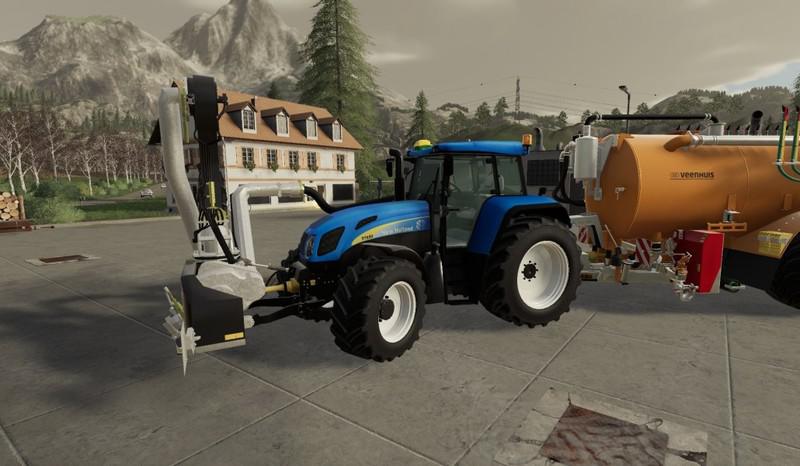
New Holland T7550 TVT v1.0.0.0 FS19
New Holland T7550 TVT v1.0.0.0 FS19 New Holland T7550 TVT for FS19 Configurations: GPS Wheels front Loader Engine Credits:BJR-Modding, ShaderModding, SMT, kenny2801

Fliegl TMK266 Bull v1.0.0.0 FS19
Fliegl TMK266 Bull v1.0.0.0 FS19 The trailer is in its original state from Giants from FS17. I converted it to fit the FS19 standards. Price: 37000 € Capacity: 32000 litres / 40.000 litres Configuration: – color choice for trailer and rims – color choice for lateral Fliegl decals in white, red and black – tire choice (Trelleborg, Michelin) – capacity selection (default and overload) Credits:TopAce888
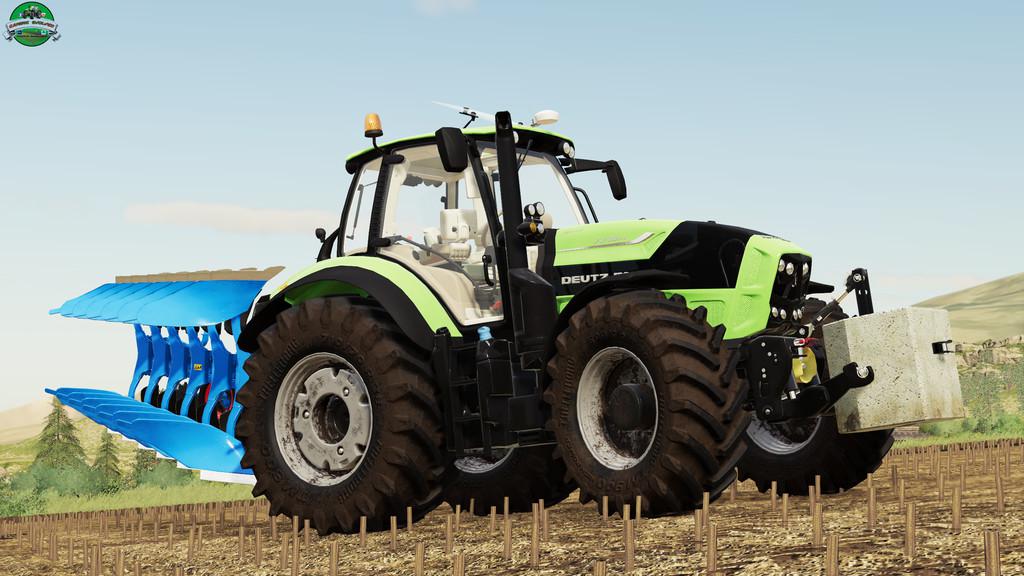
Deutz-Fahr TTV 7 Series v1.0.0.0 FS19
Deutz-Fahr TTV 7 Series v1.0.0.0 FS19 Price: 182000 € Power: 224-263hp – Door and Window Control – New Tires Option Trelleborg, Michelin, and Nokian – Real Sounds Engine Credits:STv-Modding
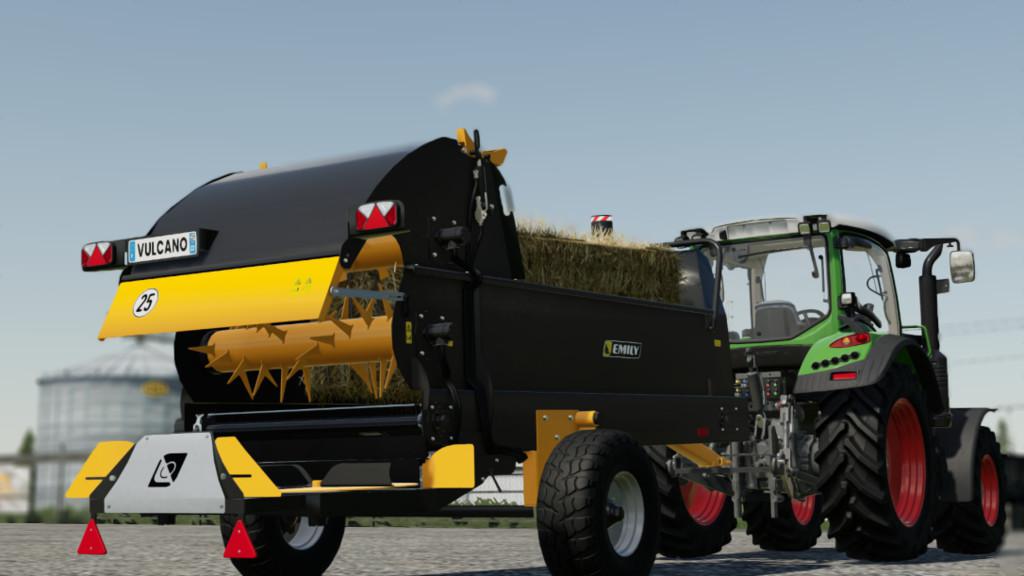
Emily Vulcano v1.0.0.0 FS19
Emily Vulcano v1.0.0.0 FS19 The Vulcano straw-bed mulcher is used to mulch with rectangular and round balls. The trays project the straw previously unraveled at high speed. An ideal straw blower for large livestock buildings. Price: 25.000 € Credits:SimulagriModding
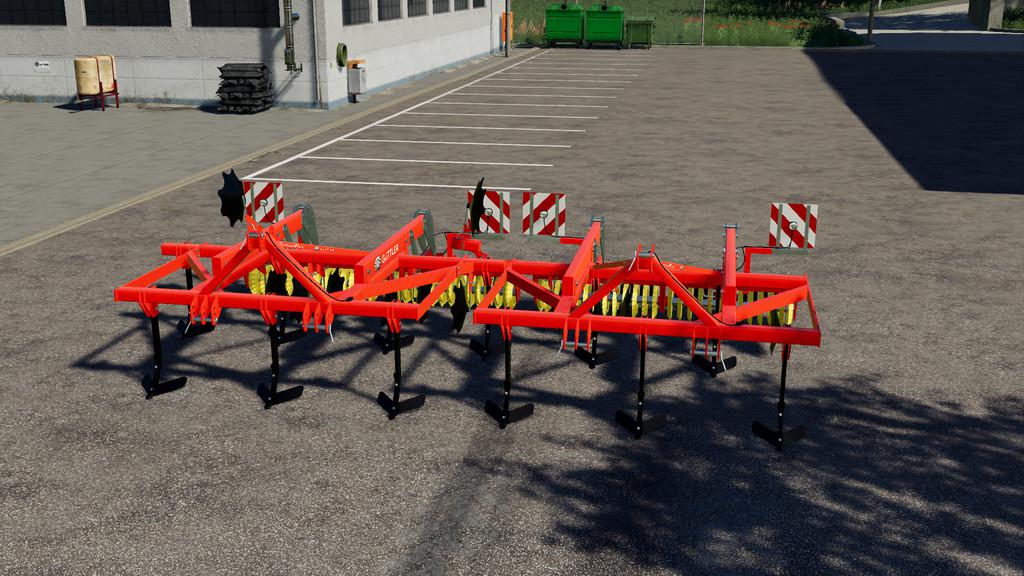
Guettler PrimusPlus 250-300 v1.0.0.0 FS19
Guettler PrimusPlus 250-300 v1.0.0.0 FS19 This cultivator from the house of Güttler, with its good construction, is very good at tillage. – Price: $8,000.- – Working width: 2.5 – 3 meter Credits:Rick Black Labele,OliDeutz TWD Modding
- 15 per page
- 30 per page
- 45 per page
- 60 per page
-
See more per page
Bigger pages, fewer clicks - and no ads anywhere.
Go Pro