Farming Simulator 19 mods
55,652 results- 15 per page
- 30 per page
- 45 per page
- 60 per page
-
See more per page
Bigger pages, fewer clicks - and no ads anywhere.
Go Pro

Village Bank FS25
Own banking system with separate village bank menu The bank name adapts to the map, so village bank > your map name. Multiple bank accounts: In addition to the farm account, additional accounts can be created and renamed. A total of up to 10 accounts are possible. Different symbols can be selected for the accounts. Money can be transferred between your own accounts. When making purchases, you can choose which account to pay from. Transaction overview for transfers, financing, leasing payments and other bank transactions. Fixed-term deposits/savings accounts with up to 8 simultaneously running accounts. Available maturities and interest rates: 1 year at 1% p.a. 5 years at 5% p.a. 10 years at 10% p.a. Vehicle financing with terms of 12 to 96 months. Selectable down payment of 10%, 20% or 30%. Selectable final rate of 10%, 20% or 30%. Financing interest rate of 5.5% p.a. A liquidity/creditworthiness check is carried out before financing is granted. Vehicle leasing with terms of 24, 36, 48 or 60 months. 10% down payment for leasing. A lease interest rate of 4% has been deposited. After the lease ends, the vehicle can be purchased for its residual value or returned. Business loan via the normal LS25 loan scheme. Loans can be taken out and repaid in €5,000 increments. The normal credit limit of the game balance is taken into account. Dunning and arrears system for financing and leasing contracts. If installments cannot be paid, they will be listed as outstanding. If there are 3 outstanding payments, the vehicle in question will be confiscated and removed from the game. The contract and any remaining debt will then be terminated without refund. Vehicles with ongoing financing or leasing cannot simply be sold. Integrated vehicle insurance. Three options: no insurance, partial coverage, or comprehensive coverage. Partial comprehensive insurance reimburses 50% of the repair and painting costs. Comprehensive insurance reimburses 100% of repair and painting costs. Insurance premiums are based on the vehicle's value. Partial comprehensive insurance costs 1.2% of the vehicle's value per year. Comprehensive insurance costs 2.4% of the vehicle's value per year. The minimum contribution is €2 per month. Tariff changes will take effect from the next game month. Insurance premiums and reimbursements are recorded. Multiplayer support. Accounts, investments, financing, leasing agreements and other data are stored in the savegame.

Realistic Farm Finance FS25
**Realistic Farm Finance** is a comprehensive agricultural finance and farm-business simulation for Farming Simulator 25. Designed to be played with 3-5 day months - 5 are recommended. Instead of farm expansion being limited only by the amount of cash currently in your account, RFF introduces the financial systems that sit behind a real farming business: agricultural borrowing, mortgages, machinery finance, overdrafts, lenders, brokers, arrears, taxation, administration and livestock insurance. The aim is not simply to give the player more ways to borrow money. The aim is to make **financial decisions matter**. Taking on another farm, replacing a tractor, expanding livestock numbers or surviving a difficult year can now create commitments that follow your farm for years afterwards. Good financial management can open opportunities. Poor decisions can lead to arrears, damaged lender relationships, repossession and liabilities that remain even after an asset has been recovered. RFF is designed for players who enjoy slower, realistic progression and want building a farming business to carry genuine financial pressure. On first load, it will detect Giants loans, and convert them to an RFF loan. Where a save game had any financing using Hire Purchasing, Field Finance or the BankCredit mod, and the mod is no longer active (RFF can replace all of these mods) then those finance agreements will also be transferred to RFF. All converted loans and finance agreements are clearly identified as a legacy agreement.


Texture eyedropper FS25
Terrain Texture And Object Picker expands the build menu with an eyedropper feature for ground textures, foliage, bushes, trees and supported placeable objects. The pipette can be used to capture already used painting textures, visible foliage such as grasses, flowers and bushes, placeable trees and supported objects directly on the map and find them again in the construction menu. For mixed areas, multiple matching hits can be displayed. Application: 1. Open the “Pipette” tab in the build menu. 2. Press the “Activate pipette” button. 3. Click on a ground texture, foliage, bush, tree, or supported object. 4. Confirm the desired hit in the construction menu. 5. Paint or build as usual. The pipette can be reactivated at any time if necessary. The active brush is reset before recording. The mod takes into account available ground textures and suitable foliage of the respective map. Map foliage is recognized without loading additional entries into the normal build menu without checking. Credits: Thanks to PeterPwn247 for “All Decorative Foliage” and to modelleicher (Farming Agency) for “All The Ground Textures Ingame”. Both mods helped to understand how map content can be usefully made available in the build menu. Changelog 2.0.0.0: - Name changed to Terrain Texture And Object Picker. - Detection of bushes and trees expanded. - Detection improvements for ground textures, foliage and supported construction menu items. - Improved map foliage detection for additional map content. - The previous debug mode was removed because it led to extensive log entries in normal use. - Fixed error messages in the log during pipetting that could occur on maps with incorrectly entered foliage layers. - Internal revision: removed a no longer needed diagnostic code and adapted error handling to current GIANTS specifications. Version 2.1.0.0 - New tab “Search” in the construction menu: searches all categories for keywords, regardless of the order, sorted by relevance. - First related object groups recognized for the search: trees and animal husbandry are found even without a literal name hit. - StoreItems from new prefab/card templates are now found reliably, even if paths differ in spelling. - Trees without a clear assignment to a construction menu entry are no longer incorrectly displayed as tiles, but only as information text. Version 2.0.0.0 - Name changed to Terrain Texture And Object Picker. - Detection of bushes and trees expanded. - Detection improvements for ground textures, foliage and supported construction menu items. - Improved map foliage detection for additional map content. - The previous debug mode was removed because it led to extensive log entries in normal use.
Autodrive Beuren FS25
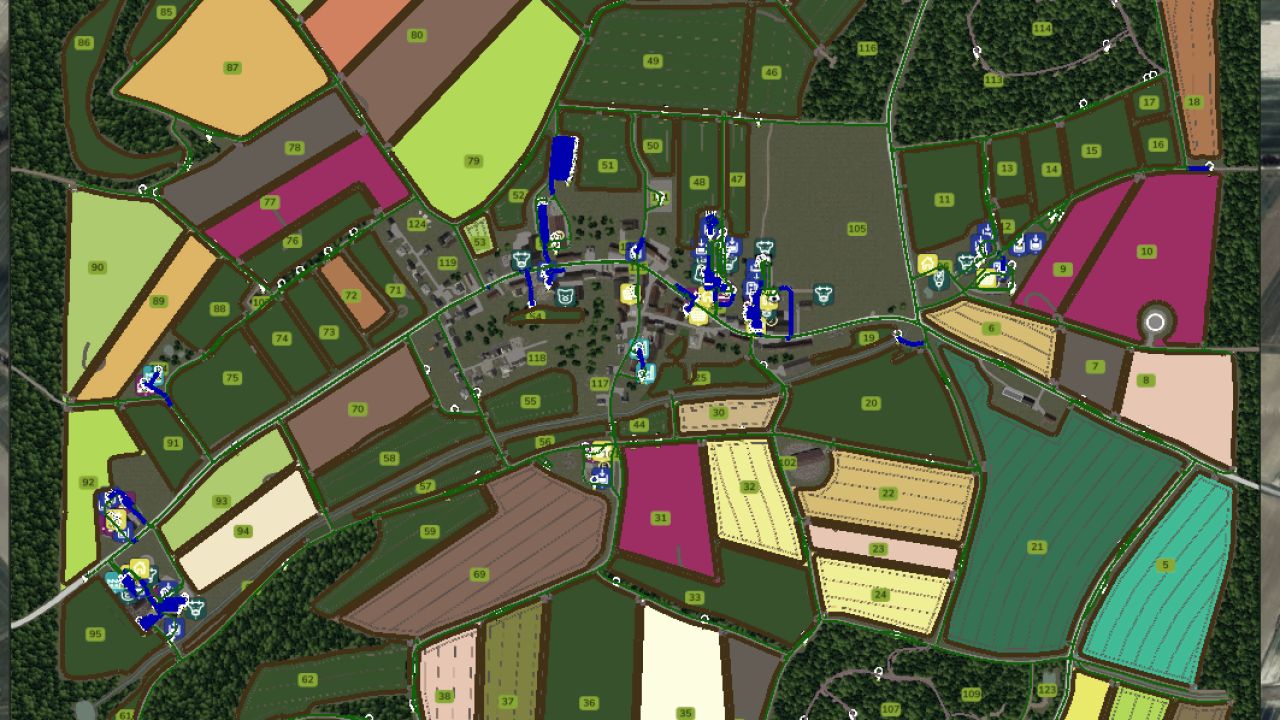
There are new courses again, this time for the Beuren map. As far as the map allowed, I've driven everything I could, wherever the space permitted. The following routes were driven: All main and secondary routes All courtyards All productions All sales and shopping points Forest access points All fields including catch The courses are suitable for small to medium-sized vehicles at most, as everything is very intricate. I also don't guarantee that it will work for every vehicle combination or that things won't get stuck. Various combinations have been tested.
Crypto Farm ATM FS25
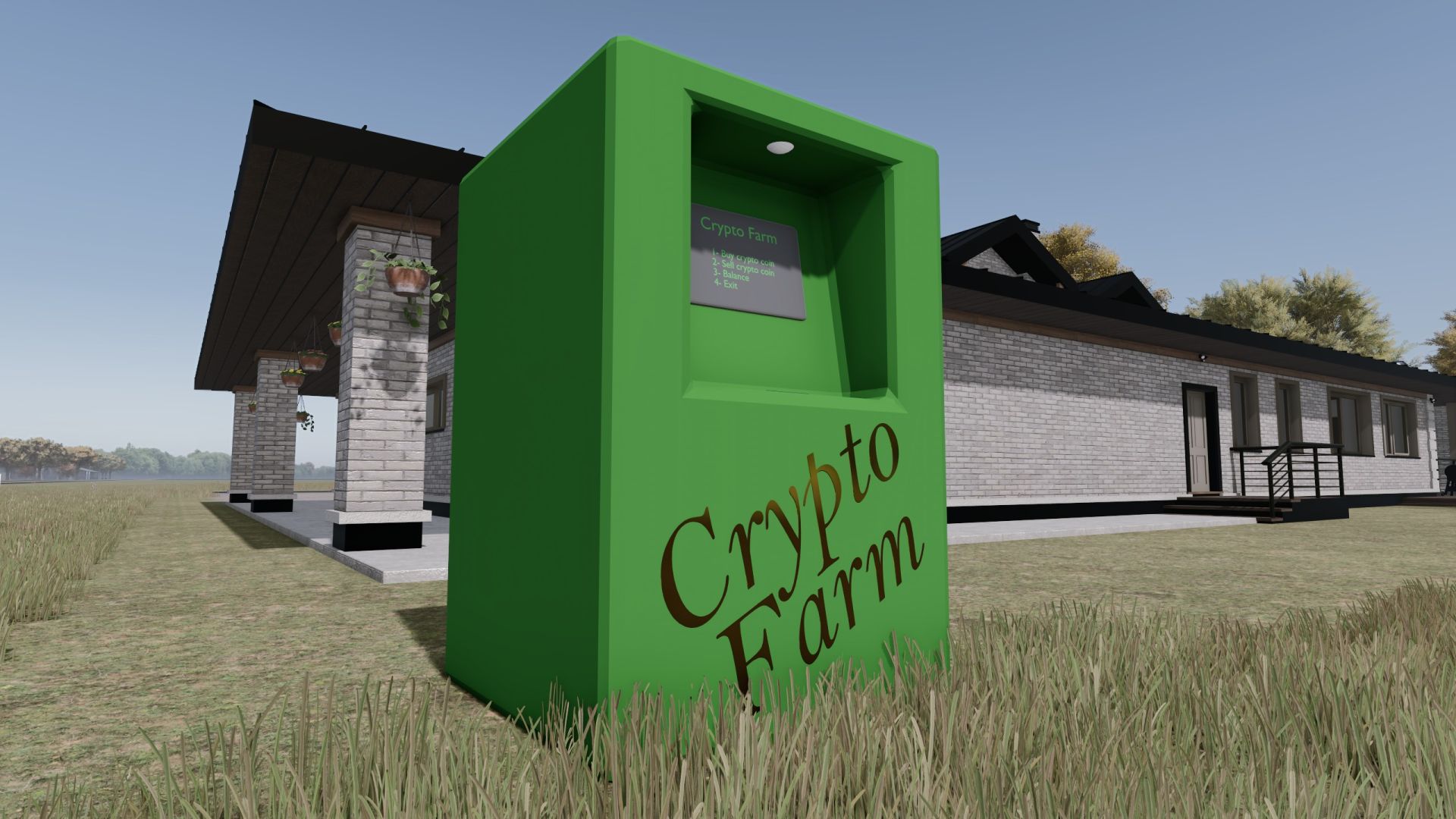
So you've been working your ass off, but the game won't let you enter the 'Three Commas Club'. Your misery is over. Alas, the Crypto Farm ATM. Install one of these technological marvels on your map, and you'll be a TCC member in no time (no guarantees - life is full of surprises). Use your bank account money to buy crypto coins (for a small fee) and watch your wealth grow beyond that poor man's limit of 999,999,999 (again, no guarantees - Remember: buy low, sell high). What it does: - Allows players to buy and sell a fictional crypto coin. - Saves your surplus money so you may amass a total greater than the 999,999,999 bank account limit. - Available in English, German, Portuguese, and French.
AutoDrive Szpakowo FS25
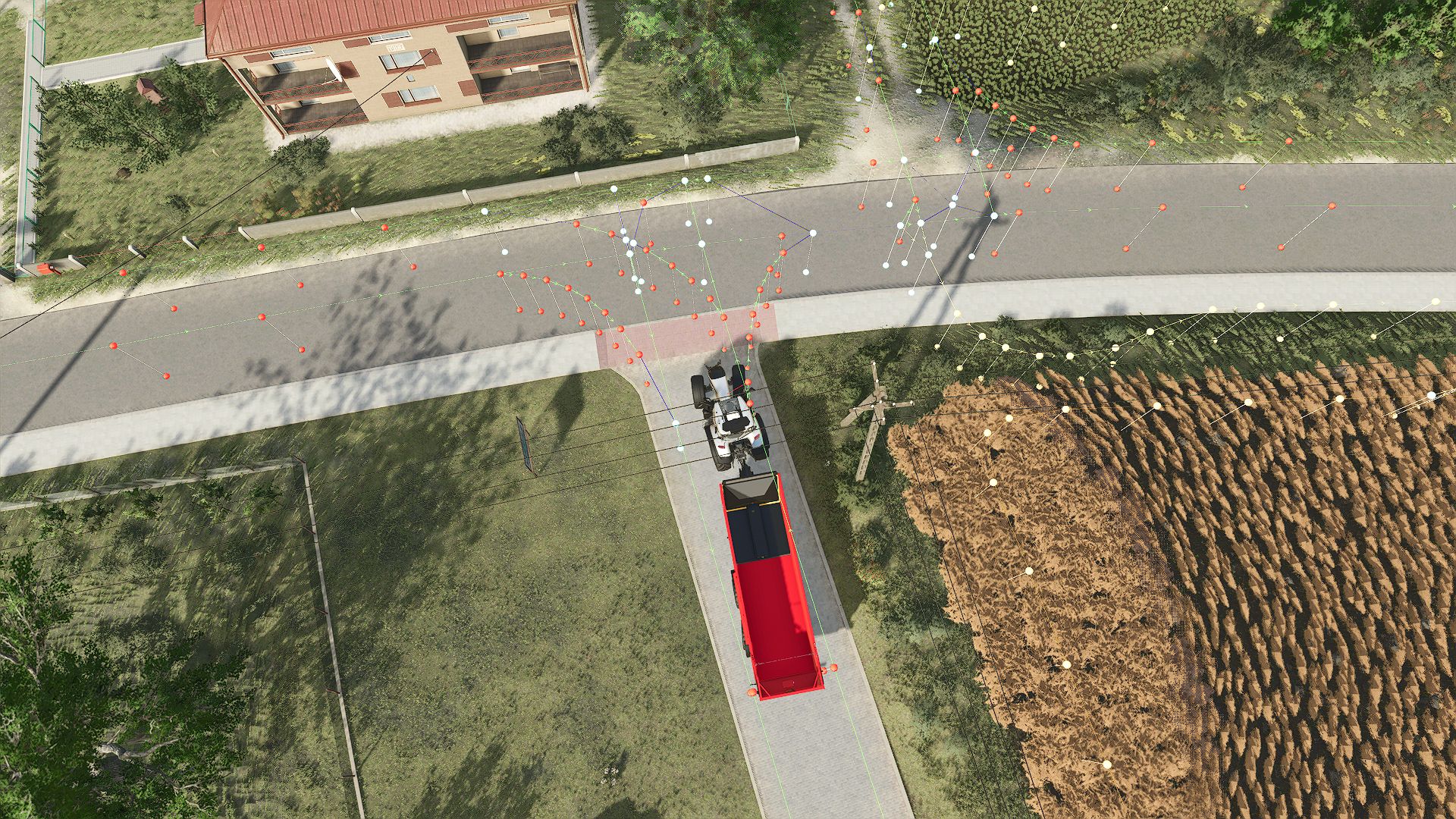
Everything available on the map has been connected. If you find any errors, report them here: https://discord.gg/rdCZPA3c2 or in the comments. I will fix and update them.
DGFarm Decal Studio FS22
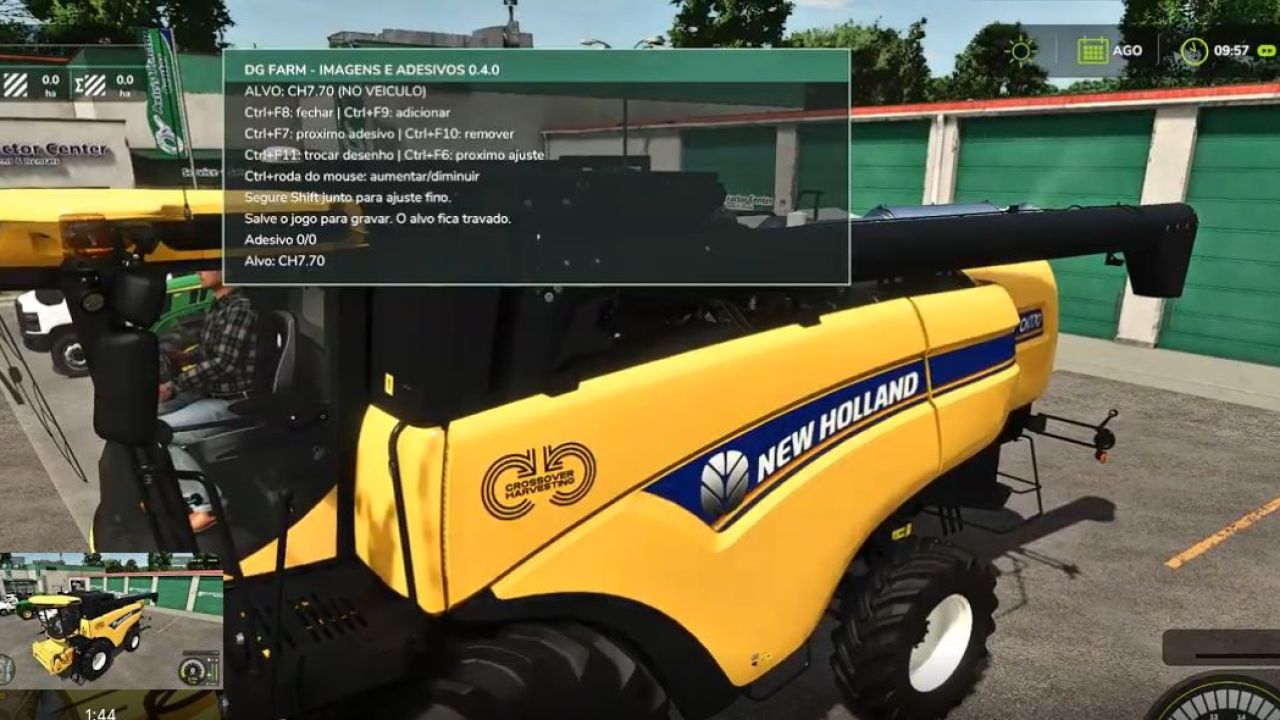
🚜 Discover DGFarm Decal Studio v0.4.0 for Farming Simulator 22! In this video, I present the mod's complete functionality, which allows you to add custom images and decals to FS22 vehicles. You will see how to install, configure and use the main tools available. ✅ Add custom images ✅ Adjust position, size and rotation ✅ Customize different vehicles ✅ Save your creations in the game ✅ Developed for Farming Simulator 22 📥 OFFICIAL DISCORD: https://discord.com/invite/DJtBfD9vbF Have you encountered a problem or do you have a suggestion? Send your report to our Discord server. Version presented: 0.4.0 Compatibility: Farming Simulator 22 — PC/Mac ⚠️ Download only through DGFarm's official channels. #FarmingSimulator22 #FS22 #DGFarm #ModsFS22 #FarmingSimulator #ModFS22

British Fill Units FS25
British Fill Units Finally, grain measured like grain. British Fill Units is a UK-style farming localisation mod for Farming Simulator 25. The mod brings authentic British farming terminology and realistic metric units to the game by replacing litre-based displays for solid materials with kilograms and tonnes, while localising selected terminology to better reflect UK farming practices. From Canola becoming OSR (Oilseed Rape) to Corn becoming Maize, British Fill Units helps Farming Simulator feel more familiar to British players while standardising units across many areas of the game. Features Displays solid materials in kg below 1 tonne. Displays solid materials in t at and above 1 tonne. Liquids remain displayed in litres. Solid material prices displayed per tonne. Liquid prices displayed per 1,000 L (kL). Storage capacities displayed using realistic mass values. Vehicle and trailer capacities displayed using realistic mass values. Supports Storage, Prices, Productions, Construction, Vehicle Shop, Object HUDs and compatible livestock systems. Localises British farming terminology, including OSR (Oilseed Rape) and Maize where supported. Compatible with the latest Farming Simulator 25 update. Compatible with supported third-party mods, including Realistic Livestock. - Fixed price trend indicators being cleared immediately after initial Prices page population; indicators now bind on first open without requiring scrolling. - Fixed livestock masses being incorrectly normalised as kg/L, causing animals and loaded livestock trailers to weigh 1/1000 of their intended mass. - BFU density resolution no longer mutates GIANTS fillTypeDesc.massPerLiter values. - Added BFU-local resolved-density caching/views for compatibility with community fill types without changing global game descriptors. - Reduced repeated TextElement fill-type/terminology work with hot-path caches. - Reduced redundant FillLevelsDisplay HUD rewrites when BFU fill data has not changed. Version 1.3 focuses on compatibility and display reliability. This update includes: Multiplayer and dedicated-server support. Corrected trailer capacities in the shop. Improved crop and commodity price displays. Better detection of the Prices menu across different game languages. Fixes for missing £/tonne and additional HUD information. Improved script loading and diagnostic logging. Updated licence protection against unauthorised reuploads and download mirrors. Please continue reporting any display issues, particularly in multiplayer or when using a non-English game language. What’s New Solid commodities now display prices in £ per tonne. Supported liquids now display prices in £ per 1,000 litres. Seasonal price graphs now use the selected product’s correct market values. Added red, amber and green indicators showing whether prices are falling, stable or rising. Added a Price Trend guide to explain the new indicators. Added improved support for modded and map-specific fill types. Improved Realistic Livestock feed and capacity displays. New terminology additions. Fixes Fixed station prices and graph values reverting to litre-based units. Fixed graphs using the wrong product, density or price range. Fixed station prices leaking into other rows while scrolling. Fixed trend indicators appearing beside the wrong station. Fixed prices and indicators becoming misaligned after menu refreshes. Fixed several unit, formatting and display inconsistencies across supported menus. Improved Prices page performance and stability. Improvements Added a Prices page unit legend. Improved consistency of mass unit displays across supported menus. Improved compatibility with the latest Farming Simulator 25 update. Improved compatibility with supported third-party mods, including Realistic Livestock. Refined Prices page helper placement and overall UI presentation. Fixes Fixed Storage values reverting while scrolling. Fixed Production Chains displaying incorrect units. Fixed Realistic Livestock Monitor displaying incorrect units. Fixed Prices page values reverting after menu refreshes. Fixed Vehicle values displaying incorrect units. Fixed Statistics page displaying incorrect units. Fixed multiple unit display inconsistencies across supported menus. Improved menu stability and overall performance.

Optibeam Octax 6.0 Ambient (Prefab) FS25
This is a building part for vehicle modders. Extract it and install it into a vehicle. It is not a shop-buyable standalone mod.
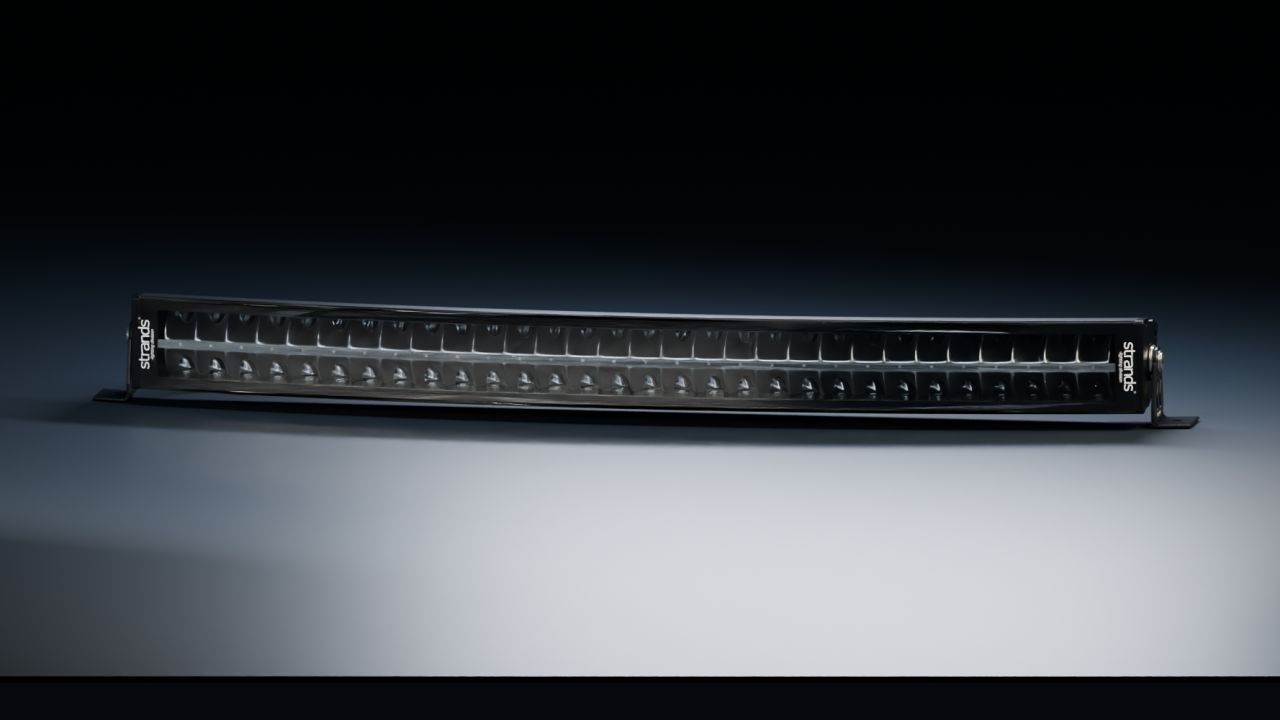
Strands Siberia DRC 32 (Prefab) FS25
A curved 32-inch LED bar for Farming Simulator 25 vehicle projects, by NorthernLight Modding. - 60 detailed indirect reflectors behind a clear front lens. - Separate white and amber position-light variants. - Real lights for the position-light wash and driving beams. - Curved aluminium housing, cooling fins, cable and adjustable side mounts. - Two levels of detail and spatial dirt masks. - Editable Blender sources, complete English/Norwegian/Swedish instructions and an offline XML helper. This is a prefab for vehicle modders, not a standalone shop item. Strands Lighting Division owns the real product and trademarks. Visual details are reconstructed from product references.

Strands Dark Knight 850404 – Dark Lens (Prefab) FS25
Two alternating groups, A and B, for diagonal mounting: front left + rear right alternate with front right + rear left. Lamps in the same group flash together; the groups do not overlap. Add a discreet warning light to your vehicle with the Strands Dark Knight 850404. Its smoked lens and black click-on frame conceal six amber optical chambers, flashing together when the vehicle's beacons are activated. **Features** - Six amber emitters with a synchronized single-flash pattern. - Dark fluted lens and detailed lamp housing. - Synchronized illumination of the surroundings. - Two geometry LODs for different viewing distances. - Native FS25 beacon controls, with no additional Lua script. - Ready-to-use beacon XML and mounting group. - Complete English, Swedish and Norwegian installation guides and an XML helper. - Editable Blender model included. **Model dimensions:** 129.2 × 33.2 × 14.8 mm. Mounting centres: 118 mm. This is a prefab for vehicle integration using GIANTS Editor and XML. It is not a standalone purchasable mod. This version provides a single-flash pattern; the original product's full pattern selection and cruise mode are not included.
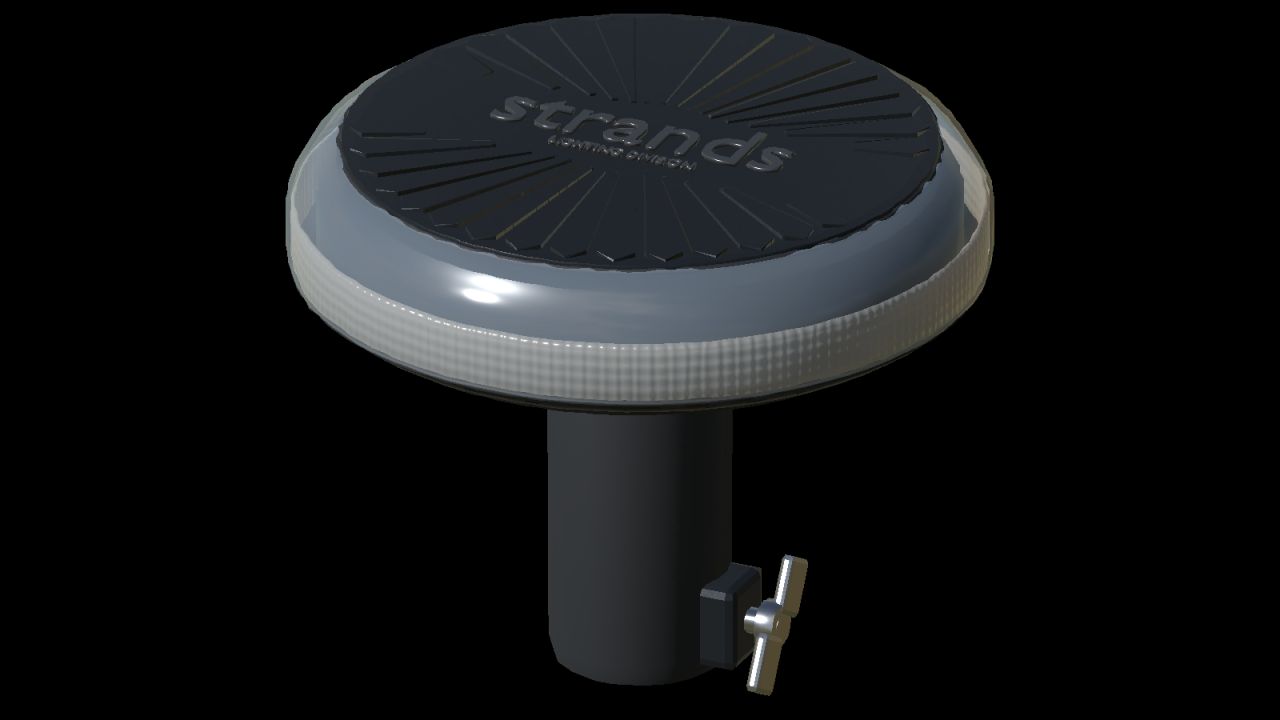
Strands Firefly Summer Glow 140 mm (Prefab) FS25
This is a vehicle-building prefab, not a purchasable standalone mod. The model is based on Strands articles 850963/850964: diameter 140 mm, housing height 37 mm, overall pole version 112 mm, surface fastener centres 50 mm. Published dimensions control the envelope; small parts and optical details are reconstructed from photographs, not manufacturer CAD. 1. Extract the prefab. Copy the complete `firefly140` folder into your vehicle mod, directly beside `modDesc.xml`. Keep `firefly140.i3d`, `firefly140.i3d.shapes`, `firefly140.xml` and the textures together. 2. Open the vehicle I3D in GIANTS Editor. Import `firefly140/mount.i3d` and parent its empty `fireflyMount` group to the correct vehicle component. Rename each mount uniquely, for example `nlmFireflyLeft` and `nlmFireflyRight`. 3. Place each mount at the attachment contact point. Use scale `1 1 1`; local +Y is up. `SURFACE` puts the housing base at the mount. `POLE` automatically lifts the housing 75 mm so the DIN socket bottom sits at the mount. Do not add the same 75 mm a second time. 4. For placement preview only, import `firefly140.i3d` below the empty mount. The group `poleMount` contains the complete detachable DIN fitting, including clamp, wings and button. Hide it for a surface preview and show `surfaceMount`. For a pole preview, offset the preview lamp by +0.075 m on Y. Remove the entire preview lamp before saving the vehicle: native XML loads the actual model. Keep the empty mount.

Lumary No Glare 72 (Prefab) FS25
Lumary No Glare working light prefab to mount on your vehicles
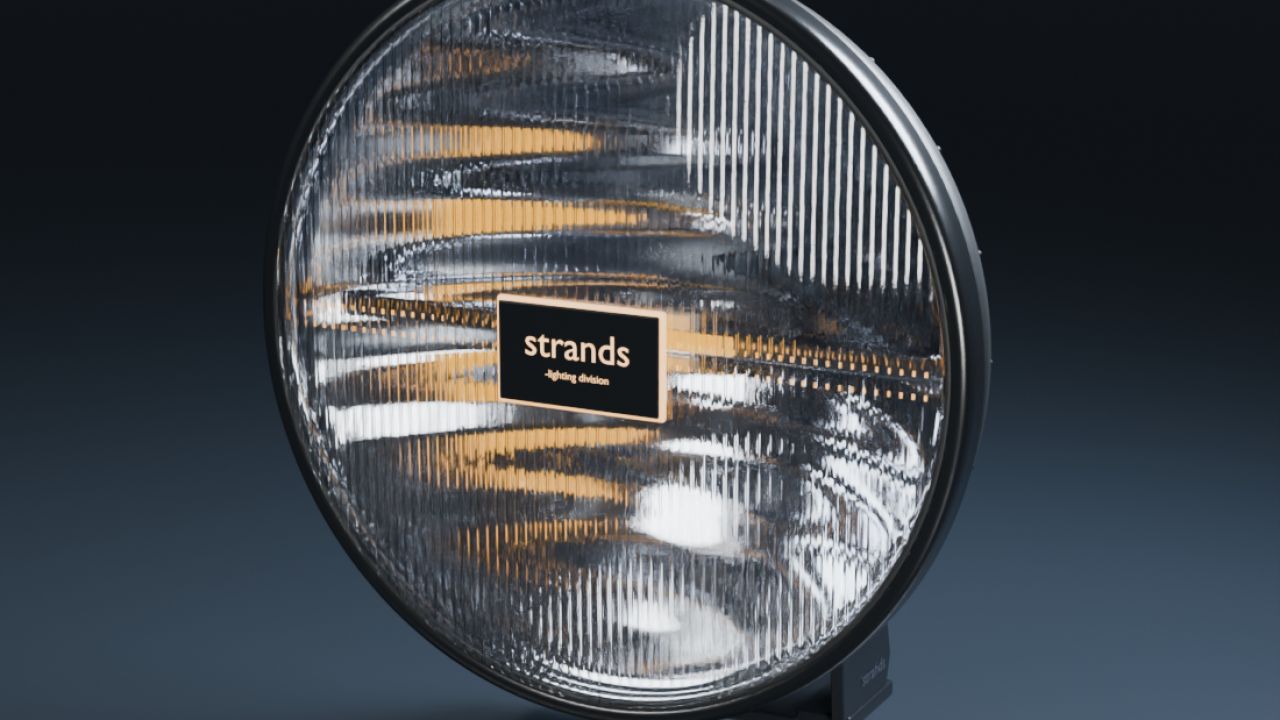
Strands IZE OG 9 (Prefab) FS25
A classic round driving light for your FS25 vehicle projects. Includes white, amber and red position variants, ribbed lens and illuminated centre logo, detailed chrome reflector, clear lens, black housing, cooling fins, cable, mounting hardware and a separate tilt pivot. Native position and high-beam controls, a real road beam and distance LOD are included. Vehicle-editing prefab: installation in GIANTS Editor is required. English, Norwegian and Swedish guides and a local XML helper are supplied.
- 15 per page
- 30 per page
- 45 per page
- 60 per page
-
See more per page
Bigger pages, fewer clicks - and no ads anywhere.
Go Pro