1 / 6
Reshade 4.0.2 Better Colors & Realism by animatiV
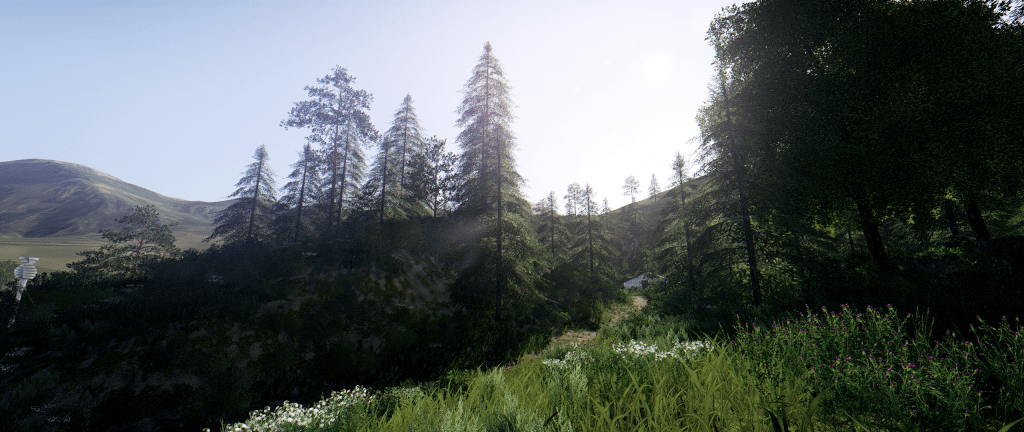
Reshade 4.0.2 Better Colors & Realism by animatiV This setting changes the colors to a more natural. Light and solar effects have been added and lightly sharpened the picture. INSTALLATION INSTRUCTIONS *Now supports Reshade 4.0.2 version Download and install Reshade from: reshade.me Install in the fs19mods.com main game directory (where the .exe file) by selecting OpenGL Paste the downloaded settings file into the same place. In the game, enter the Reshade settings (Home key) and select the downloaded file. Run in performance mode. That’s all Options that should be included: – Tonemap, – FilmGrain2, – AmbientLight, – Levels, – CA, – LumaSharpen, – BloomAndLensFlares Keyboard shortcuts to switch some options NUM.1 – Ambient Light NUM.2 – Levels NUM.3 – Luma Sharpen NUM.4 – Film Grain NUM.5 – Lens Flares
Visit Original Post
Also posted on
Download Links
Report a problem
Reshade 4.0.2 Better Colors & Realism by animatiV
Advertisement
Remove ads