Farming Simulator 17 mods
21,844 results- 15 per page
- 30 per page
- 45 per page
- 60 per page
-
See more per page
Bigger pages, fewer clicks - and no ads anywhere.
Go Pro



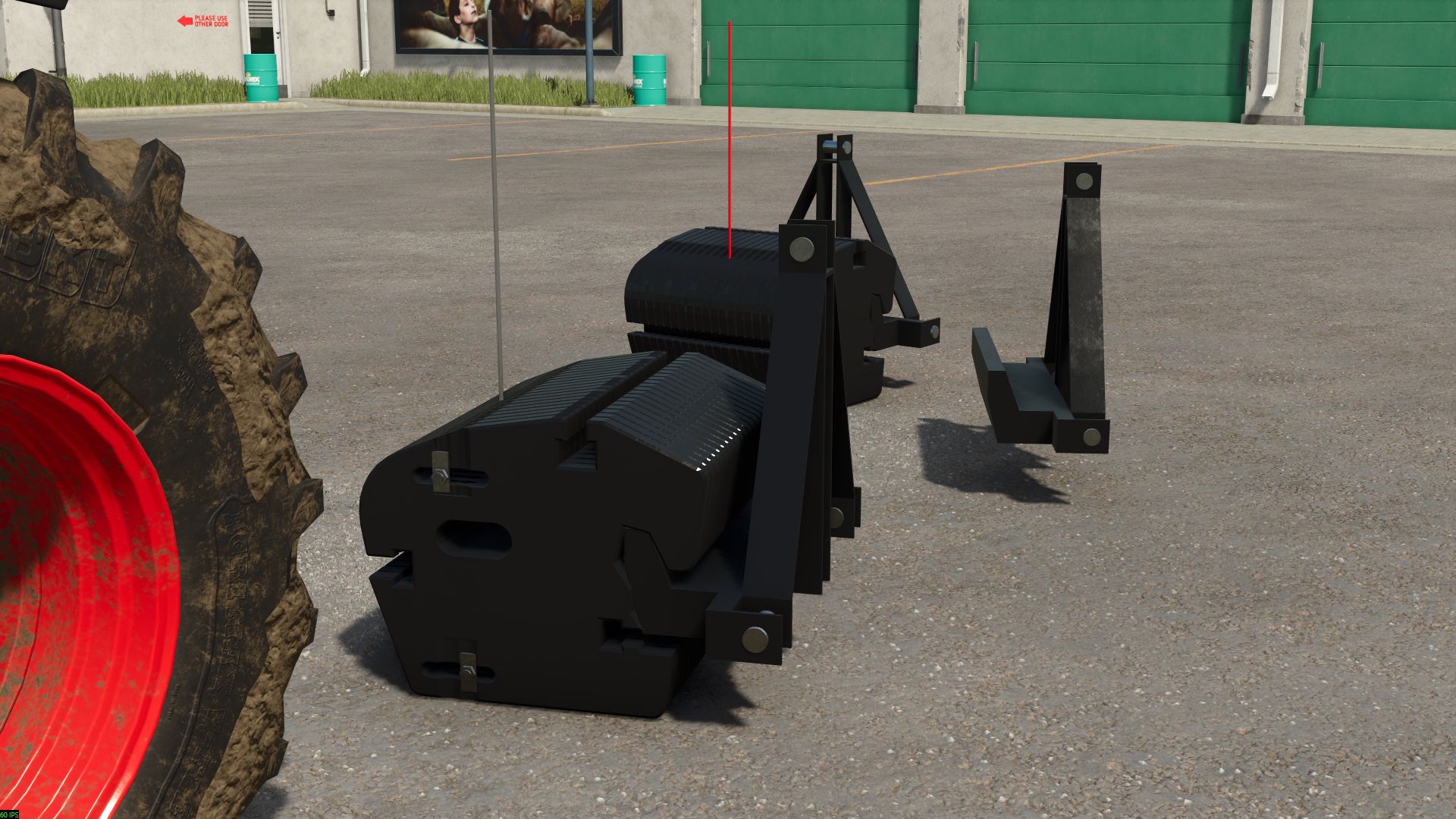
New Holland weight 900 kg FS25
Here is a 900 kg New Holland counterweight Features: - Price: €3,500–€3,600 - Weight: 900 kg - Configuration with or without the counterweight block - Configuration with or without the weight bar - Color configuration for the bar
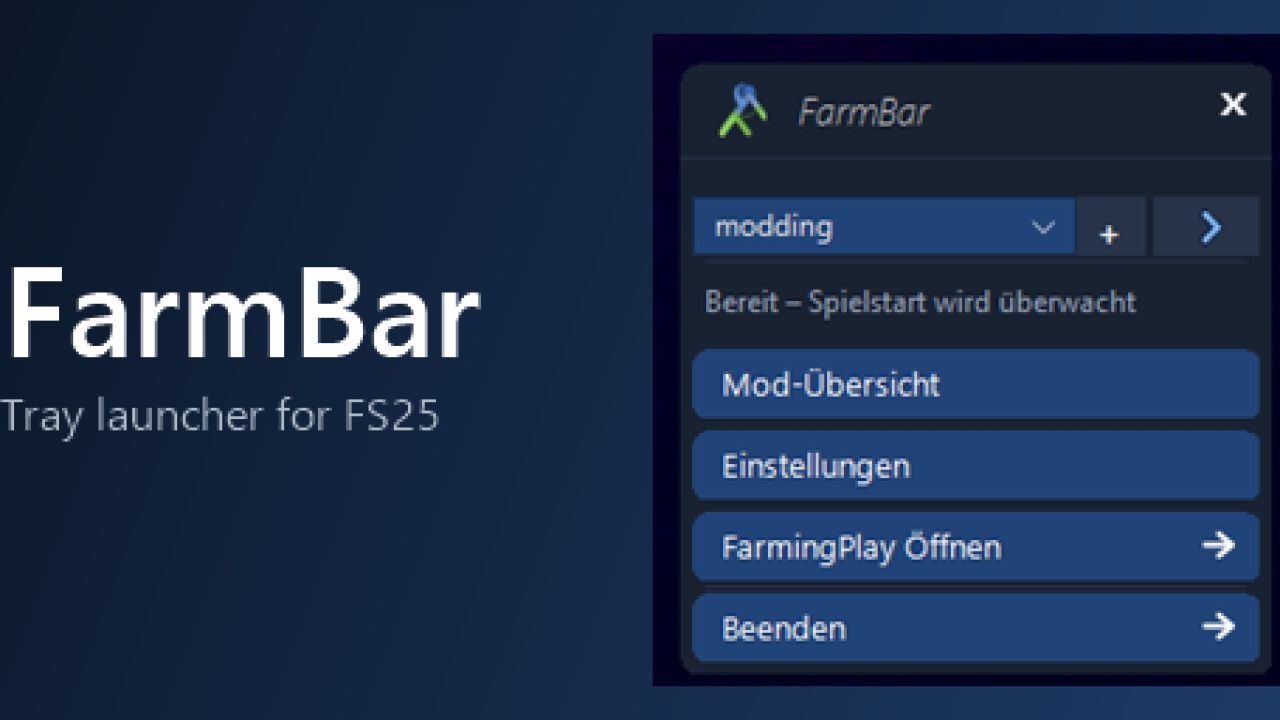
FarmBar FS25
FarmBar is a tray launcher for the FS25 Welcome to FarmBar, What is FarmBar? FarmBar is a small program that runs in the system tray and makes launching FS25 easier. It does not require FarmingPlay25, but works well together with it. Among other things, it offers: Game launch with folder selection: when the game starts, FarmBar asks which mod folder you want to play with Mod overview with update check: see which mods have new versions, and hide updates, open the link or report wrong versions Folder management: add, edit and switch mod folders Download monitoring: new mod ZIPs in your downloads are detected and can be placed straight into a folder Automatic first-time setup: the game executable and the "My Games" folder are found automatically Automatic updates for FarmBar itself, without interruptions while FarmingPlay25 is running Available languages Deutsch, English, Français. The language is detected automatically and can be changed in the settings. How do I install it? Extract the zip file to a folder of your choice and start FarmBar - Setup.exe. On first start, FarmBar looks for the game path and the "My Games" folder on its own. If it cannot find them, the setup opens. After that, FarmBar runs in the system tray. Right-click the icon to open the menu. Current issues / work in progress None
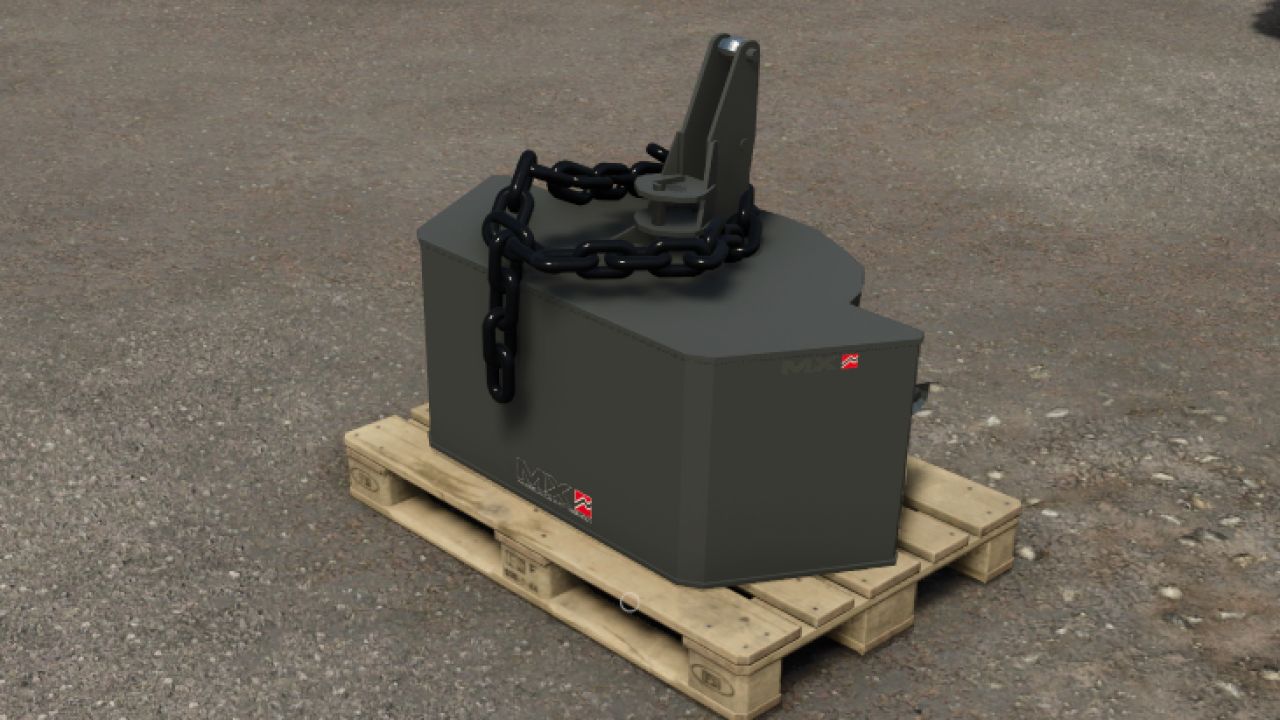
Weight MX900 FS25
Hello, I’m sharing this MX weight with you. It has been optimized in Blender, and options have been added, along with a pallet as a support. Have fun! Features: - Price: €2,000 - Weight: 900 kg - Decorative chain configuration - Official MX color configuration for the weight and universal color configuration for the chain - The weight can be placed on a pallet
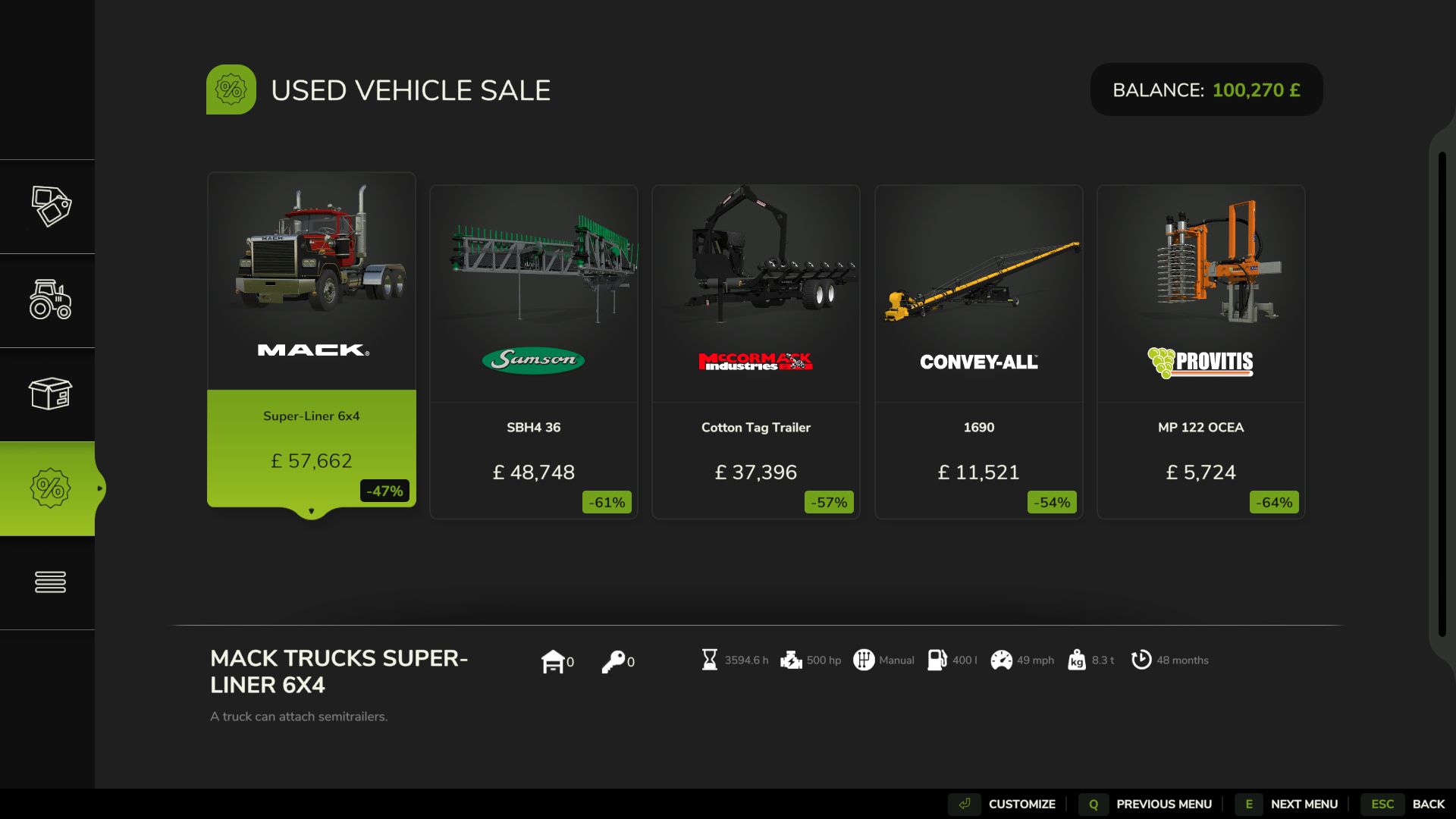
Realistic Hours & Depreciation FS25
Realistic Hours & Depreciation – PUBLIC BETA **VERSION 0.9.0.0 – PUBLIC BETA** Realistic Hours & Depreciation is designed to make machinery ownership in Farming Simulator 25 more realistic by overhauling **operating hours, machinery depreciation, resale values, the second-hand machinery market and visual paint wear**. Instead of machinery hours increasing independently from the game clock, operating hours now scale with your selected **in-game time speed**. For example, when playing at **3x time speed**, approximately 3 operating hours will be added for every real hour that the machine is being used. This allows machinery hours to better represent the passage of time on your farm. Realistic Machinery Depreciation Machinery no longer loses value based mainly on age alone. Vehicle values are calculated using a combination of: - Machinery age - Total operating hours - Average annual usage - Overall level of use This means an **older tractor with low hours can retain considerably more value** than another tractor of the same age which has worked heavily. Likewise, a relatively new machine that has already accumulated very high hours will depreciate faster than a lightly used example. Implements use their own depreciation calculations, where age has a greater influence and operating hours have a smaller effect. More Realistic Used Machinery The second-hand machinery market has also been reworked. Used machinery can now appear with much more varied and realistic combinations of: - Age - Operating hours - Price - Depreciation You may find relatively new machines that have already worked a large number of hours, as well as older machinery that has only seen occasional use. The age, operating hours and price of used machinery are linked together so that the value better reflects the machine you are actually buying. Existing Savegame Conversion The mod can also be added to an existing savegame. When first loading an existing save with the mod enabled, a **one-time setup window** allows you to select the time scale you normally used before installing the mod. Existing machinery operating hours are then converted to better match the new system. This conversion only needs to be completed once for each existing savegame. Brand-new savegames do not require this conversion. Reduced Paint Wear Visual paint wear has been significantly reduced. High-hour tractors and machinery should no longer unrealistically lose most of their paint simply because they have accumulated a large number of operating hours. Mechanical damage, maintenance and repair costs remain separate from visual paint wear. Leasing Leasing has been adjusted to work correctly with the new scaled operating-hour system. Although the displayed machinery hours increase according to your game time scale, the mod prevents this from incorrectly multiplying the normal hourly leasing charges. Main Features - Operating hours scale with the in-game time speed - One-time conversion system for existing savegames - More realistic machinery depreciation - Depreciation based on age, hours and average annual usage - Separate depreciation calculations for vehicles and implements - Older low-hour machinery can retain significantly more value - Heavily used machinery depreciates faster - More realistic second-hand machinery ages and operating hours - More realistic used machinery pricing - Greater variety within the used machinery market - Significantly reduced visual paint wear - Leasing costs remain balanced despite scaled operating hours - Designed to support base-game and compatible modded machinery - Multiplayer supported --- IMPORTANT – PUBLIC BETA TEST **This is a BETA version and has been uploaded to KingMods specifically for public testing.** Version **0.9.0.0 is not intended to be considered the final release.** The purpose of releasing this beta is to allow more players to test the mod across different savegames, machinery, maps, multiplayer environments and mod combinations before the full **1.0.0.0 release**. Although the mod has already been tested during development, it is impossible to test every possible combination of machinery and other mods. Please Report Any Problems If you experience **any error, bug, conflict or unexpected behaviour**, please report it. The intention is to investigate and fix any confirmed issues found during beta testing, but **I can only fix problems that I am made aware of**. Even if you think somebody else may already have reported the same problem, please feel free to contact me. Bug Reports Please email: **[email protected]** When reporting a problem, please include as much information as possible, including: - What happened - What you were doing when it happened - Which vehicle or implement was involved - Whether it happened in singleplayer or multiplayer - Whether you were using a new or existing savegame - Any other mods that may be relevant **Please attach your `log.txt` file whenever possible.** The `log.txt` file is extremely useful because it can show script errors, warnings and possible conflicts with other mods and can make identifying and fixing a problem considerably easier. Dedicated Servers When adding the mod to an **existing dedicated-server savegame**, it is recommended to first open the savegame in a locally hosted multiplayer game with this mod enabled. Complete the one-time historical time-scale selection, save the game, and then return the savegame to the dedicated server. New savegames do not require this conversion step. Beta Warning As this is a testing version, keeping a backup of any important savegames before installing the mod is recommended. Please remember that finding and reporting problems is the entire purpose of this beta release. Your feedback will help improve the mod, eliminate remaining bugs and prepare **Realistic Hours & Depreciation** for its eventual full release and submission to the **GIANTS ModHub**. **Thank you to everyone who downloads, tests and reports issues.**

FarmingLive FS25
🎮 FarmingLive - Twitch meets Farming Simulator 25 FarmingLive is an interactive Twitch extension for Farming Simulator 25. Viewers can directly intervene in the game via channel points - whether they choose to help or sabotage is entirely up to them. The result: more interaction, more entertainment, more chaos. Perfect for streamers who want to add something extra to their farming experience. 🌍 Language: - German - English - French Further details on the download page Design Revised Several improvements to the mod and the code, as well as some bug fixes and new events - Bug fixes in lockInterior - Adjustment of the FadeScreen method - !flcommands added - Other minor bug fixes and adjustments - Mod now supports English and French (UI not yet complete) - Authentication system revised - AuthCode is now automatically renewed - Auth page renewed - Further bug fixes and improvements Mode ⦁ Launchvehicle is now in the MP ⦁ Missing settings added to the editor ⦁ Config corrupt errors Application ⦁ New event editor ⦁ Events are now correctly marked as "Fullified" (this has led to a full twitch queue in the past) ⦁ New mod editor ⦁ Events can now be added via the program on Twitch ⦁ Hopefully the new authcode daily has now finally been fixed⦁ Autxml (updates the XML during structural changes) ⦁ Some error deposits in the mod editor and in the language system - Error with setBroken fixed - ClearFuel renamed to ClearAll - New event “Launch Vehicle” - New event “lockInteriorCam” - New event “toggleWipers” - some adjustments to the UI - modSettings name has changed - Some errors in the config have been fixed - Command area now has “Allowed Users” and “Cooldown” - English language added the new events have not yet been extensively tested in MP, if problems occur please report them in the Discord

Mod Sync Tool With Server List FS25
#LS25 ModSyncTool The LS25 ModSyncTool makes it easier to join multiplayer servers with extensive mod packages. Dozens or even hundreds of mods can quickly come together, especially on community, roleplay, construction yard or contractor servers. Manually comparing your own mods with the server mod list takes time and often leads to errors. ## Features * Automatic comparison of your own mods with the server mod list * Missing mod detection * Detection of outdated or different mod versions * Quick overview of synchronization status * Support for individual server modlists * Easy to use without complicated setup ## LS25 ServerCentral integration https://ls25-serverzentrale.de/ The ModSyncTool works directly with the LS25 server center. Through the ServerCentral, communities can manage their servers including: * Server description * Discord link * Map information * Modlists publish. Players can then retrieve the server information and automatically check their mod collection using the ModSyncTool. ## Goal of the project The LS25 ServerZentrale and the ModSyncTool were developed to better network the German-speaking Farming Simulator 25 multiplayer community and to make it significantly easier to get started on community servers. Less time managing mods – more time on the farm. ## Note This tool does not modify game or savegame files. It is used exclusively for analyzing and comparing mod stocks. Discord: https://discord.gg/J2q3xnMhsy Server List & Quality-of-Life Update Server list visually adapted to LS25 ServerZentrale Server cards with banner, online status, players and statistics Search function for server and map names added Display of total download speed Estimated remaining time during synchronization Improved display of overall progress New completion overview after successful synchronization Optimizations and minor bug fixes Language settings German/English Start the game directly from the tool Server list has a search function for later history Improved download rate Improved ads
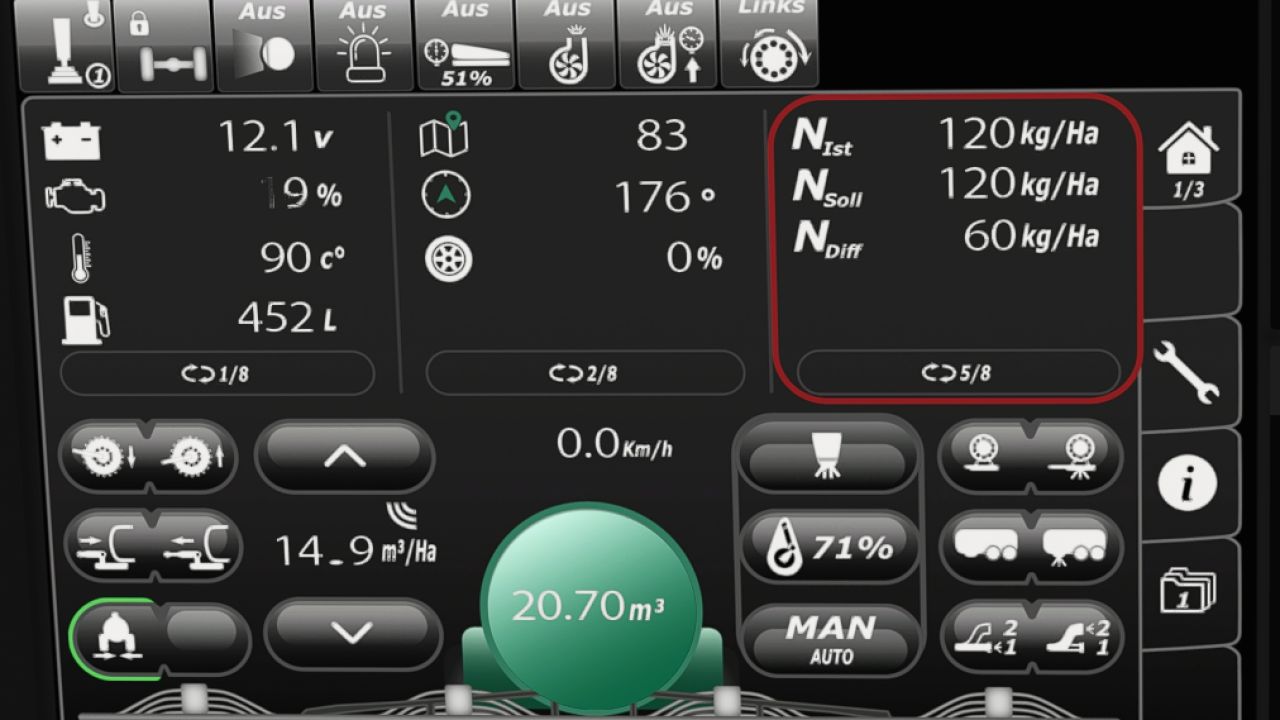
Samson slurry tanker isoBUS screen (Prefab) FS25
I am making my Samson slurry tanker ISOBUS screen available to you. All important information for slurry tankers is displayed there. The screen is intended for a Samson slurry tanker, but it can also be used for other slurry tankers. I have included instructions for the installation itself, as well as the corresponding entry for the implement’s XML. If you notice any bugs, I would really appreciate it if you let me know so that I can fix them. -Prepared for upcoming Terminal Prefab
- 15 per page
- 30 per page
- 45 per page
- 60 per page
-
See more per page
Bigger pages, fewer clicks - and no ads anywhere.
Go Pro