Farming Simulator 17 mods
21,844 results- 15 per page
- 30 per page
- 45 per page
- 60 per page
-
See more per page
Bigger pages, fewer clicks - and no ads anywhere.
Go Pro
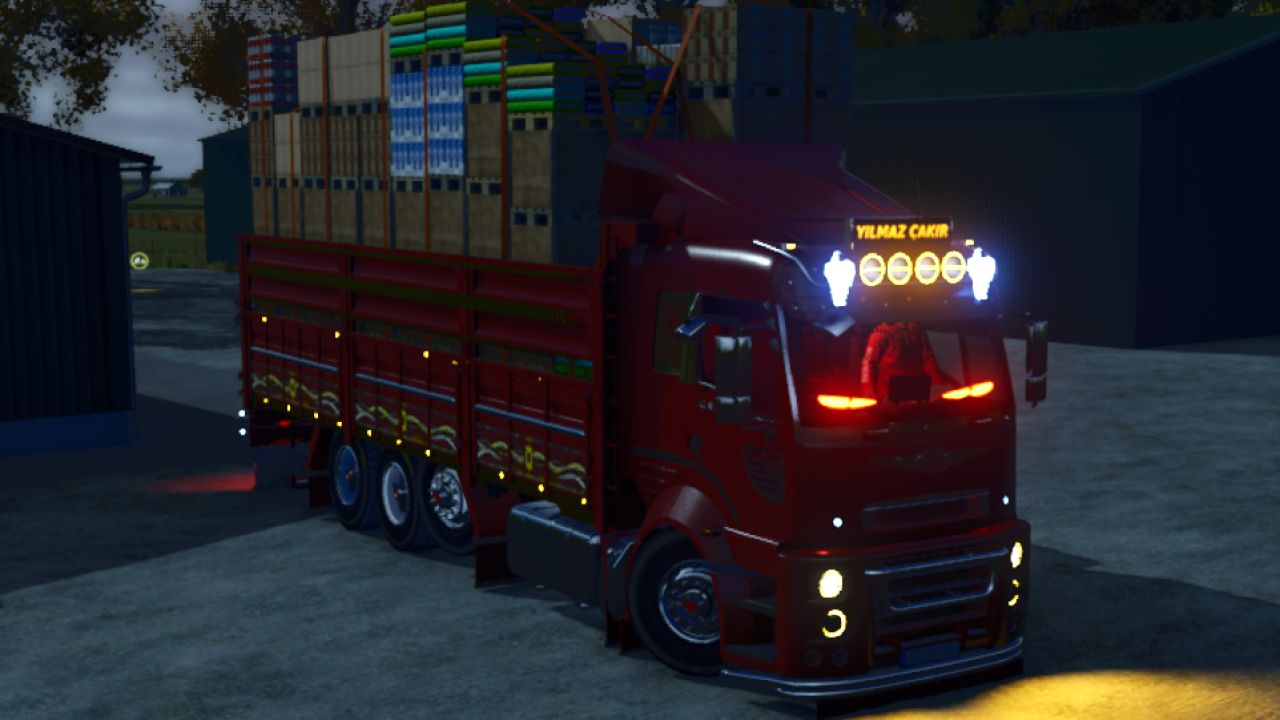
Ford Cargo 3238S FS25
The Ford Cargo 3238S stake-body truck for Farming Simulator 25! ✅ Front/rear air suspension + lift axle ✅ Working multimedia screen (clock, radio, song) ✅ Parking sensor + load warning ✅ Custom engine, turbo, engine brake & horn sounds ✅ Bales, pallets & bulk cargo ✅ 15 colours + rims, hub caps, spinners & LED options ✅ Multiplayer ready Keys: Alt+6 Fog lights | Alt+7 Front suspension | Alt+8 Rear suspension | Alt+9 Lift axle Price: $185,000 | Max speed: 80 km/h | Capacity: 39,000 L / 54,000 L Author: Yılmaz Çakır © All rights reserved. Re-uploading or modifying is not allowed. Please share the original link.
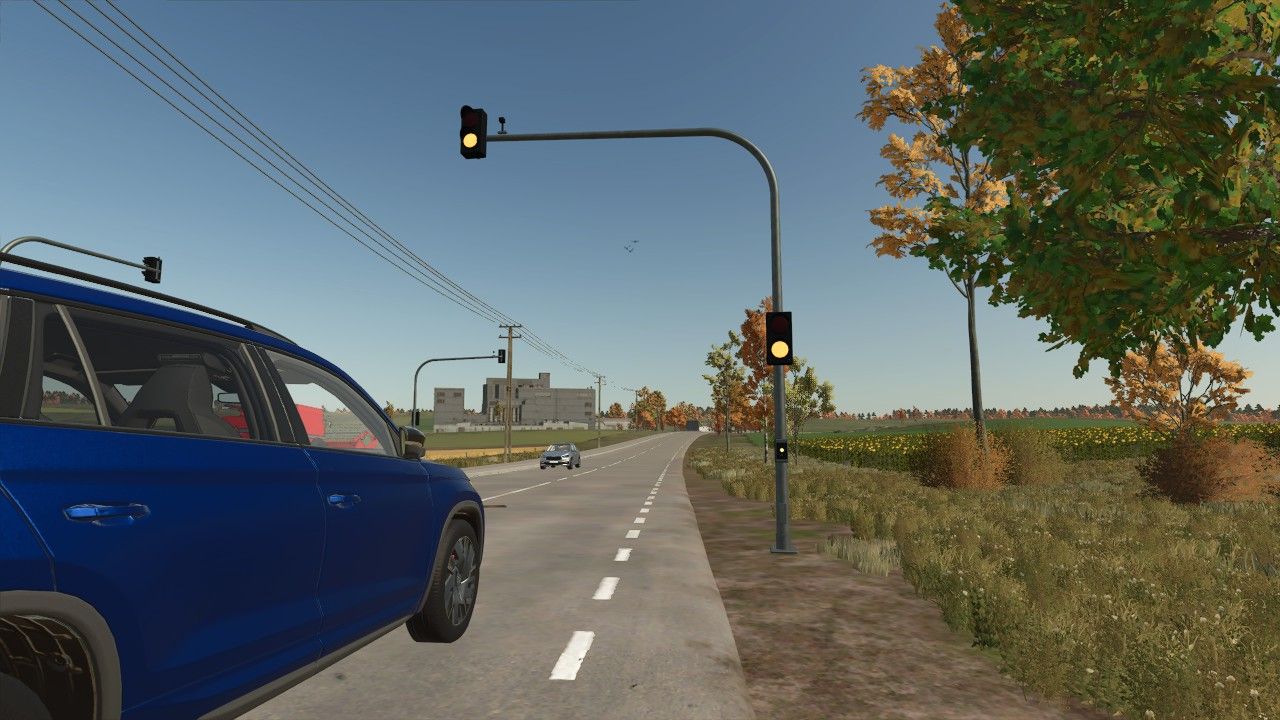
Small orange-red traffic light FS25
Small Orange-Red Traffic Light A compact orange-red traffic light for Farming Simulator 25. Perfectly suited for: - Intersections - Fire station and business exits - Access roads - Construction areas - Road and map building The traffic light can be placed freely and is especially suitable for players who want to enhance their map with small, realistic traffic details. FS25 | Placeable | Decoration / Traffic
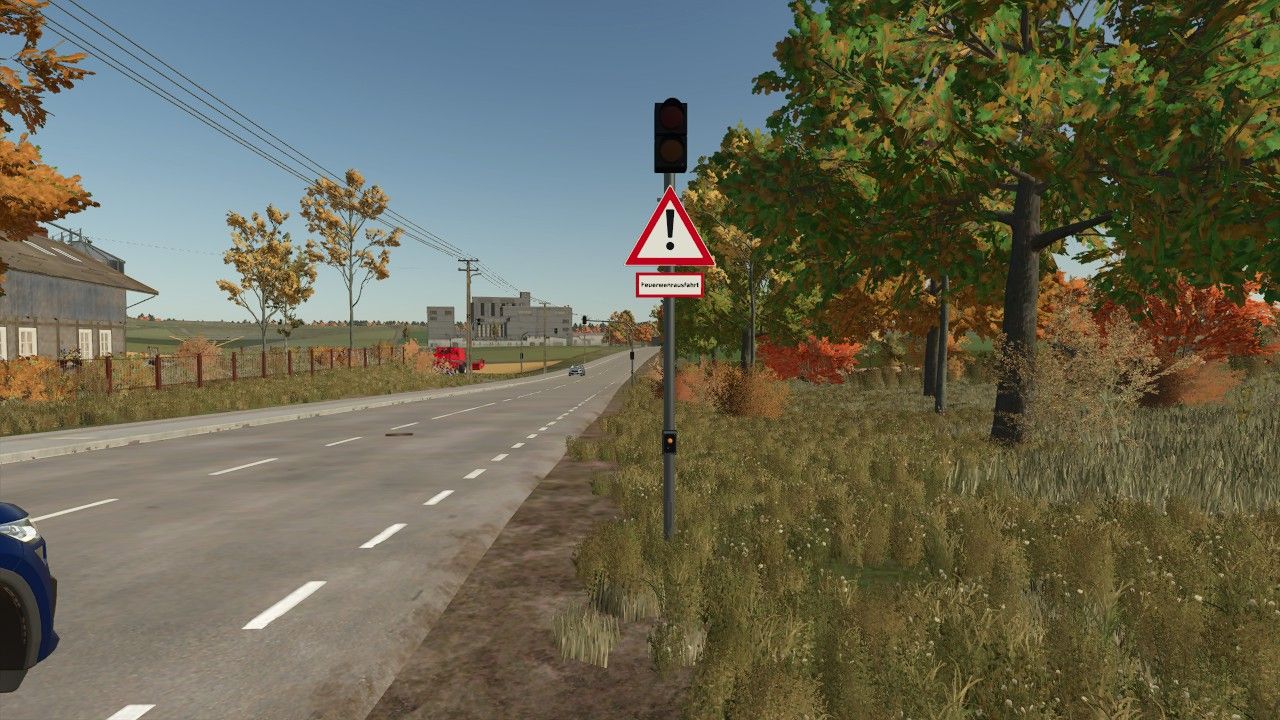
Fire station exit traffic light FS25
With the animated fire station exit traffic light from ScriptHub Modding, you can make your fire stations and emergency service locations in Farming Simulator 25 even more realistic. The traffic light features a manually controllable signal system with an animated signal change. When activated, the traffic light first switches to amber for 3 seconds and then to red to warn and stop traffic before a fire station exit. After being deactivated, the traffic light switches to amber again for 3 seconds before turning off completely. This makes the mod ideal for realistic firefighting operations, roleplay projects and individually designed fire station locations. Features - Animated fire station exit traffic light - Realistic signal change with time delay - Manual activation and deactivation - Amber phase lasting 3 seconds each time - Red signal to secure the fire station exit - Integrated warning sign with supplementary plate “Fire Station Exit” - Detailed traffic light pole with control element - Ideal for fire stations and emergency service locations Controls - Left mouse button: Activate traffic light - Amber for 3 seconds - Then permanently red - Right mouse button: Deactivate traffic light - Changes from red to amber for 3 seconds - Then switches off completely Mod Information - Game: Farming Simulator 25 - Mod name: Fire Station Exit Traffic Light - Manufacturer: ScriptHub Modding - In-game category: Decoration - Controls: Manually via mouse click - Special feature: Animated signal change with a 3-second amber phase ScriptHub Modding wishes you lots of fun with the mod!
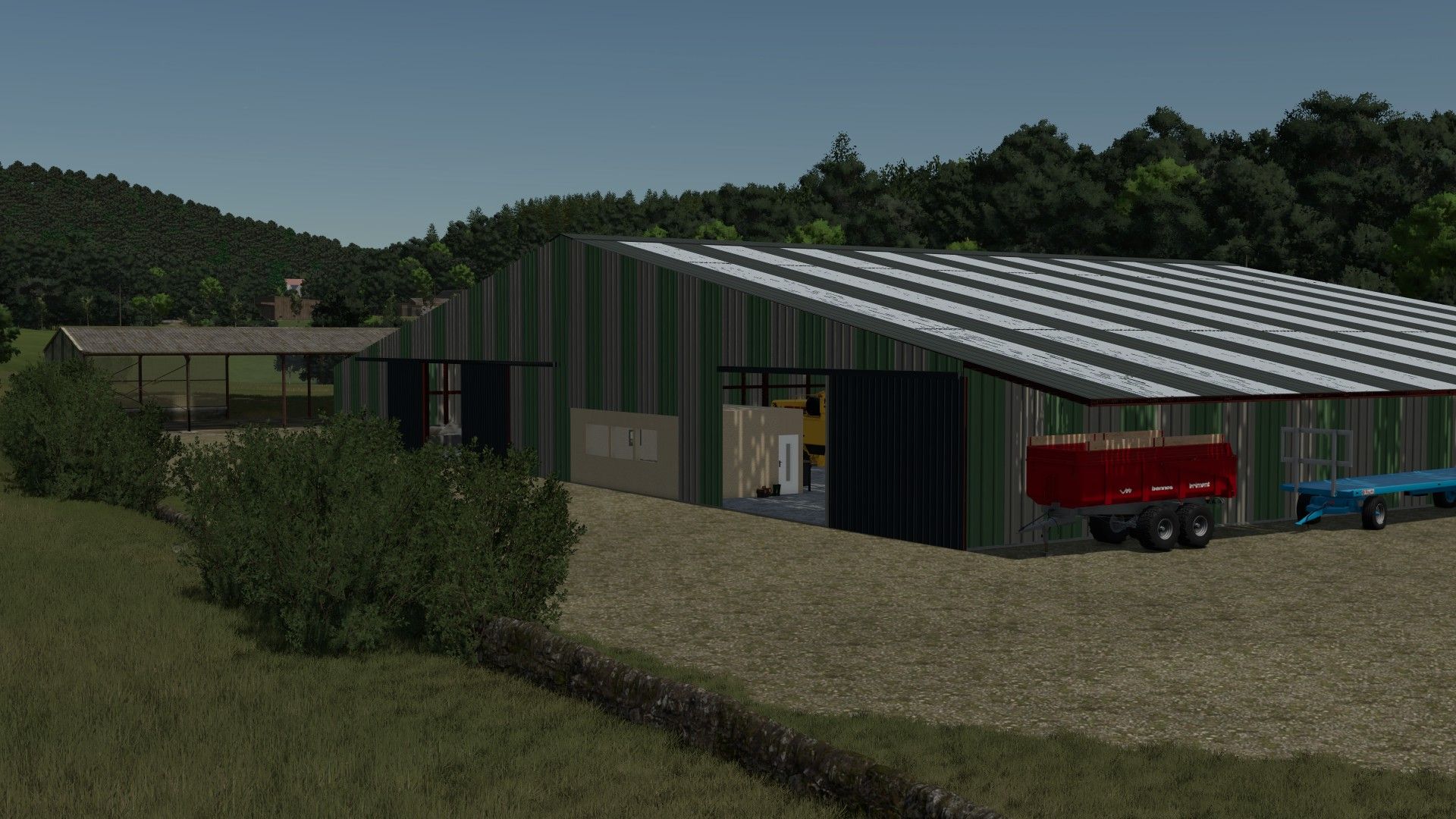
Sheep barn FS25
Discover this new sheep barn designed to house your sheep and goats, with a livestock-friendly setup and maximum realism! 🚜🌾 🏗️ BUILDING FEATURES 🐑 Livestock capacity: Up to 650 sheep or goats. 💩 Manure production: Automatic manure production. The amount of manure is adapted to the number of animals present in the building. 🌾 Animal feeding: Feed ration adapted to the needs of sheep. Feeding management designed for more realistic livestock farming. 🚜 Equipment storage: Storage space integrated into the building. Possibility to shelter agricultural machinery and livestock equipment. 🎮 A building designed for Farming Simulator 25, ideal for developing your sheep or goat farm while maintaining a realistic feel. 🐛 A problem or suggestion? Feel free to share your feedback on Discord to help improve the building. Have fun, everyone! 🐑🚜 RC-Moding
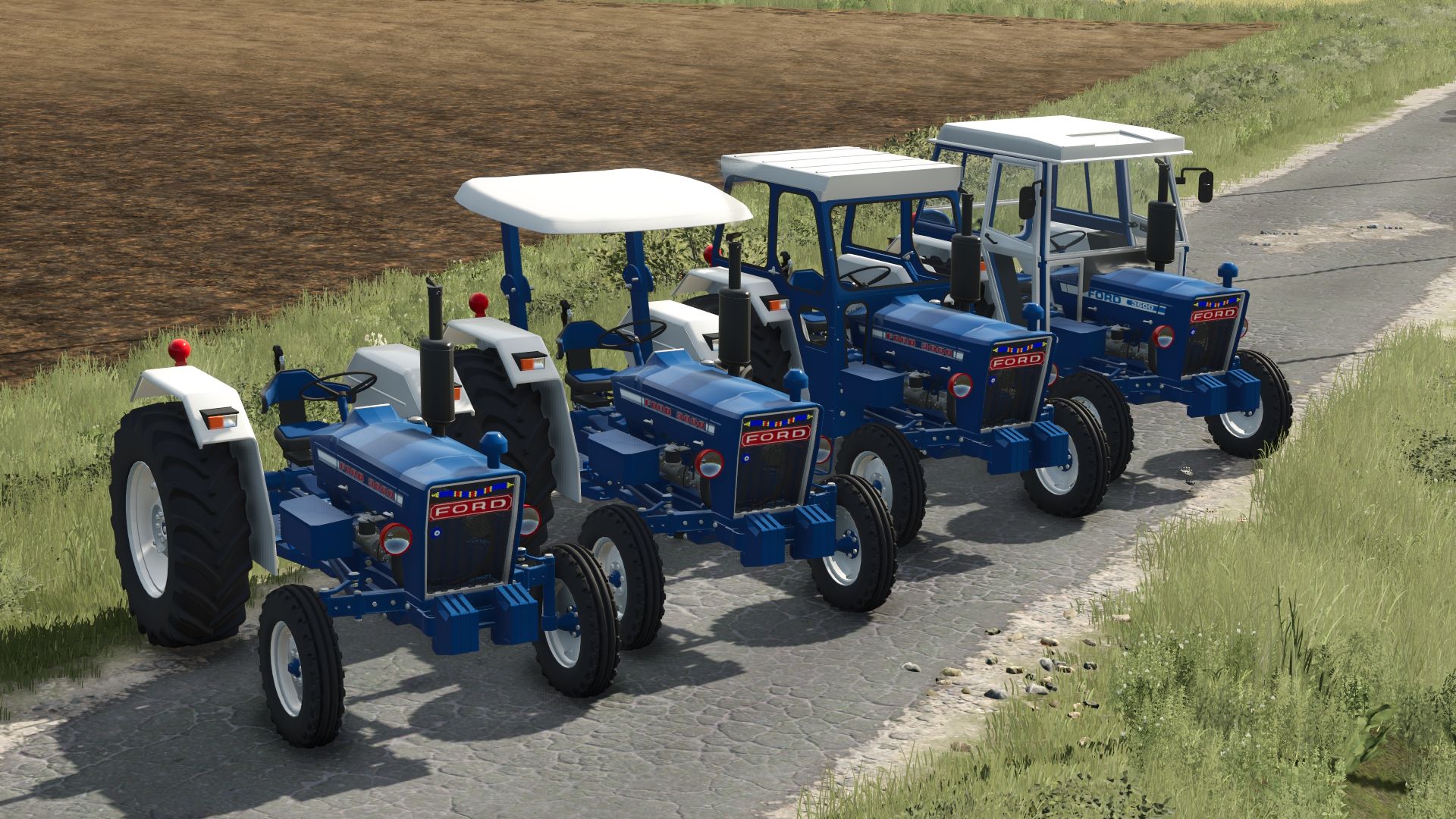
Ford 3000/3600 FS25
-Ford 3000/3600 -47HP/52HP -Tire Options -Fender Options -Canopy, Cab and Cabless Options -Air Filter Options -Toolbox Options -Exhaust Options 55RagnarModEkibi Wishes You a Good Game
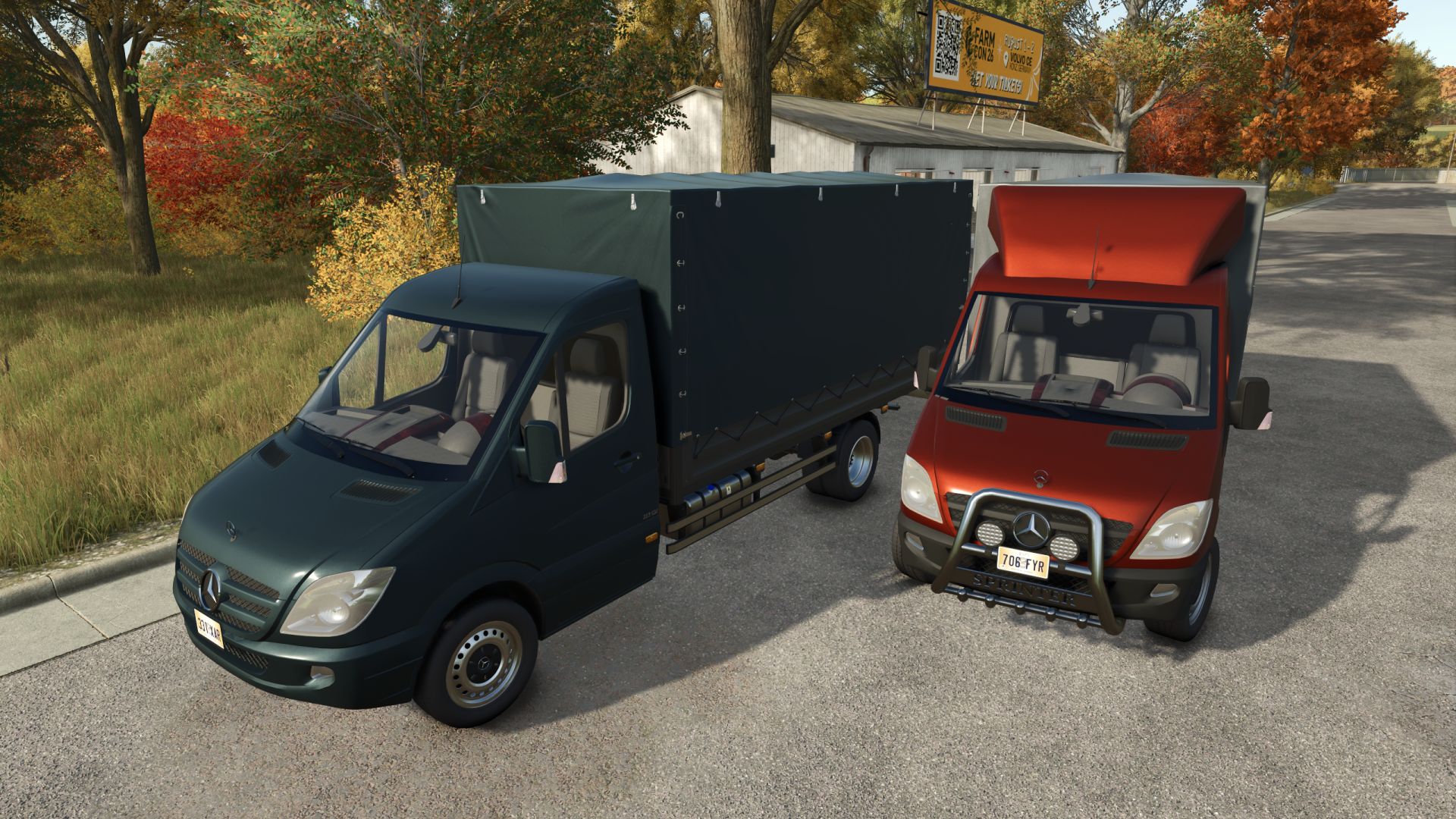
Mercedes-Benz Sprinter FS25
Specifications: - Speed 180 km/h - Selectable main, grill, bumpwe, rim, bed and tarp color - Selectable engine - Selectable wheels - Selectable design - Selectable dashboard - Selectable side window tint - Passenger support - To open the tarp/sides you need Interactive Control - Animated suspension, drive shafts, dashboard, wiper, pedals, ignition key and turn signal switches. - Added side window tinting configuration. - Improved mirror turn signals. - Improved materials. - Various minor improvements. - Added a classic plastic dashboard option, alongside the wood and carbon fiber versions. - Fixed a bug involving the dashboard and windshield (a small section was visible at the bottom of the windshield). - Retuned engine power. - Improved wheels: added deformation and mud effects. Added the ability to paint wheel rims. Added rear dual wheels. - Added dynamic rear suspension. - Added the ability to paint plastic parts (bumper, mirrors). - Added the ability to paint the radiator grille. - Various minor improvements and optimizations. - Tarp improvements. - Added the ability to open each side separately (requires Interactive Control). - Improved lighting.
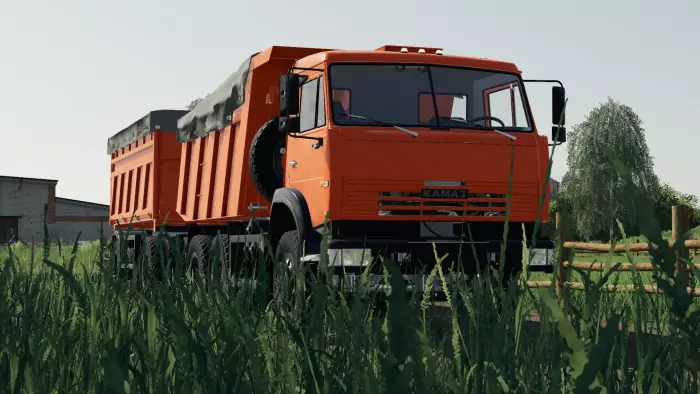

FS17 URSUS c330 Pack
FS17 URSUS c330 Pack This is a pack of three Ursus C-330 tractors. The mod features: Realistic sounds Front loader configuration Cab/roll-bar configuration Weight configuration Swinging doors The link leads to a .zip file that must be extracted! Enjoy the game! Do not change the link! Do not edit!

FS17 Ursus C-330 Green, Front Loader V2
FS17 Ursus C-330 Green, Front Loader V2 FS17 Ursus C-330 Green, Front Loader This is a green Ursus C-330 configured with a front loader and a tubular-frame cab. It is an updated version of the previous release. It features realistic sounds. Don’t like it? Don’t download it. No editing allowed!!! Do not change the download link!!! Enjoy the game!
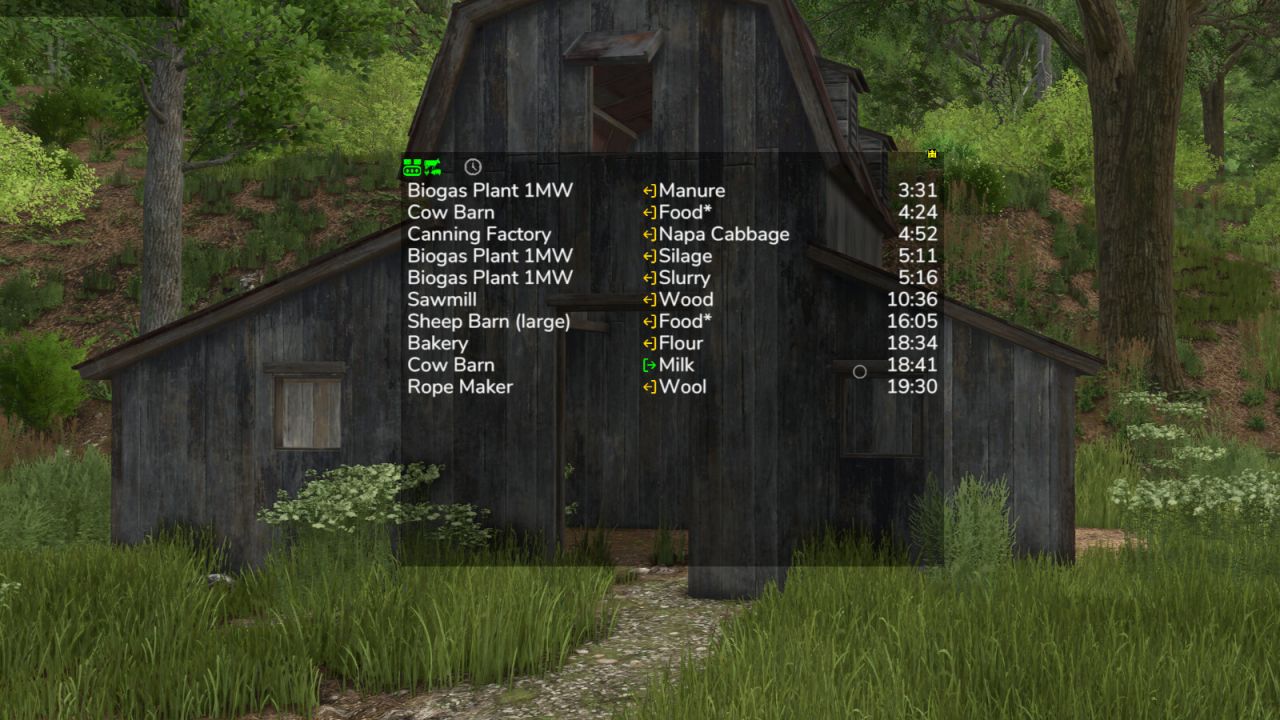
Production Info Hud FS25
Keep an eye on your productions and husbandries without clicking through menus. The mod shows a small list on screen telling you where things are about to get tight: which raw material is running out and which output storage is about to be full. The list is sorted by remaining time, so the most urgent entry is always on top. What the list shows - Column 1: name of the production or husbandry - Column 2: the fill type - Column 3: switchable between remaining time, amount (for raw materials how much still fits in, for products how much is in there) and production per hour Symbols and words in the list - Full, Empty: the storage is at its limit right now - Missing: the production creates something but has no storage for it - Pallets: the product is only placed as a pallet - ~ in front of the time: the value fluctuates, for example because the production speed depends on the weather, the recipe uses random amounts, or the storage fills itself depending on the weather - > 100 days: the mod does not look further ahead than that - A * behind the fill type: the husbandry accepts several kinds, for example hay, silage or grass - Several fill types in one line, such as "Wheat, Barley": the production can use any one of them Filters in the filter line - Show or hide productions, animals and storages separately, storages only appear with the cargo filter - Time filter: only show what runs empty or full within 24 hours or within a month - Hide distributed products that are collected automatically anyway - Cargo filter: matching places for the current vehicle - delivery points for the loaded cargo, and for seeders, spreaders or sprayers the places to refill, even when the tank is empty Mouse controls - Move the window with the arrow icon in the top left corner - Open the filter line with the down arrow in the top left corner - Switch the filter line to settings with the gear wheel in the bottom left corner, where font size and line spacing can be set - Only show while the mouse cursor is active: the lock in the bottom left corner - Change the window size with the arrow icon in the bottom right corner - Save changes with the disc in the top right corner - Left-click on a production or a fill type filters the list by it and the filtered entry turns green. Clicking again removes the filter - Right-click on a production opens it in the menu - Left-click on column 3 switches the display Production consumption in the menu A separate page in the menu shows for each crop and fill type which productions produce and consume it, and how much of it is kept, distributed or sold. The time unit can be switched between hour, day, month and year. If a crop falls short, the page also shows the additional area needed per year. Some icons only appear while you hover over them with the mouse. Feeding robots are not supported, the husbandries themselves are. Next to your money at the top you can right-click the wrench icon to open the settings of the display system. Those apply to every mod using this system, including automatic saving. Have a look in there. Uploading to sites other than the ModHub is prohibited and therefore illegal, links only with the original download link. NO mirror links! Modifying or re-uploading, in whole or in part, is not permitted! Please report bugs and suggestions on GitHub: https://github.com/Achimobil/FS25_ProductionInfoHud - New page in the menu: shows for each fill type what your productions produce and consume, and how much is stored, distributed, or sold - New cargo filter: only shows the delivery points that match the current vehicle and its load - The cargo filter shows refill points for seeders, spreaders, and sprayers, as well as pickup points for empty vehicles when something is ready for collection - The cargo filter now also shows your own storages, silo extensions, and pallet storages - Prepared for Revamp - The display now requires noticeably less computing time, especially with many productions - Productions hidden by the GTX production script are no longer shown here either - Fixed error in manure production calculation - Added total row for manure type filter and production per hour at the bottom - Added translations for FR and PL - Display of arrows corrected - Display full and empty improved - Filter for removing outputs that are set to distribute - Production per hour in the display corrected for more than 1 day per month - Update HL display system updated

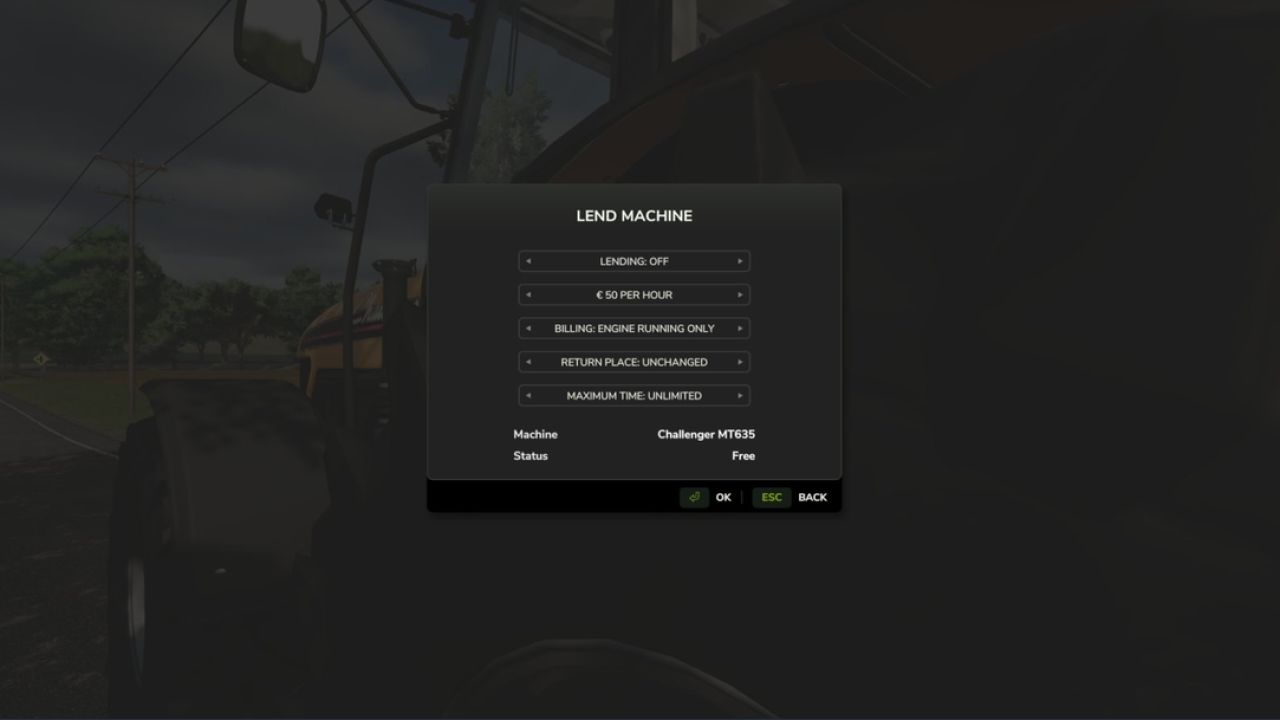
Farm Pool (Lending, Borrowing) FS25
FarmPool allows farms in multiplayer to lend and borrow machines and implements. The owner decides which machine is offered, what it costs per hour, how it is billed, how long it can be borrowed and where it has to be returned. Other farms can take available machines and use them like their own. The machine always stays the property of its owner, while use, work and costs are assigned to the borrowing farm. Lending Look at one of your own machines or implements and press Left Shift + L. There you can switch lending on and set the price per hour, the billing type, the return place and the maximum loan time. While a machine is lent out, only the borrowing farm can use it. As the owner you can take it back at any time with the same key, as long as nobody is sitting in it. Borrowing Look at an available machine, press Left Shift + L and confirm. Afterwards you can get in, attach implements and work with the machine. The costs are charged to your farm and the work counts for your farm. Billing Every started hour is charged. For each machine you can choose between two billing types: - Only while the engine is running - Until returned When the machine is returned, missing fuel and new damage are charged as well. If the tank is full again and no additional damage was caused, there are no further costs. If the borrowing farm runs out of money, the loan ends. Return In the mode "Until returned" the machine has to be driven to the return place set by the owner. While you sit in the machine, it is marked by a circle. Switch off the engine and get out, then the machine is returned automatically. Overview With Left Shift + K you can show all machines currently offered in the FarmPool. By selecting a machine you can borrow it directly, return it or, as the owner, take it back. Console command - fpStatus: shows all machines in the FarmPool
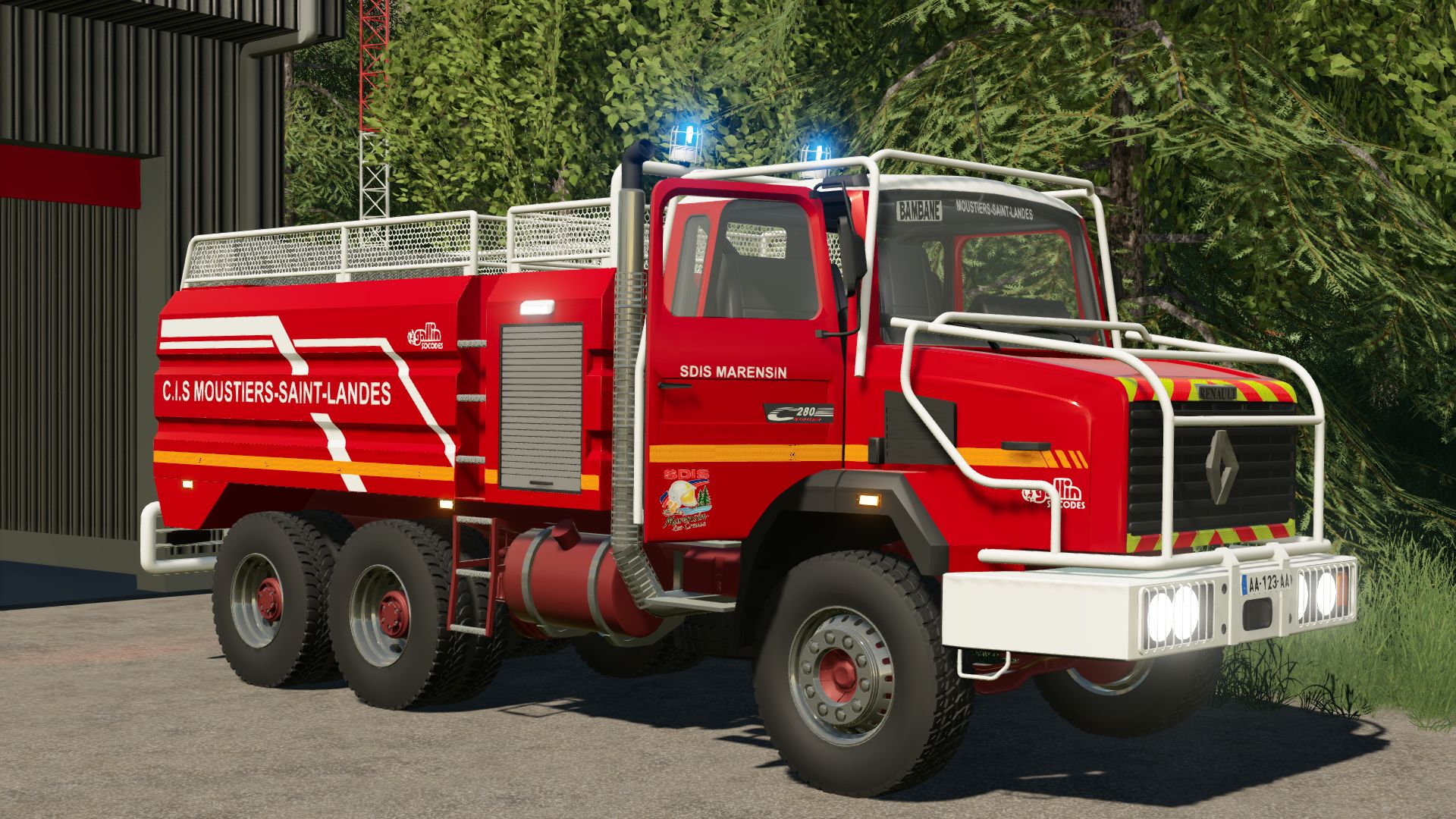
CCFS Renault G280 MARENSIN FS19
CCFS Renault G280 made by myself This is a CCFS for FS19, using Simple IC animations. You can modify it or convert it to other versions without any problem. You can find me on the FS community Discord. Simple IC Have fun!
- 15 per page
- 30 per page
- 45 per page
- 60 per page
-
See more per page
Bigger pages, fewer clicks - and no ads anywhere.
Go Pro