Farming Simulator 15 mods
6,108 results- 15 per page
- 30 per page
- 45 per page
- 60 per page
-
See more per page
Bigger pages, fewer clicks - and no ads anywhere.
Go Pro
Lane control signal FS22
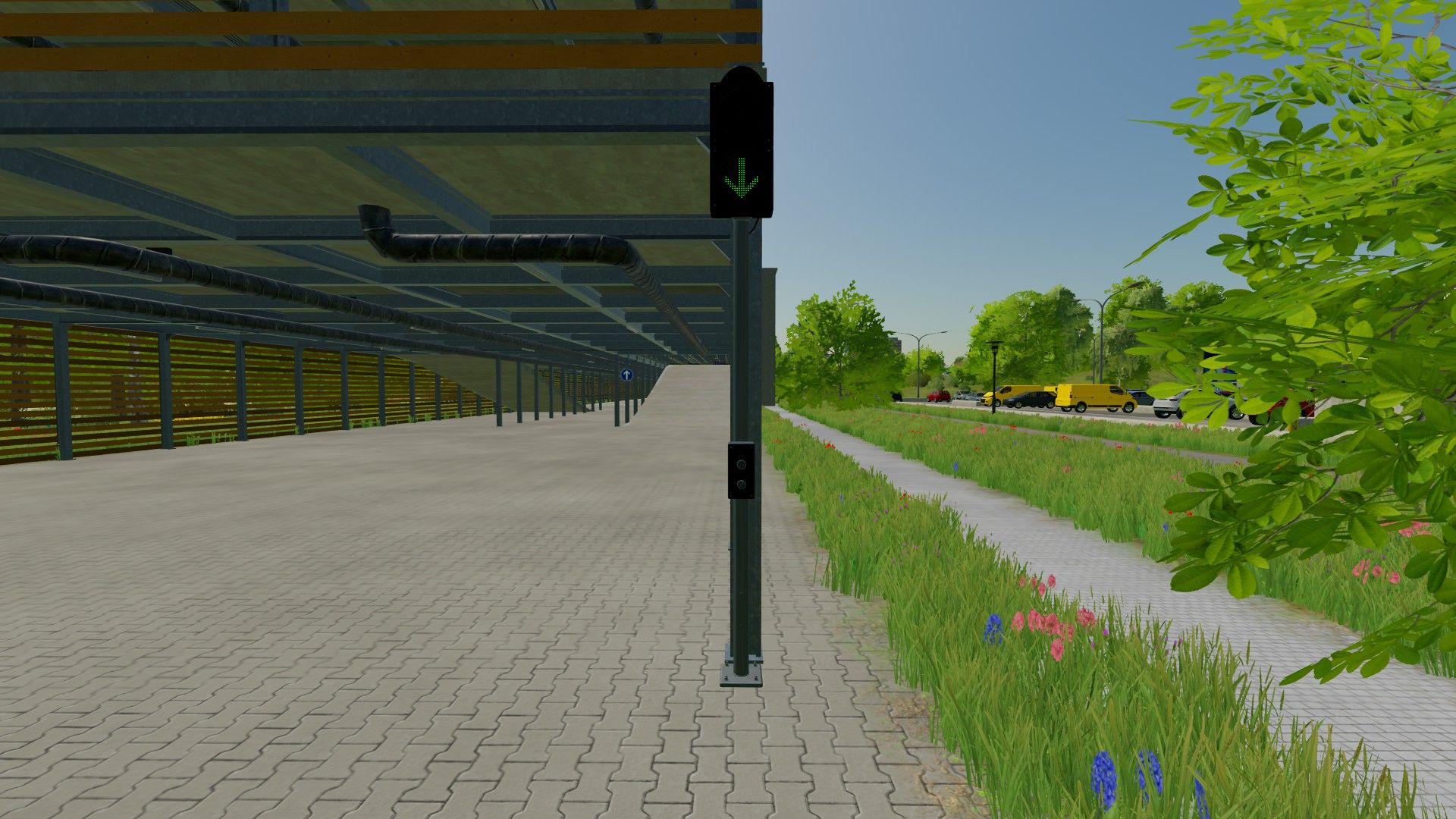
With the lane traffic light by ScriptHub Modding, you can make your roads, company premises, parking garages and access roads in Farming Simulator 22 even more realistic. The lane traffic light features a manually controlled signal display, allowing you to switch between a green arrow and a red stop signal. The traffic light can also be switched off completely. This makes the mod ideal for custom traffic routing, roleplay projects and realistic map design. Features - Manually switchable lane traffic light - Green arrow to allow traffic on the lane - Red signal to close the lane - Signal display can be fully switched on and off - Realistic model with traffic light pole - Ideal for parking garages, company premises and roads Controls - Key J: Switch the traffic light on and off - Key K: Switch between green and red Mod information - Game: Farming Simulator 22 - Mod name: Fahrstreifenampel - Manufacturer: ScriptHub Modding - In-game category: Decoration - Controls: Manual via keyboard ScriptHub Modding wishes you lots of fun with the mod!
Production Info Hud FS25
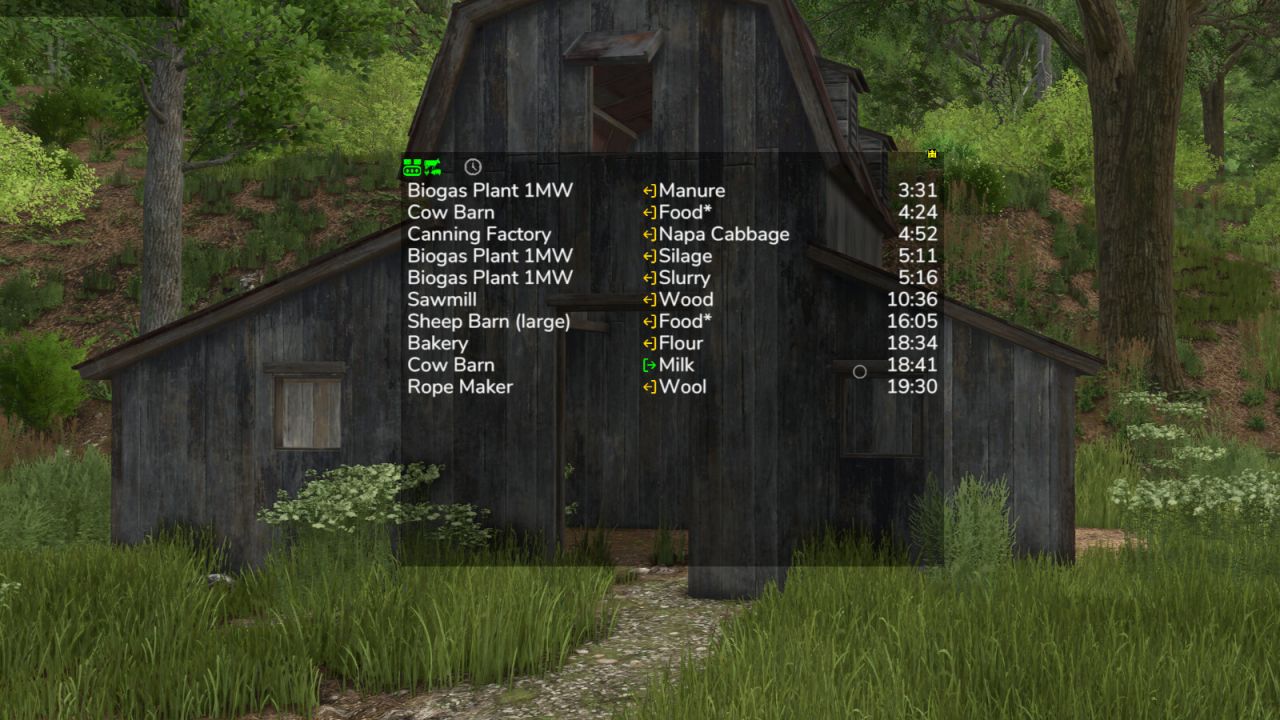
Keep an eye on your productions and husbandries without clicking through menus. The mod shows a small list on screen telling you where things are about to get tight: which raw material is running out and which output storage is about to be full. The list is sorted by remaining time, so the most urgent entry is always on top. What the list shows - Column 1: name of the production or husbandry - Column 2: the fill type - Column 3: switchable between remaining time, amount (for raw materials how much still fits in, for products how much is in there) and production per hour Symbols and words in the list - Full, Empty: the storage is at its limit right now - Missing: the production creates something but has no storage for it - Pallets: the product is only placed as a pallet - ~ in front of the time: the value fluctuates, for example because the production speed depends on the weather, the recipe uses random amounts, or the storage fills itself depending on the weather - > 100 days: the mod does not look further ahead than that - A * behind the fill type: the husbandry accepts several kinds, for example hay, silage or grass - Several fill types in one line, such as "Wheat, Barley": the production can use any one of them Filters in the filter line - Show or hide productions, animals and storages separately, storages only appear with the cargo filter - Time filter: only show what runs empty or full within 24 hours or within a month - Hide distributed products that are collected automatically anyway - Cargo filter: matching places for the current vehicle - delivery points for the loaded cargo, and for seeders, spreaders or sprayers the places to refill, even when the tank is empty Mouse controls - Move the window with the arrow icon in the top left corner - Open the filter line with the down arrow in the top left corner - Switch the filter line to settings with the gear wheel in the bottom left corner, where font size and line spacing can be set - Only show while the mouse cursor is active: the lock in the bottom left corner - Change the window size with the arrow icon in the bottom right corner - Save changes with the disc in the top right corner - Left-click on a production or a fill type filters the list by it and the filtered entry turns green. Clicking again removes the filter - Right-click on a production opens it in the menu - Left-click on column 3 switches the display Production consumption in the menu A separate page in the menu shows for each crop and fill type which productions produce and consume it, and how much of it is kept, distributed or sold. The time unit can be switched between hour, day, month and year. If a crop falls short, the page also shows the additional area needed per year. Some icons only appear while you hover over them with the mouse. Feeding robots are not supported, the husbandries themselves are. Next to your money at the top you can right-click the wrench icon to open the settings of the display system. Those apply to every mod using this system, including automatic saving. Have a look in there. Uploading to sites other than the ModHub is prohibited and therefore illegal, links only with the original download link. NO mirror links! Modifying or re-uploading, in whole or in part, is not permitted! Please report bugs and suggestions on GitHub: https://github.com/Achimobil/FS25_ProductionInfoHud - New page in the menu: shows for each fill type what your productions produce and consume, and how much is stored, distributed, or sold - New cargo filter: only shows the delivery points that match the current vehicle and its load - The cargo filter shows refill points for seeders, spreaders, and sprayers, as well as pickup points for empty vehicles when something is ready for collection - The cargo filter now also shows your own storages, silo extensions, and pallet storages - Prepared for Revamp - The display now requires noticeably less computing time, especially with many productions - Productions hidden by the GTX production script are no longer shown here either - Fixed error in manure production calculation - Added total row for manure type filter and production per hour at the bottom - Added translations for FR and PL - Display of arrows corrected - Display full and empty improved - Filter for removing outputs that are set to distribute - Production per hour in the display corrected for more than 1 day per month - Update HL display system updated
Farm Pool (Lending, Borrowing) FS25
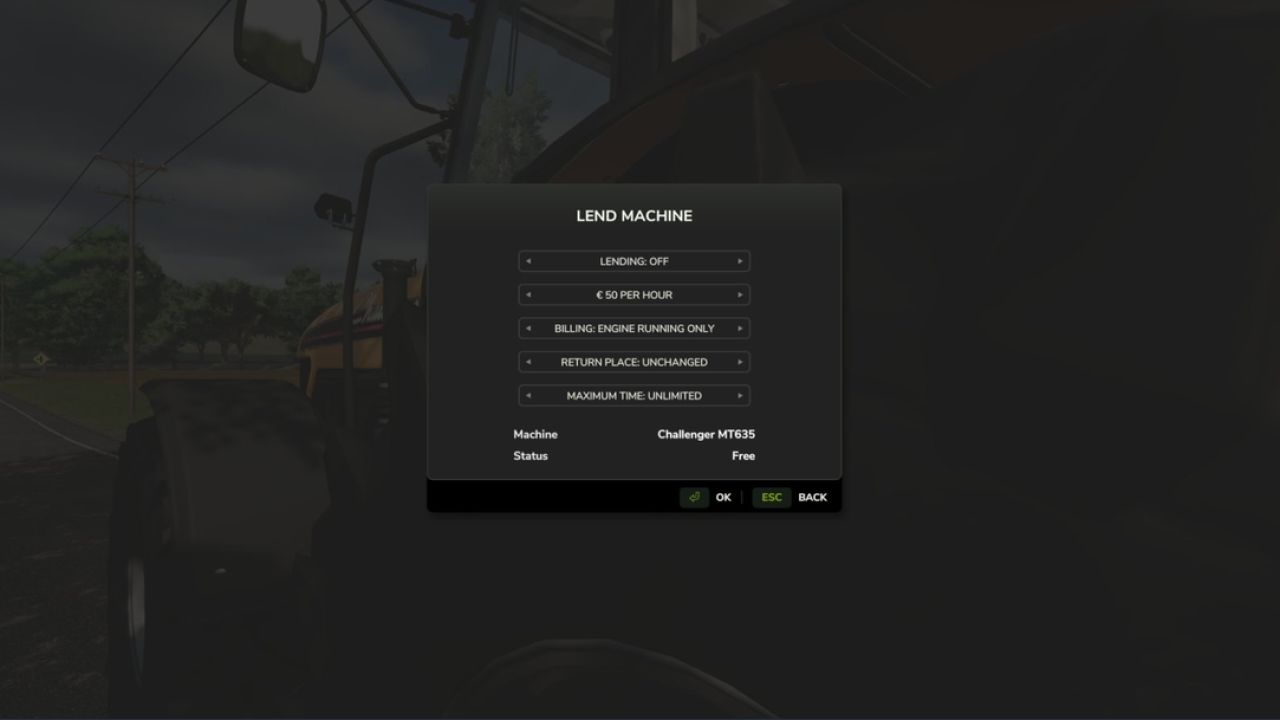
FarmPool allows farms in multiplayer to lend and borrow machines and implements. The owner decides which machine is offered, what it costs per hour, how it is billed, how long it can be borrowed and where it has to be returned. Other farms can take available machines and use them like their own. The machine always stays the property of its owner, while use, work and costs are assigned to the borrowing farm. Lending Look at one of your own machines or implements and press Left Shift + L. There you can switch lending on and set the price per hour, the billing type, the return place and the maximum loan time. While a machine is lent out, only the borrowing farm can use it. As the owner you can take it back at any time with the same key, as long as nobody is sitting in it. Borrowing Look at an available machine, press Left Shift + L and confirm. Afterwards you can get in, attach implements and work with the machine. The costs are charged to your farm and the work counts for your farm. Billing Every started hour is charged. For each machine you can choose between two billing types: - Only while the engine is running - Until returned When the machine is returned, missing fuel and new damage are charged as well. If the tank is full again and no additional damage was caused, there are no further costs. If the borrowing farm runs out of money, the loan ends. Return In the mode "Until returned" the machine has to be driven to the return place set by the owner. While you sit in the machine, it is marked by a circle. Switch off the engine and get out, then the machine is returned automatically. Overview With Left Shift + K you can show all machines currently offered in the FarmPool. By selecting a machine you can borrow it directly, return it or, as the owner, take it back. Console command - fpStatus: shows all machines in the FarmPool
CCFS Renault G280 MARENSIN FS19
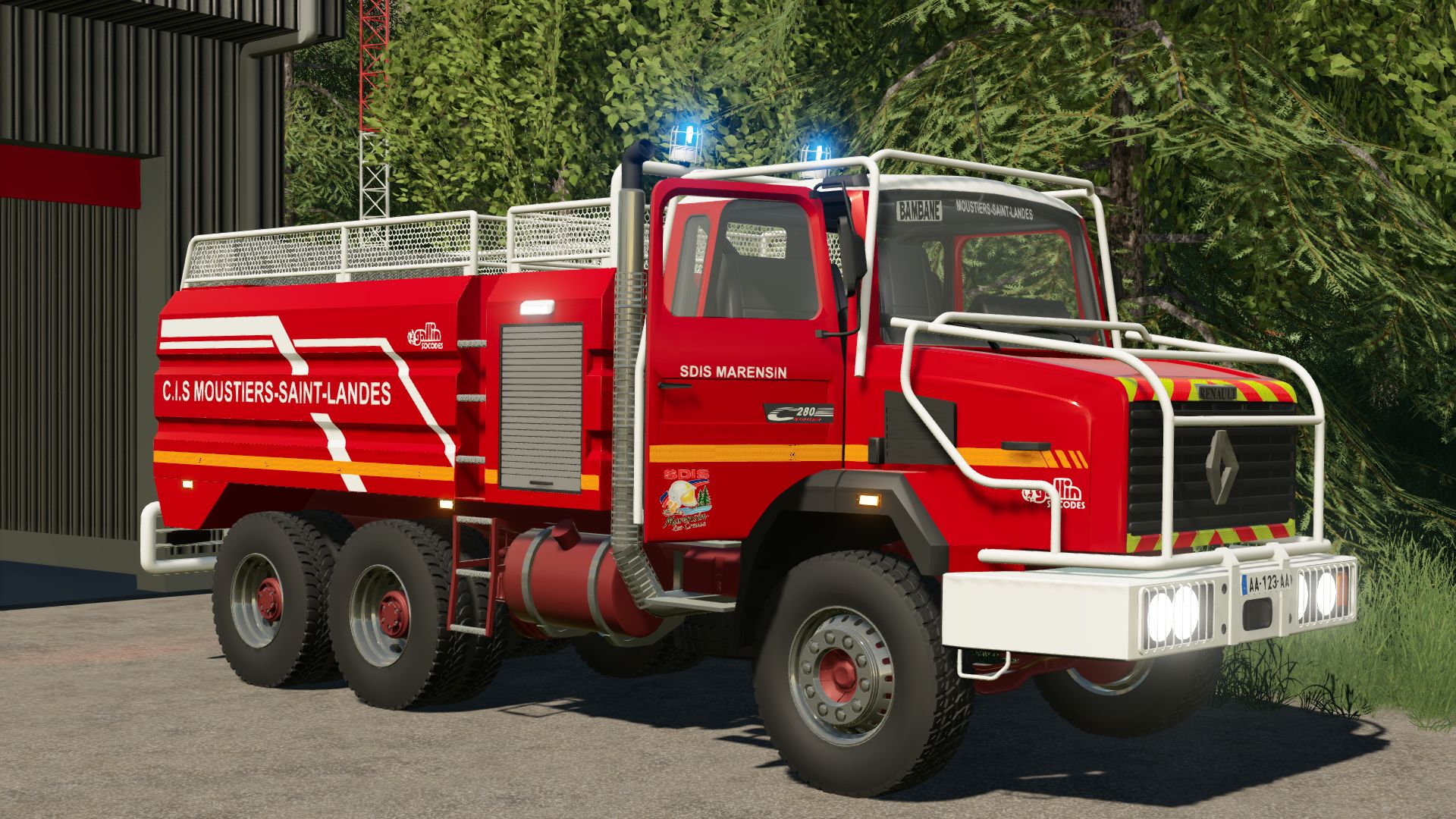
CCFS Renault G280 made by myself This is a CCFS for FS19, using Simple IC animations. You can modify it or convert it to other versions without any problem. You can find me on the FS community Discord. Simple IC Have fun!
Vehicle Selector FS25
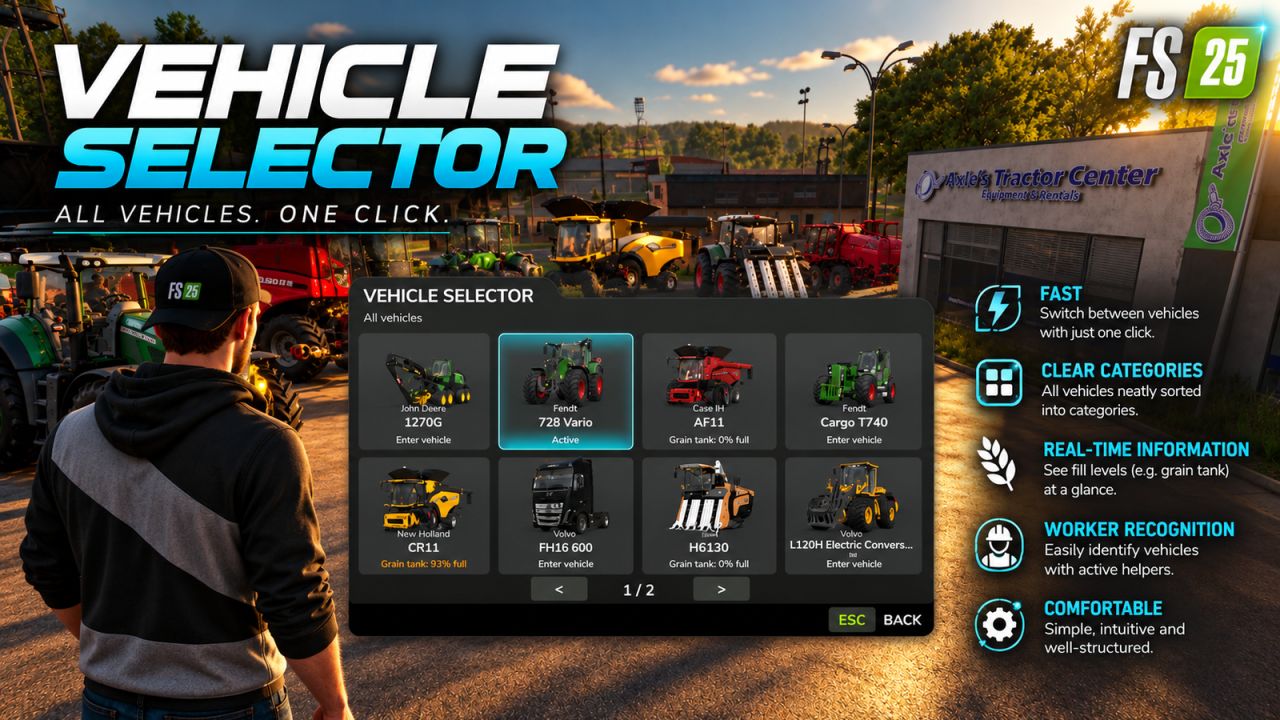
Vehicle Selector offers a quick and clear way to display all enterable vehicles on your farm and switch directly to the desired vehicle with a single click. Open the menu with Left Alt + V. Then simply click on a vehicle tile to close the menu and switch directly to the selected vehicle. The vehicles are automatically sorted into the categories Tractors, Harvesters, Loaders, Transport, Special Machines/Self-Propelled, Forestry and Other. The currently controlled vehicle is highlighted in cyan, while vehicles with an active AI worker are marked in yellow. This lets you immediately see which machines are currently in use. Harvesters with a limited internal grain tank also display the current fill level directly on the vehicle tile, including color-coded warnings as the fill level increases. The manufacturer and model are displayed on each tile. Larger vehicle fleets are automatically spread across multiple pages. Tip: For particularly quick access, Vehicle Selector can also be assigned to a mouse thumb button or any other freely assignable key. The standard method of switching vehicles with the TAB key remains unchanged.
Chainsaw Consumables FS25
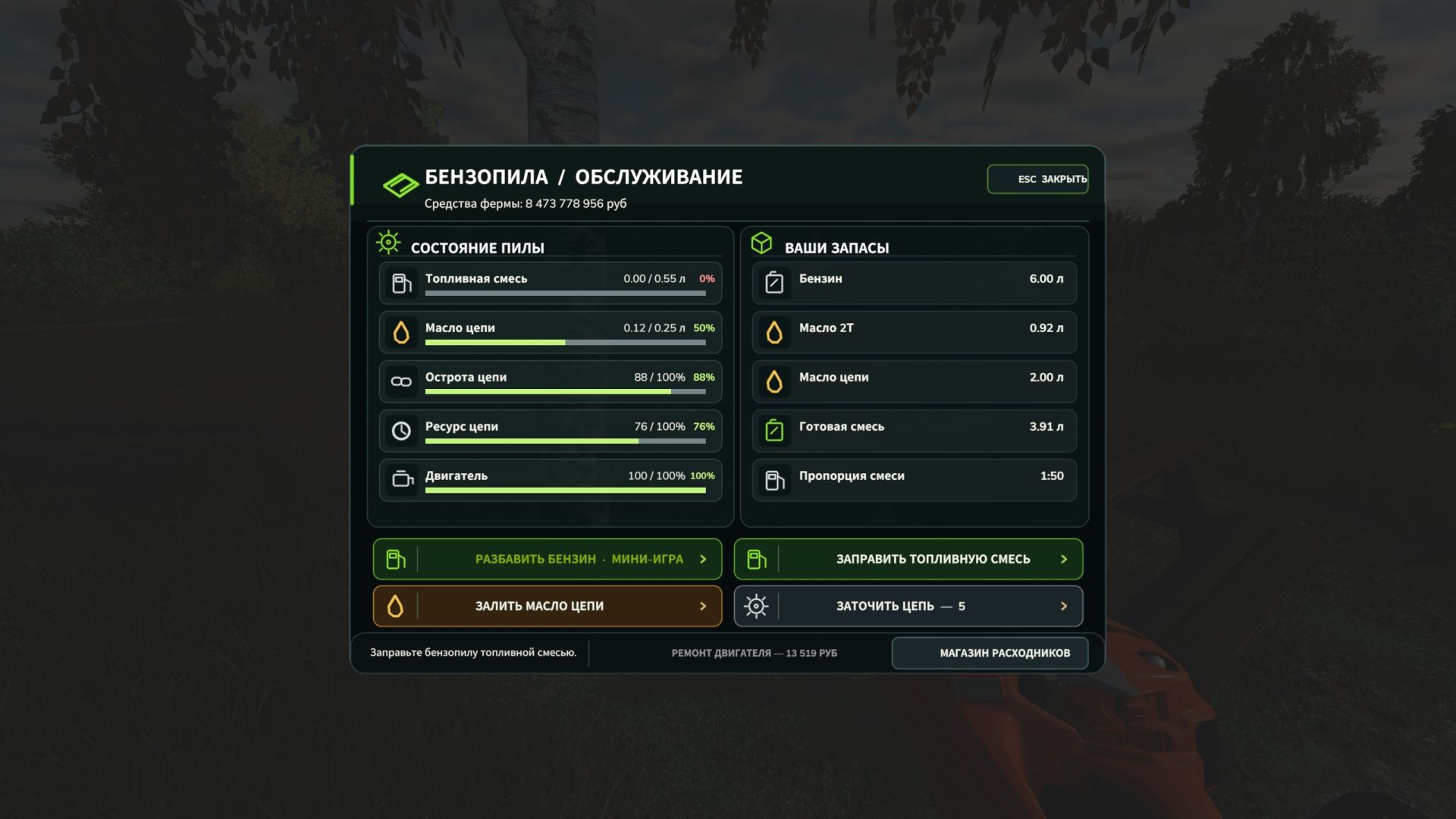
This mod adds chainsaw maintenance to Farming Simulator 25. You now need to keep an eye on the fuel mixture, chain oil, chain sharpness and wear, as well as the engine condition. Features: - Purchase of petrol, two-stroke oil, chain oil and new chains. - Preparation of the fuel mixture. - Manual refuelling of the chainsaw and topping up the chain oil, with the fluid level displayed. Overfilling wastes supplies. - Sharpening the chain with a file: hold down the mouse button and move along the chain. - Gradual dulling and wear of the chain. A dull chain cuts more slowly, while working without lubrication accelerates its wear. - Replacement of the worn chain and engine repair. - Compact fuel and oil indicators while working. When the fuel tank is empty, the engine is completely damaged or the chain has reached the end of its service life, sawing becomes unavailable. Each sharpening restores sharpness but reduces the chain's remaining service life. Controls: take the chainsaw in your hands and press Alt+C to open the maintenance menu. The consumables shop is available from this menu. The mini-games use the left mouse button. The key binding can be changed in the game settings. The server-side part has not been fully tested. If you encounter any problems, please report them.
Clothing Hardworking blue collar boys FS25
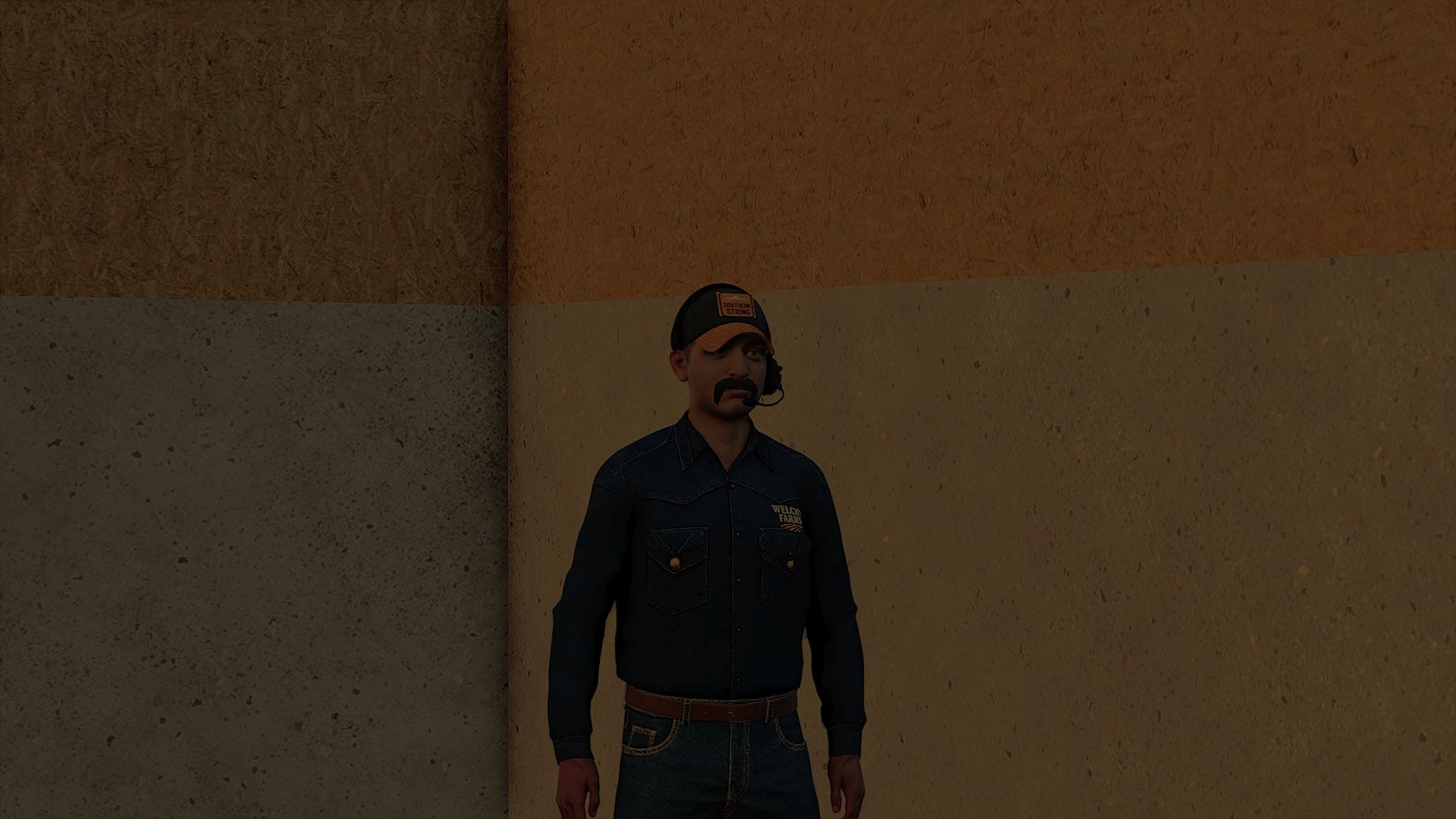
30+ color peral snap, carhartt, trucking, work shirts (HANDS ARE FIXED)
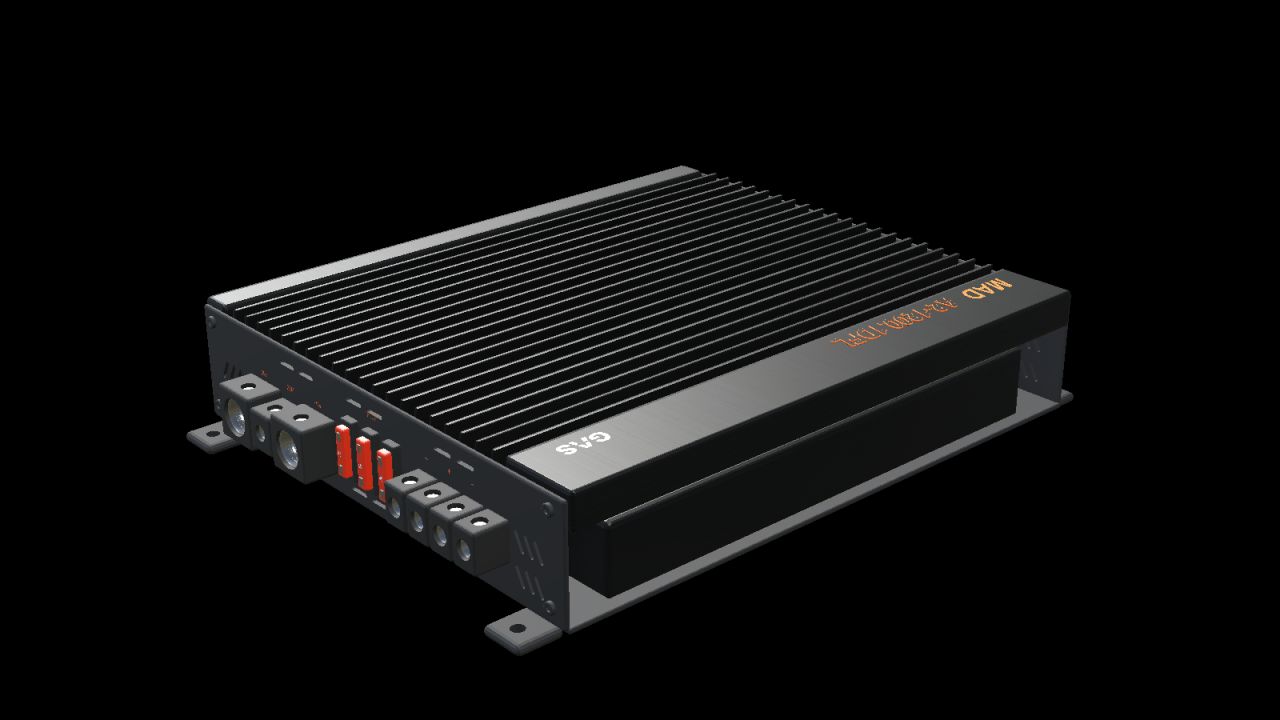
GAS MAD A2-1200.1DFL (Prefab) FS25
Give your vehicle interior a detailed audio installation with this decorative prefab for Farming Simulator 25. Black amplifier with longitudinal cooling fins, orange markings, RCA connectors, controls, three fuses and open screw terminals. Four mounting feet with drilled holes. - True-scale model with separate materials and two levels of detail. - Nominal enclosure dimensions, length × width × height: 240 × 208 × 52 mm. - Complete package with I3D, DDS textures, editable Blender source, images and installation guides in Norwegian, Swedish and English. INSTALLATION Import the prefab into the vehicle mod using GIANTS Editor 10. Move the entire root group to a fixed body group and adjust its position. Follow README_NO.txt. This is a prefab for mod builders and has no separate store entry. It must not be placed directly in the mods folder as an executable mod. FUNCTION Static decoration without audio playback, active controls, separate physics or collision. Its placement and appearance must be checked in the vehicle it is installed in. VERSION AND CREDITS Version: 1.0.0.0 Model and FS25 prefab: NorthernLight Modding. GAS product design, name and logos belong to Winn Scandinavia AB. See README_CREDITS.txt. The GE images show GIANTS Editor. The studio images are supplementary Blender renders of the model, not in-game screenshots.
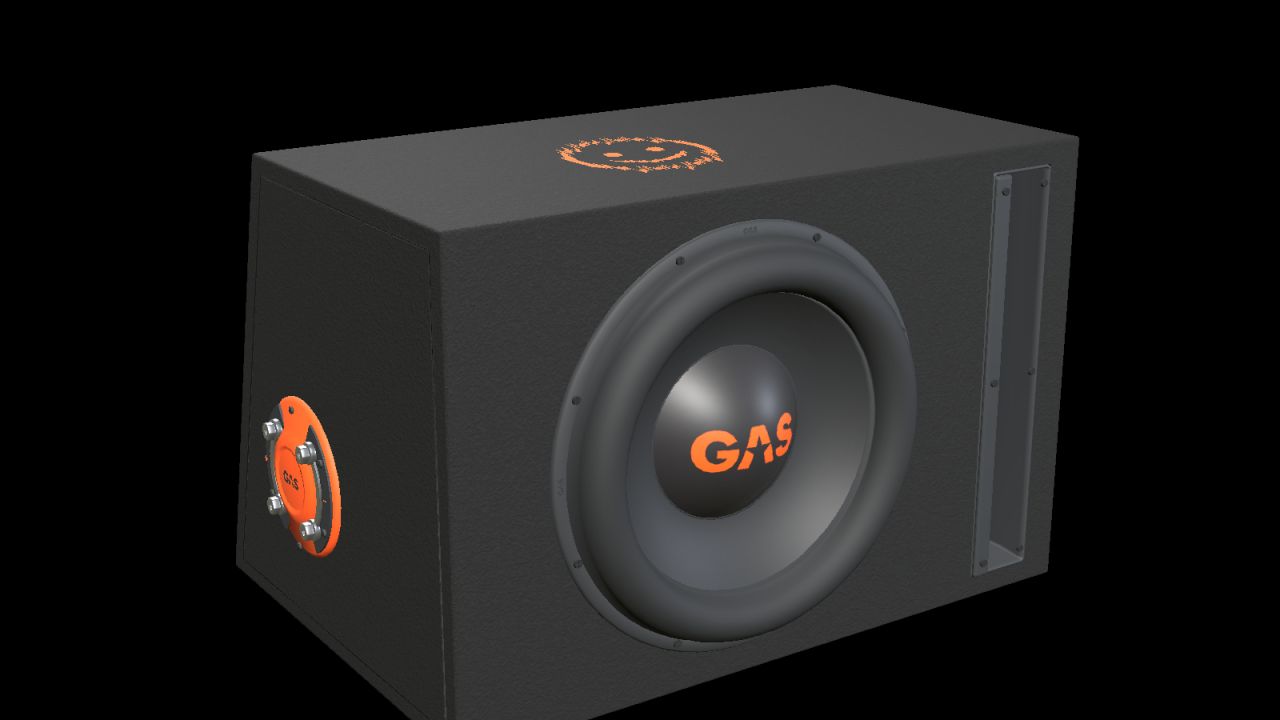
GAS MAD B2-110V (Prefab) FS25
Add a detailed car-audio installation to your vehicle build with this decorative prefab for Farming Simulator 25. One 10-inch driver, an open vertical slot port, black carpet, orange GAS branding and a moulded side terminal with metal bridging plates. - Real-scale model with separate materials and two detail levels. - Nominal enclosure dimensions, width × height × depth (bottom/top where two depths are listed): 470 × 310 × 330/250 mm. - Complete kit with I3D, DDS textures, editable Blender source, images and installation guides in English, Swedish and Norwegian. INSTALLATION Import the prefab into your vehicle mod with GIANTS Editor 10. Parent the complete root to a fixed body group and adjust placement. Follow README_EN.txt. This is a mod-building prefab with no separate shop entry. It is not a standalone playable mod to drop into the mods folder. FUNCTION Static decoration without audio playback, cone animation, separate physics or collision. Check placement and appearance in the vehicle in which it is installed. VERSION AND CREDITS Version: 1.0.0.0 Model and FS25 prefab: NorthernLight Modding. GAS product designs, names and logos belong to Winn Scandinavia AB. See README_CREDITS.txt. GE images show GIANTS Editor. Studio images are supplemental Blender renders of the model, not gameplay screenshots.
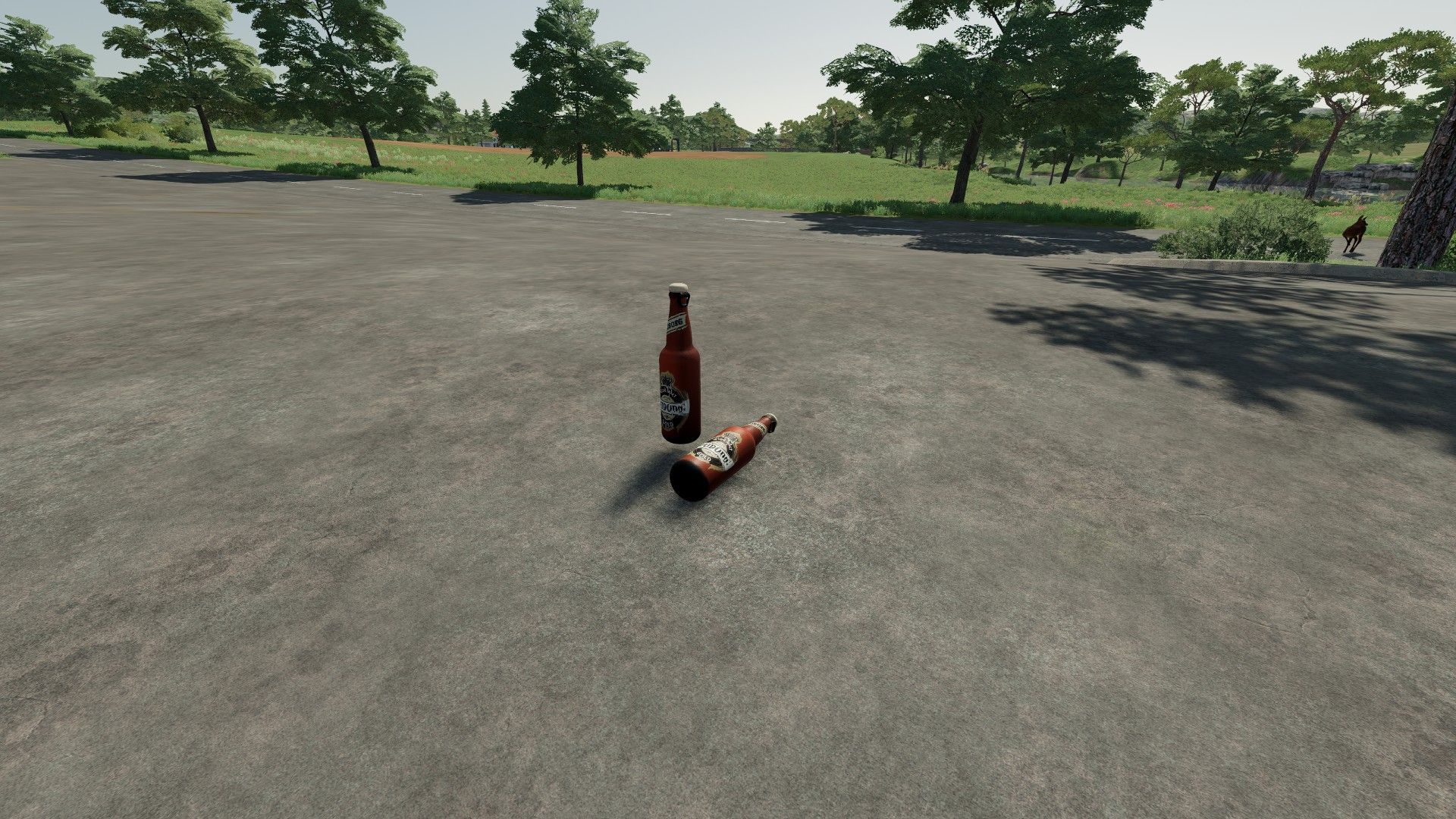
Tuborg Beer FS22
-Price €20- -Honestly, don't expect too much; it's purely for decoration and roleplay purposes. If you're actually playing the game, I wouldn't recommend downloading it—don't waste disk space unnecessarily!- -The mod is currently in beta; there may be bugs!- -If you like the mod, please hit the like button; I put a lot of effort into it. The mod is entirely my own work!- -Thank you for downloading my mod.-
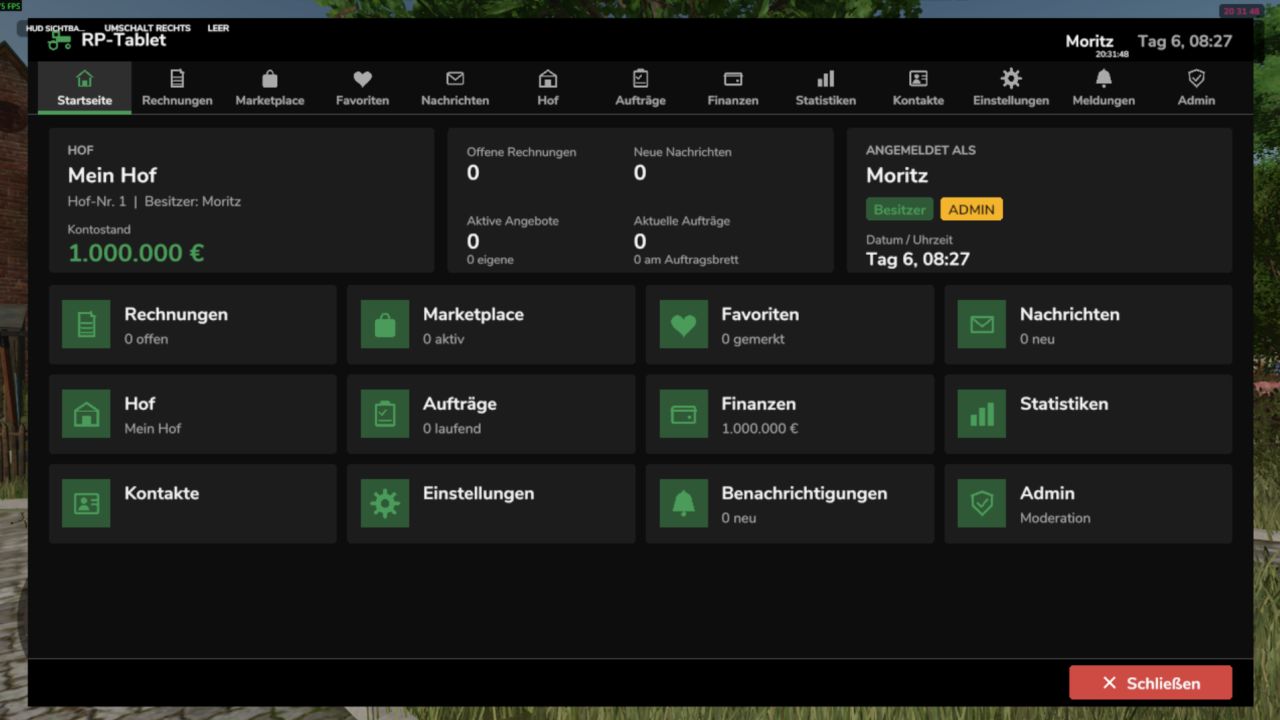
RP-Tablet – The Business Tablet FS25
The RP Tablet brings a business tablet into your multiplayer session. With the press of a button, you open a menu styled like the game's own interfaces, where your farm manages its business: issuing and paying invoices, listing machinery and goods, negotiating, holding auctions, assigning contracts, sending messages, and monitoring finances. Everything runs via the server—money, permissions, and contracts cannot be manipulated on the client side. Screenshots Home – Account balance, outstanding invoices, messages, offers, and contracts at a glance; app bar at the top. Invoices – Line items, tax, payment deadline, status; options to pay, reject, or report. "Back," "Home," and "Close" buttons always at the bottom. Marketplace – Offers and auctions featuring search, categories, filters, favorites, and negotiation options. Finances – Account balance, income and expenses by category, recent transactions, receipts, and pending reviews. The images are rendered from the mod's test setup (using sample data, without the in-game background) and illustrate the layout and feature set. Fonts and details may vary slightly in-game. What can the RP Tablet do? Invoices Invoices with multiple line items, optional tax, payment deadlines, and notes Custom invoice numbers (INV-YYYY-NNNNNN); statuses: Open / Overdue / Paid / Cancelled Recipient can pay, reject, or report the invoice; funds are transferred immediately between farms Every payment automatically generates a receipt (TX-YYYY-NNNNNN) Marketplace Vehicles, machinery, trailers, tools, animals, crops, products, bales, timber, services, etc. m. Search, categories, price range, sorting, "My Offers," and favorites Buying, negotiating (price proposals, counter-offers), reserving, and auctions with minimum bid increments Optional market fee; notifications for sellers, buyers, and watchers Messages and notifications Messages to players or entire farms, inbox and sent items, search, replies Centralized notifications with counters (new invoice, sale, outbid, job completed, etc.) Brief alerts visible even when the tablet is closed Farm and roles Farm profile, members, and farm vehicles/machinery Roles with configurable permissions (e.g., owner, manager, employee)—users see only what they are authorized to see Revoke and restore tablet access for individual members Jobs Job board with description, payment, deadline, and optional restriction to a specific farm Open → Accepted → In Progress → Completed → Finalized Automatic payment upon acceptance; If funds are insufficient, an invoice is issued Finances, statistics, contacts Account balance, income/expenses/fees by category, transaction history with filters, receipts Statistics with 7-day chart Contacts, farm profiles, and ratings (1–5 stars; only for genuine, completed transactions) Administration Moderation area for server admins: users, farms, invoices, offers, transactions, reports, logs Configurable (fees, auctions, negotiations, limits, accent color, debug) via the in-game interface or config.xml Controls Action How Open / close tablet Left Alt + T (customizable under Settings → Controls) Back "Back" button or Esc (dialog first, then sub-page, then app) Home "Home" button or first entry in the app bar Close "Close" button, same key, or Esc on the home screen The tablet is linked to the farm: You only see your own farm's data and the apps your role is authorized to access. Multiplayer and security Server-authoritative: Money, marketplace, invoices, contracts, permissions, messages, and transactions reside exclusively on the server. The client only sends requests. Identity never originates from the client—player, farm, and role are determined server-side. Validation of every action (permissions, price, status, funds), protection against duplicate execution and spam, audit log. Works on dedicated servers, as a host, and in single-player mode. Data is saved along with the game save (rpTablet.xml in the savegame folder, with backup). Installation Place RP_Tablet.zip (unzipped) into the mods folder (Windows: Documents\My Games\FarmingSimulator2025\mods). Load your savegame or start the server, then activate the mod. Press Alt + T in-game. On a dedicated server, the mod must be active on both the server and all players' clients. Notes The tablet manages money, permissions, and documentation. Vehicles and goods are not transferred automatically; the handover is part of the roleplay. Transactions use the in-game currency (base: €). The tablet is a 2D overlay (not a 3D handheld device). The mod has been tested in a simulated game environment (89 automated tests). Details regarding engine integrations are listed in the README under "API Assumptions." Please report errors by providing the relevant excerpt from the log.txt file.
- 15 per page
- 30 per page
- 45 per page
- 60 per page
-
See more per page
Bigger pages, fewer clicks - and no ads anywhere.
Go Pro