Euro Truck Simulator 2 mods
181,003 results- 15 per page
- 30 per page
- 45 per page
- 60 per page
-
See more per page
Bigger pages, fewer clicks - and no ads anywhere.
Go Pro
UK Country Improvements
The ProMods version of this mod is intended to be used with Trucksmap UK for the full experience, download it by clicking here! What is UK Map Improvements? UK Map Improvements is a mod for Euro Truck Simulator 2, that aims to correct the UK speed limits, make fuel prices more realistic based on real life experience and real life trends, and add more detail to the UI maps like the job map. What does this mod do? As of v1.9, the BASEGAME version of this mod includes... Corrected all UK speed limits Removed the dislocated "United Kingdom" country Added "England" "Cymru"("Wales"), and "Alba"("Scotland") countries to the world map These are NOT YET DISCOVERABLE AS NORMAL COUNTRIES INSTRUCTIONS: 1) Download this mod, and extract the .zip file. 2) Open the folder created In this folder, you will find "UK Country Improvements BG Edition.scs" and "UK Country Improvements PM Edition.scs". "BG" means "Base Game" and "PM" means "ProMods". Use BG Edition if you ARE NOT using this mod with ProMods. Use PM Edition if you ARE using this mod with ProMods. 3) Identify the .scs files. You should have both. 4) Copy or move them to your mods folder. 5) In the mod manager, activate the mod depending on if you're using ProMods or not. Make sure to put this mod above any other mod adding, removing, or modifying countries, as well as any mods editing the UI map (excluding cities) 6) Enjoy!
ETS2 Global Background Map - SCS Style
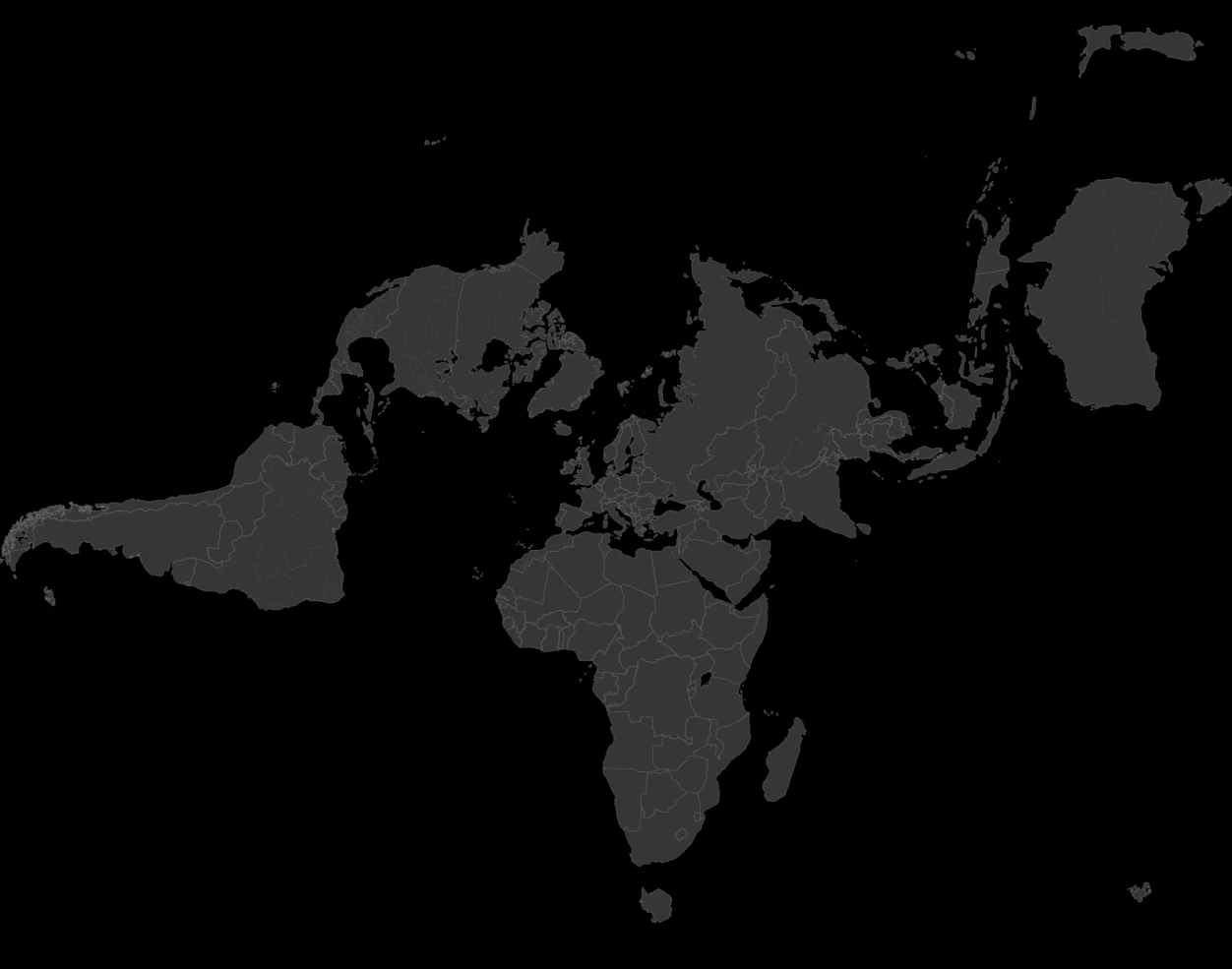
Big thanks to hi sora for forcing me to make this version! General Information: This background map has full coverage of nearly the entire world including fictional maps such as Grand Utopia, Dreamland Map and fictionally positioned FSG and PJ Indo It also adds the same territories as my other backgrounds adding all of Africa Europe and Asia along with Australia + New Zealand and North America with a small part of northern South America, (including Colombia Venezuela, Guyana, Suriname, French Guiana, Peru, Ecuador, Bolivia, Paraguay, nearly all of Brazil and parts of Argentina and Chile) If you have any suggestions or notice any errors, write a comment! Notes for Map Modders: The majority of the map is based on the Lambert Conic Conformal projection (North America, Asia and Africa above the equator, excluding the mediterranean coast, all follow it exactly) with major adjustments to Europe. Antarctica is entirely fictional Australia is based on the same projection however it has been shrunk and moved left due to the Island of Tasmania being beyond the 32 bit limit that the game's coordinate system can support. South America is based on a custom projection since LCC would make it too large to practically use. Here is a link to the current editor backgrounds available! https://truckymods.io/euro-truck-simulator-2/tools/ets2-editor-background-maps Credits Software used: paint.net and QGIS During the background map's development it was based on the AllWorld background by Freeman with the borders and outlines of countries have been completely redone from scratch. Full credit to him, and GMC Community for maintaing his background, along with the author of the World's Combined background, Melphiz, and to DOWL for creating the Promods background Full credit to BenganJ (rest in peace) who's knowlege of background generation/creation was used extensively for this mod
Country Limits Notification - KMH
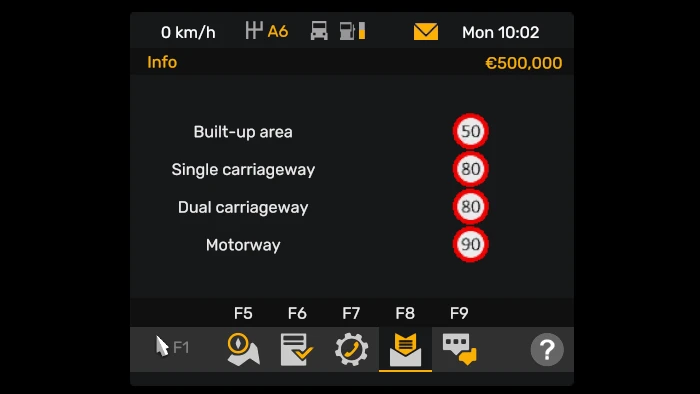
A ProMods addon adds a notification about the truck speed limits in that country. Please put above ProMods This is the kilometres per hour version, all speeds will be shown in Km/h A miles per hour version can be downloaded here: https://truckymods.io/euro-truck-simulator-2/ui/country-limits-notification-mph --- Most languages are supported, Feel free to comment when a language is not supported including the right translations. --- This is the official download I do not take responsibility for any (malicious) downloads on other sites! I plan on posting these on the Steam Workshop, but I'll have to figure that out
SibirMap City Zoom Fix
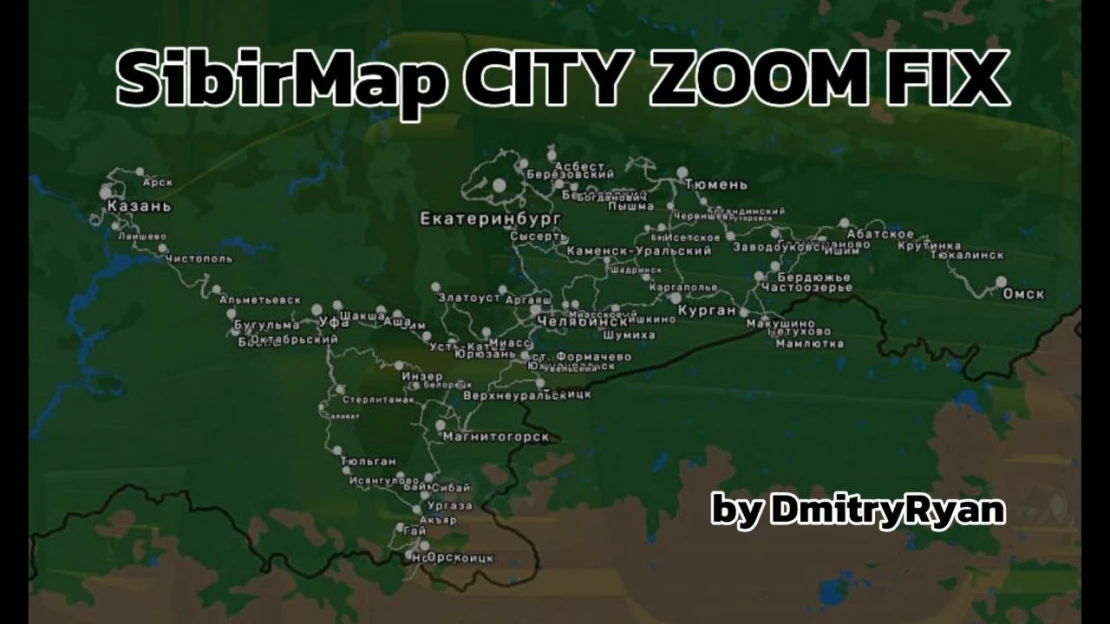
RU: Данный мод фиксит названия городов на карте SibirMap 2.10.1 (при максимальном отдалении карты многие названия городов Сибири раньше пропадали) Этот мод делает видимыми все названия городов при максимальном отдалении карты. Порядок установки: SibirMap City Zoom Fix Sibirmap 2.10.1
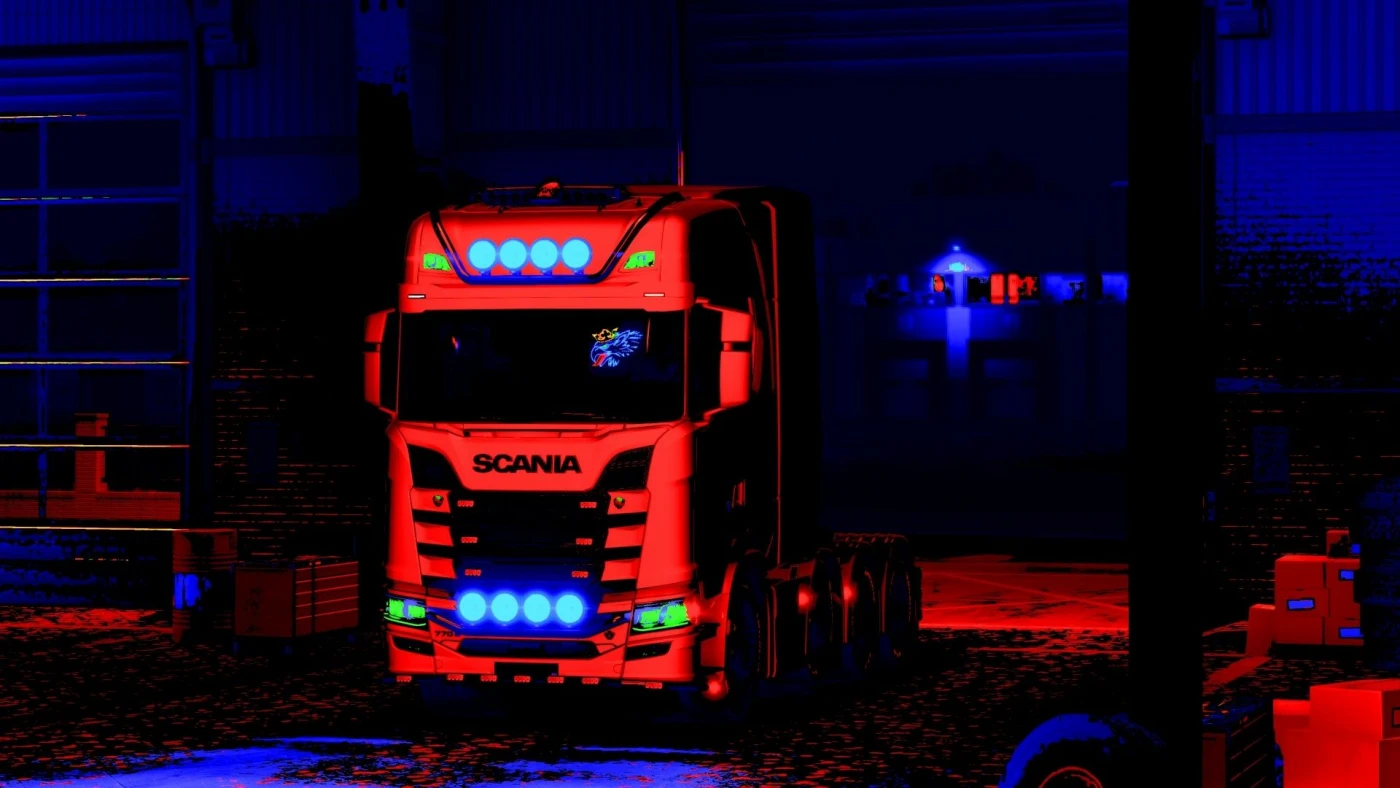
Extreme photo mode (ETS2)
This mod was created out of curiosity. "What happens if I change these settings. Does it work at all? What kind of pics can I get?" This mod is not for normal use. But if you want to take artistic/surreal/whatever shots, then this is your choice. Almost all settings have been modified. And all settings have been changed to extreme. Extreme photo mode for ATS
Waze Navigation Revived (A World Compatibility Add-on)
Waze Navigation Revived (A World Compatibility Add-on) This add-on is created as the successor to the Waze Navigation ProMods Compatibility add-on by StonesRP99, which is currently not working as intended. There has also been a high demand for making Waze Navigation compatible with map combos that extend beyond Europe. Thanks to SaltySeed06 for providing data files from his Global Background Map, Waze Navigation can now work with map combos outside Europe and also has improved zoom adjustment. Because the data files come from SaltySeed06’s Global Background Map, this add-on is intended to work with his background mods. Without this add-on, Waze Navigation will still function, but the route color will appear green and the zoom may be incorrect depending on the load order. This add-on is released as version 2.0, continuing from the original 1.0 version of the ProMods Compatibility add-on. Requirements Waze mods: Waze Navigation by StonesRP99 (mandatory) Waze Navigation Revived (A Waze Add-on) by VisualStudios (mandatory) Waze Navigation Dark Mode by StonesRP99 (optional) Choose one: Global Background Map by SaltySeed06 Global Background Map + Grand Utopia by SaltySeed06 (I use this) Dark Global Background Map by SaltySeed06 Dark Global Background Map + Grand Utopia by SaltySeed06 Load Order Waze Navigation Dark Mode Waze Navigation Revived (A World Compatibility Add-on) Waze Navigation Revived (A Waze Add-on) Waze Navigation Global Background Map Compatibility This add-on is incompatible with the Waze Navigation ProMods Compatibility add-on by StonesRP99, as it is intended to replace it. It uses data files from Global Background Map by SaltySeeds06 and may be incompatible with other world background mods. This add-on requires my main add-on, “Waze Navigation Revived (A Waze Add-on)”, and will not work without it. It is compatible with game versions 1.57 and newer. Disclaimer This mod is not affiliated with Waze. The add-ons for the Waze Navigation mod are free and may not be sold on external sites. Modifications of this add-on are allowed for private use only. Please do not reupload this mod or its content on other mod sites; use the official Trucky or Steam Workshop links to download and share: https://steamcommunity.com/sharedfiles/filedetails/?id=3686074459 https://truckymods.io/euro-truck-simulator-2/ui/waze-navigation-revived-a-world-compatibility-add-on-118554 Credits VisualStudios, StonesRP99, and SaltySeeds06
Waze Navigation Revived (A Waze Add-on)
Waze Navigation Revived (A Waze Add-on) A few years ago, StonesRP99 created what is, in my opinion, the best GPS mod for Euro Truck Simulator 2 and American Truck Simulator, now known as Waze Navigation. It is inspired by the real-life Waze navigation app used daily by millions of people. Unfortunately, the mod has not been updated for a few years, and a lot has changed in both games since then. Because of that, I decided to maintain the mod myself. Since I am not the original author, the only way I can release my fixes is as a compatibility add-on that requires the original mod. Over the past few years, SCS has made several changes to the games, especially to file structures. Many files now use different extensions and path references, while the Waze Navigation mod was still using the older structure. This caused many trucks to crash the game, and some trucks were moved to a completely different location, causing crashes in quick jobs. I have resolved these issues and made the mod compatible with the newer versions of both games. This add-on is released as version 4.0, continuing from the original 3.1 version of the mod. Requirements Waze Navigation by StonesRP99 (mandatory) Waze Navigation Revived (A World Compatibility Add-on) by VisualStudios (recommended) Waze Navigation Dark Mode by StonesRP99 (optional) Load Order Waze Navigation Dark Mode Waze Navigation Revived (A World Compatibility Add-on) Waze Navigation Revived (A Waze Add-on) Waze Navigation Global Background Map Compatibility This add-on, like the original mod, only works with the vanilla background and may be incompatible with other background mods. Without my second add-on, “Waze Navigation Revived (A World Compatibility Add-on)”, it will not work with world backgrounds or map mods that extend beyond Europe. This add-on is compatible with game versions 1.57 and newer. Disclaimer This mod is not affiliated with Waze. The add-ons for the Waze Navigation mod are free and may not be sold on external sites. Modifications of this add-on are allowed for private use only. Please do not reupload this mod or its content on other mod sites; use the official Trucky or Steam Workshop links to download and share: https://steamcommunity.com/sharedfiles/filedetails/?id=3686065773 https://truckymods.io/euro-truck-simulator-2/ui/waze-navigation-revived-a-waze-add-on-226512 Credits VisualStudios, StonesRP99
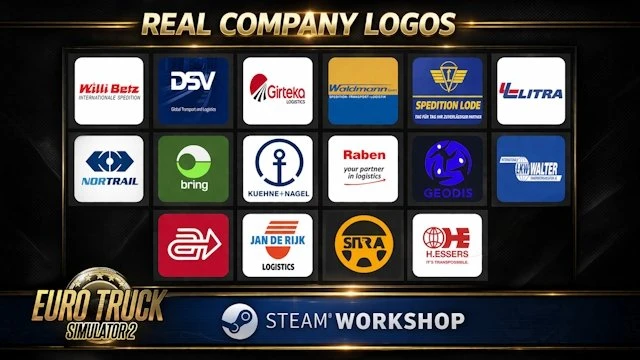
Real Company Logos
English Real Company Logos This mod replaces the default in-game player logos with real-world company logos to enhance realism and immersion in Euro Truck Simulator 2. Experience a more authentic trucking atmosphere with recognizable brands from across Europe and beyond. All logos are carefully selected and integrated to fit seamlessly into the game world. Features: Replaces fictional player logos with real company logos Improves overall realism and immersion Deutsch Real Company Logos Diese Mod ersetzt die Standard-Spielerlogos im Spiel durch reale Firmenlogos, um den Realismus und die Immersion in Euro Truck Simulator 2 zu verbessern. Erlebe eine authentischere Trucker-Atmosphäre mit bekannten Marken aus Europa und der ganzen Welt. Alle Logos wurden sorgfältig ausgewählt und passend ins Spiel integriert. Features: Ersetzt fiktive Spielerlogos durch echte Firmenlogos Verbessert Realismus und Immersion Norsk Real Company Logos Denne modden erstatter standard spillerlogoer i spillet med ekte firmalogoer for å forbedre realismen og innlevelsen i Euro Truck Simulator 2. Opplev en mer autentisk lastebilopplevelse med kjente merkevarer fra Europa og resten av verden. Alle logoer er nøye valgt og sømløst integrert i spillet. Funksjoner: Erstatter fiktive spillerlogoer med ekte firmalogoer Forbedrer realisme og innlevelse
Enhanced camera settings (ETS2)
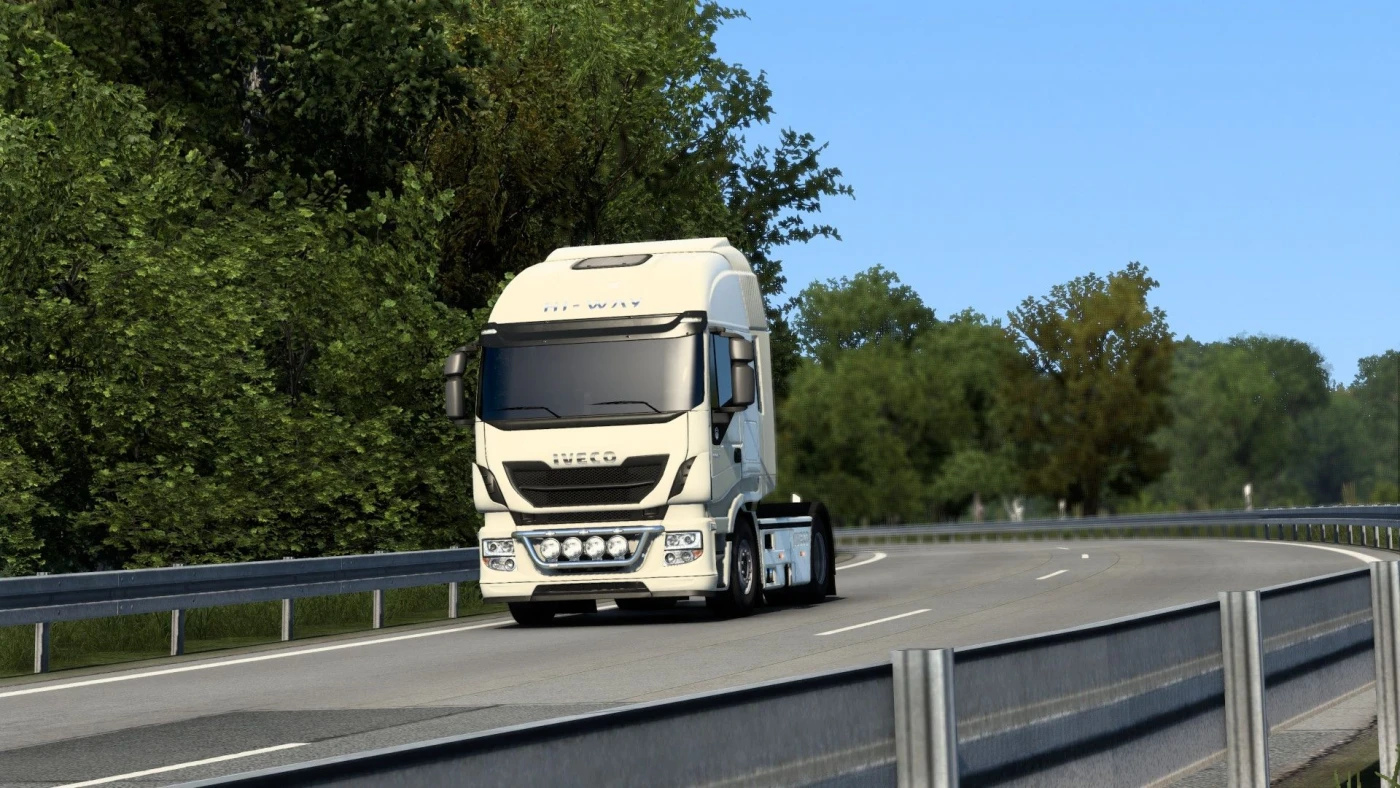
I'm not happy with the camera's default settings. That's why I've been using camera mods for a long time. I made a camera mod for my own use and thought I'd share it. Unlike in my Extreme photo mode mods, I haven't touched the colours of the camera or anything like that. Main features: - Increased camera maximum distance (width and height) to 5 kilometers - Increased camera fly speed - Increased minimum and maximum FOV - Increased background blur as much as possible* - Increased maximum transition to background blur - Unlimited camera roll * It is difficult to explain clearly, but you cannot increase the amount of blur indefinitely. This is due to the way the SCS has implemented the blur. I have tested it several times and the value I use for the blur is practically the upper limit. Enhanced camera settings for ATS: https://truckymods.io/american-truck-simulator/ui/enhanced-camera-settings-ats My Extreme photo mode mods: ATS: https://truckymods.io/american-truck-simulator/ui/extreme-photo-mode-ats ETS2: https://truckymods.io/euro-truck-simulator-2/ui/extreme-photo-mode-ets2
Top Corner Minimalist Mirrors (55%) v1.59.x
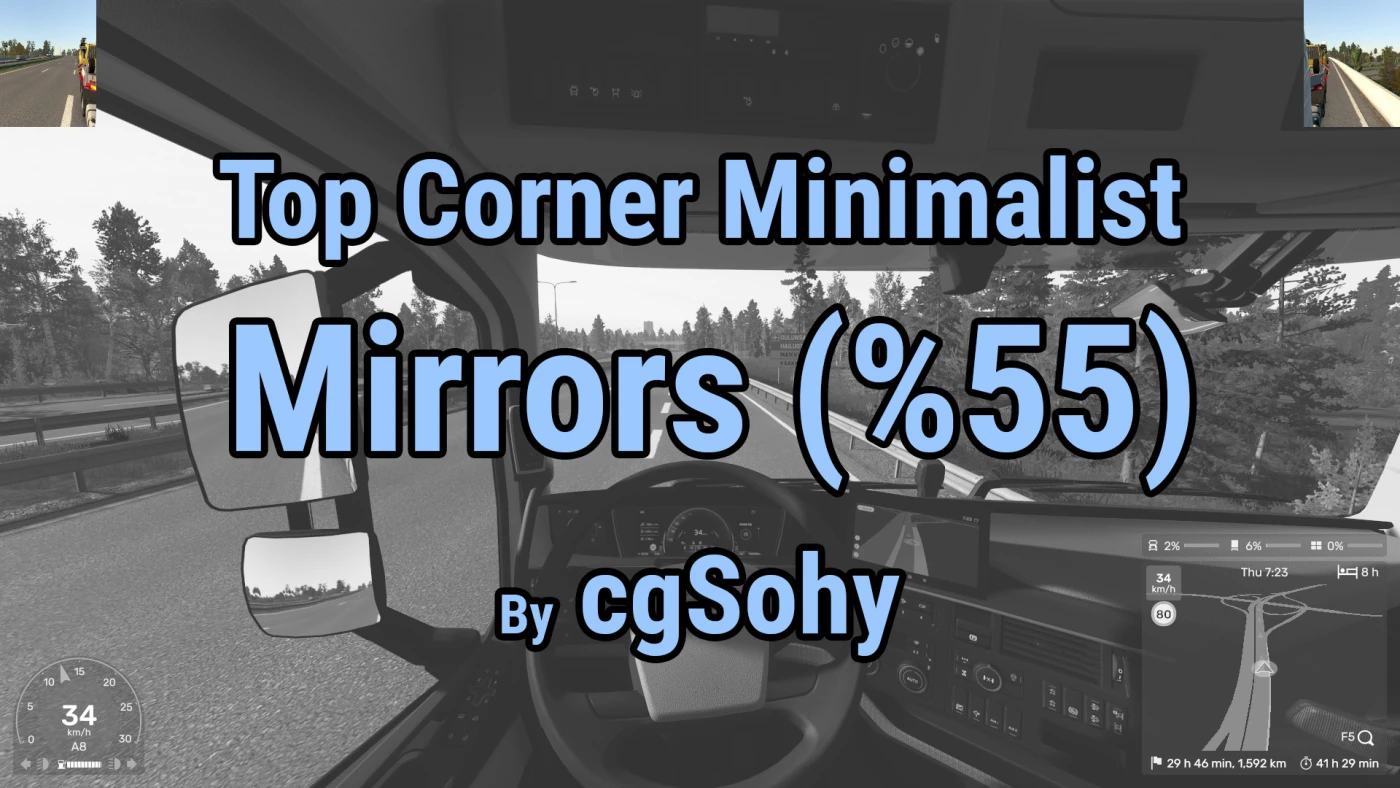
Top Corner Minimalist Mirrors (55%) Moves UI mirrors to the top corners and reduces size for a cleaner windshield view. Scale: 55% Position: Top Corners Version: 1.59.x+ Author: cgSohy Multiplayer: Convoy Ready Donations: USDT (BEP20): 0x834f416310692E46D74400e3D49EC48ae06eEe5B Bitcoin (BTC): bc1qnu45zrq9jnefxv5q79zgvhgepvapktq9htkdss
Map Exploration Adjustments
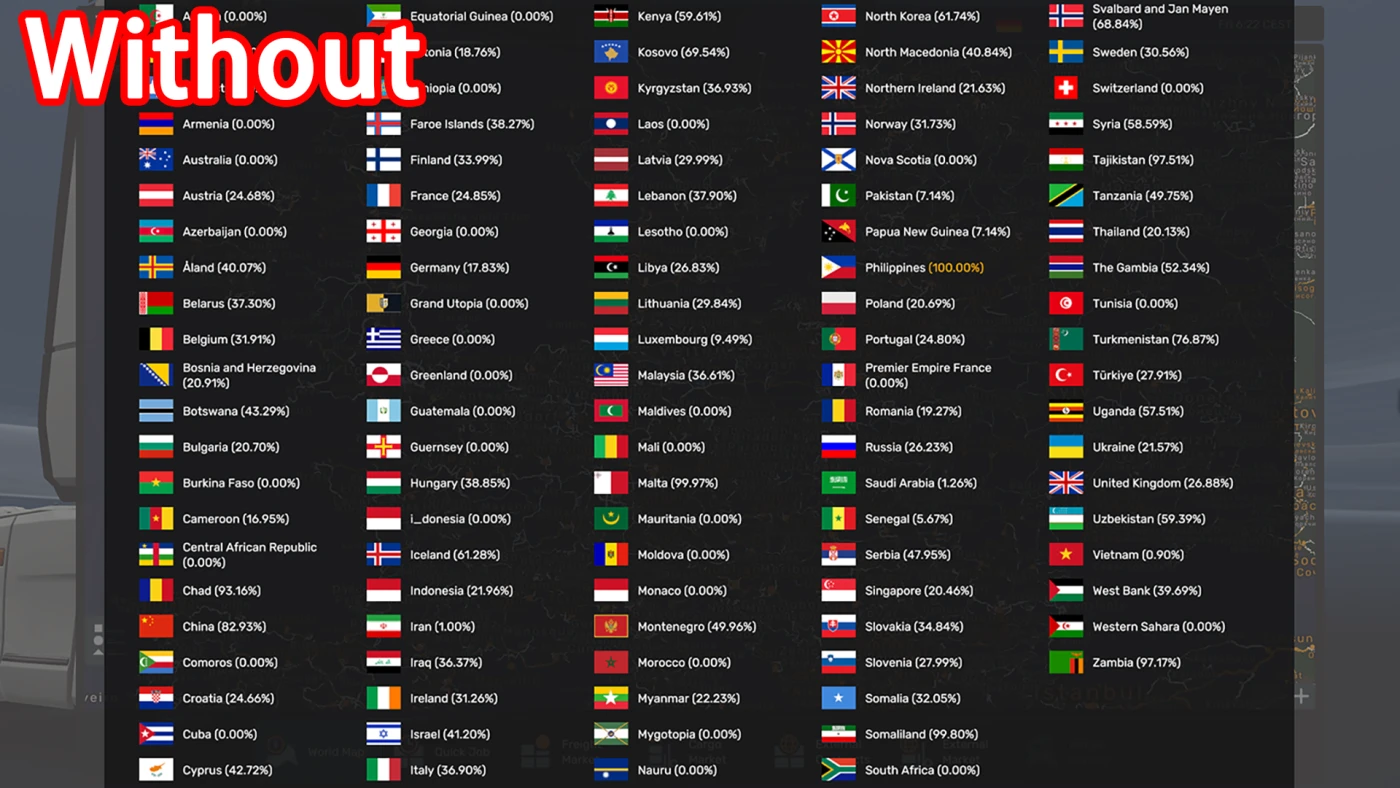
En: Special thanks for every mapper! Fix when lots of countries flags can't display in map exploration when use combo map. --------------------------------------------------------------------------------------------------------------------------------------------------------------- 中(简): 感谢每位地图制作者! 修复在地图探索中因为国家过多而导致显示不全的问题(组合地图)。 特别提示:Surgaci观察日记,欧卡小站,输出小哥和神一样的品味(欧卡模拟2/萘颉)与狗禁止使用!
100% map exploration helper
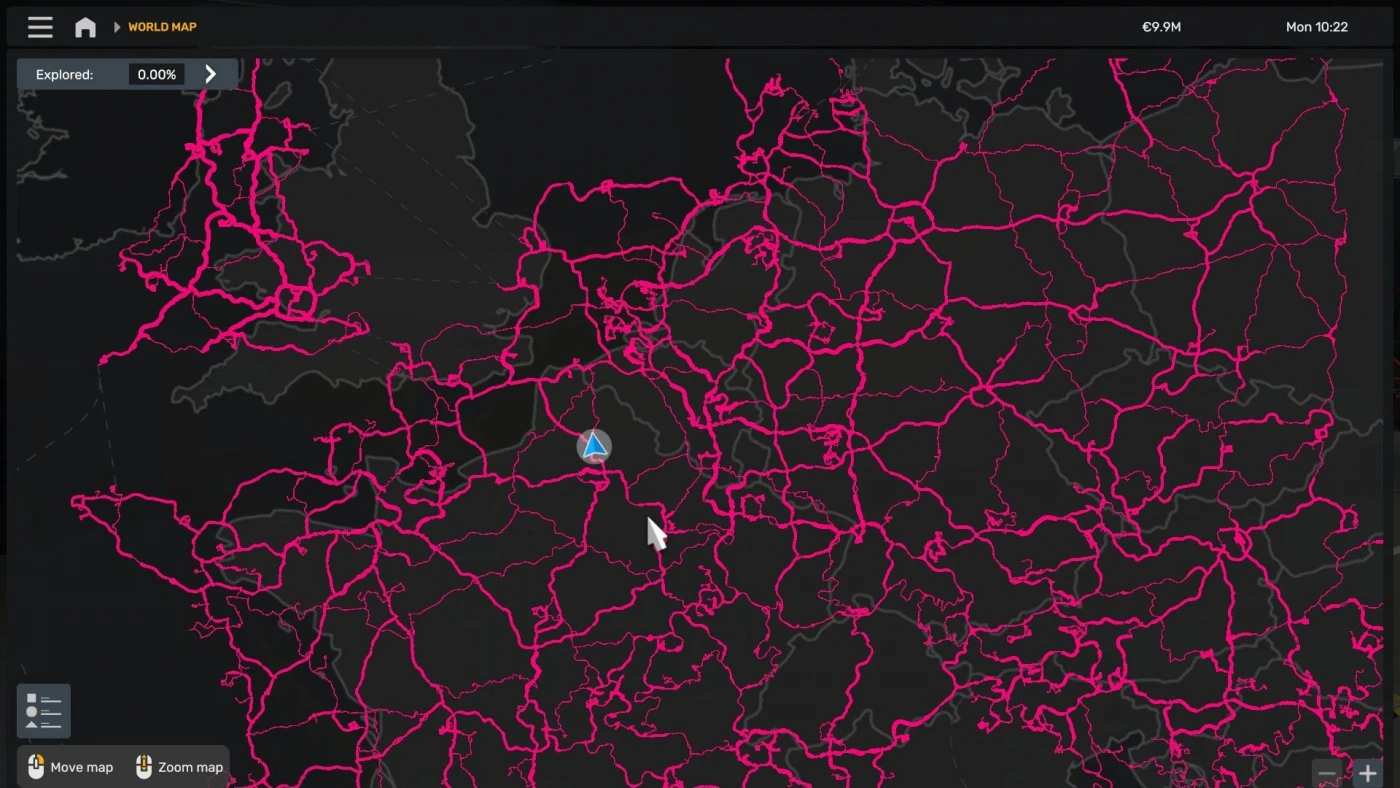
The purpose of this mod is to help you find unexplored roads and areas. This way you won't get stuck at 99.99% of the map exploration. The mod removes all icons and marks unexplored roads and areas in pink to make them as visible as possible. In terms of the map layout, SCS has not given much thought to modders, which makes some things difficult for modders. For example, the route suggested by the navigation is not visible on the map. 100% map exploration helper for ATS
Japan HQ Sat Background Map English
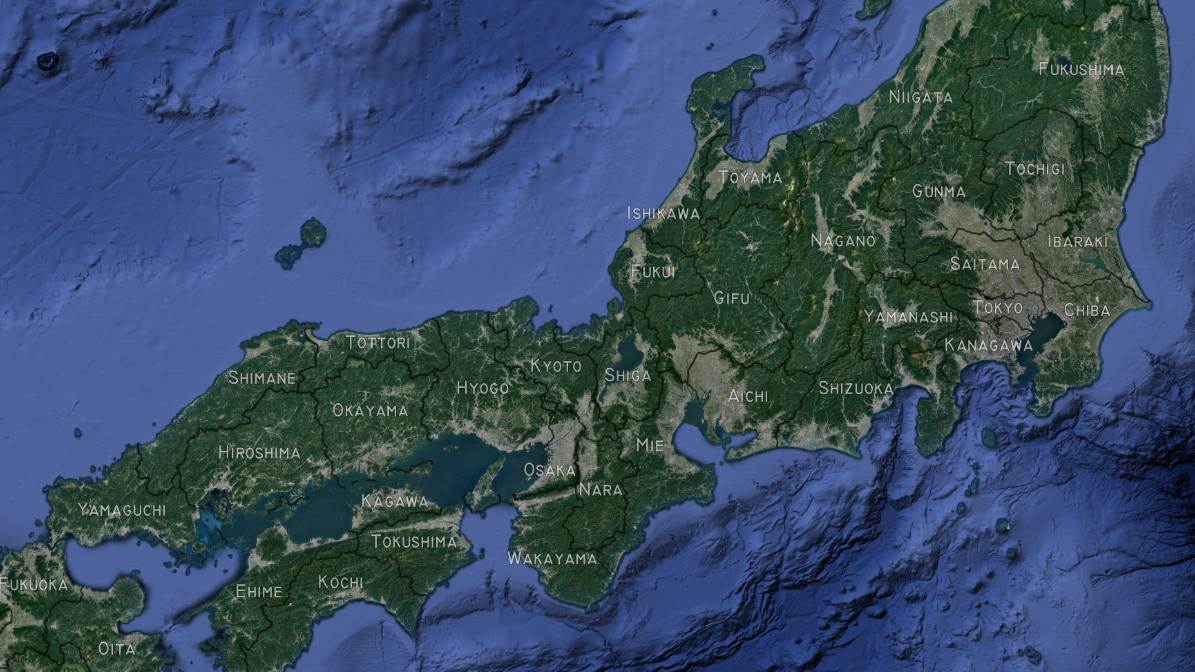
This background map is meant to be used for ProjectJapan map mod. It displays the background map of Euro Truck Simulator 2 - ProjectJapan in Google Maps Satellite view with English prefecture names. The background aligns with the original background, thus out of border cities stay out of border, as the graphics projection has not been changed. To complete the full texture, I filled it all with satellite images, but I darkened the non-Japan parts (Korea, China, Russia) to keep the focus on Japan. Put this before ProjectJapan mod files in the load order. Melphiz Japan HQ Sat. Background Map (C) 2022, based on Image Sources: (C) 2022 TerraMetrics, Map Data (C) 2022 Google Note: As this map bg uses BC7 it is not compatible with OpenGL.
Promods Loading Screen for ETS2
Note: ETS2 1.60 Supported, Promods 2.83 Loading Screen - https://modsfire.com/tYt1g66ibM7npG6 ETS2 1.59 Supported, Promods 2.82 Loading Screen - https://modsfire.com/bi4k0e2Gk5E3e05 ETS2 1.58 Supported, Promods 2.81 Loading Screen - https://modsfire.com/YR5we64BxYvyNYl Replace ProMods loading screen. Compatible on both promods and non promods profile. Mod should be prioritized above all others. If you face any issue comment below and i will update this mod whenever any bug will found out and a new promods version release. Thanks for using my mods. Have a Nice Day! Credits: PROMODS
Enhanced AI Drivers
Mod replaces all default AI drivers with new graphics and names. This is female drivers only pack containing 361 drivers. Made by: Aurora Borealis VTC To join our VTC or be part of community, or explore other of our mods, join us at https://discord.gg/waaKTwzhqz Looking for ATS version: https://truckymods.io/american-truck-simulator/ui/enhanced-ai-drivers-966738 NEW: Version 1.1.1 fixes underline in graphics caused by some faulty TOBJs. Version 1.1.0 brings all drivers corrected with colour adjustments, proper crop and flags sorted. Mod brings 361 reskinned AI drivers (6 above default) for better universal look in the game. Version 1.0.3 brings more drivers fixed. Around two thirds of the mod is finished, if you notice any mistakes, report them if you want them fixed. Version 1.0.2 brings small preview in which way the mod is going. Around third of the mod is finished, and is made available as preview so that people can leave comments and ideas about what do they think, as well as be able to report early bugs or mistakes. IMPORTANT: Some common issues and how to deal with them... Names not showing correctly - This is usually a problem with already existing profiles. To solve this, it is advised to load your game, change game language away from your original to English US or something else. Close game reopen, load game again and change language back to what you were using previously. As a side note, it is advised to stay away from English Global, as it seems likely that these might not be overwritten by mod. If you use English try switching to English US as your main language if Global doesn't work. Issues with World of Trucks avatar - This also mostly is already existing profile problem potentially. If you encounter this, try disconnecting from World of Trucks. Reloading mods and connecting to World of Trucks again. You should try to reconnect from main screen, not after you load game. Click on your career in top right, edit career and connect there. WARNING: This mod is currently in testing stage. Please report any bugs you encounter with the mod. Patch M: https://truckymods.io/euro-truck-simulator-2/ui/enhanced-ai-drivers-patch-m-631593 Things that need to be done still: Apply universal crop to textures Enhance images and colour profiles Remove backgrounds Redesign images to include driver nationality Who knows what else in the future, open to suggestions Mod is in working state, and can be used fully. If you encounter bugs, problems, have suggestion or what not, please report them on my discord or here so I can look into it. INFO: This mod contains only female drivers. Full male pack and merge male female pack will be made at some point in the future tho unknown when if ever(making this takes very long time). This means you will not be able to select male driver if you want to play as one. Solution for this is to either sync your "World of Trucks" avatar, or download separate patch which adds 1 male driver for you to select. LOAD ORDER: Enhanced AI Drivers Patch M (optional) Enhanced AI Drivers
- 15 per page
- 30 per page
- 45 per page
- 60 per page
-
See more per page
Bigger pages, fewer clicks - and no ads anywhere.
Go Pro