Euro Truck Simulator 2 mods
176,792 results- 15 per page
- 30 per page
- 45 per page
- 60 per page
-
See more per page
Bigger pages, fewer clicks - and no ads anywhere.
Go Pro
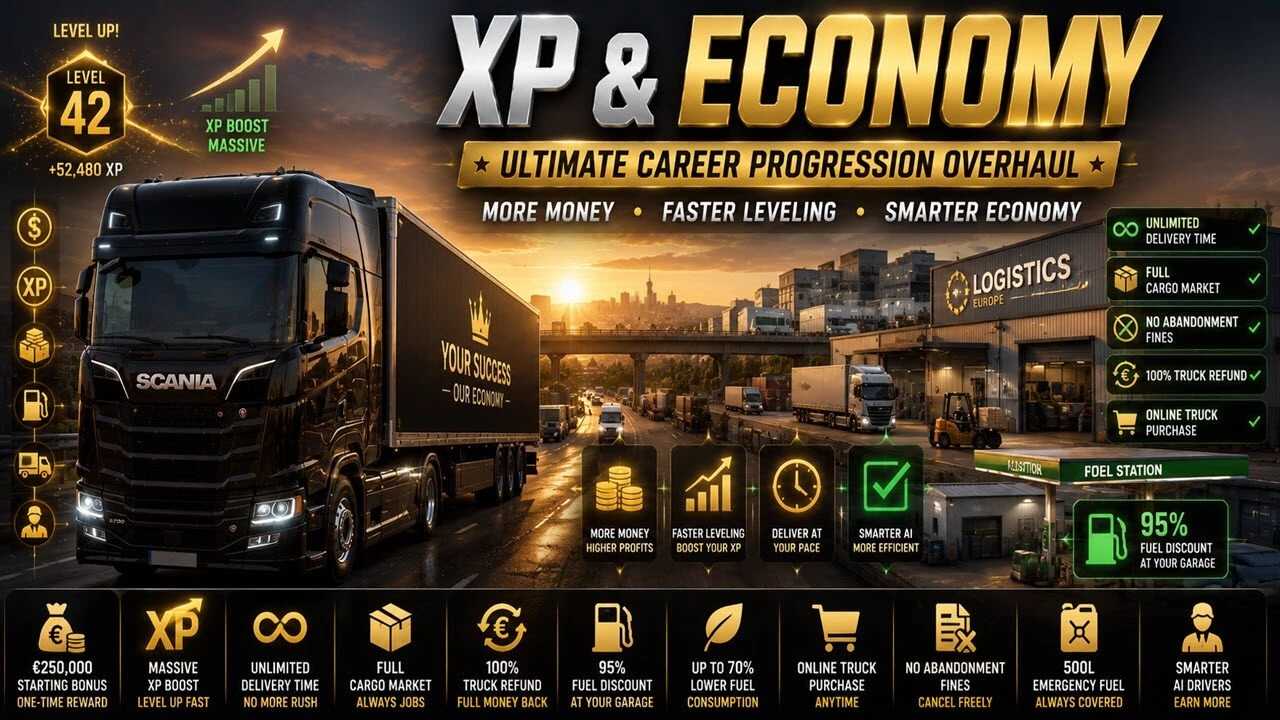
Rééquilibrage XP et économie v2.5 ETS2
Rééquilibrage XP et économie v2.5 ETS2 XP & Economy Rebalance optimise les systèmes de jeu principaux d'Euro Truck Simulator 2 pour une expérience plus fluide et détendue. Ce mod accélère la progression, simplifie l'accès aux missions et allonge considérablement les délais de livraison, idéal pour les joueurs qui souhaitent profiter du voyage sans pression. Oubliez la course contre la montre : avec ce mod, prenez votre temps et appréciez la route. Livrer des marchandises devient un jeu d'enfant. Caractéristiques principales : Compatible avec ETS 1.61.x Bonus de bienvenue : recevez 250 000 € lors de la création d’un nouveau profil (prime unique). Délais de livraison « illimités » : fini les horaires serrés, faites-vous livrer à votre rythme. Bonus d'XP massif pour le stationnement : garer la remorque peut faire grimper votre niveau en flèche (par exemple, niveau 0 → niveau 42). Marché du fret toujours plein : dites adieu aux annonces de fret vides. Remboursement intégral des camions : Vendez vos camions et récupérez la totalité de votre argent. Réduction sur le carburant : Le carburant à votre station-service est 95 % moins cher. Achat de camions en ligne : Achetez des camions en ligne à tout moment, sans avoir besoin d’en posséder un au préalable. Pas de pénalités pour abandon de mission : annulez vos missions sans aucune pénalité. Carburant de secours : La réserve de carburant de secours vous fournit 500 litres. Des chauffeurs IA plus intelligents : vos chauffeurs embauchés gagnent plus et sont plus efficaces.

Multicolor Metallic Skin for Scania S and R v1.0
Description: SCANIA S and R skin, the metallic is changeable and the side/grill/bumper graphics will match it to be a darker color as seen in the screenshots Compatible with: Venus Scania NG Parts EKO lowbumper lip EKO mid light covers WC007 Dynamic orange with mad eyes WC007 Dynamic with mad eyes WC007 Air bar WC007 short RAMP 50K addons SRI lightbox (just works not the graphic on the light box) Software used: Affinity Designer 2 Mods studio 2 DOWNLOAD MultiColor_Metallic_for_Scania_S_and_R.zip – 1.7 MB
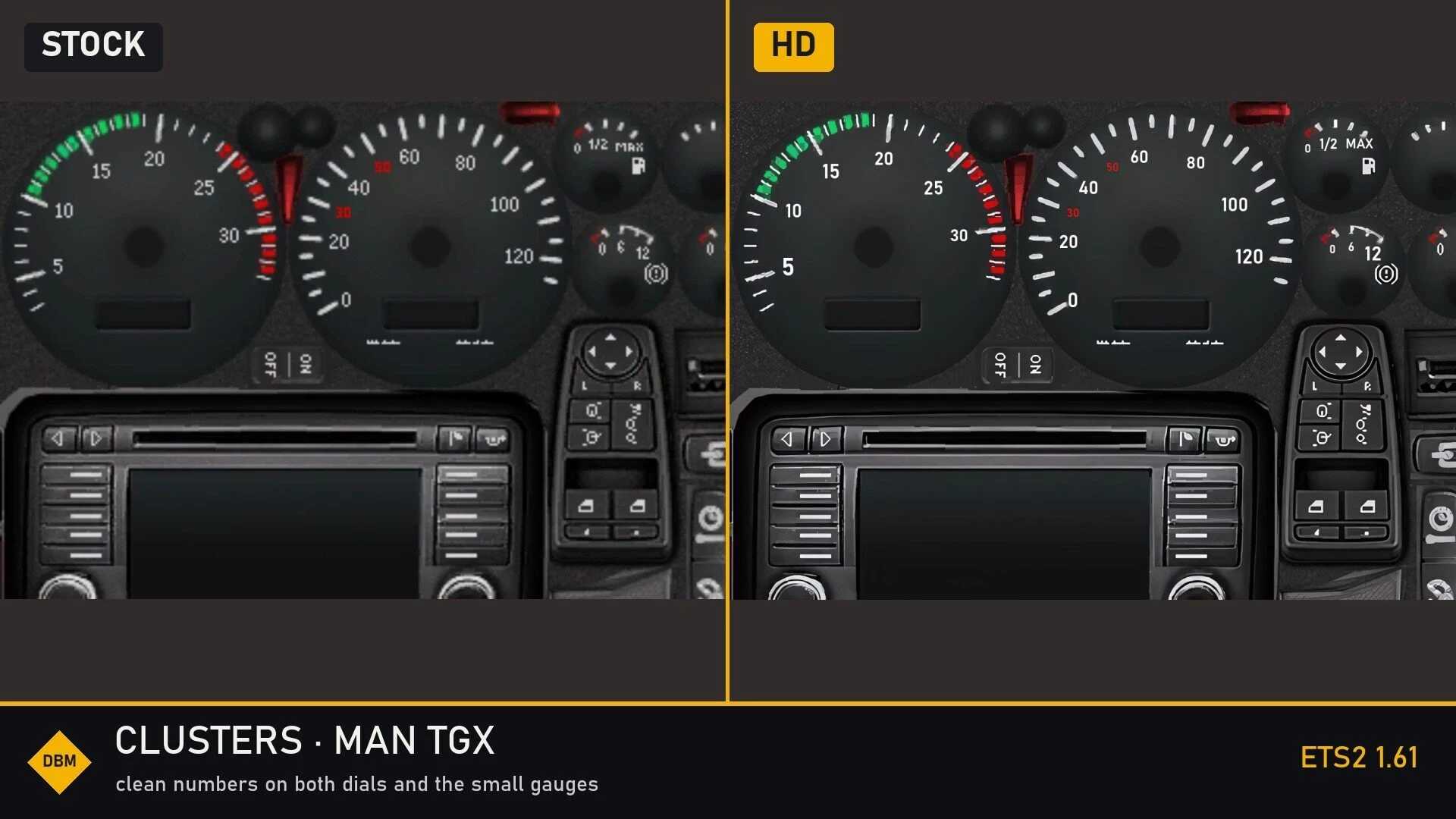
Skalowane klastry DBM, ostre pokrętła i ekrany v1.61 ETS2
Skalowane klastry DBM, ostre pokrętła i ekrany v1.61 ETS2 Skalowane przez AI klastry. 75 tekstur tarcz, ekranów i ikon we wszystkich ciężarówkach, w grze podstawowej i DLC, skalowanych 2-4-krotnie w modelu Real-ESRGAN: kontrolki ostrzegawcze, ikony menu, tarcze i ramki mają wyraźne krawędzie. Cyfry i etykiety zostały przerysowane jako tekst wektorowy. W 9 analogowych klastrach każda wartość skali i etykieta („rpm x 100”, „km/h”, „Vmin 25 km/h”, „AdBlue”, „1/2”, „MAX”…) są ponownie zapisane czcionką w stylu DIN, zamiast być powiększane z kilku pikseli. Podświetlają się również w nocy dokładnie tak, jak oryginały. Naprawiono małe ekrany pośrodku tarcz. Precyzyjne kadrowanie, z którego gra korzysta na wyświetlaczu centralnym, zostało dostosowane do nowej rozdzielczości, więc nic się nie przesuwa ani nie wygląda na ucięte. Wskaźniki celowo pozostawiono bez zmian. Paski, wskazówki i maski gradientu, które gra odczytuje jako dane (paski obrotów i prędkości, wskaźniki tempomatu), pozostają dokładnie takie same jak w grze podstawowej, dzięki czemu zachowują się prawidłowo. Ciężarówki objęte Tekst wektorowy + wersja upscale: Volvo FH (2009), DAF XF (stary i Euro 6), MAN TGX, Scania R (2009), Iveco Hi-Way, Iveco Stralis, Renault T. Wersja upscale ekranów i ikon: Scania R/S 2016, Scania S 2024E, Scania 2025, Mercedes Actros (2009, 2014), Renault T 2024, Renault E-Tech T, Renault Magnum, MAN TGX (Euro 6, 2020), Iveco S-Way, DAF XD / 2021, DAF XF Electric, Volvo FH (2012, 2021, 2024). Teksty generowane przez grę na bieżąco (liczba litrów paliwa, zegar, stacja radiowa, dane dotyczące podróży) korzystają z czcionek gry i nie są modyfikowane przez żadne modyfikatory tekstur. Zgodność Działa z dowolnym modem oświetlenia, z Lighting Nova, Truck Interiors i wszystkimi innymi modami DBM. Zastępuje tekstury klastra i pliki deski rozdzielczej w pojazdach: Scania R/S 2016, Scania S 2024E, Mercedes Actros 2014, Iveco Hi-Way, DAF XF Euro 6 i Renault T. Inne mody modyfikujące te same pliki będą powodować konflikty; wygrywa ten, który jest wyżej w kolejności ładowania. Nie dotyka ekranu nawigacji, więc mody mapy i GPS nadal działają. Umieść go nad modami mapy (ProMods, RusMap…). Kolejność między modami DBM nie ma znaczenia. Można go bezpiecznie dodawać i usuwać w dowolnym momencie. Wydajność Mod ma około 255 MB. Dodatkowa pamięć VRAM jest niewielka, a tekstury klastra są malutkie w porównaniu z resztą modułu. Przetestowana konfiguracja Gram z włączonym całym pakietem DBM w rozdzielczości 4K (3840×2160), DLSS 5 ze skalowaniem 100%, na karcie RTX 5070 Ti (16 GB). Zużycie pamięci VRAM z włączonym wszystkim wynosi około 9-11 GB. Na kartach 8 GB należy obniżyć jakość tekstur lub skalowanie. Awaria podczas ładowania? Ustaw większy plik stronicowania Modyfikacje tekstur o wysokiej rozdzielczości powodują, że gra ładuje kilka GB tekstur naraz. Jeśli w systemie Windows zabraknie pamięci (RAM + plik stronicowania), ETS2 zawiesza się podczas ładowania lub wjeżdżania na nowy obszar – mimo że sam mod działa poprawnie. Wyszukiwanie w systemie Windows: Wyświetl zaawansowane ustawienia systemu > Ustawienia wydajności > Zaawansowane > Zmiana pamięci wirtualnej. Odznacz opcję Zarządzaj automatycznie, wybierz najszybszy dysk (SSD), wybierz Rozmiar niestandardowy i ustaw opcje Początkowy i Maksymalny na 32768 MB (32 GB) lub co najmniej taki sam rozmiar jak rozmiar pamięci RAM. Kliknij przycisk Ustaw, następnie OK i uruchom ponownie komputer.
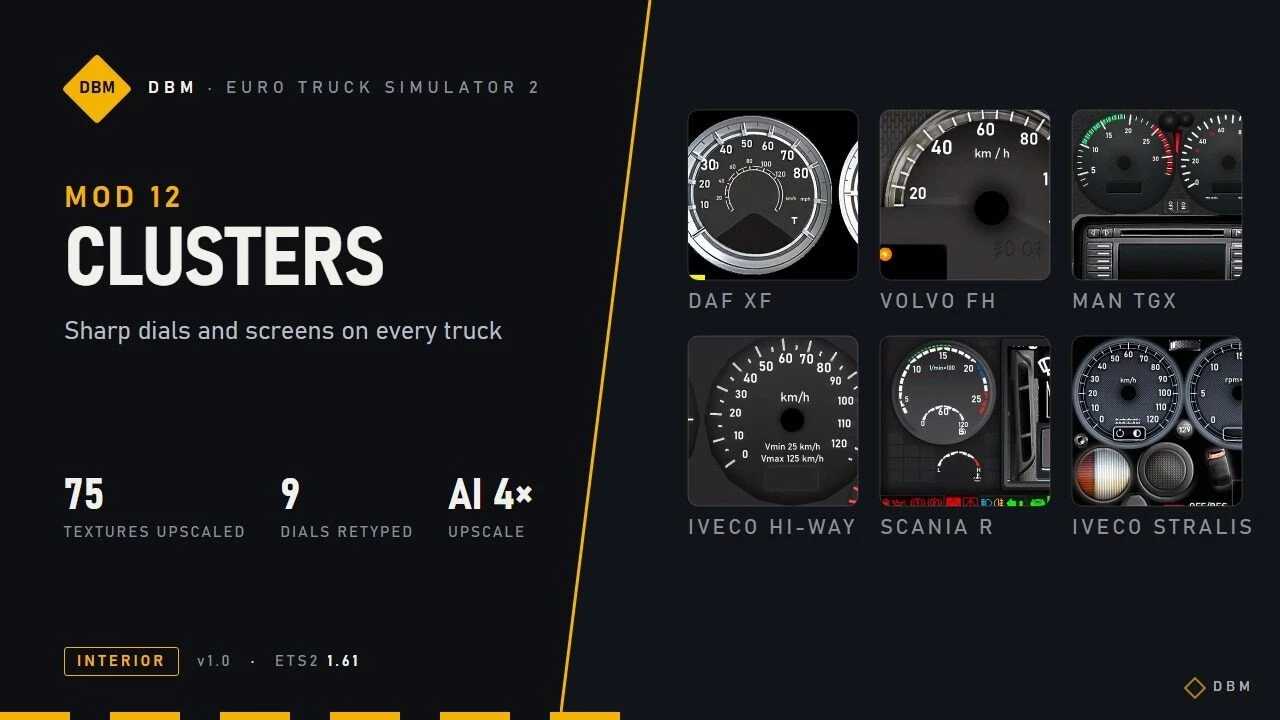
DBM Upscaled Clusters Sharp Dials and Screens v1.61 ETS2
Euro Truck Simulator 2 Mods | American Truck Simulator Mods | September 30, 2026 DBM Upscaled Clusters Sharp Dials and Screens v1.61 ETS2 AI-upscaled clusters. 75 dial, screen and icon textures across all trucks, base game and DLC, upscaled 2-4x with a Real-ESRGAN model: warning lights, menu icons, dial faces and bezels come out with clean edges.Numbers and labels redrawn as vector text. On 9 analogue clusters every scale number and label (“rpm x 100”, “km/h”, “Vmin 25 km/h”, “AdBlue”, “1/2”, “MAX”…) is typeset again in a clean DIN-style font instead of being blown up from a few pixels. They also light up at night exactly like the originals.Small screens in the middle of the dials fixed. The pixel-precise crops the game uses for the centre display were adjusted to the new resolution, so nothing shifts or looks cut off.Gauges left untouched on purpose. Bars, needles and gradient masks that the game reads as data (rev and speed bars, cruise indicators) stay exactly as in the base game, so they keep behaving correctly. Trucks covered Vector text + upscale: Volvo FH (2009), DAF XF (old and Euro 6), MAN TGX, Scania R (2009), Iveco Hi-Way, Iveco Stralis, Renault T.Upscale of screens and icons: Scania R/S 2016, Scania S 2024E, Scania 2025, Mercedes Actros (2009, 2014), Renault T 2024, Renault E-Tech T, Renault Magnum, MAN TGX (Euro 6, 2020), Iveco S-Way, DAF XD / 2021, DAF XF Electric, Volvo FH (2012, 2021, 2024). Text that the game draws live (fuel litres, clock, radio station, trip data) uses the game’s own fonts and is not changed by any texture mod. Compatibility Works with any lighting mod, with Lighting Nova, Truck Interiors and all other DBM mods.Replaces the cluster textures and the dashboard files of: Scania R/S 2016, Scania S 2024E, Mercedes Actros 2014, Iveco Hi-Way, DAF XF Euro 6 and Renault T. Other mods that change the same files will conflict; whichever is higher in the load order wins.Does not touch the navigation screen, so map and GPS mods keep working.Put it above map mods (ProMods, RusMap …). Order between DBM mods does not matter.Safe to add or remove at any time. Performance The mod is about 255 MB. The extra VRAM is small, the cluster textures are tiny next to the rest of the cab. Tested setup I play with the whole DBM pack enabled at 4K (3840×2160), DLSS 5 at 100% scaling, on an RTX 5070 Ti (16 GB). VRAM use with everything on is about 9-11 GB. On 8 GB cards, lower the texture quality or the scaling. Crash on loading? Set a bigger page file High-resolution texture mods make the game load several GB of textures at once. If Windows runs out of memory (RAM + page file), ETS2 crashes while loading or when driving into a new area – even though the mod itself is fine. Windows search: View advanced system settings > Performance Settings > Advanced > Virtual memory Change.Untick Automatically manage, pick your fastest drive (SSD), choose Custom size and set both Initial and Maximum to 32768 MB (32 GB) or at least the size of your RAM.Click Set, then OK, and restart the PC.
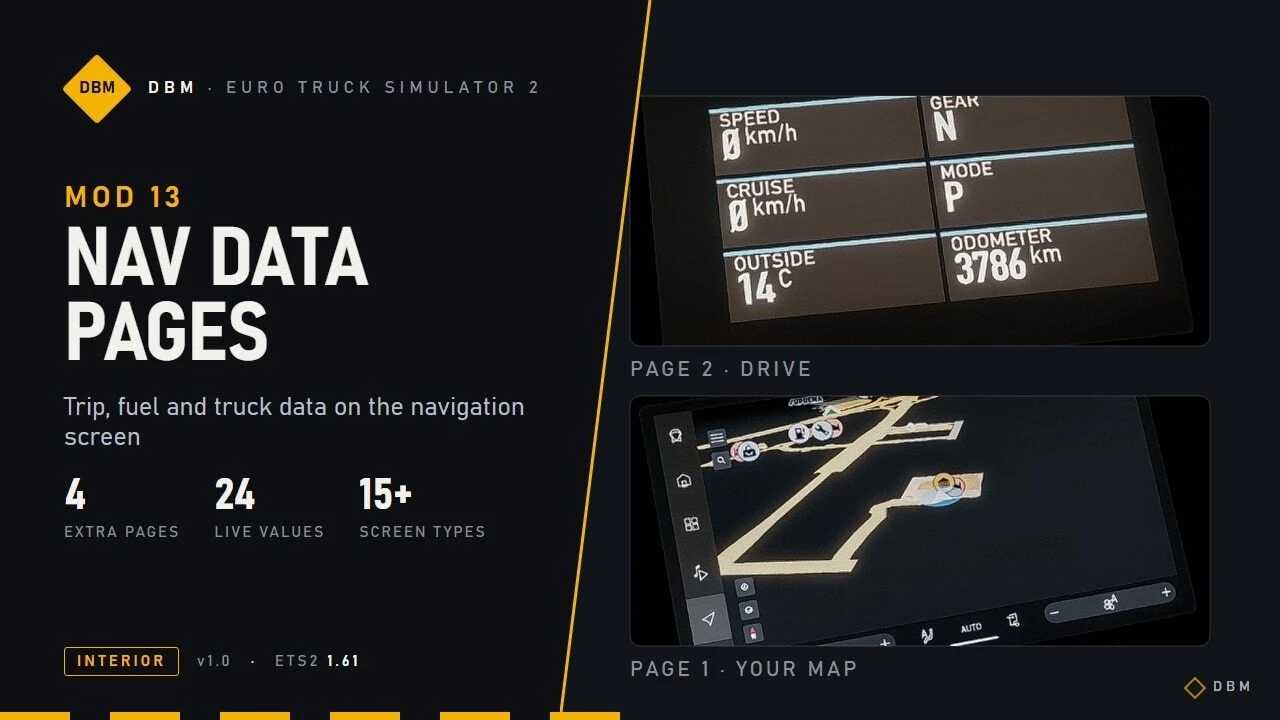
Strony danych nawigacyjnych DBM – dane dotyczące podróży, paliwa i ciężarówki na ekranie nawigacji w wersji 1.61 ETS2
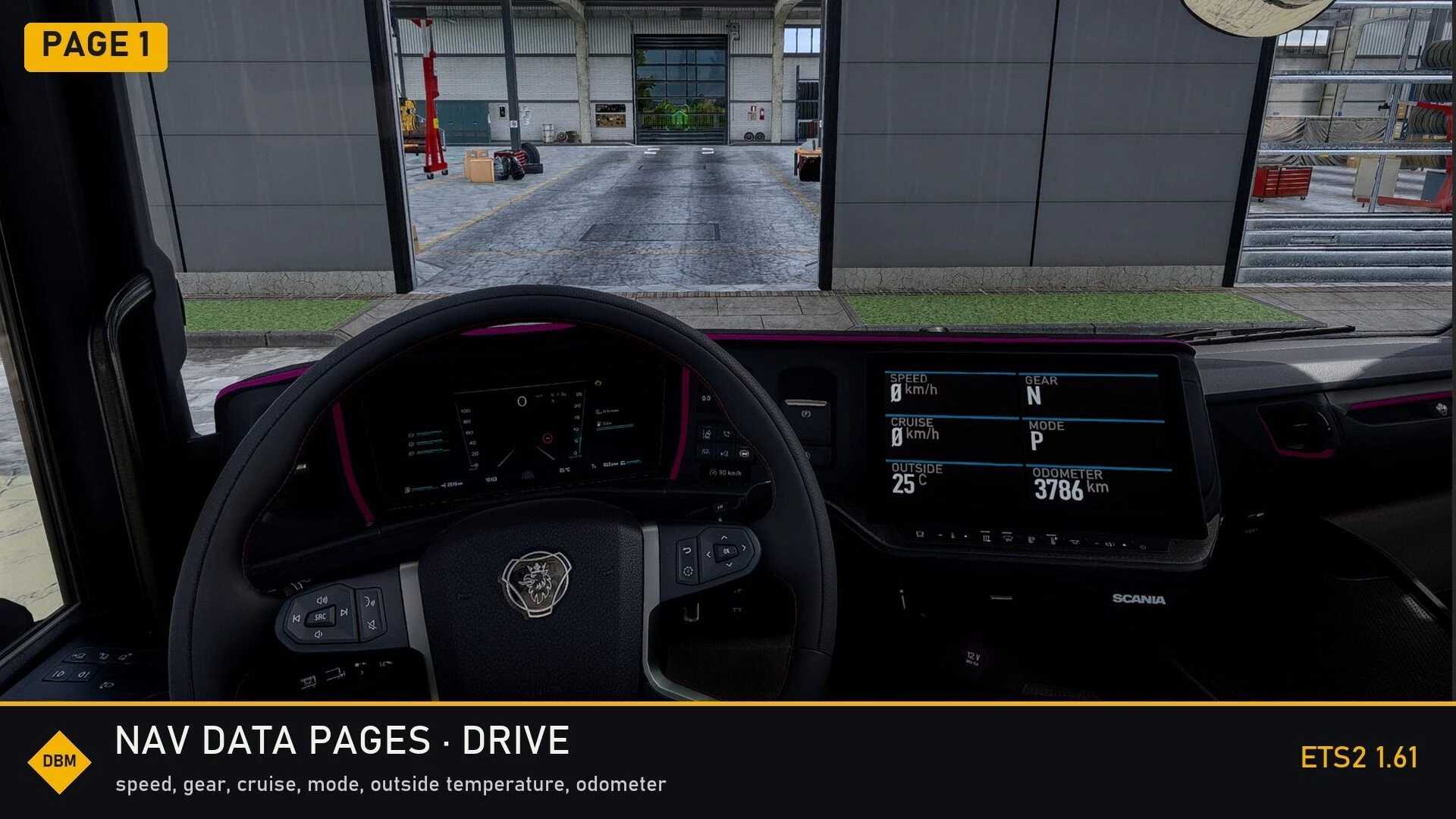
Strony danych nawigacyjnych DBM – dane dotyczące podróży, paliwa i ciężarówki na ekranie nawigacji w wersji 1.61 ETS2 Co otrzymujesz Strona 1 pozostaje standardową mapą. Naciśnij klawisz infotainment (domyślnie klawisz ukośnika odwrotnego), aby przełączać się między nowymi stronami: NAPĘD – prędkość, bieg, prędkość podróżna, tryb jazdy, temperatura zewnętrzna, licznik kilometrów.TRASA – szacowany czas dotarcia do celu, czas do odpoczynku, zasięg, przejechana odległość, czas podróży, średnia prędkość.PALIWO – bieżące i średnie zużycie paliwa, pozostałe paliwo, ilość paliwa w podróży, poziom paliwa %, AdBlue %.CIĘŻARÓWKA – temperatura wody i oleju, ciśnienie powietrza, napięcie akumulatora, godziny pracy silnika, ciśnienie oleju. Wszystkie wartości są aktualne, pochodzą bezpośrednio z gry i są zawarte w Twoim systemie jednostek. Ciężarówki objęte Ciężarówki z dużym ekranem: Scania R/S (inteligentna deska rozdzielcza), Volvo FH 2021 i 2024, Renault T i E-Tech T, DAF XD / XG / XF Electric, Iveco S-Way, MAN TGX 2020. Strony są dopasowane do rozmiaru każdego ekranu. Ciężarówki ze standardowym ekranem nawigacyjnym: starsze ciężarówki, które mają wspólny, ogólny ekran GPS. Zgodność Zastępuje pliki ekranów nawigacyjnych (GPS) powyższych ciężarówek. Inny mod zastępujący te same pliki będzie powodował konflikt; wygrywa ten, który jest wyżej w kolejności ładowania. Dotyczy to również modów nawigacyjnych w trybie nocnym, więc jeśli używasz jednego, zdecyduj, który chcesz zainstalować w tych ciężarówkach. Ostatnia strona cyklu „wyłączanie ekranu” zostaje zastąpiona nowymi stronami. Działa z Lighting Nova, Clusters HD i wszystkimi innymi modami DBM. Można go bezpiecznie dodać lub usunąć w dowolnym momencie. Przetestowana konfiguracja Gram z włączonym całym pakietem DBM w rozdzielczości 4K (3840×2160), DLSS 5 ze skalowaniem 100%, na karcie RTX 5070 Ti (16 GB). Zużycie pamięci VRAM z włączonym wszystkim wynosi około 9-11 GB. Na kartach 8 GB należy obniżyć jakość tekstur lub skalowanie. Awaria podczas ładowania? Ustaw większy plik stronicowania Modyfikacje tekstur o wysokiej rozdzielczości powodują, że gra ładuje kilka GB tekstur naraz. Jeśli w systemie Windows zabraknie pamięci (RAM + plik stronicowania), ETS2 zawiesza się podczas ładowania lub wjeżdżania na nowy obszar – mimo że sam mod działa poprawnie. Wyszukiwanie w systemie Windows: Wyświetl zaawansowane ustawienia systemu > Ustawienia wydajności > Zaawansowane > Zmiana pamięci wirtualnej. Odznacz opcję Zarządzaj automatycznie, wybierz najszybszy dysk (SSD), wybierz Rozmiar niestandardowy i ustaw opcje Początkowy i Maksymalny na 32768 MB (32 GB) lub co najmniej taki sam rozmiar jak rozmiar pamięci RAM. Kliknij przycisk Ustaw, następnie OK i uruchom ponownie komputer.
Pages de données de navigation DBM – Données de trajet, de carburant et de camion sur votre écran de navigation v1.61 ETS2
Pages de données de navigation DBM – Données de trajet, de carburant et de camion sur votre écran de navigation v1.61 ETS2 Ce que vous obtenez La page 1 reste votre carte habituelle. Appuyez sur la touche d'infodivertissement (la touche barre oblique inverse par défaut) pour parcourir les nouvelles pages : DRIVE – vitesse, rapport engagé, vitesse de croisière, mode de conduite, température extérieure, compteur kilométrique.TRIP – ETA, temps avant la pause, autonomie, distance parcourue, durée du trajet, vitesse moyenne.FUEL – consommation instantanée et moyenne, carburant restant, carburant pour le trajet, niveau de carburant %, AdBlue %, CAMION – température d'eau et d'huile, pression d'air, tension de la batterie, heures moteur, pression d'huile. Toutes les valeurs sont mises à jour en temps réel, directement issues du jeu et exprimées dans votre système d'unités. Camions couverts Camions à grand écran : Scania R/S (tableau de bord intelligent), Volvo FH 2021 et 2024, Renault T et E-Tech T, DAF XD/XG/XF Electric, Iveco S-Way, MAN TGX 2020. Les pages sont dimensionnées pour chaque écran. Camions avec écran de navigation standard : les camions plus anciens qui partagent l’écran GPS générique. Compatibilité Remplace les fichiers d'écran de navigation (GPS) des camions mentionnés ci-dessus. Tout autre mod remplaçant les mêmes fichiers sera incompatible ; le mod chargé en premier sera prioritaire. Cela inclut les mods de navigation nocturne ; si vous en utilisez un, choisissez celui que vous souhaitez activer sur ces camions. La dernière page d'affichage (écran éteint) du cycle est remplacée par les nouvelles pages. Compatible avec Lighting Nova, Clusters HD et tous les autres mods DBM. Peut être ajouté ou supprimé à tout moment. Configuration testée Je joue avec le pack DBM complet activé en 4K (3840×2160), DLSS 5 à 100 % de mise à l'échelle, sur une RTX 5070 Ti (16 Go). La consommation de VRAM avec toutes les options activées est d'environ 9 à 11 Go. Sur les cartes de 8 Go, réduisez la qualité des textures ou la mise à l'échelle. Plantage au chargement ? Augmentez la taille du fichier d'échange. Les mods de textures haute résolution font charger plusieurs gigaoctets de textures simultanément. Si Windows manque de mémoire (RAM + fichier d'échange), ETS2 plante lors du chargement ou lors de l'entrée dans une nouvelle zone, même si le mod lui-même fonctionne correctement. Recherche Windows : Afficher les paramètres système avancés > Paramètres de performances > Avancé > Modifier la mémoire virtuelle. Décochez « Gérer automatiquement », sélectionnez votre disque le plus rapide (SSD), choisissez « Taille personnalisée » et définissez les valeurs initiale et maximale sur 32 768 Mo (32 Go) ou au moins la taille de votre RAM. Cliquez sur « Définir », puis sur « OK » et redémarrez l’ordinateur.

DBM Nav Data Pages – Trip, Fuel and Truck Data on Your Navigation Screen v1.61 ETS2
Euro Truck Simulator 2 Mods | American Truck Simulator Mods | September 30, 2026 DBM Nav Data Pages – Trip, Fuel and Truck Data on Your Navigation Screen v1.61 ETS2 What you get Page 1 stays your normal map. Press the infotainment key (the backslash key by default) to cycle through the new pages: DRIVE – speed, gear, cruise speed, driving mode, outside temperature, odometer.TRIP – ETA, time until rest, range, trip distance, trip time, average speed.FUEL – current and average consumption, fuel left, trip fuel, fuel level %, AdBlue %.TRUCK – water and oil temperature, air pressure, battery voltage, engine hours, oil pressure. All values are live, straight from the game and in your unit system. Trucks covered Big-screen trucks: Scania R/S (smart dash), Volvo FH 2021 and 2024, Renault T and E-Tech T, DAF XD / XG / XF Electric, Iveco S-Way, MAN TGX 2020. The pages are sized to each screen.Trucks with the standard navigation screen: the older trucks that share the generic GPS screen. Compatibility Replaces the navigation screen files (gps) of the trucks above. Another mod that replaces the same files will conflict; whichever is higher in the load order wins. That includes night-mode navigation mods, so if you use one, decide which you want on those trucks.The last “screen off” page of the cycle is replaced by the new pages.Works with Lighting Nova, Clusters HD and all other DBM mods. Safe to add or remove at any time. Tested setup I play with the whole DBM pack enabled at 4K (3840×2160), DLSS 5 at 100% scaling, on an RTX 5070 Ti (16 GB). VRAM use with everything on is about 9-11 GB. On 8 GB cards, lower the texture quality or the scaling. Crash on loading? Set a bigger page file High-resolution texture mods make the game load several GB of textures at once. If Windows runs out of memory (RAM + page file), ETS2 crashes while loading or when driving into a new area – even though the mod itself is fine. Windows search: View advanced system settings > Performance Settings > Advanced > Virtual memory Change.Untick Automatically manage, pick your fastest drive (SSD), choose Custom size and set both Initial and Maximum to 32768 MB (32 GB) or at least the size of your RAM.Click Set, then OK, and restart the PC.

Fragile and Dangerous Cargo v1.0 1.61
Description: Bring more variety and responsibility to your deliveries in Euro Truck Simulator 2 with a collection of fragile, valuable, refrigerated and hazardous cargoes. Each cargo is available as a separate load, with its own cargo image and individual transport properties. Depending on the load, deliveries may require careful handling, a refrigerated trailer or the appropriate ADR skill. A varied selection of cargoes with individual identities.Dedicated cargo images for clear recognition in the job market.Cargo specific weights and volumes.Fragile and valuable loads that reward careful driving.Refrigerated cargoes assigned to suitable trailers.Hazardous loads with ADR requirements where applicable.Selected sending and receiving companies for each cargo. Plan your route, choose suitable equipment and keep your cargo safe from collection to delivery. Smooth braking, controlled cornering and a steady approach make all the difference. Not every cargo is hazardous or requires refrigeration. Requirements vary by cargo. Refrigerated loads use the game’s trailer compatibility system; this mod does not add a separate temperature management mechanic. DOWNLOAD Fragile_and_dangerous_cargo.zip – 165 KB

ETS2 TIR Realistic Delivery Time v1.0 1.61
Description: This mod brings job completion times closer to reality. Your work schedule becomes 8 hours of driving for 16 hours of rest to comply with all EU driving regulations for daily and weekly driving limits. You get 1 hour to cover every 60 km, and for every 480 km of travel you are credited 16 hours of rest. Regular jobs give you an extra hour of bonus time, important jobs 30 minutes, and urgent jobs 15 minutes. Being 4 hours late completely wipes out your profit on regular jobs. For important jobs, 2 hours is enough, while urgent jobs will take all your profit for 15 minutes of delay, citing the higher pay for urgency as the reason. Some routes become impossible to complete on time unless they are the first or last leg. The mod was tested in Norway, the Balkans, the Alps, Poland, and Russia. This mod supports all versions of the game and is not compatible with economy mods. Credits: darkestdragon24 DOWNLOAD ETS2_TIR_realistic_delivery_time.scs – 24 KB
DBM Cluster Vision – Większy tekst na pulpicie + strona mapy v1.61 ETS2
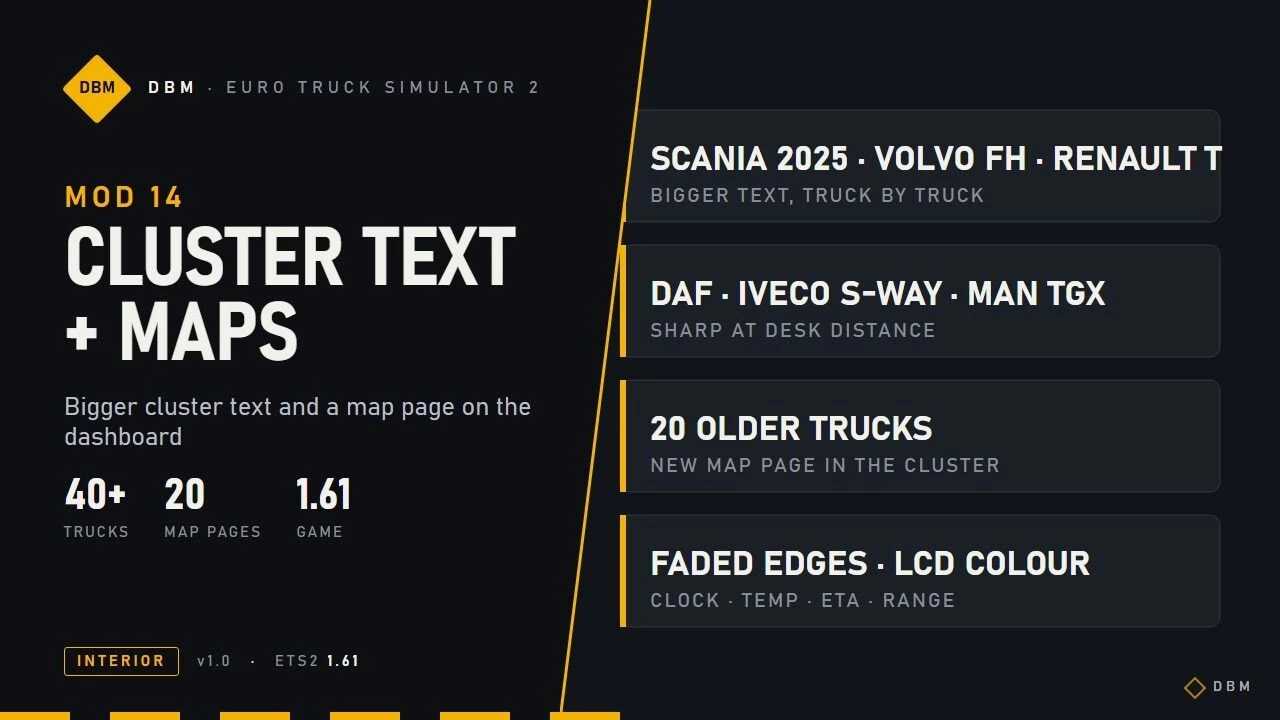
DBM Cluster Vision – Większy tekst na pulpicie + strona mapy v1.61 ETS2 Większy tekst na wyświetlaczach zestawu wskaźników w modelach Scania (2016 i 2025), Volvo FH 2021 i 2024, Renault T, DAF 2021 / XD / XF Electric, Iveco S-Way, MAN TGX 2020 i około 20 starszych ciężarówkach. Tekst jest równomiernie skalowany (nigdy nie rozciągany) i sprawdzany, aby nie nachodził na sąsiednie wartości. Strona mapy w zestawie wskaźników w ciężarówkach, które nie miały własnej mapy: naciśnij przycisk systemu informacyjno-rozrywkowego na zestawie wskaźników, aby do niej dotrzeć. Ciężarówki z dużym ekranem otrzymują mapę na całej szerokości z miękkimi, wyblakłymi krawędziami oraz zegar, temperaturę, szacowany czas dotarcia do celu i zasięg. Starsze ciężarówki otrzymują prostszą mapę w stylu LCD w kolorze swojego wyświetlacza. Ciężarówki, które już wyświetlają mapę w zestawie wskaźników (Volvo FH 2021 / 2024, Renault T 2024), zachowują swoją własną. Wymagania Wymaga DBM Clusters HD (Upscaled Clusters). Ten mod jest oparty na jego plikach, więc zasubskrybuj oba. Zachowaj tekst i mapy klastrów powyżej Clusters HD w kolejności ładowania. Zastępuje pliki układu klastra (deski rozdzielczej) powyższych ciężarówek. Inny mod zastępujący te same pliki będzie powodował konflikt; ten wyższy w kolejności ładowania wygrywa. Działa z Nav Data Pages, Lighting Nova i wszystkimi innymi modami DBM. Przetestowana konfiguracja Gram z włączonym całym pakietem DBM w rozdzielczości 4K (3840×2160), DLSS 5 przy 100% skalowaniu w 4K, na karcie RTX 5070 Ti (16 GB). Średnie zużycie pamięci VRAM wynosi około 9–11 GB. Karty 8 GB w zupełności wystarczą do uruchamiania moich modów. Wersja gry Zbudowany i przetestowany dla Euro Truck Simulator 2 1.61.x. Może również działać na starszych wersjach gry, ale nie są one oficjalnie obsługiwane. Seria DBM – każdy mod działa samodzielnie lub w połączeniu z pozostałymi. Znalazłeś błąd lub konflikt? Zostaw komentarz ze zrzutem ekranu, listą modów i kolejnością ładowania, a ja się tym zajmę. DBM – mody do Euro Truck Simulator 2.
Vision en cluster DBM – Texte du tableau de bord plus grand + Page de carte v1.61 ETS2
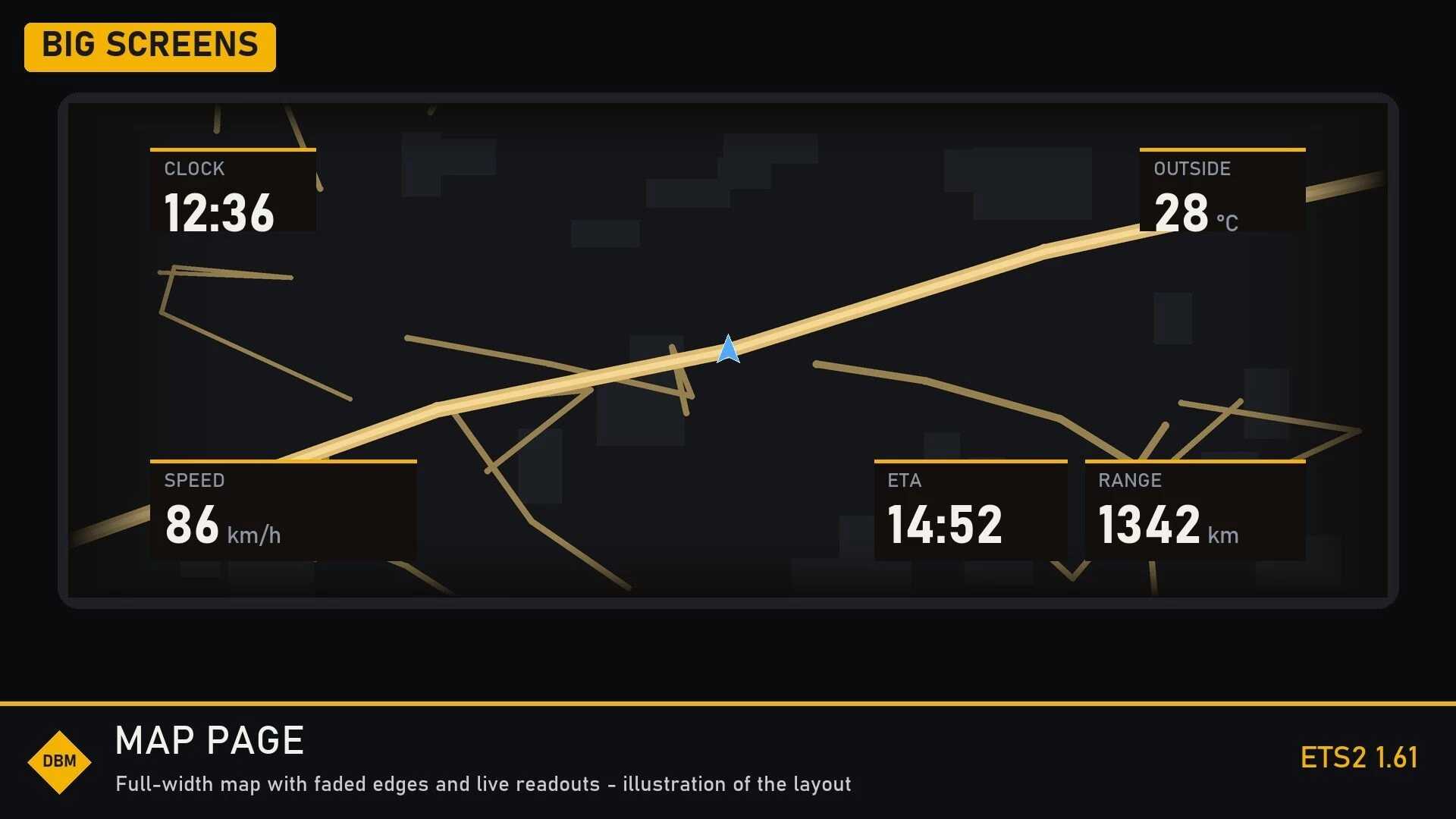
Vision en cluster DBM – Texte du tableau de bord plus grand + Page de carte v1.61 ETS2 Affichage agrandi sur les combinés d'instruments des camions Scania (2016 et 2025), Volvo FH 2021 et 2024, Renault T, DAF 2021/XD/XF Electric, Iveco S-Way, MAN TGX 2020 et d'une vingtaine de camions plus anciens. Le texte est dimensionné uniformément (jamais étiré) et vérifié pour éviter tout chevauchement. Accès à la carte sur les camions qui n'en étaient pas équipés : appuyez sur la touche d'infodivertissement du combiné d'instruments. Les camions à grand écran bénéficient d'une carte pleine largeur avec des bords légèrement dégradés, ainsi que de l'heure, de la température, de l'heure d'arrivée estimée et de l'autonomie. Les camions plus anciens disposent d'une carte simplifiée de type LCD, de la même couleur que leur écran. Les camions qui affichent déjà une carte sur le combiné d'instruments (Volvo FH 2021/2024, Renault T 2024) conservent la leur. Exigences Nécessite DBM Clusters HD (Upscaled Clusters). Ce mod utilise ses fichiers ; abonnez-vous donc aux deux. Placez Cluster Text et Maps au-dessus de Clusters HD dans l'ordre de chargement. Remplace les fichiers de configuration du tableau de bord des camions situés au-dessus. Tout autre mod remplaçant les mêmes fichiers sera incompatible ; le mod le plus haut placé dans l'ordre de chargement sera prioritaire. Compatible avec Nav Data Pages, Lighting Nova et tous les autres mods DBM. Configuration testée Je joue avec le pack DBM complet activé en 4K (3840×2160), DLSS 5 à 100 % de mise à l'échelle en 4K, sur une RTX 5070 Ti (16 Go). La consommation moyenne de VRAM se situe entre 9 et 11 Go. Les cartes de 8 Go sont suffisantes pour faire tourner mes mods. Version du jeu Conçu et testé pour Euro Truck Simulator 2 1.61.x. Il peut également fonctionner sur des versions antérieures du jeu, mais celles-ci ne sont pas officiellement prises en charge. La série DBM : chaque mod fonctionne individuellement ou en combinaison avec les autres. Vous avez trouvé un bug ou un conflit ? Laissez un commentaire avec une capture d’écran, votre liste de mods et leur ordre de chargement, et j’y jetterai un œil. DBM – Mods pour Euro Truck Simulator 2.
DBM Cluster Vision – Bigger Dash Text + Map Page v1.61 ETS2
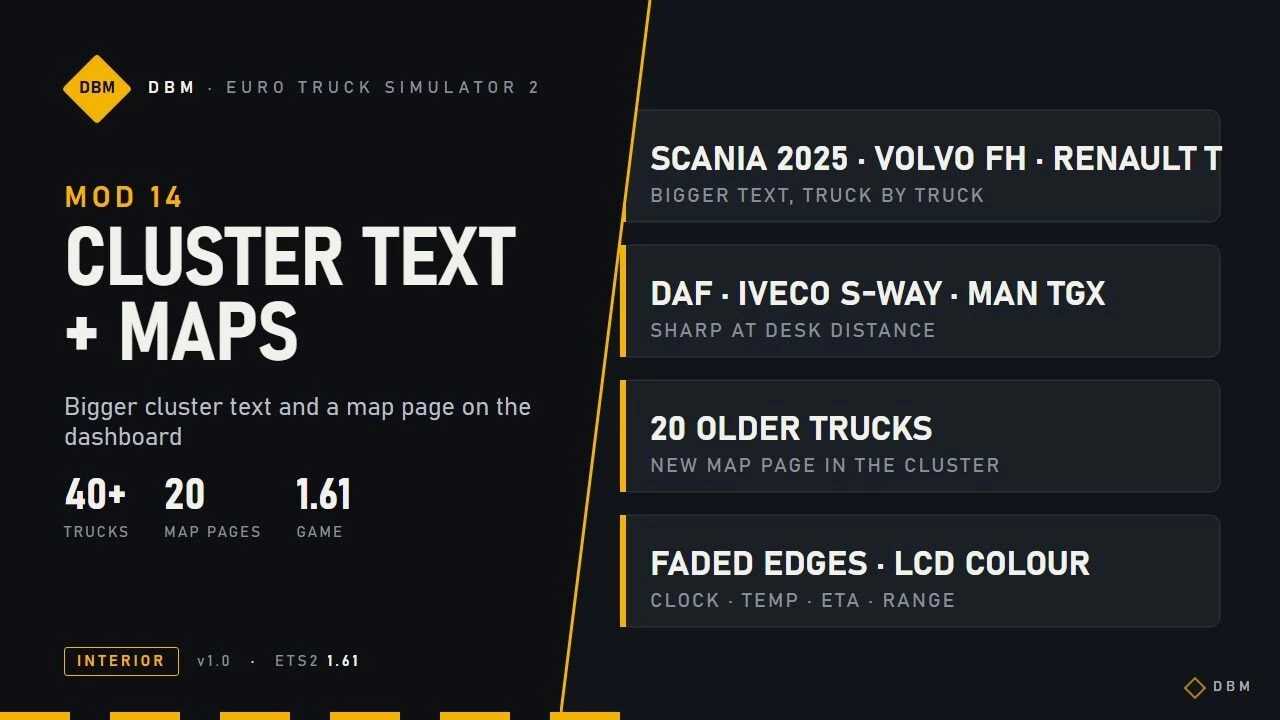
Euro Truck Simulator 2 Mods | American Truck Simulator Mods | September 30, 2026 DBM Cluster Vision – Bigger Dash Text + Map Page v1.61 ETS2 Bigger text on the cluster displays of Scania (2016 and 2025), Volvo FH 2021 and 2024, Renault T, DAF 2021 / XD / XF Electric, Iveco S-Way, MAN TGX 2020 and about 20 older trucks. Text is scaled evenly (never stretched) and checked so it does not overlap neighbouring values.Map page in the cluster on trucks that had no map of their own: press the infotainment key on the cluster to reach it. Big-screen trucks get a full-width map with soft faded edges and clock, temperature, ETA and range. Older trucks get a simpler LCD-style map in the colour of their display.Trucks that already show a map in the cluster (Volvo FH 2021 / 2024, Renault T 2024) keep their own. Requirements Needs DBM Clusters HD (Upscaled Clusters). This mod is built on its files, so subscribe to both. Keep Cluster Text and Maps above Clusters HD in the load order.Replaces the cluster (dashboard) layout files of the trucks above. Another mod that replaces the same files will conflict; the higher one in the load order wins.Works with Nav Data Pages, Lighting Nova and all other DBM mods. Tested setup I play with the whole DBM pack enabled at 4K (3840×2160), DLSS 5 at 100% scaling in 4K, on an RTX 5070 Ti (16 GB). , the average VRAM consumption sits around 9-11GB. 8GB cards are good to run my mods. Game version Built and tested for Euro Truck Simulator 2 1.61.x. It may also work on earlier game versions, but those are not officially supported.

VOLVO CLASSIC + 3X3 1.61
Description: • Volvo FH Classic: Represents the legendary older generation of the Volvo FH series. • 3×3 Configuration: Refers to the specific axle layout of the trailers (commonly tippers or grain trailers) designed to distribute heavy payloads. • Version 1.61 Compatibility: The mod has been updated to match the game’s latest physics, lighting engine, and sound formats without causing crashes. DOWNLOAD VOLVO CLASSIC https://modsfire.com/bRtjyc842qU8Hj0 TRAILE 3X3 https://modsfire.com/991S993I74GCaWI PACK DE RODAS https://modsfire.com/wT435ZAhN30EDp4
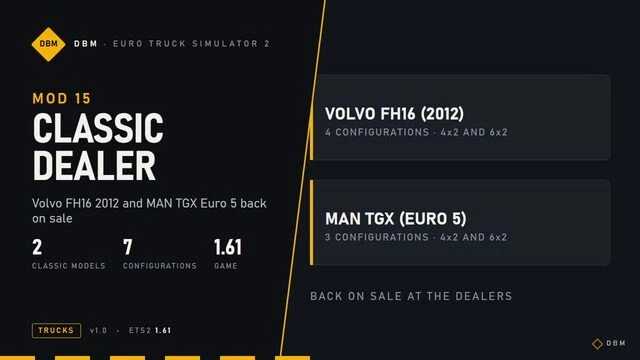
Dealer DBM Classic – Volvo FH16 2012 i MAN TGX Euro 5 ponownie w sprzedaży v1.61 ETS2
Dealer DBM Classic – Volvo FH16 2012 i MAN TGX Euro 5 ponownie w sprzedaży v1.61 ETS2 Volvo FH16 (2012) u dealerów Volvo: 4 gotowe konfiguracje (4×2 i 6×2, kilka silników i kabin). MAN TGX (Euro 5) u dealerów MAN: 3 gotowe konfiguracje (4×2 i 6×2). Po zakupie możesz wymienić silnik, kabinę, podwozie, lakier i akcesoria w standardowych warsztatach tuningowych. Zgodność Dodaje tylko wpisy dealerów. Nie zmienia żadnych istniejących ciężarówek, więc możesz je bezpiecznie dodawać i usuwać w dowolnym momencie. Ciężarówki, które już kupiłeś, pozostają w garażu. Działa ze wszystkimi innymi modyfikacjami DBM. Przetestowana konfiguracja Gram z włączonym całym pakietem DBM w rozdzielczości 4K (3840×2160), DLSS 5 przy 100% skalowaniu w 4K, na karcie RTX 5070 Ti (16 GB). Średnie zużycie pamięci VRAM wynosi około 9–11 GB. Karty 8 GB w zupełności wystarczą do uruchamiania moich modów. Wersja gry Zbudowany i przetestowany dla Euro Truck Simulator 2 1.61.x. Może również działać na starszych wersjach gry, ale nie są one oficjalnie obsługiwane. Seria DBM – każdy mod działa samodzielnie lub w połączeniu z pozostałymi. Znalazłeś błąd lub konflikt? Zostaw komentarz ze zrzutem ekranu, listą modów i kolejnością ładowania, a ja się tym zajmę. DBM – mody do Euro Truck Simulator 2.
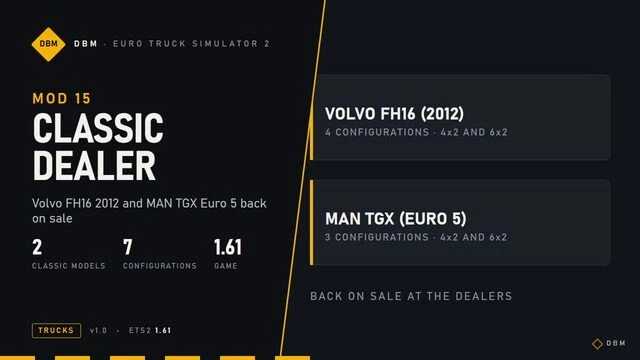
DBM Classic Dealer – Volvo FH16 2012 et MAN TGX Euro 5 de retour en vente v1.61 ETS2
DBM Classic Dealer – Volvo FH16 2012 et MAN TGX Euro 5 de retour en vente v1.61 ETS2 Volvo FH16 (2012) chez les concessionnaires Volvo : 4 configurations prêtes à l’emploi (4×2 et 6×2, plusieurs moteurs et cabines). MAN TGX (Euro 5) chez les concessionnaires MAN : 3 configurations prêtes à l’emploi (4×2 et 6×2). Après l’achat, vous pouvez modifier le moteur, la cabine, le châssis, la peinture et les accessoires dans les ateliers de tuning habituels. Compatibilité Ajoute uniquement des camions de concessionnaires. Ce mod ne modifie aucun camion existant ; vous pouvez donc en ajouter ou en supprimer à tout moment. Les camions que vous avez déjà achetés restent dans votre garage. Compatible avec tous les autres mods DBM. Configuration testée Je joue avec le pack DBM complet activé en 4K (3840×2160), DLSS 5 à 100 % de mise à l'échelle en 4K, sur une RTX 5070 Ti (16 Go). La consommation moyenne de VRAM se situe entre 9 et 11 Go. Les cartes de 8 Go sont suffisantes pour faire tourner mes mods. Version du jeu Conçu et testé pour Euro Truck Simulator 2 1.61.x. Il peut également fonctionner sur des versions antérieures du jeu, mais celles-ci ne sont pas officiellement prises en charge. La série DBM : chaque mod fonctionne individuellement ou en combinaison avec les autres. Vous avez trouvé un bug ou un conflit ? Laissez un commentaire avec une capture d’écran, votre liste de mods et leur ordre de chargement, et j’y jetterai un œil. DBM – Mods pour Euro Truck Simulator 2.
- 15 per page
- 30 per page
- 45 per page
- 60 per page
-
See more per page
Bigger pages, fewer clicks - and no ads anywhere.
Go Pro