1 / 2
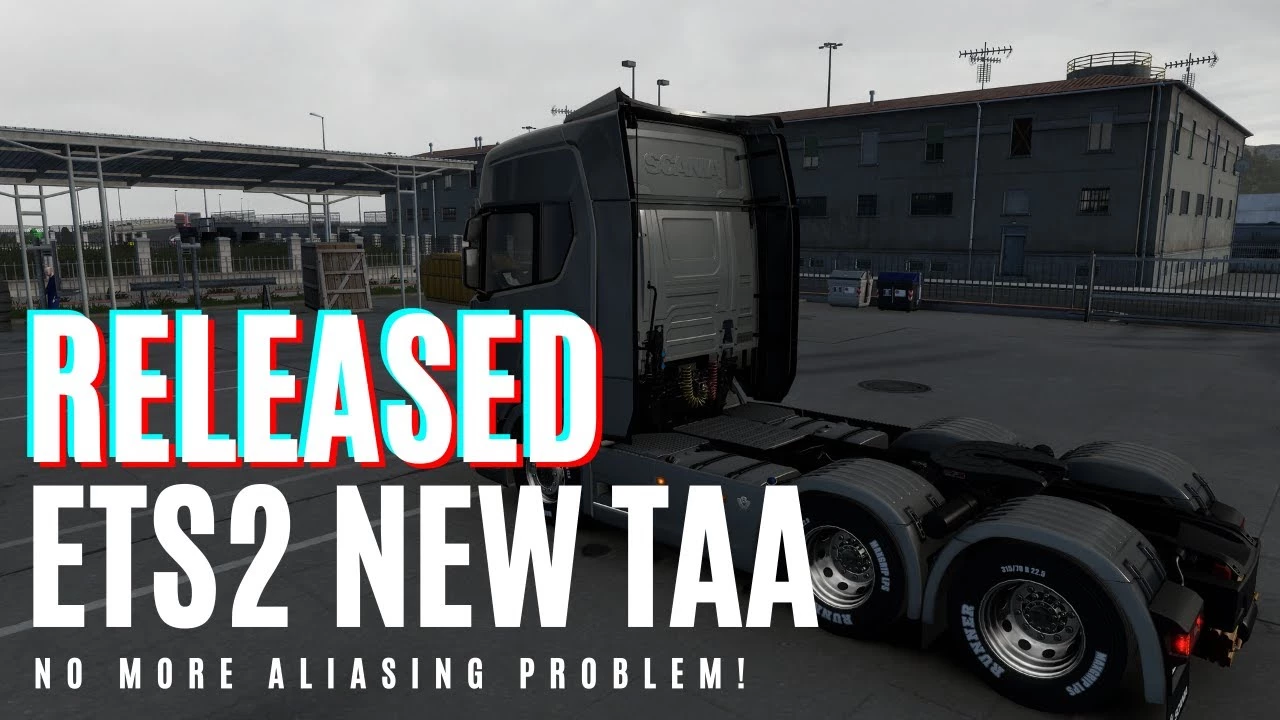
New Temporal Anti Aliasing No More Aliasing, Flickering v 8.4.9
TAA is a method used by modern games to solve aliasing issues.
– Full implementation of TAA for ETS2/ATS – It has low performance impact compared to any other anti aliasing solution. – It is not an only postprocess TAA like you have in other apps which just blurs your screen.
TAA (Temporal Anti Aliasing) implemented with a .dll file to replace default anti aliasing method with TAA. It is removing/recuding aliasing, flickering, shimmering with minimal performance impact.
You can get rid of aliasing problems with only 100% resolution scale in game. You can use left gpu power for higher graphic settings or anything you want.
Supported Versions:
ETS2: 1.48.1.6 ATS: 1.48.2.6
Requirements:
Windows 10 x64 or Windows 11 x64, DirectX 11
Settings:
Press “HOME” key to open menu ingame Rate = TAA apply rate (9 default and recommended) Sharpness = Sharpen filter rate
Installation:
1. Go to Euro Truck Simulator 2/American Truck Simulator folder 2. Go to “bin\win_x64” folder 3. Copy & paste dxgi.dll file 4. Start game with DirectX 11 5. Disable any other anti aliasing (SMAA, MSAA, Nvidia Profile Inspector (NPI))
***You can use this method for any other project uses dxgi.dll.
Create a folder named “reshade” inside “bin\win_x64\” folder. Copy reshade files (dxgi.dll, ReShade.ini, ReShadePreset.ini, reshade-shaders) to “bin\win_x64\reshade\” folder. Put TAA dxgi.dll to “bin\win_x64\” folder. Now you can play the game with TAA and ReShade.
***When reshade is activated, you need to use “END” key for TAA instead of “HOME” key.
Changes v8.4.9 -Ghosting improvements for Temporal Anti Aliasing Rev.2 -Performance improvements for Temporal Anti Aliasing Rev.2 -Added Temporal Anti Aliasing Rev.2 (testing DLAA alternative algorithm) -Improved DLSS Quality, DLSS Balanced, DLSS Performance
Changes v8.4.3 -Added DLSS/DLAA -Added multithread support for TAA shader generation, game is not going to slow down when you see a new type of object
04/11/2023 v8.3.2
Added multithread support for TAA shader generation, game won’t slow down when you see a new type of object
31/10/2023 v8.3.0
Changes for game version 1.49
29/10/2023 v8.2.1
Fixed cursor flickering when used with camera plugins
Changes v8.2
-Hotfix for T.SSAO ghosting -Randomly flickering objects fixed
Changes v8
-T.Shadow added -Some flickering objects fixed
Changes v7.3
-AMD fps drop issue fixed
Changes v7.2
-Fixed some FPS drop problems -TAA for foliage (tree, grass etc) improved a lot -T.SSAO improved a lot, Stronger SSAO added -Flickering & blurry objects at night fixed -Some changes to solve fps drop on AMD GPUs (not tested)
Changes v4
-released to solve low FPS/FPS drop issue
Credits:
snowymoon
If the download link is outdated or doesn't work, you can add your download link. (If your link is valid, we will approve it within 24 hours.)
– Full implementation of TAA for ETS2/ATS – It has low performance impact compared to any other anti aliasing solution. – It is not an only postprocess TAA like you have in other apps which just blurs your screen.
TAA (Temporal Anti Aliasing) implemented with a .dll file to replace default anti aliasing method with TAA. It is removing/recuding aliasing, flickering, shimmering with minimal performance impact.
You can get rid of aliasing problems with only 100% resolution scale in game. You can use left gpu power for higher graphic settings or anything you want.
Supported Versions:
ETS2: 1.48.1.6 ATS: 1.48.2.6
Requirements:
Windows 10 x64 or Windows 11 x64, DirectX 11
Settings:
Press “HOME” key to open menu ingame Rate = TAA apply rate (9 default and recommended) Sharpness = Sharpen filter rate
Installation:
1. Go to Euro Truck Simulator 2/American Truck Simulator folder 2. Go to “bin\win_x64” folder 3. Copy & paste dxgi.dll file 4. Start game with DirectX 11 5. Disable any other anti aliasing (SMAA, MSAA, Nvidia Profile Inspector (NPI))
***You can use this method for any other project uses dxgi.dll.
Create a folder named “reshade” inside “bin\win_x64\” folder. Copy reshade files (dxgi.dll, ReShade.ini, ReShadePreset.ini, reshade-shaders) to “bin\win_x64\reshade\” folder. Put TAA dxgi.dll to “bin\win_x64\” folder. Now you can play the game with TAA and ReShade.
***When reshade is activated, you need to use “END” key for TAA instead of “HOME” key.
Changes v8.4.9 -Ghosting improvements for Temporal Anti Aliasing Rev.2 -Performance improvements for Temporal Anti Aliasing Rev.2 -Added Temporal Anti Aliasing Rev.2 (testing DLAA alternative algorithm) -Improved DLSS Quality, DLSS Balanced, DLSS Performance
Changes v8.4.3 -Added DLSS/DLAA -Added multithread support for TAA shader generation, game is not going to slow down when you see a new type of object
04/11/2023 v8.3.2
Added multithread support for TAA shader generation, game won’t slow down when you see a new type of object
31/10/2023 v8.3.0
Changes for game version 1.49
29/10/2023 v8.2.1
Fixed cursor flickering when used with camera plugins
Changes v8.2
-Hotfix for T.SSAO ghosting -Randomly flickering objects fixed
Changes v8
-T.Shadow added -Some flickering objects fixed
Changes v7.3
-AMD fps drop issue fixed
Changes v7.2
-Fixed some FPS drop problems -TAA for foliage (tree, grass etc) improved a lot -T.SSAO improved a lot, Stronger SSAO added -Flickering & blurry objects at night fixed -Some changes to solve fps drop on AMD GPUs (not tested)
Changes v4
-released to solve low FPS/FPS drop issue
Credits:
snowymoon
If the download link is outdated or doesn't work, you can add your download link. (If your link is valid, we will approve it within 24 hours.)
Download Links
Report a problem
New Temporal Anti Aliasing No More Aliasing, Flickering v 8.4.9
Advertisement
Remove ads