1 / 2
Lighting Improvements v2.0.35.5
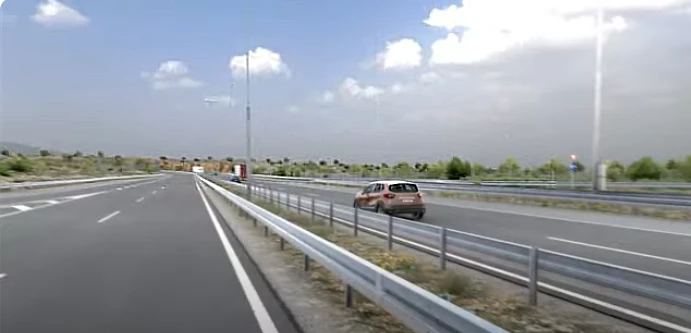
This is Beta version of Lighting Improvements. This version is just for testing and fixing new lighting improvements. Currently there is no settings for performance/quality, dynamic weather/sky, default reflection system, night time/time of day. More features will be implemented in the future.
– Lighting improvements; – Temporary Anti-Aliasing; – DLAA/DLSS 3.7; – Motion blur.
Installation
Go to ETS2/ATS folder Go to “bin\win_x64” folder Copy & paste “dxgi.dll” file and “nvngx_dlss.dll” (for DLSS) Copy & paste “snowymoon_lighting” folder Start game with DirectX 11 Press “END” or “CTRL+P” key to open menu ingame
Credits:
snowymoon
If the download link is outdated or doesn't work, you can add your download link. (If your link is valid, we will approve it within 24 hours.)
You realize the snowymoon plugin requires subscription to get the key in order for it work right? Lol
>Copy & paste “snowymoon_lighting” folder to where? what to do with ets2ats_lighting_v1_0_0_snowymoon.io?
It doesn’t work
– Lighting improvements; – Temporary Anti-Aliasing; – DLAA/DLSS 3.7; – Motion blur.
Installation
Go to ETS2/ATS folder Go to “bin\win_x64” folder Copy & paste “dxgi.dll” file and “nvngx_dlss.dll” (for DLSS) Copy & paste “snowymoon_lighting” folder Start game with DirectX 11 Press “END” or “CTRL+P” key to open menu ingame
Credits:
snowymoon
If the download link is outdated or doesn't work, you can add your download link. (If your link is valid, we will approve it within 24 hours.)
You realize the snowymoon plugin requires subscription to get the key in order for it work right? Lol
>Copy & paste “snowymoon_lighting” folder to where? what to do with ets2ats_lighting_v1_0_0_snowymoon.io?
It doesn’t work
Download Links
Report a problem
Lighting Improvements v2.0.35.5
Advertisement
Remove ads