1 / 8
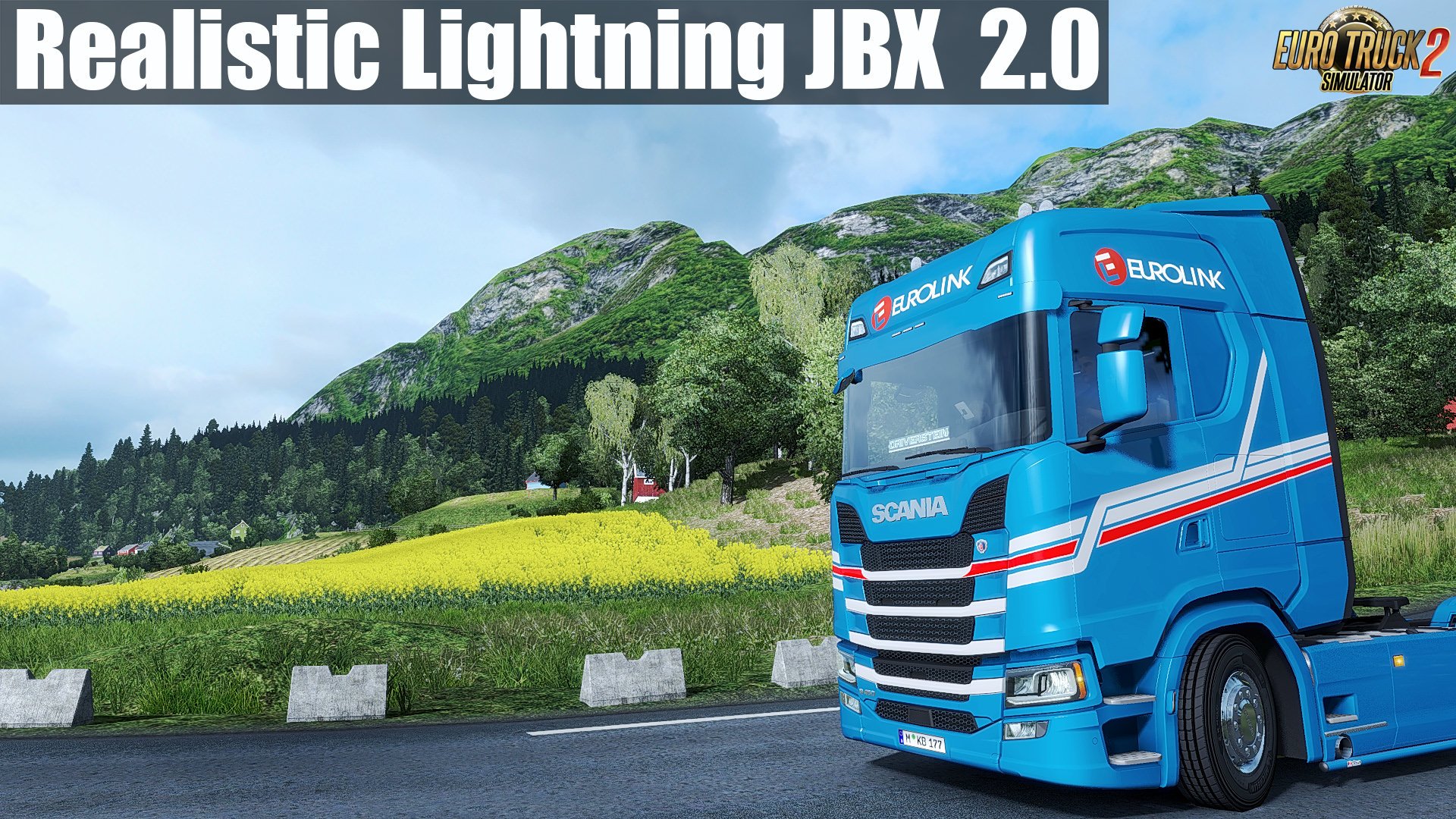
Realistic Lighting 2 JBX - Preset v2.0 (Reshade and SweetFX) (1.31.x)
Realistic Lighting 2 JBX - Preset v2.0 (Reshade and SweetFX) (1.31.x) for Euro Truck Simulator 2 game.
This modification improves lighting, bloom, contrast, road textures, terrain, sidewalk, disables automatic exposure and other additional improvements for a better gaming experience.
Recommendation: Avoid modifying the default brightness and contrast of the monitor*, play in Full HD (1920X1080) or higher and use the graphics settings that I recommend to get the best possible result in the game.
Additional: Deactivate the graphic options of post-processing effects and any other adjustment that affects the quality of the environment, including anti-aliasing filter not recommended. The brightness or gamma settings must be by default in the games. in some games you have to adjust it to avoid excess brightness.
Features mod:- Better Lighting- Better Color- Better Contrast- No Pure White- Sharpness and Focus- Realistic Color Temperature
Adjustments and Improvements in Curves, DPX, LumaSharpen and Tonemap.
Better ColorBetter ContrastLess BrightnessNo Pure White
Important: Always use the modified file DPX.h (SweetFX v2.0) for the correct visual of the effect. Replace existing file
Path: SweetFX\Shaders\DPX.h
Adjustments required* in the Game
- Anti-Aliasing (MLAA): OFF (*)- High Dynamic Range: ON (*)- Depth of Field (DOF): OFF (*)- Rays of Sunshine: ON (*)- Color Correction: ON (*)- Anisotropic Filtering: Maximum (*)
I recommend playing in the best graphic quality + 400% Scaling + Full HD
For better visual quality apply all the graphic settings I recommend. It affects the performance*
#####Necessary settings for my Mod JBX (SCS) and Preset v1.9.6 (Config.cfg)
uset r_gamma "1" (Important)uset r_cloud_shadows "0" (Optional)uset r_color_correction "1" (Important)
Path: \Documents\American Truck Simulator\config.cfgPath: \Documents\Euro Truck Simulator 2\config.cfg
#####Note: Exit the game before modifying config.cfg
#####Warning: If you want to use any of my configurations, request it and leave my credit. JuanBonX
Compatible: Con la mayoría de los juegos - With most games
****Disable FXAA for Other Games (Important)
Tested on game version 1.31.x
Help keep great mods coming by downloading officially
Simple steps to install ETS2 Mods
This modification improves lighting, bloom, contrast, road textures, terrain, sidewalk, disables automatic exposure and other additional improvements for a better gaming experience.
Recommendation: Avoid modifying the default brightness and contrast of the monitor*, play in Full HD (1920X1080) or higher and use the graphics settings that I recommend to get the best possible result in the game.
Additional: Deactivate the graphic options of post-processing effects and any other adjustment that affects the quality of the environment, including anti-aliasing filter not recommended. The brightness or gamma settings must be by default in the games. in some games you have to adjust it to avoid excess brightness.
Features mod:- Better Lighting- Better Color- Better Contrast- No Pure White- Sharpness and Focus- Realistic Color Temperature
Adjustments and Improvements in Curves, DPX, LumaSharpen and Tonemap.
Better ColorBetter ContrastLess BrightnessNo Pure White
Important: Always use the modified file DPX.h (SweetFX v2.0) for the correct visual of the effect. Replace existing file
Path: SweetFX\Shaders\DPX.h
Adjustments required* in the Game
- Anti-Aliasing (MLAA): OFF (*)- High Dynamic Range: ON (*)- Depth of Field (DOF): OFF (*)- Rays of Sunshine: ON (*)- Color Correction: ON (*)- Anisotropic Filtering: Maximum (*)
I recommend playing in the best graphic quality + 400% Scaling + Full HD
For better visual quality apply all the graphic settings I recommend. It affects the performance*
#####Necessary settings for my Mod JBX (SCS) and Preset v1.9.6 (Config.cfg)
uset r_gamma "1" (Important)uset r_cloud_shadows "0" (Optional)uset r_color_correction "1" (Important)
Path: \Documents\American Truck Simulator\config.cfgPath: \Documents\Euro Truck Simulator 2\config.cfg
#####Note: Exit the game before modifying config.cfg
#####Warning: If you want to use any of my configurations, request it and leave my credit. JuanBonX
Compatible: Con la mayoría de los juegos - With most games
****Disable FXAA for Other Games (Important)
Tested on game version 1.31.x
Help keep great mods coming by downloading officially
Simple steps to install ETS2 Mods
Download Links
Report a problem
Realistic Lighting 2 JBX - Preset v2.0 (Reshade and SweetFX) (1.31.x)
Advertisement
Remove ads