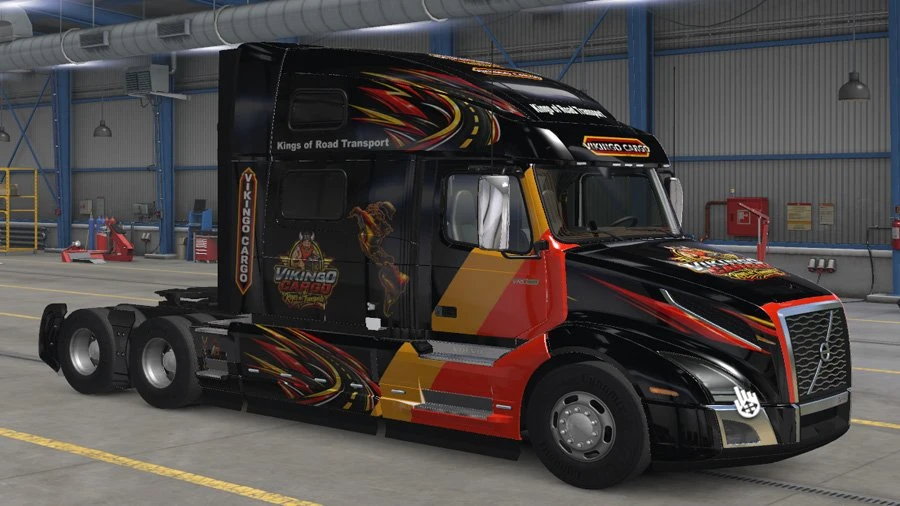
Volvo VNL 860 2018 - Vikingo Cargo
1. INSTALLATION
• Download and extract the file.
• Do not extract the .scs file.
• Copy the file directly to: Documents\American Truck Simulator\mod.
• Open American Truck Simulator and go to the Mod Manager.
• Find Vikingo Cargo – Volvo VNL 860 2018 and activate it.
2. TRUCK CONFIGURATION
• Use the official Volvo VNL 2018.
• Select the VNL 860 cabin.
• In the truck paint selection, choose the Vikingo Cargo paint job.
• Apply the configuration and check that the design appears correctly.
3. RECOMMENDATIONS
• Keep the .scs file unextracted inside the mod folder.
• If the mod does not appear, check that it is in the ATS user folder and that the file really ends in .scs.
• This mod is designed for the VNL 860 and requires the official Volvo VNL 2018 content.
• If you have older versions of the same mod, remove them to avoid conflicts.
Thanks to Alameda73
• Download and extract the file.
• Do not extract the .scs file.
• Copy the file directly to: Documents\American Truck Simulator\mod.
• Open American Truck Simulator and go to the Mod Manager.
• Find Vikingo Cargo – Volvo VNL 860 2018 and activate it.
2. TRUCK CONFIGURATION
• Use the official Volvo VNL 2018.
• Select the VNL 860 cabin.
• In the truck paint selection, choose the Vikingo Cargo paint job.
• Apply the configuration and check that the design appears correctly.
3. RECOMMENDATIONS
• Keep the .scs file unextracted inside the mod folder.
• If the mod does not appear, check that it is in the ATS user folder and that the file really ends in .scs.
• This mod is designed for the VNL 860 and requires the official Volvo VNL 2018 content.
• If you have older versions of the same mod, remove them to avoid conflicts.
Thanks to Alameda73
Download Links
Report a problem
Volvo VNL 860 2018 - Vikingo Cargo
Advertisement
Remove ads