1 / 35
TM Real Walk Plugin v1.0 (ETS2 1.61) ETS2
Euro Truck Simulator 2 Mods | American Truck Simulator Mods | September 29, 2026
TM Real Walk Plugin v1.0 (ETS2 1.61) ETS2
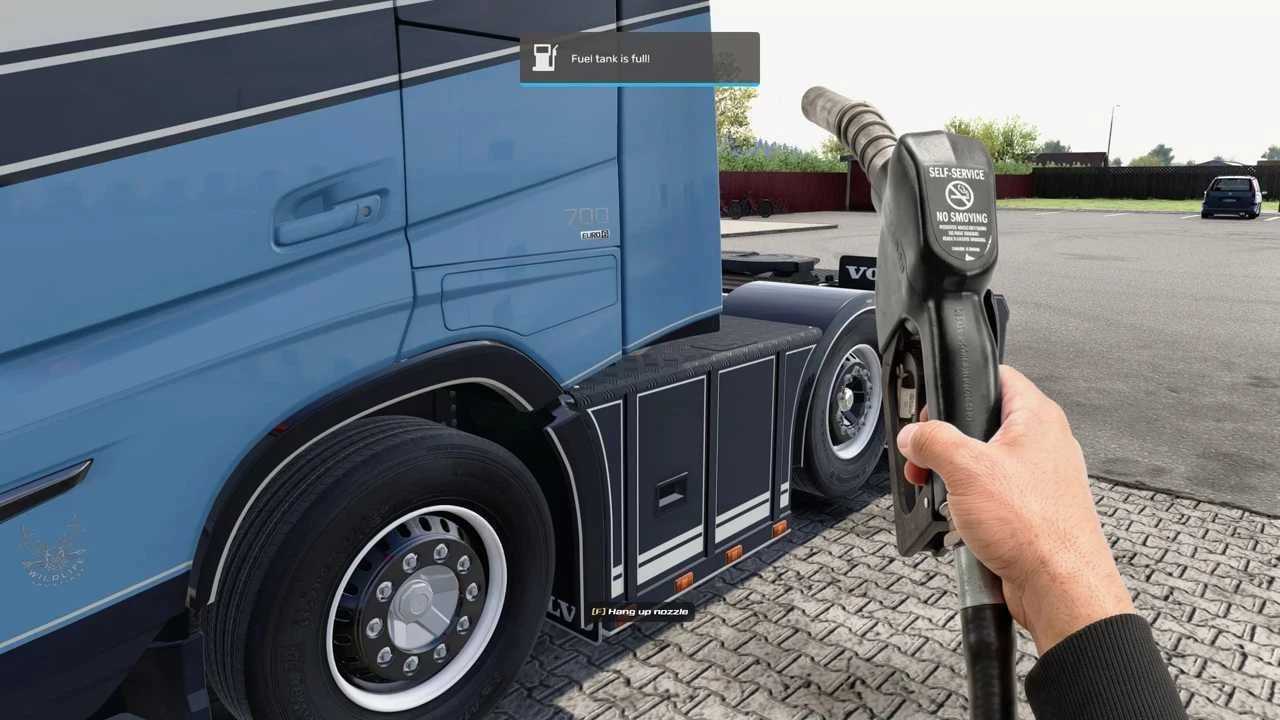
WHAT YOU GET Walk, run, crouch and even jump using WASD, complete with realistic head bob, footstep sounds, breathing and a weary sigh after a marathon run. Fuel up on foot now – pull up to a station, hop out, swipe your fuel card (watch the PIN pad and odometer), grab the nozzle, fill the tank, hang it back and snag a printed receipt (DKV card for ETS2, Comdata for ATS, showing km/miles and currency). Switch on a functional flashlight with right‑click (three beam sizes via G) that works day or night. A soft shadow follows your steps, fully adjustable or removable in the settings. The plugin respects the game’s own collision, so fences, walls and slopes actually stop you. Hold E while moving forward to climb stairs, hit F8 to phase through a wall if you’re stuck, and zoom in by holding the left mouse button. Eye height is tweaked on the fly with Q/E. All messages pop up in the native notification box, making them feel part of the game. Open the settings menu with Ctrl+F10 (English & Bahasa Melayu) to toggle hands, on‑screen prompts, head bob, shadow, key bindings and more – everything can be fine‑tuned or disabled.
HOW TO INSTALL (once per game) Extract the zip, copy TMRealWalk.dll and TMRealWalk.ini into /bin/win_x64/plugins, launch ETS2 and press Ctrl+F10 to start exploring on foot.
TM Real Walk Plugin v1.0 (ETS2 1.61) ETS2
WHAT YOU GET Walk, run, crouch and even jump using WASD, complete with realistic head bob, footstep sounds, breathing and a weary sigh after a marathon run. Fuel up on foot now – pull up to a station, hop out, swipe your fuel card (watch the PIN pad and odometer), grab the nozzle, fill the tank, hang it back and snag a printed receipt (DKV card for ETS2, Comdata for ATS, showing km/miles and currency). Switch on a functional flashlight with right‑click (three beam sizes via G) that works day or night. A soft shadow follows your steps, fully adjustable or removable in the settings. The plugin respects the game’s own collision, so fences, walls and slopes actually stop you. Hold E while moving forward to climb stairs, hit F8 to phase through a wall if you’re stuck, and zoom in by holding the left mouse button. Eye height is tweaked on the fly with Q/E. All messages pop up in the native notification box, making them feel part of the game. Open the settings menu with Ctrl+F10 (English & Bahasa Melayu) to toggle hands, on‑screen prompts, head bob, shadow, key bindings and more – everything can be fine‑tuned or disabled.
HOW TO INSTALL (once per game) Extract the zip, copy TMRealWalk.dll and TMRealWalk.ini into /bin/win_x64/plugins, launch ETS2 and press Ctrl+F10 to start exploring on foot.
Download Links
Report a problem
TM Real Walk Plugin v1.0 (ETS2 1.61) ETS2
Advertisement
Remove ads