1 / 3
Freightliner Cascadia 2024 (Gen 5) – Improved Infotainment Screens Mod
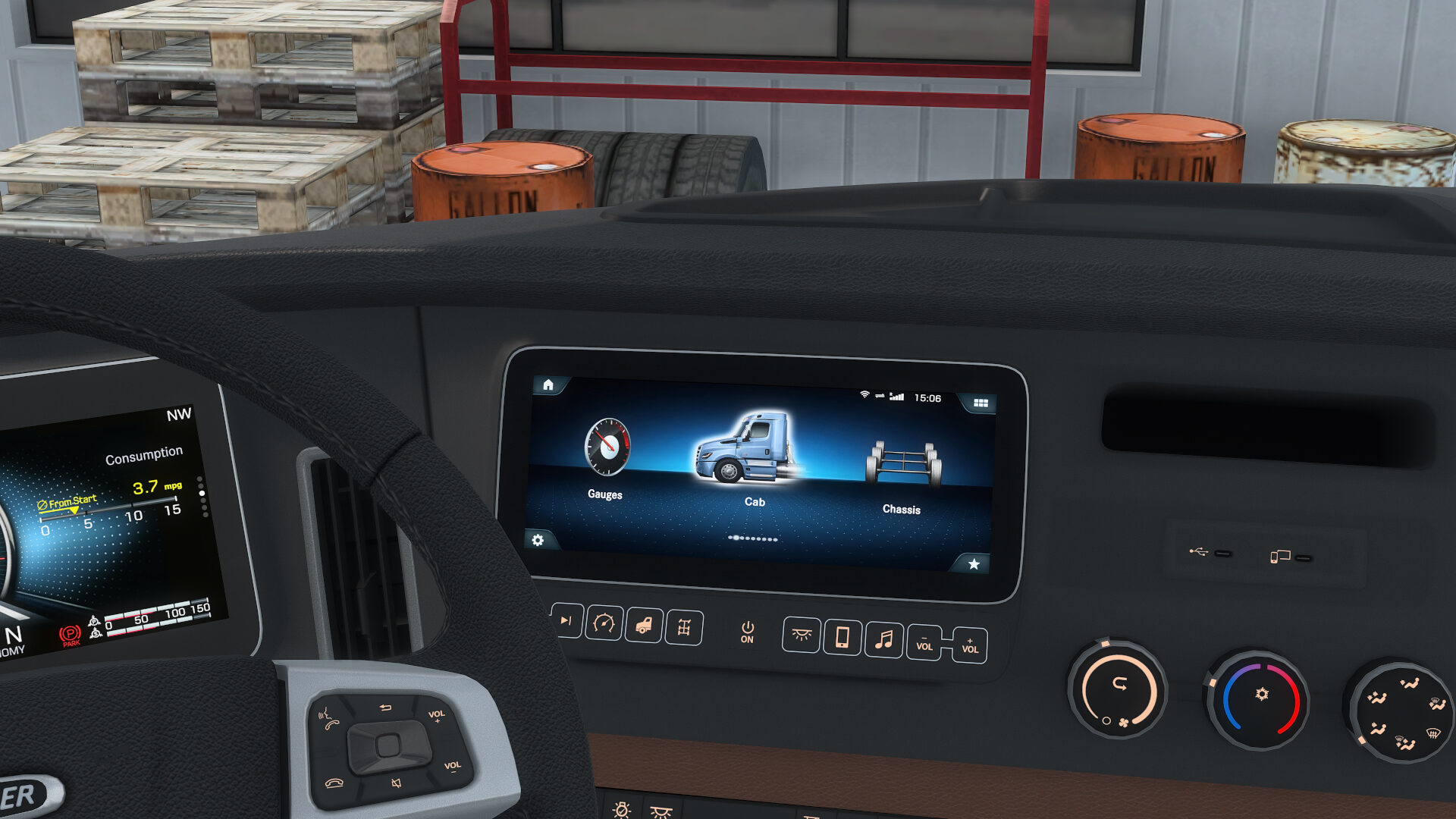
This mod aims to add more screens into the Infotainment System of the Freightliner Cascadia 2024 as it is in real life. Won’t be 100% of them cause it’s useless & is limited by he game, but some to improve the immersion in this wonderful truck.
To make it work properly, you need to set a key to the option “Infotainment Display Mode” on the “Interior” section for Keys Configuration in the Settings. After that, press the assigned key to toggle/switch between screens/display options.
Check the second image in the gallery for more information.
Available Screens: – Infotainment “Main Menu 1 (Selected Cabin)”*. – Infotainment “Main Menu 2 (selected Navigation)*. – GPS (Default by SCS) + GUI by Tom Tom, as it is in real life. Including Compass & ETA**. – Clock screen. – Screen off (Default by SCS).
Comments: – * Static image, except clock which is the one from the game. – ** Due to game limitations, I can’t add the distance to destination. And the compass show the cardinal point single letter – All screens were created from the ground, even the icons & fonts.
To make it work properly, you need to set a key to the option “Infotainment Display Mode” on the “Interior” section for Keys Configuration in the Settings. After that, press the assigned key to toggle/switch between screens/display options.
Check the second image in the gallery for more information.
Available Screens: – Infotainment “Main Menu 1 (Selected Cabin)”*. – Infotainment “Main Menu 2 (selected Navigation)*. – GPS (Default by SCS) + GUI by Tom Tom, as it is in real life. Including Compass & ETA**. – Clock screen. – Screen off (Default by SCS).
Comments: – * Static image, except clock which is the one from the game. – ** Due to game limitations, I can’t add the distance to destination. And the compass show the cardinal point single letter – All screens were created from the ground, even the icons & fonts.
Visit Original Post
Also posted on
Download Links
Report a problem
Freightliner Cascadia 2024 (Gen 5) – Improved Infotainment Screens Mod
Advertisement
Remove ads